
JOOAN S3-U
JOOAN Dual-Lens 3MP Outdoor Solar Security Camera
Model: S3-U
Brand: JOOAN
1. Introduction
Thank you for choosing the JOOAN S3-U Dual-Lens Outdoor Solar Security Camera. This manual provides detailed instructions for the installation, operation, and maintenance of your new security camera. Please read this manual thoroughly before use to ensure proper functionality and to maximize the camera's features.
This advanced security camera features a dual-lens system, offering both a fixed panoramic view and a rotating PTZ (Pan/Tilt/Zoom) lens for comprehensive 360-degree monitoring. Equipped with AI human detection, automatic tracking, and various night vision modes, it provides reliable surveillance for your home or property. The integrated solar panel and high-capacity battery ensure continuous operation with minimal intervention.
2. Product Overview
The JOOAN S3-U camera is designed for outdoor use, featuring a robust, weather-resistant build and advanced functionalities for enhanced security.
2.1 Key Components
- Solar Panel: Charges the internal battery, providing continuous power.
- Dual Lenses: One fixed lens for a wide view and one PTZ lens for flexible monitoring.
- Infrared LEDs & White Lights: Enable various night vision modes.
- Microphone & Speaker: For two-way audio communication.
- Antennas: Enhance 2.4G WiFi signal reception for stable connectivity.
- PIR Sensor: Detects human motion to trigger recording and alerts.
- SD Card Slot: Supports local storage (8-256GB).

Figure 2.1: Front view of the JOOAN S3-U camera with solar panel.

Figure 2.2: Illustration of the dual-lens system, showing a fixed panoramic camera and a rotating PTZ camera for automatic tracking.

Figure 2.3: The camera features a 9000mAh built-in battery, rechargeable via the integrated solar panel.
3. Setup and Installation
3.1 What's in the Box
Verify that all components are present:
- JOOAN S3-U Security Camera
- Solar Panel (pre-attached or separate)
- Mounting Bracket
- Screws and Wall Plugs
- USB Charging Cable (for initial charge if needed)
- User Manual (this document)
3.2 Initial Charging
Before first use, it is recommended to fully charge the camera's internal battery using the provided USB cable. Connect the cable to the camera's charging port and a standard 5V USB power adapter (not included).
3.3 App Download and Account Creation
- Scan the QR code on the packaging or in the manual to download the official JOOAN app (or search for 'JOOAN' in your app store).
- Install the app and create a new account. Follow the on-screen instructions for registration.
3.4 Camera Connection (2.4G WiFi)
- Power on the camera. It will enter pairing mode.
- Open the JOOAN app, tap 'Add Device' or the '+' icon.
- Select your camera model and follow the in-app instructions to connect the camera to your 2.4GHz Wi-Fi network. Ensure your Wi-Fi signal is strong at the installation location.
3.5 Mounting the Camera
The camera can be mounted on a roof, wall, or ceiling. Choose a location with good Wi-Fi signal and direct sunlight exposure for the solar panel.
- Mark the drilling positions using the mounting bracket as a template.
- Drill holes and insert wall plugs if necessary.
- Secure the mounting bracket to the surface with screws.
- Attach the camera to the mounting bracket and adjust its angle as needed.
Note: The camera is designed for easy installation by users without complex wiring.
4. Operating Instructions
4.1 Motion Detection & Alarm Notifications
The camera features advanced PIR human detection and automatic tracking. When motion is detected, the camera will automatically track the subject and send an alarm notification to your smartphone.
- Audible Alarm: You can enable an audible alarm function in the app. When motion is detected, a loud sound will be emitted to deter intruders.
- Reduced False Alarms: The updated human detection sensor minimizes false alarms caused by rain, insects, or minor environmental changes.

Figure 4.1: The camera enters sleep/standby mode when no motion is detected to conserve battery, and activates for alarm recording upon detection.

Figure 4.2: When motion is detected, the camera sends an alarm message to your device, supporting AI human detection.
4.2 Night Vision Modes
The camera offers three night vision modes for clear imaging in low-light conditions:
- Infrared Night Vision (Black & White): Uses infrared LEDs for clear black and white images in complete darkness, up to 25m.
- Color Night Vision: Utilizes white lights to provide full-color images at night.
- Smart Color Night Vision: Automatically switches from infrared to color night vision when motion is detected, illuminating the area with white lights.

Figure 4.3: Visual representation of the three night vision modes: black and white, full color, and smart color, which activates white lights upon detection.
4.3 PTZ Control and 360° Coverage
The PTZ (Pan/Tilt/Zoom) function allows you to remotely control the camera's viewing angle.
- Pan: Approximately 355° horizontal rotation.
- Tilt: Approximately 90° vertical rotation.
- Auto-Tracking: The camera can automatically track moving objects horizontally.

Figure 4.4: The camera's PTZ capabilities allow for 355° horizontal and 90° vertical rotation, providing comprehensive coverage.

Figure 4.5: The camera supports horizontal auto-tracking, following detected movement across its field of view.
4.4 Two-Way Audio Communication
The built-in microphone and speaker allow for real-time two-way communication through the camera.
- Communicate with visitors or delivery personnel remotely.
- Deter unwanted guests with your voice.
- Check in on family members or pets when you are away.

Figure 4.6: The camera enables convenient two-way audio communication, allowing you to speak with individuals at your door.
4.5 Recording and Storage
The camera supports two primary storage methods:
- SD Card Recording: Supports 8GB to 256GB SD cards for local storage. Recordings are automatically overwritten when the card is full.
- Cloud Recording: Offers a 30-day free trial for cloud storage. Cloud recording provides secure, off-site backup of your footage.
Note: This camera primarily supports alarm-triggered recording to conserve battery life. It does not support continuous, non-stop recording for extended periods. When no motion is detected, the camera enters a sleep/standby state, extending battery operation.
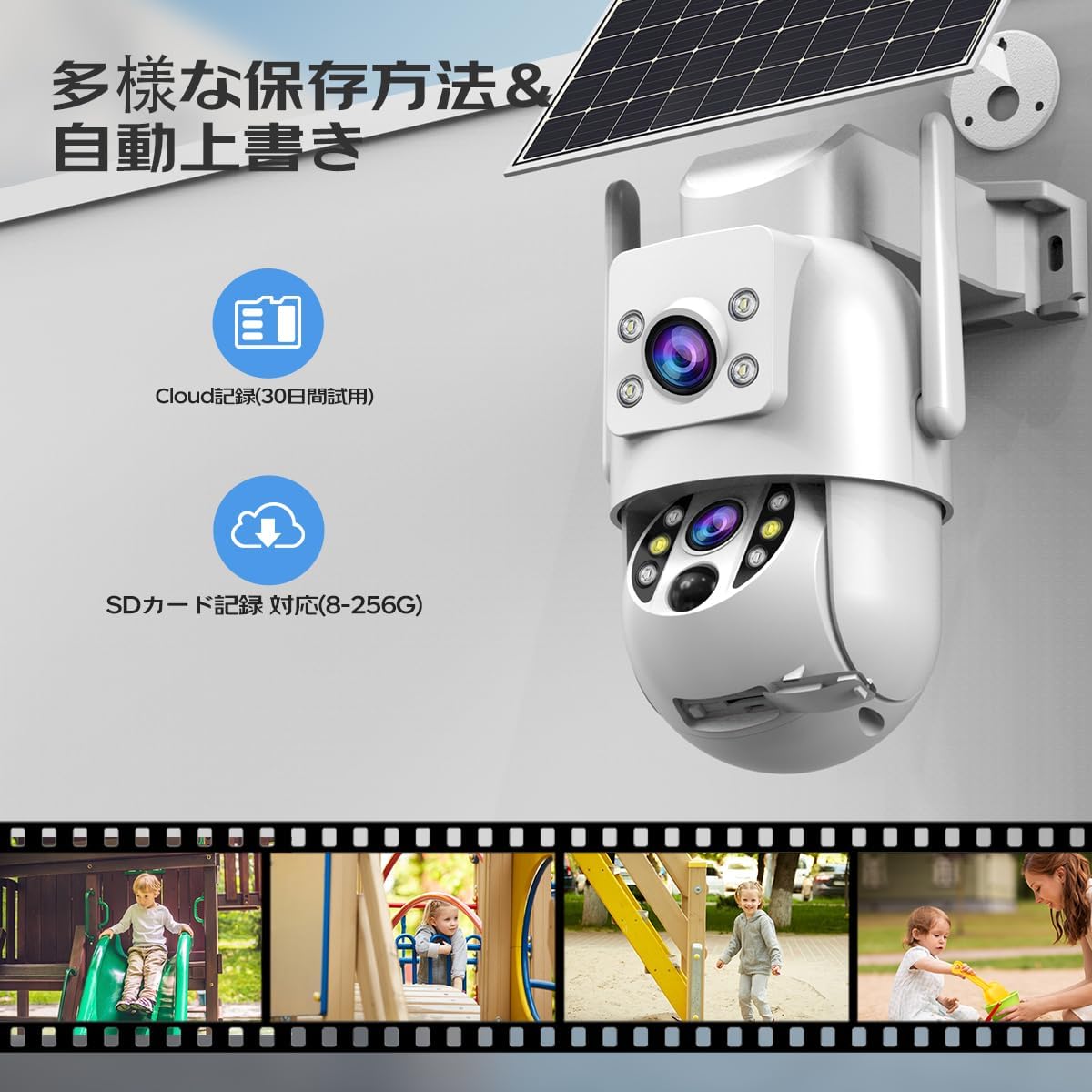
Figure 4.7: The camera offers flexible storage options including 30-day cloud recording trial and SD card support (8-256GB).
4.6 Family Sharing
You can share access to your camera with multiple family members or trusted individuals through the app, allowing them to view live feeds and receive alerts.

Figure 4.8: The camera supports family sharing, allowing multiple users to monitor the property simultaneously.
5. Maintenance
Regular maintenance ensures optimal performance and longevity of your security camera.
- Cleaning: Periodically wipe the camera lens and solar panel with a soft, damp cloth to remove dust, dirt, or debris. Ensure the solar panel is clean for efficient charging.
- Weather Resistance: The camera is IP66 dustproof and waterproof, suitable for various weather conditions from -25°C to +55°C. However, avoid submerging the camera in water.
- Firmware Updates: Check the app regularly for firmware updates. Keeping the firmware updated ensures the latest features and security patches.
- Battery Health: While solar-powered, ensure the camera receives adequate sunlight. If the battery level consistently drops, consider repositioning the camera or providing an occasional manual charge via USB.

Figure 5.1: The camera boasts IP66 dustproof and waterproof capabilities, making it suitable for use in various outdoor environments, including rain and snow, across a wide temperature range.
6. Troubleshooting
If you encounter issues with your JOOAN S3-U camera, refer to the following common problems and solutions:
| Problem | Possible Cause | Solution |
|---|---|---|
| Camera won't connect to Wi-Fi. | Incorrect Wi-Fi password; Camera too far from router; Only 5GHz Wi-Fi available. | Ensure correct 2.4GHz Wi-Fi password. Move camera closer to router. Ensure your router supports 2.4GHz. |
| Frequent false alarms. | PIR sensitivity too high; Camera facing busy street/trees. | Adjust PIR sensitivity in the app. Reposition the camera to avoid areas with constant non-human motion. |
| Poor night vision quality. | Lens/LEDs dirty; Insufficient ambient light for color mode. | Clean the camera lens and LEDs. Ensure sufficient light for color night vision or switch to infrared mode. |
| Battery drains quickly. | Insufficient sunlight for solar panel; Too many motion events; Continuous live view. | Ensure solar panel receives direct sunlight. Reduce PIR sensitivity. Minimize live view usage. |
| No recording to SD card. | SD card full or corrupted; SD card not inserted correctly; Recording settings incorrect. | Format the SD card in the app. Reinsert the SD card. Check recording settings in the app. |
For further assistance, please refer to the in-app help section or contact JOOAN customer support.
7. Specifications
| Feature | Detail |
|---|---|
| Model Name | S3-U |
| Material | Acrylonitrile Butadiene Styrene (ABS) |
| Product Dimensions | 21.5 x 19.3 x 14.6 cm |
| Item Weight | 1.14 Kilograms |
| Image Resolution | 3MP (Full HD) |
| Light Source | Infrared / LED |
| Battery Type | Lithium Ion (Built-in) |
| Connectivity Technology | Wired, Wireless (2.4G WiFi) |
| Special Features | HD Resolution, Motion Detection, Alarm Notification, Auto-Tracking, Two-Way Audio, Night Vision, PTZ Function |
| Usage Environment | Outdoor |
| Compatible Devices | Smartphone, Tablet |
| Power Source | Power Corded |
| Color | White - Solar 2 Lens |
| ASIN | B0C88J6BF3 |
| First Available Date | April 9, 2025 |
8. Warranty and Support
8.1 Warranty Information
This product comes with a one-year quality guarantee from the date of purchase. This warranty covers manufacturing defects and issues arising from normal use. It does not cover damage caused by misuse, accidents, unauthorized modifications, or natural disasters.
8.2 Customer Support
For any questions, technical support, or warranty claims, please contact JOOAN customer service through the following channels:
- Refer to the contact information provided in the product packaging.
- Visit the official JOOAN website for support resources and contact details.
- Contact the seller directly through your purchase platform.
Please have your product model (S3-U) and purchase details ready when contacting support.
Related documentsS3-U


Ask a question about this manual
Ask about setup, troubleshooting, compatibility, parts, safety, or missing instructions. Manuals+ will review the question and use this page’s manual context to help answer it.