
MCombo 6160-7661
MCombo Triple Motor Power Lift Recliner Chair User Manual
Model: 6160-7661
Brand: MCombo
Introduction
Thank you for choosing the MCombo Triple Motor Power Lift Recliner Chair. This chair is designed to provide exceptional comfort and support with its advanced features, including independent adjustments for the headrest, backrest, and footrest, full-body vibration massage, and lumbar heating. This manual provides essential information for safe setup, operation, and maintenance of your new recliner.
Important Safety Information
Please read all instructions carefully before assembly and use. Keep this manual for future reference.
- Do not exceed the maximum weight limit of 350 lbs (158 kg).
- Ensure proper power source connection.
- Avoid operating the chair near water or electrical hazards.
- Use with caution for elderly individuals and always follow proper usage instructions to prevent injury.
- Keep children and pets away from the moving parts of the chair.
Product Features
- Triple Motor System: Allows independent adjustment of headrest, backrest, and footrest for infinite comfort positions.
- Power Headrest: Adjustable headrest for custom comfort and neck support, especially when reclined.
- Extended Footrest: A 4.7-inch extended footrest provides full leg support.
- Full-body Vibration Massage: Features 8 vibrating points for relaxation.
- Lumbar Heating: 1 heating point in the lumbar area for soothing warmth.
- Integrated Timer: Massage and heat functions can be set for 10, 20, or 30 minutes.
- Convenience Features: Includes 2 USB charging ports and 2 cup holders.
- Easy Assembly: Simple assembly process with no additional tools required.
- Certified Materials: Wooden frame is FSC certified.
Setup
Your MCombo recliner chair arrives in two boxes for easier handling. Assembly is straightforward and does not require any additional tools.
- Unpack all components from both boxes. Ensure all parts listed in the packing list are present.
- Carefully connect the backrest to the base of the chair. Align the metal brackets and slide the backrest down until it locks into place.
- Attach the armrests to the sides of the chair base, ensuring they are securely fastened.
- Connect all electrical cables according to the instructions provided in the accessory box. This typically involves connecting the power adapter to the chair and then to a wall outlet.
- Place the lumbar pillow as desired for additional support.
Assembly typically takes about 20 minutes for a novice.
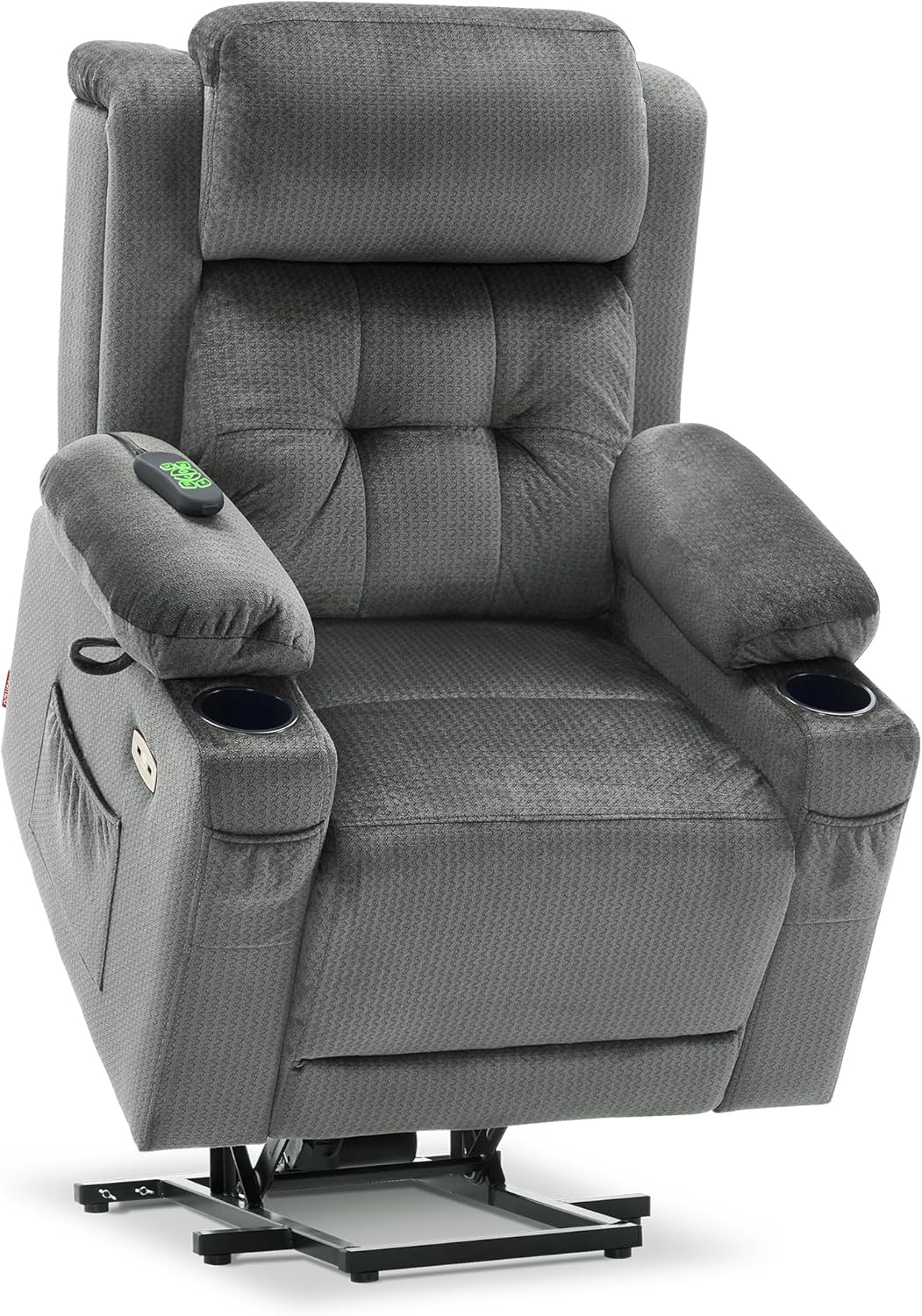
Image: The MCombo Power Lift Recliner Chair in its upright position, showcasing its grey fabric and integrated cup holders.
Operating Instructions
The MCombo recliner features a user-friendly remote control to manage all functions. Familiarize yourself with the buttons for optimal use.

Image: Detailed view of the remote control for the MCombo recliner, showing buttons for power headrest, lift up, lean back, and backrest adjustments.
Recline and Lift Functions
- Use the central arrow buttons on the remote to adjust the chair's recline and lift positions.
- Press the UP arrow to lift the chair to a standing assist position.
- Press the DOWN arrow to recline the chair.
- The chair offers an Infinite Position, allowing you to adjust the backrest and footrest independently to a full reclining position for sleeping or napping.

Image: The MCombo recliner adjusted to a 'TV Position' with the headrest and footrest extended, demonstrating independent adjustments.

Image: The MCombo recliner fully extended to its 'Infinite Position', showing the lay-flat capability.
Headrest Adjustment
- Use the dedicated headrest buttons on the remote to tilt the headrest forward or backward. This feature is designed to provide optimal neck support while sitting upright or reclined.
Massage and Heat Functions
- The chair features 8 vibrating points and 1 lumbar heating point.
- Use the separate massage and heat remote (if applicable, or integrated buttons) to activate these functions.
- Set the timer for 10, 20, or 30 minutes for automatic shut-off.
- The heating function operates independently of the vibration massage.

Image: Remote control specifically for the lumbar heat and 8 vibrating nodes, showing intensity and timer settings.
USB Ports and Cup Holders
- Utilize the two built-in USB ports to charge your mobile devices conveniently.
- Place beverages in the two cup holders located on the armrests.

Image: Close-up view of the MCombo recliner's side, highlighting the two USB charge ports and side pockets for storage.
Maintenance
To ensure the longevity and optimal performance of your MCombo recliner, follow these simple maintenance guidelines:
- Cleaning: Wipe clean with a damp cloth. Avoid harsh chemicals or abrasive cleaners that may damage the fabric.
- Regular Inspection: Periodically check all connections and moving parts to ensure they are secure and functioning correctly.
- Power Cord Care: Ensure the power cord is not pinched or tangled. Keep it away from high-traffic areas to prevent damage.
Troubleshooting
If you encounter any issues with your MCombo recliner, please refer to the following common troubleshooting steps:
- Chair Not Responding: Check if the power cord is securely plugged into both the chair and the wall outlet. Ensure the wall outlet is functional.
- Massage/Heat Not Working: Verify that the massage/heat remote is properly connected and that the timer is not set to zero.
- Unusual Noises: Inspect for any loose components or obstructions around the motor and reclining mechanisms.
For persistent issues not resolved by these steps, please contact MCombo customer support.
Specifications
| Brand | MCombo |
| Model Name | 6160-7661 |
| Color | Grey |
| Size | Medium |
| Product Dimensions | 38.6"D x 35.8"W x 42.5"H |
| Item Weight | 128.3 pounds |
| Maximum Weight Recommendation | 350 Pounds |
| Fill Material | Foam |
| Number of Cup Holders | 2 |
| Reclining Position Count | Infinite Position |
| Recommended Height | 5'1"- 5'9" (for Medium size) |

Image: Diagram illustrating the dimensions of the MCombo recliner chair and indicating the recommended height for users.

Image: A close-up view of the grey fabric texture of the MCombo recliner chair.
Warranty and Support
MCombo is committed to providing high-quality products and customer satisfaction.
- Returns: Enjoy 30-day easy returns for your convenience.
- Customer Support: For any questions, concerns, or assistance, please contact MCombo customer support.
Visit the MCombo Store for more information and products.
Related documents6160-7661


Ask a question about this manual
Ask about setup, troubleshooting, compatibility, parts, safety, or missing instructions. Manuals+ will review the question and use this page’s manual context to help answer it.