
1. Introduction
The iRV Technology iRV6LPSPS 11" RV Bluetooth Speaker is designed to provide an immersive audio experience for your recreational vehicle or outdoor space. This 100W powered speaker features Bluetooth 5.0 technology, allowing for wireless connection and multi-room audio capabilities. Its water-resistant design and snap-on grille ensure durability and a seamless aesthetic. This manual provides essential information for the proper setup, operation, maintenance, and troubleshooting of your speaker.

Front view of the iRV Technology iRV6LPSPS RV Bluetooth Speaker, showcasing its clean, circular design with a white snap-on grille.
2. Safety Information
- Ensure the speaker is connected to a 12V DC power source only. Incorrect voltage can cause damage.
- Do not expose the speaker to extreme temperatures or direct sunlight for prolonged periods.
- Avoid submerging the speaker in water, despite its water-resistant properties.
- Do not attempt to open or repair the speaker yourself. Refer to qualified service personnel.
- Keep the speaker away from sources of strong magnetic fields.
3. Package Contents
Verify that all items are present in the package:
- iRV Technology iRV6LPSPS RV Bluetooth Speaker
4. Product Features
The iRV6LPSPS speaker is equipped with advanced features for superior audio performance and ease of use:
- Multi-Room BT Speaker: Wirelessly connect up to 10 speakers for an immersive, multi-room listening experience.
- Wireless Smart Control System: Utilizes Bluetooth 5.0 technology and compatible iOS & Android apps for easy control, device renaming, and eliminated sync delay between speakers.
- Snap-On Grille: Provides a contemporary design that covers screws and logos for a seamless aesthetic.
- Full Stereo Sound: Features a built-in 5"x7" Dual Voice Coil (DVC) woofer and two 19mm PIE tweeters for crisp highs and deep bass.
- Internal 100W Max Power Amplifier: Operates with a simple 12V DC connection.
- 3.5mm AUX Input: Allows connection to TV or other sound sources.
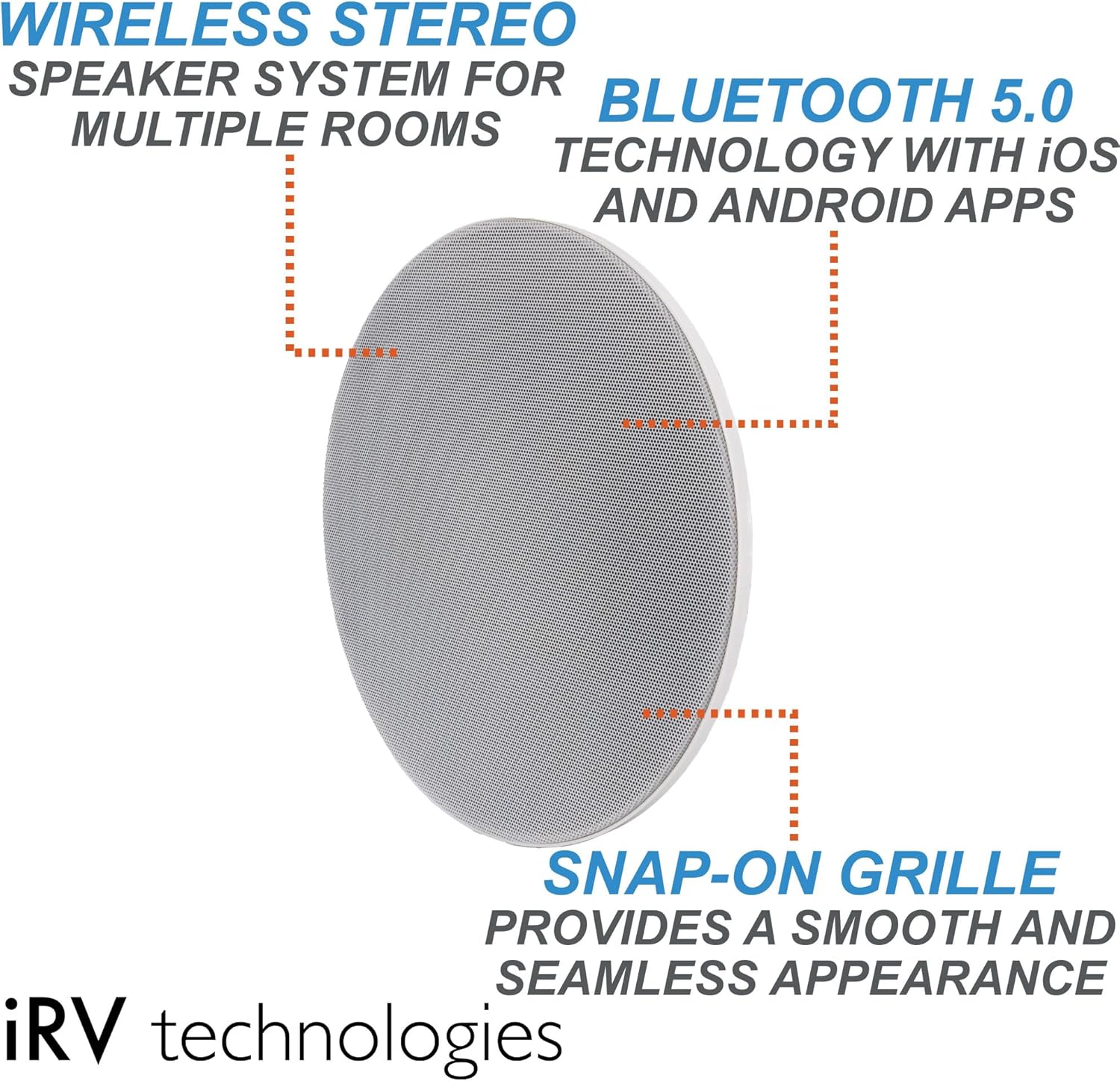
This diagram illustrates the core features of the iRV6LPSPS speaker, including its capability for wireless stereo sound in multiple rooms, Bluetooth 5.0 technology with app control, and the aesthetic benefit of its snap-on grille.

This visual highlights the 3.5mm AUX input for connecting external audio sources, the simplified internal wiring for easier installation, and the high-performance speaker components designed for crisp and full sound.
5. Setup and Installation
5.1 Mounting
The iRV6LPSPS speaker is designed for easy installation with its snap-on grille. Ensure you select a mounting location that provides adequate space for the speaker's 11-inch diameter and 3-inch depth. The design minimizes wiring and effort.

A side view of the iRV6LPSPS speaker, emphasizing its compact profile which allows for discreet installation.
5.2 Wiring
The speaker requires a 12V DC connection. Identify the positive and negative terminals on the speaker and connect them to the corresponding 12V DC power source in your RV or vehicle. Ensure all connections are secure to prevent power loss or short circuits. The speaker also includes a 3.5mm AUX input for wired audio sources.

The back of the iRV6LPSPS speaker, displaying the model number label (iRV6LPSPS-22080002616) and the various wiring connections required for power and audio input.
5.3 Initial Power On
Once wired, apply power to the 12V DC connection. The speaker should power on automatically. Proceed to the operating instructions for Bluetooth pairing.
6. Operating Instructions
6.1 Bluetooth Pairing
- Ensure the speaker is powered on.
- On your mobile device (iOS or Android), enable Bluetooth and search for available devices.
- Select "iRV6LPSPS" (or similar name) from the list of found devices to pair.
- Once paired, the speaker will confirm the connection, and you can begin playing audio.
- Use the dedicated iRV app (available on iOS and Android) for advanced control and renaming devices.
6.2 Multi-Speaker Connection
The iRV6LPSPS speaker supports connecting up to 10 speakers for a synchronized audio experience. This feature is managed through the Wireless Smart Control System via the dedicated mobile application. Refer to the app's instructions for detailed steps on adding and managing multiple speakers.

This image demonstrates the multi-speaker broadcast capability, allowing up to 10 speakers to connect wirelessly for synchronized audio from a single source, creating an immersive sound experience.
6.3 Using the AUX Input
To play audio from a non-Bluetooth device, connect a 3.5mm audio cable from your device's audio output to the AUX input port on the iRV6LPSPS speaker. The speaker will automatically switch to AUX input mode when a signal is detected.
7. Maintenance
- Cleaning: Use a soft, dry cloth to clean the speaker's surface. For stubborn dirt, a slightly damp cloth can be used, but ensure no water enters the speaker components.
- Storage: When not in use for extended periods, store the speaker in a cool, dry place away from direct sunlight and extreme temperatures.
- Grille Care: The snap-on grille can be removed for cleaning if necessary. Handle with care to avoid bending or damaging the grille.
8. Troubleshooting
| Problem | Possible Cause | Solution |
|---|---|---|
| No power | Incorrect 12V DC connection; Blown fuse; No power from source. | Check wiring connections; Inspect and replace fuse if necessary; Verify 12V DC power source is active. |
| No sound | Volume too low; Incorrect input selected; Device not paired (Bluetooth); AUX cable not fully inserted. | Increase volume on speaker and source device; Ensure correct input mode; Re-pair Bluetooth device; Re-insert AUX cable firmly. |
| Bluetooth connection unstable | Device too far from speaker; Interference from other devices. | Move device closer to speaker; Move speaker away from other electronic devices; Try re-pairing. |
| Multi-speaker sync issues | App not configured correctly; Speakers too far apart. | Refer to the iRV app's instructions for multi-speaker setup; Ensure speakers are within effective range. |
9. Specifications
| Feature | Specification |
|---|---|
| Model | iRV6LPSPS |
| Power Output | 100W Total Continuous Power Output |
| Voltage | 11.0V-15V DC Negative Ground |
| Maximum Current Consumption | 7.5A |
| Load Impedance | 4Ω (4Ω - 8Ω allowable) |
| Total Harmonic Distortion | Typical 0.02% Maximum 0.3% |
| Bluetooth Version | 5.3 Class II (Advanced Audio Distribution: A2DP, AVRCP) |
| Woofer | 5" x 7" DVC (Dual Voice Coil) |
| Tweeters | Dual 19mm PIE (Non-polar filament film speakers) |
| Woofer Impedance | 4Ω |
| Woofer Min/Max Input Power | 30W / 120W |
| Tweeter Impedance | 4Ω |
| Tweeter Min/Max Input Power | 20W / 80W |
| Net Weight | 3.97 lbs |
| Dimensions (Diameter x Depth) | 11" x 3" |

This image provides the physical dimensions of the iRV6LPSPS speaker, indicating an 11-inch diameter and a 3-inch depth, crucial for planning installation space.
10. Warranty Information
For detailed warranty information regarding your iRV Technology iRV6LPSPS speaker, please refer to the warranty card included with your product or visit the official iRV Technologies website. Warranty terms and conditions may vary.
11. Customer Support
If you encounter any issues or have questions not covered in this manual, please contact iRV Technologies customer support. Contact information can typically be found on the product packaging, the official website, or your purchase documentation.