
Modway MOD-7111-CHA
Modway Render Wall-Mount Headboard Instruction Manual
Model: MOD-7111-CHA
Introduction
Thank you for purchasing the Modway Render Wall-Mount Headboard. This manual provides essential information for the safe and proper assembly, installation, and maintenance of your new headboard. Please read all instructions carefully before beginning assembly and retain this manual for future reference.
Safety Information
WARNING: Failure to follow these instructions may result in injury or product damage.
- Always use appropriate tools and follow all assembly steps in the order provided.
- Ensure all fasteners are securely tightened before use. Periodically check and re-tighten as necessary.
- Do not stand on the headboard or use it as a ladder.
- Keep small parts and packaging materials away from children and pets to prevent choking hazards.
- This headboard is designed for wall-mounting. Ensure the wall structure can support the weight of the headboard. Consult a professional if unsure.
- Use appropriate wall anchors for your specific wall type (drywall, plaster, concrete, etc.). Included anchors may not be suitable for all wall types.
Package Contents
Verify that all components are present before beginning assembly. If any parts are missing or damaged, do not proceed with assembly. Contact customer support for assistance.
Components:
- Headboard Panels (Quantity: Varies by size, King size typically 2-3 panels)
- Mounting Bar(s)
- Wall Brackets
- Mounting Hardware (Screws, Wall Anchors)
- Assembly Instructions
Tools Required (Not Included):
- Phillips Head Screwdriver
- Drill
- Level
- Measuring Tape
- Pencil
- Stud Finder (Recommended)
Setup and Installation
This headboard is designed for wall-mounting. Proper installation is crucial for stability and safety. It is recommended that two adults perform the installation.
Step 1: Prepare the Area
- Clear the area where the headboard will be installed.
- Position your bed frame and mattress against the wall to determine the desired height for the headboard. The bottom edge of the headboard should ideally align with the top of your mattress or slightly above.
- Mark the desired height on the wall with a pencil.
Step 2: Locate Wall Studs (Recommended)
- Use a stud finder to locate wall studs behind the desired mounting location. Marking stud locations will provide the most secure installation.
- If studs are not available at the desired locations, ensure you use appropriate heavy-duty wall anchors for your wall type.
Step 3: Attach Mounting Bar to Wall
- Hold the mounting bar against the wall at your marked height, ensuring it is level.
- Mark the screw hole locations on the wall through the mounting bar.
- Drill pilot holes at the marked locations. If drilling into studs, use a smaller pilot bit. If using wall anchors, drill holes according to anchor manufacturer's instructions and insert anchors.
- Secure the mounting bar to the wall using the provided screws. Ensure it is firmly attached and level.

Figure 1: Headboard dimensions. The Modway Render King Headboard measures approximately 79 inches wide, 31 inches high, and 1.5 inches deep.
Step 4: Hang Headboard Panels
- Carefully align the hooks on the back of each headboard panel with the mounting bar.
- Gently lower each panel onto the mounting bar, ensuring it sits securely.
- Adjust panels as needed to ensure they are evenly spaced and aligned.
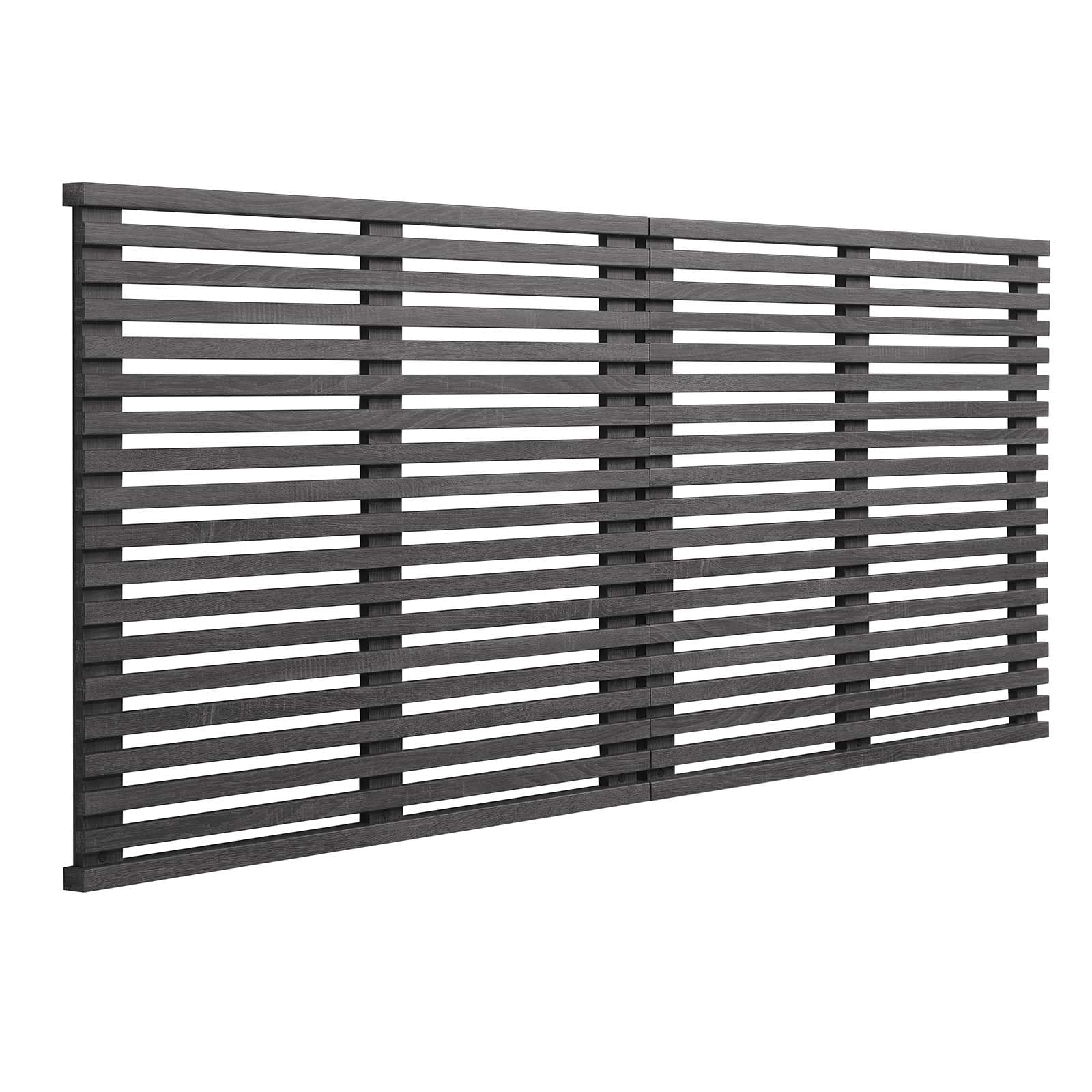
Figure 2: Installed Modway Render Wall-Mount Headboard in Charcoal. The headboard is securely mounted to the wall, providing a stylish backdrop for the bed.
Video: Modway Render Wall-Mount Headboard overview. This video demonstrates the features and appearance of the Modway Render headboard, including its durable particleboard construction with wood grain laminate, mid-century style, and wall-mount design.
Operating Instructions
The Modway Render Wall-Mount Headboard is designed to provide aesthetic appeal and comfortable back support when sitting up in bed. Once properly installed, no further "operation" is required.
- Ensure the headboard is always securely mounted to the wall.
- Avoid excessive force or leaning heavily on the headboard, as this may compromise its stability.
Care and Maintenance
Regular care will help maintain the appearance and longevity of your headboard.
- Cleaning: Wipe surfaces with a soft, damp cloth. Avoid harsh chemicals or abrasive cleaners, as these can damage the finish.
- Dusting: Dust regularly with a dry, soft cloth.
- Inspection: Periodically check all mounting hardware and connections to ensure they remain tight. Re-tighten if necessary.
- Avoid Moisture: Protect the headboard from excessive moisture and direct sunlight to prevent warping or fading.
Troubleshooting
| Problem | Possible Cause | Solution |
|---|---|---|
| Headboard feels unstable or wobbly. | Loose mounting hardware; inadequate wall anchors; improper installation. | Check and tighten all screws on the mounting bar and headboard panels. Ensure appropriate wall anchors were used for your wall type. Re-install if necessary, ensuring the mounting bar is securely fastened to studs or heavy-duty anchors. |
| Headboard panels are not aligned evenly. | Mounting bar is not level; panels not properly seated. | Verify the mounting bar is perfectly level using a spirit level. Re-adjust panels on the bar to ensure they are fully seated and aligned. |
| Damage to the headboard surface. | Impact; abrasive cleaning; prolonged exposure to sunlight/moisture. | For minor scratches, touch-up pens or furniture markers matching the finish may be used. For significant damage, contact customer support for repair options or replacement. Prevent future damage by following care instructions. |
Specifications
- Model: MOD-7111-CHA
- Brand: Modway
- Type: Wall-Mount Headboard
- Size: King (U.S. Standard)
- Color: Charcoal
- Material: Particleboard with Wood Grain Laminate
- Dimensions (Overall): 79" W x 1.5" D x 31" H
- Item Weight: 34 Pounds
- Assembly Required: Yes
- Mounting Type: Wall Mount
Warranty Information
This product is sold without an explicit manufacturer's warranty. Please refer to the product description or the store page where you purchased the item for any applicable return or exchange policies.
Customer Support
For any questions, missing parts, or assistance with assembly, please contact Modway customer support or the retailer from whom you purchased this product. Please have your model number (MOD-7111-CHA) and purchase information ready.
You can visit the official Modway Store for more information: Modway Store on Amazon
Related documentsMOD-7111-CHA


Ask a question about this manual
Ask about setup, troubleshooting, compatibility, parts, safety, or missing instructions. Manuals+ will review the question and use this page’s manual context to help answer it.