
1. Introduction
This manual provides essential information for the safe and effective use of your Povanje 5.0 Cuft Fireproof Safe Model 60EE. Please read these instructions carefully before installation and operation. Keep this manual for future reference.
The Povanje 5.0 Cuft Fireproof Safe is designed to protect your valuable documents, jewelry, cash, firearms, and other important items from fire, water, and unauthorized access. It features a robust steel construction, a programmable digital keypad with an LCD screen, and multiple security mechanisms.
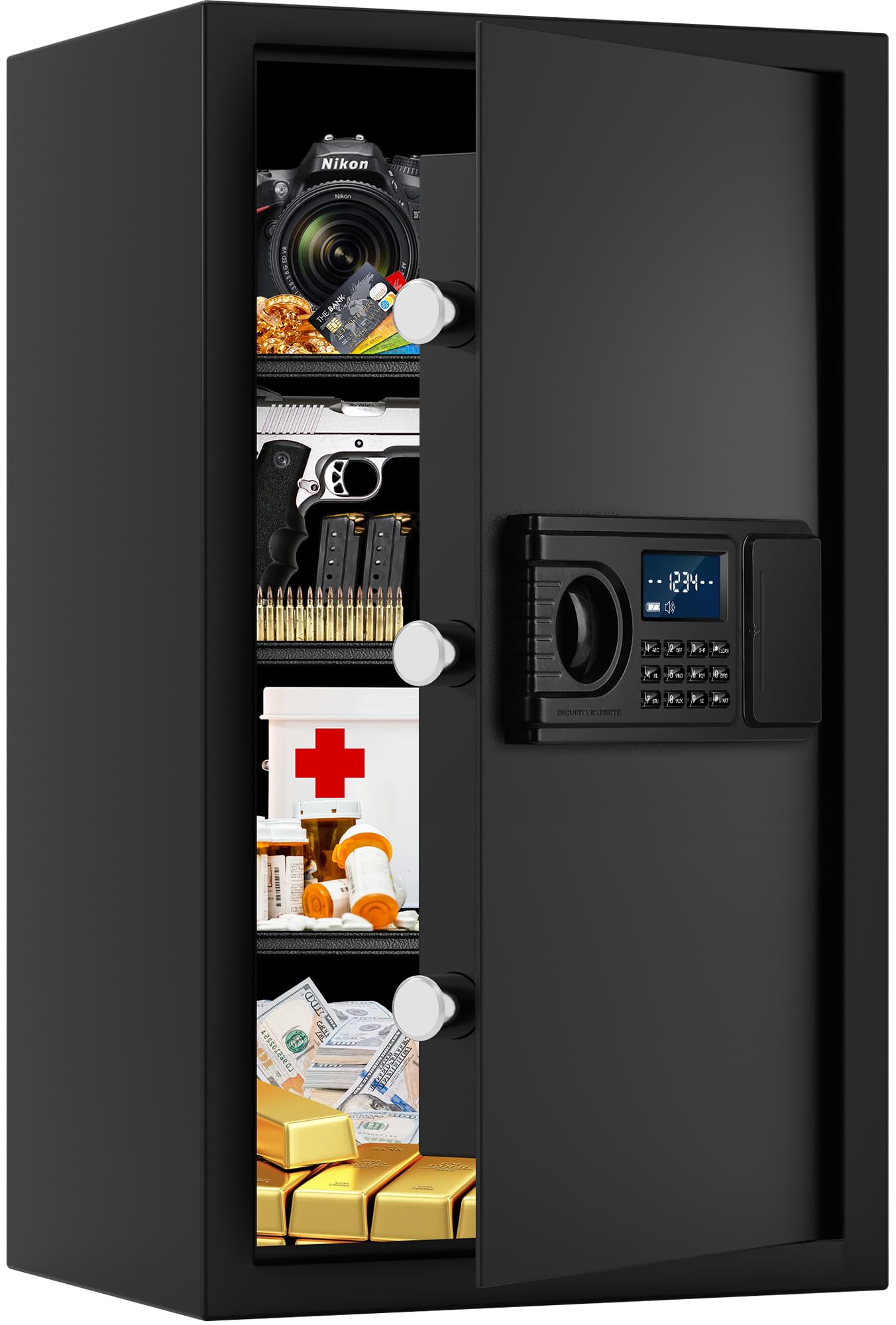
Image 1.1: Overview of the Povanje 5.0 Cuft Fireproof Safe, showing its dimensions and internal layout.
2. Safety Information
- Always keep the emergency keys in a secure location away from the safe and not inside the safe itself.
- Ensure the safe is installed on a stable, level surface.
- For maximum security, bolt the safe to the floor or a wall using the provided hardware. This prevents unauthorized removal.
- Do not store flammable liquids or materials inside the safe.
- Keep children away from the safe and its keys to prevent accidental access or injury.
3. Package Contents
Verify that all items listed below are included in your package:
- Povanje 5.0 Cuft Fireproof Safe
- Emergency Keys (2)
- Expansion Screws (4) for mounting
- Fireproof Bag (1) for A4 size documents
- Lock Protective Cover (1)
- Floor Mat (1)
- User Manual (This document)

Image 3.1: Included accessories with the Povanje safe.
4. Product Features
- Large Capacity: 14.9"W x 12.2"D x 23.6"H interior space, suitable for documents, laptops, jewelry, and firearms.
- Robust Construction: Made from solid cold-rolled steel with a recessed pry-resistant door and 3 enhanced steel locking bolts for security.
- Fireproof & Waterproof Bag: Provides additional protection for sensitive documents against fire and water damage.
- Programmable LCD Keypad: Allows for quick and secure access with a personal code. The LCD screen displays status and low battery alerts.
- Removable Shelves: Three adjustable shelves enable flexible organization of items of various sizes.
- Built-in LED Lights: Illuminates the interior for easy access in low-light conditions.
- External Battery Compartment: Convenient access for battery replacement without needing to open the safe.
- Keypad Protective Cover: An upgraded cover is included to protect the keypad from scratches and impacts.

Image 4.1: Flexible storage with removable shelves.

Image 4.2: Detail of the solid anti-pry bolts and robust door.

Image 4.3: Upgraded keypad protective cover.
5. Setup and Installation
5.1 Initial Opening
Upon receiving your safe, use one of the emergency keys to open it for the first time. The keyhole is typically located behind the keypad cover or within the external battery compartment.
5.2 Battery Installation
The safe requires 4 AA batteries (not included) for the digital keypad. The external battery compartment is located on the front panel, usually to the right of the keypad. Open the compartment, insert the batteries according to the polarity markings, and close the cover.
5.3 Mounting the Safe
For enhanced security, it is highly recommended to bolt the safe to a solid surface such as a wall or floor. The safe has pre-drilled holes in the back and bottom.
- Position the safe in your desired location.
- Mark the drilling points through the pre-drilled holes on the wall or floor.
- Drill pilot holes using an appropriate drill bit for your wall/floor material.
- Insert the expansion screws into the drilled holes.
- Align the safe with the screws and tighten them securely to fix the safe in place.

Image 5.1: Mounting instructions for securing the safe.
Video 5.1: Demonstration of securing the safe to a wall or floor to prevent theft.
6. Operating Instructions
6.1 Opening the Safe
There are two ways to open your Povanje safe:
- Using the Digital Keypad: Enter your personal code (1-8 digits) followed by the '#' key. Turn the knob clockwise to open the door.
- Using the Emergency Key: Insert the emergency key into the keyhole (located behind the keypad cover or external battery compartment), turn it, and simultaneously turn the knob clockwise to open the door. This method is used for first-time opening, forgotten passwords, or dead batteries.

Image 6.1: Keypad and emergency key access points.

Image 6.2: Opening methods: daily use with code and emergency use with key. Default factory code: 1234#.
6.2 Setting Your Personal Password
The factory initial code is 1234#. It is highly recommended to change this immediately.
- Open the safe door.
- Locate and press the setting button inside the door (usually a small red button).
- On the keypad, enter your new personal password (1-8 digits).
- Press the '#' key to confirm. The LCD screen will confirm the change.
6.3 Setting the Master Password (if applicable)
Some models may support a master password. Refer to the specific instructions on the image if available:
- Enter "00" on the keypad.
- Press the setting button inside the door.
- Enter the 1-8 digits master password.
- Press the '#' key to confirm.

Image 6.3: Password setting procedure.
6.4 Hidden Code Mode
To prevent others from seeing your entered code, press the '*' key before entering your password. The numbers will appear as asterisks on the LCD screen.
6.5 Smart Anti-Theft Alert
If an incorrect password is entered 3 consecutive times, the safe's alarm system will activate and sound for 1 minute. To stop the alarm, remove the batteries or enter the correct password.
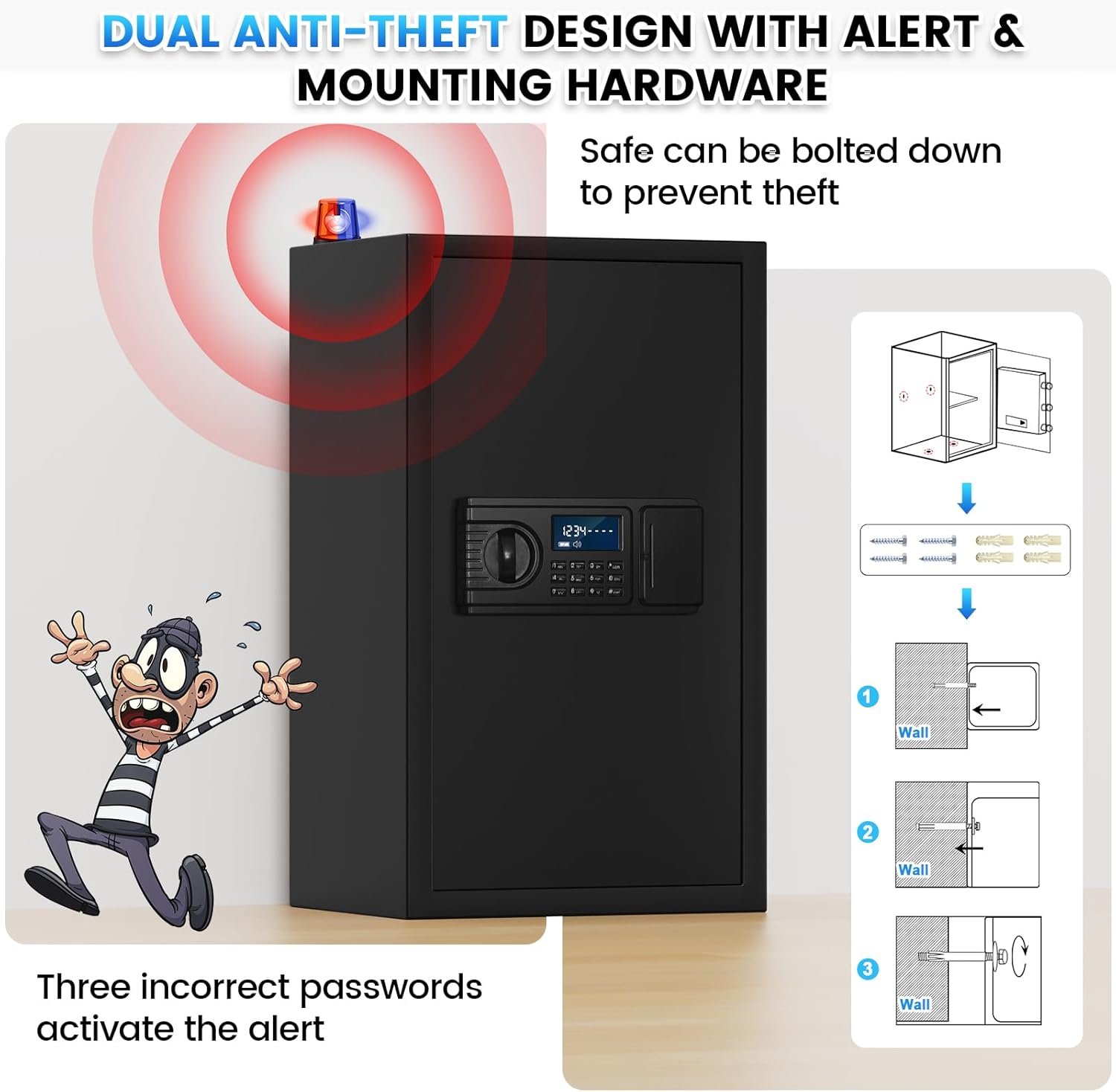
Image 6.4: Anti-theft alert system in action.
7. Maintenance
- Battery Replacement: The LCD screen will display a low battery reminder. Replace all 4 AA batteries promptly using the external battery compartment.
- Cleaning: Wipe the safe's exterior with a soft, damp cloth. Avoid abrasive cleaners or solvents.
- Keypad Protection: Use the provided keypad protective cover to shield the digital keypad from dust and physical damage.
8. Troubleshooting
| Problem | Possible Cause | Solution |
|---|---|---|
| Safe does not open with code. | Incorrect password entered; batteries are low or dead. | Re-enter the correct password. If unsuccessful, replace batteries. Use emergency key if necessary. |
| LCD screen is blank or dim. | Batteries are low or dead. | Replace all 4 AA batteries. |
| Alarm sounds unexpectedly. | Incorrect password entered 3 times; safe was moved or tampered with. | Enter the correct password or remove batteries to stop the alarm. |
| Forgotten password. | Password was not recorded or remembered. | Use the emergency key to open the safe. Once open, reset the password following Section 6.2. |

Image 8.1: Keypad features including low battery reminder and keyhole serial.
9. Specifications
| Feature | Detail |
|---|---|
| Brand | Povanje |
| Model Number | 60EE |
| Color | Black |
| Capacity | 3.8 Cubic Feet (Internal volume may vary slightly from advertised external volume) |
| Material | Alloy Steel |
| External Dimensions (approx.) | 14.9"W x 12.2"D x 23.6"H |
| Locking Mechanism | Digital Keypad with Emergency Key |
| Power Source | 4 x AA Batteries (not included) |
10. Warranty and Support
Povanje offers a 5-year return or exchange warranty and lifetime technical support for this product. In case of any issues or questions, please contact customer service.
To obtain support, please log into your Amazon account, navigate to "Your orders," find the order ID for your safe, and click "Contact seller."

