
waitley DCB200
waitley 20V 6.0Ah Replacement Battery User Manual
Model: DCB200 Series | Brand: waitley
Important Safety Instructions
Read all instructions before using this battery. Failure to follow these instructions may result in electric shock, fire, or serious injury.
- Do not immerse the battery in water or other liquids.
- Do not store or use the battery in high temperatures (above 104°F / 40°C).
- Do not incinerate the battery, even if it is severely damaged or completely dead.
- Do not short-circuit the battery terminals.
- Do not attempt to open, disassemble, or service the battery pack.
- Keep the battery away from children.
- Use only with specified chargers and tools.
- This battery features built-in protection against incorrect voltage, over-charging, over-discharging, over-current, and short-circuiting.
Product Overview
The waitley 20V 6.0Ah replacement battery is a high-capacity Lithium-Ion battery designed for use with compatible 20V cordless power tools. It features an LED indicator for monitoring charge status and comes with a protective dust cap.

Image: waitley 20V 6.0Ah Replacement Battery, front view.
Key Features:
- Voltage: 20V
- Capacity: 6.0Ah (6000mAh)
- Battery Type: Lithium-Ion
- LED Indicator: Displays remaining battery power with four lights.
- Protective Dust Cap: Included to protect the battery terminals from dust and debris.
- Multiple Protections: CE, FCC, and RoHS certified, offering protection against incorrect voltage, over-charging, over-discharging, over-current, and short-circuiting.

Image: waitley 20V 6.0Ah Replacement Battery shown with its protective dust cap.

Image: Diagram illustrating the internal components and multiple protection features of the battery, including over-discharging, short-circuit, over-heating, and over-charging protection.
Setup and Initial Use
- Unpack the Battery: Carefully remove the battery from its packaging. Inspect for any visible damage.
- Initial Charge: For optimal performance, fully charge the battery before its first use. Refer to the "Charging the Battery" section for detailed instructions.
- Attaching to a Tool: Align the battery with the battery slot on your compatible 20V cordless power tool. Slide the battery firmly into place until it clicks, indicating it is securely locked.
- Removing from a Tool: Press the battery release button (usually red or black) and slide the battery out of the tool.

Image: The waitley 20V 6.0Ah replacement battery securely attached to a cordless drill, ready for use.
Operating the Battery
Once installed in a compatible tool, the battery powers the tool for operation. Always ensure the battery is fully charged for maximum performance.
Checking Battery Level:
The battery is equipped with an LED indicator to show the remaining charge. Press the "PUSH" button next to the LED lights to activate the display. Four lights indicate a full charge, and fewer lights indicate a lower charge.

Image: Close-up view of the battery's LED power display, showing four illuminated lights indicating a full charge.
Video: Demonstrates the waitley 20V 6.0Ah replacement battery, including how to check its charge level using the LED indicator and its compatibility with various 20V cordless power tools like drills and circular saws.
Charging the Battery
This waitley 20V 6.0Ah battery is compatible with several original Dewalt 20V chargers. Ensure you use a compatible charger for safe and efficient charging.
Compatible Chargers:
- DCB102
- DCB107
- DCB115
- DCB118
- And other compatible 20V chargers.
Charging Procedure:
- Plug your compatible charger into a working power outlet.
- Align the battery with the charger's slot.
- Slide the battery firmly into the charger until it is fully seated. The charger's indicator light will typically show that charging has begun.
- Allow the battery to charge completely. Refer to your charger's manual for specific charging times and indicator light meanings.
- Once fully charged, remove the battery from the charger.
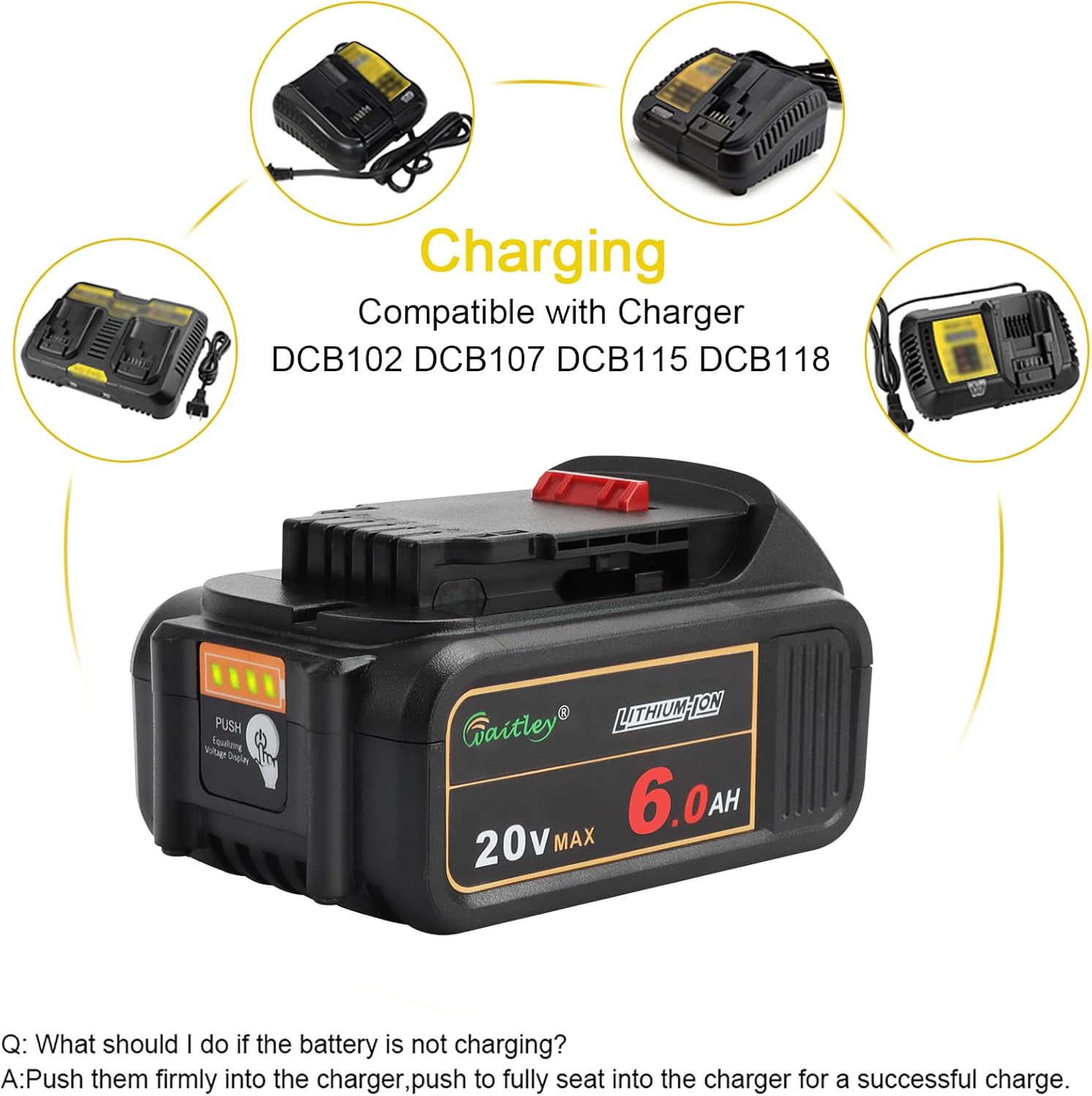
Image: The waitley 20V 6.0Ah battery placed on a compatible charger, with various other compatible charger models displayed around it.
Video: Shows the waitley 20V 6.0Ah replacement battery being inserted into a compatible charger and the charging indicator light activating.
Maintenance and Storage
- Cleaning: Keep the battery terminals clean and free from dirt and grease. Use a clean, dry cloth to wipe the battery.
- Storage: Store the battery in a cool, dry place, away from direct sunlight and extreme temperatures. For long-term storage, it is recommended to store the battery at approximately 50% charge.
- Dust Cap: Always use the provided dust cap when the battery is not in use or when transporting it to protect the terminals.
- Regular Use: For optimal battery life, avoid leaving the battery fully discharged for extended periods. Recharge it periodically if not in regular use.
Compatibility
This waitley 20V 6.0Ah replacement battery is designed for broad compatibility with 20V power tools and chargers.
Compatible Tools:
Compatible with 20V DCD/DCF/DCG/DCS series cordless power tools.
Compatible Chargers:
Compatible with DCB102, DCB107, DCB115, DCB118, and other similar 20V chargers.
Important Note on Incompatibility:
This battery is NOT compatible with 60V pressure washers or other voltage systems outside of the 20V range.
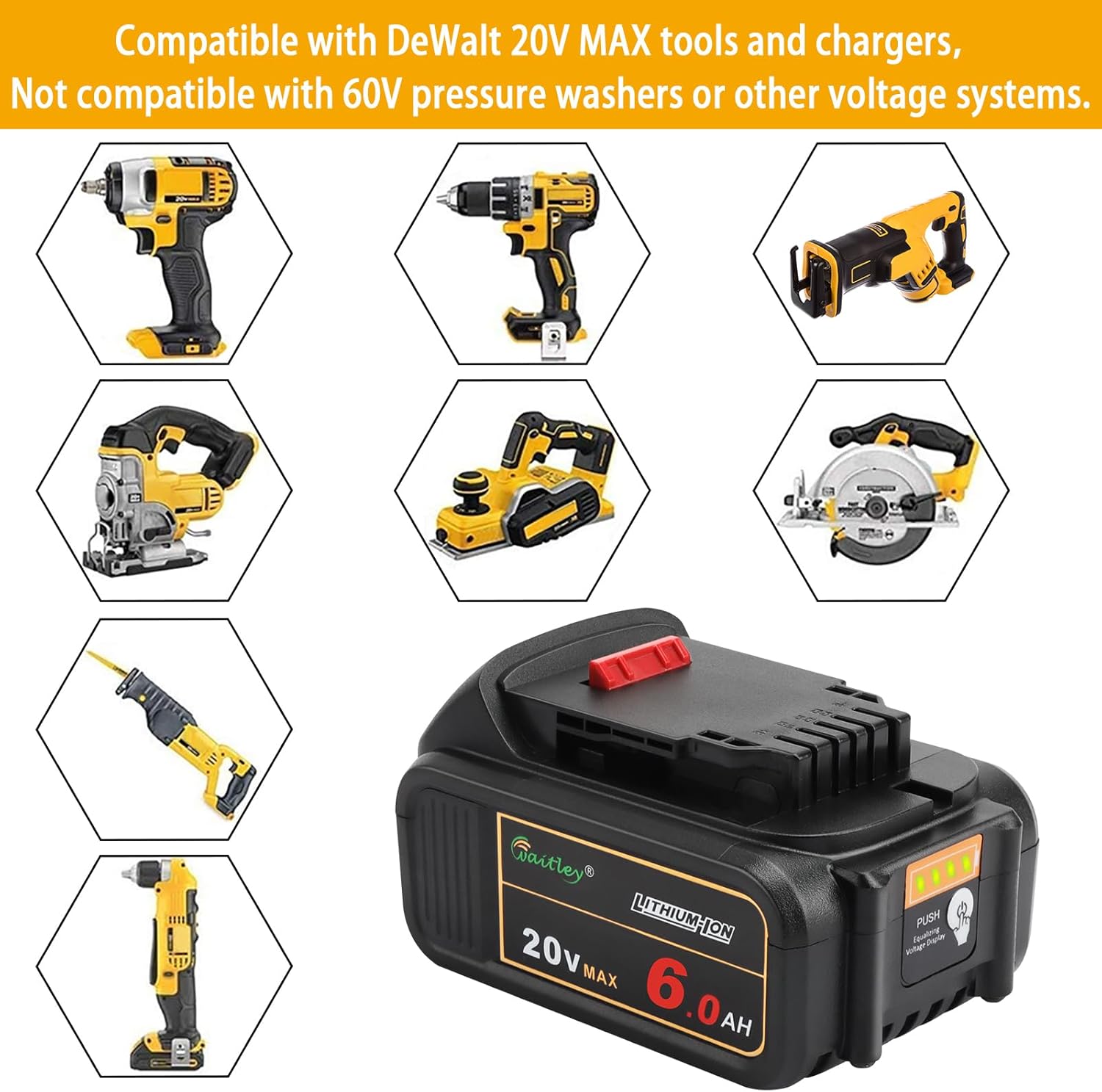
Image: The waitley 20V 6.0Ah battery displayed alongside a range of compatible 20V cordless power tools, including drills, impact drivers, saws, and planers.
Troubleshooting
Battery Not Charging:
If your battery is not charging, try the following steps:
- Ensure the charger is properly plugged into a working power outlet.
- Push the battery firmly into the charger to ensure it is fully seated. A loose connection can prevent charging.
- Check the charger's indicator lights. If they indicate an error (e.g., flashing red rapidly), consult your charger's manual for specific error codes.
- Verify that both the battery and charger are within the recommended operating temperature range. Extreme temperatures can prevent charging.
- Try charging a different compatible battery (if available) to determine if the issue is with the battery or the charger.
Battery Not Powering Tool:
- Ensure the battery is fully charged. Check the LED indicator.
- Verify the battery is securely attached to the tool.
- Confirm the tool is compatible with 20V batteries.
- If the tool has been used extensively, it might be overheated. Allow it to cool down before attempting to use it again.
Specifications
| Feature | Specification |
|---|---|
| Brand | waitley |
| Model | DCB200 Series Compatible |
| Voltage | 20 Volts |
| Amperage | 6 Amps |
| Battery Capacity | 6000 Milliamp Hours (6.0Ah) |
| Battery Cell Composition | Lithium Ion |
| Reusability | Rechargeable |
| Number of Batteries | 1 (included) |
| Item Weight | 1.4 Pounds (approx. 635 grams) |
| Certifications | CE, FCC, RoHS |
Warranty and Support
This waitley 20V 6.0Ah replacement battery comes with a one-year after-sale service.
For any questions, problems, or support needs, please contact our customer service team. We are available 24 hours to assist you.
Contact information (e.g., email, phone, website) would typically be provided here by the manufacturer.
Ask a question about this manual
Ask about setup, troubleshooting, compatibility, parts, safety, or missing instructions. Manuals+ will review the question and use this page’s manual context to help answer it.