
1. Introduction
The VULKKANO A6 ARC Powered Speakers are designed to deliver a rich and defined audio experience for home entertainment and mobile devices. Featuring a 6.5-inch woofer for powerful bass and a 1-inch silk tweeter for detailed highs, these speakers provide 120W of Hi-Fi sound. They offer versatile connectivity options including Bluetooth 5.0, HDMI ARC, Optical, RCA, and USB, along with a dedicated subwoofer output.

Image: The VULKKANO A6 ARC Powered Speakers in black, shown with the included remote control. The speakers feature a modern, minimalist design with a visible woofer and tweeter.

Image: A close-up view of a VULKKANO A6 ARC speaker, clearly labeling the 1-inch silk tweeter and the 6.5-inch woofer, components responsible for its Hi-Fi sound.
2. What's in the Box
Please check the package contents to ensure all items are present:

Image: A detailed image showing the contents of the VULKKANO A6 ARC speaker box, including the two speakers, remote control, various audio cables (RCA to 3.5mm, RCA to RCA, Optical), user manual, speaker connection cable, and power adapter.
- VULKKANO A6 ARC Speakers (1 pair)
- Remote Control (Batteries included)
- RCA to 3.5 mm AUX Cable
- RCA to RCA Cable
- Optical Cable
- User Manual
- Speaker R/L Connection Cable
- Power Adapter
3. Setup and Placement
Proper placement of your VULKKANO A6 ARC speakers is crucial for optimal sound quality. Consider the following guidelines:
- Place speakers on a stable, flat surface, ideally at ear level when seated.
- Ensure adequate space around the speakers for proper ventilation and sound dispersion.
- Position the speakers equidistant from your listening position to create a balanced stereo image.
- Connect the left and right speakers using the provided speaker connection cable.
- Connect the power adapter to the main speaker and then to a power outlet.
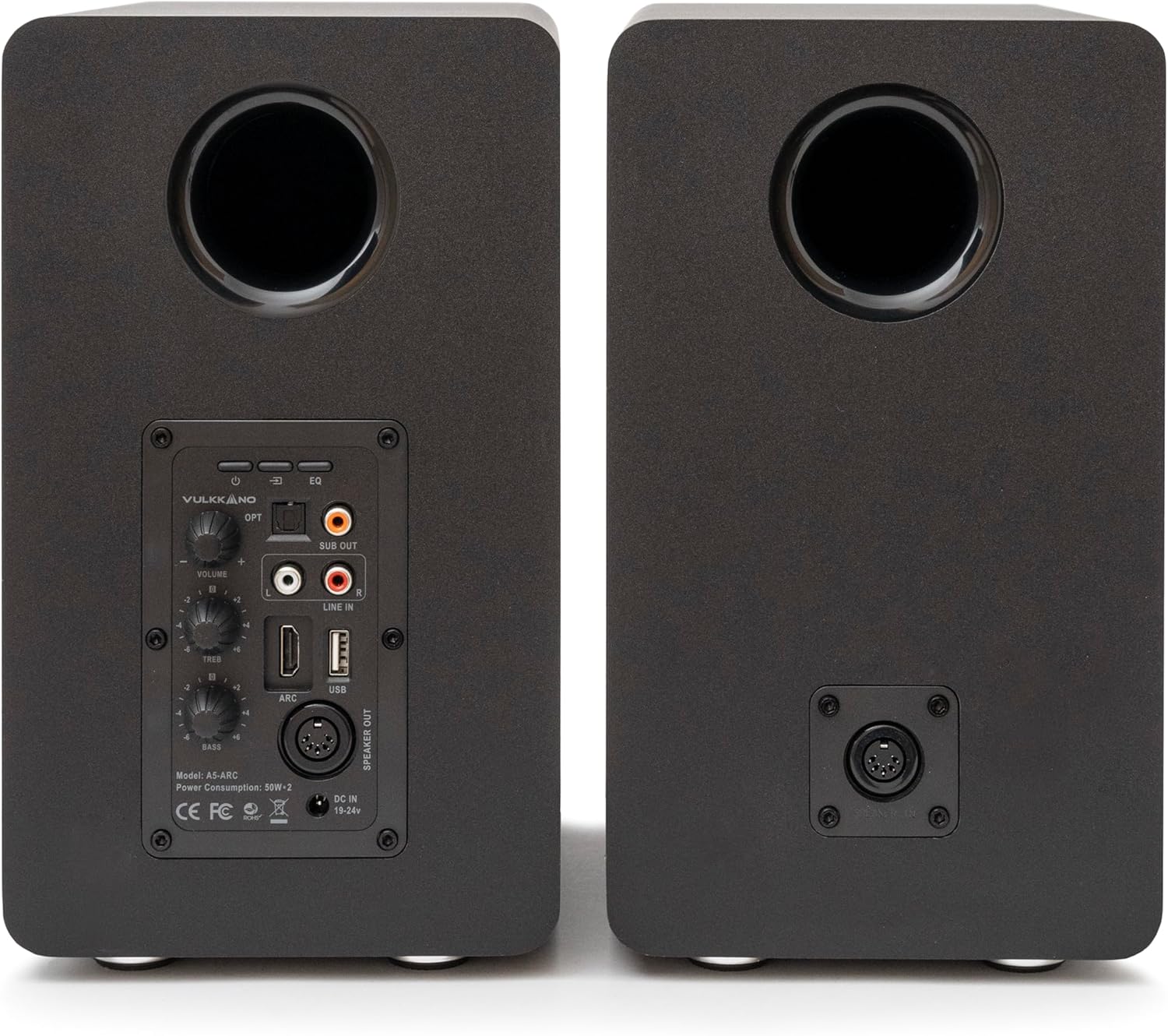
Image: The rear panel of the VULKKANO A6 ARC speakers, displaying various input ports including HDMI ARC, Optical, RCA, USB, and subwoofer output, along with volume, bass, and treble controls.
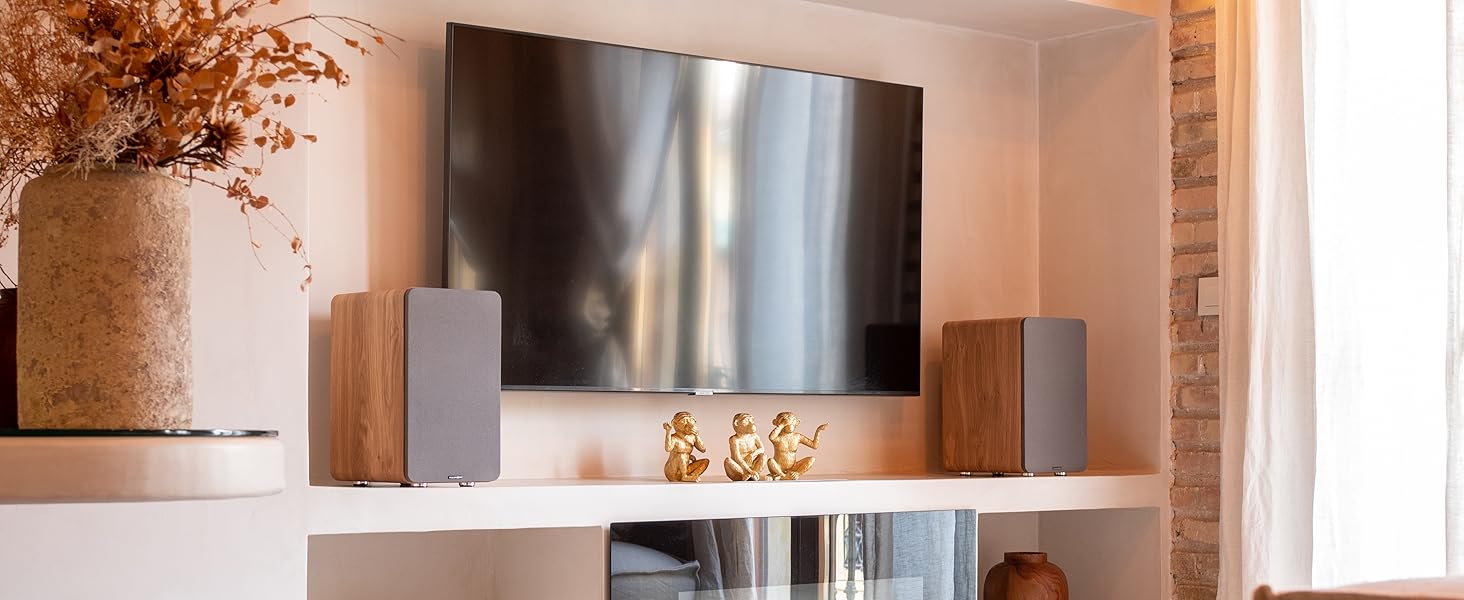
Image: VULKKANO A6 ARC speakers integrated into a home entertainment setup, positioned on a shelf alongside a television, demonstrating typical placement.
4. Operating Instructions
The VULKKANO A6 ARC speakers offer multiple connectivity options. Select the appropriate input based on your audio source.
4.1. Bluetooth 5.0 Connection
- Turn on the speakers.
- Press the 'BT' button on the remote control or the input selector on the speaker to switch to Bluetooth mode. The indicator light will flash.
- On your device (smartphone, tablet, computer), enable Bluetooth and search for "VULKKANO A6 ARC".
- Select the speaker from the list to pair. Once connected, the indicator light will be solid.
4.2. HDMI ARC Connection
HDMI ARC (Audio Return Channel) allows audio from your TV to be sent to the speakers via a single HDMI cable.
- Connect an HDMI cable from the HDMI ARC port on your TV to the HDMI ARC input on the main speaker.
- Press the 'ARC' button on the remote control or the input selector on the speaker to switch to HDMI ARC mode.
- Ensure your TV's audio output is set to HDMI ARC or external speakers.

Image: A visual guide illustrating the HDMI ARC connection setup between a television and the VULKKANO A6 ARC speakers, emphasizing enhanced TV sound quality and remote control integration.
4.3. Optical Connection (OPT)
For high-quality digital audio from devices like TVs, game consoles, or CD players.
- Connect an optical cable from your audio source's optical output to the 'OPT' input on the main speaker.
- Press the 'OPT' button on the remote control or the input selector on the speaker to switch to Optical mode.
4.4. RCA Connection (LINE IN)
For analog audio sources such as turntables, older TVs, or media players.
- Connect an RCA cable from your audio source's RCA output to the 'LINE IN' input on the main speaker.
- Press the 'LINE IN' button on the remote control or the input selector on the speaker to switch to Line In mode.
4.5. USB Playback
The USB port allows direct playback of audio files from a USB flash drive.
- Insert a USB flash drive containing audio files into the 'USB' port on the main speaker.
- Press the 'USB' button on the remote control or the input selector on the speaker to switch to USB mode.
- Use the remote control to navigate and play tracks.

Image: An infographic detailing the various connectivity options available on the VULKKANO A6 ARC speakers, including HDMI ARC, Optical, Bluetooth 5.0, USB, RCA, and a subwoofer output.
5. Controls
The VULKKANO A6 ARC speakers can be controlled via the included remote control or the physical controls on the main speaker.
5.1. Remote Control Functions
The remote control provides full access to all speaker functions:
- Power: Turn speakers on/off.
- Mute: Mute/unmute audio.
- Volume +/-: Adjust master volume.
- Input Selection: Dedicated buttons for BT, ARC, OPT, LINE IN, USB.
- Playback Controls: Play/Pause, Previous/Next Track (for Bluetooth and USB modes).
- EQ: Cycle through equalizer presets.
- Virtual Bass: Enhance bass response.
5.2. On-Speaker Controls
The main speaker features physical controls for essential adjustments:
- Volume Knob: Adjusts master volume.
- Bass Knob: Adjusts bass level.
- Treble Knob: Adjusts treble level.
- Input Selector Button: Cycles through input sources (Bluetooth, HDMI ARC, Optical, RCA, USB).
6. Maintenance
To ensure the longevity and optimal performance of your VULKKANO A6 ARC speakers, follow these maintenance guidelines:
- Cleaning: Use a soft, dry cloth to wipe down the speaker cabinets. Avoid abrasive cleaners or solvents.
- Dust: Regularly dust the speaker grilles and surfaces to prevent accumulation.
- Environment: Keep speakers away from direct sunlight, heat sources, and excessive moisture.
- Ventilation: Ensure proper airflow around the rear panel to prevent overheating.
7. Troubleshooting
If you encounter issues with your VULKKANO A6 ARC speakers, refer to the following common problems and solutions:
| Problem | Possible Cause | Solution |
|---|---|---|
| No sound |
|
|
| Bluetooth pairing failure |
|
|
| Distorted sound |
|
|
8. Specifications
| Feature | Detail |
|---|---|
| Brand | VULKKANO |
| Model Number | A6 |
| Speaker Type | Monitor, Powered |
| Woofer Diameter | 6.5 inches |
| Tweeter Type | Silk, 1 inch |
| Max Output Power | 120 Watts |
| Connectivity Technology | Bluetooth 5.0, HDMI ARC, Optical, RCA, USB |
| Wireless Communication | Bluetooth |
| Audio Output Mode | Stereo |
| Surround Sound Channel Configuration | 2.1 (with subwoofer output) |
| Control Method | Remote Control, On-speaker knobs |
| Power Source | Corded Electric |
| Product Dimensions (L x W x H) | 35 x 27 x 19.5 cm (13.78 x 10.63 x 7.68 inches) |
| Item Weight | 11.7 kilograms (25.79 lbs) |
| Color | Black (as per current product) |
| Compatible Devices | Laptop, Smartphone, Tablet, Television |

Image: A diagram illustrating the physical dimensions of the VULKKANO A6 ARC speakers: 35 cm height, 27 cm depth, and 19.5 cm width.
9. Warranty and Support
For warranty information and technical support, please refer to the official VULKKANO website or contact their customer service directly. Keep your purchase receipt as proof of purchase for warranty claims.
For further assistance, you may visit the VULKKANO brand page on Amazon.


