
Aiwit Aiwit Video Doorbell
Aiwit Wireless Video Doorbell User Manual
Model: Aiwit Video Doorbell
1. Introduction
This manual provides detailed instructions for the installation, operation, and maintenance of your Aiwit Wireless Video Doorbell. Please read this manual thoroughly before use to ensure proper functionality and safety.
The Aiwit Wireless Video Doorbell is a comprehensive home security solution designed for outdoor use. It features AI human detection, two-way audio, night vision, and cloud storage capabilities, all powered by a rechargeable battery. The system includes an indoor chime for audible alerts.
2. Package Contents
Verify that all items listed below are present in your package:
- Aiwit Video Doorbell Unit
- Indoor Chime Ringer
- Rechargeable Battery (5200mAh)
- Mounting Bracket
- Mounting Screws and Wall Anchors
- USB Charging Cable
- User Manual (this document)
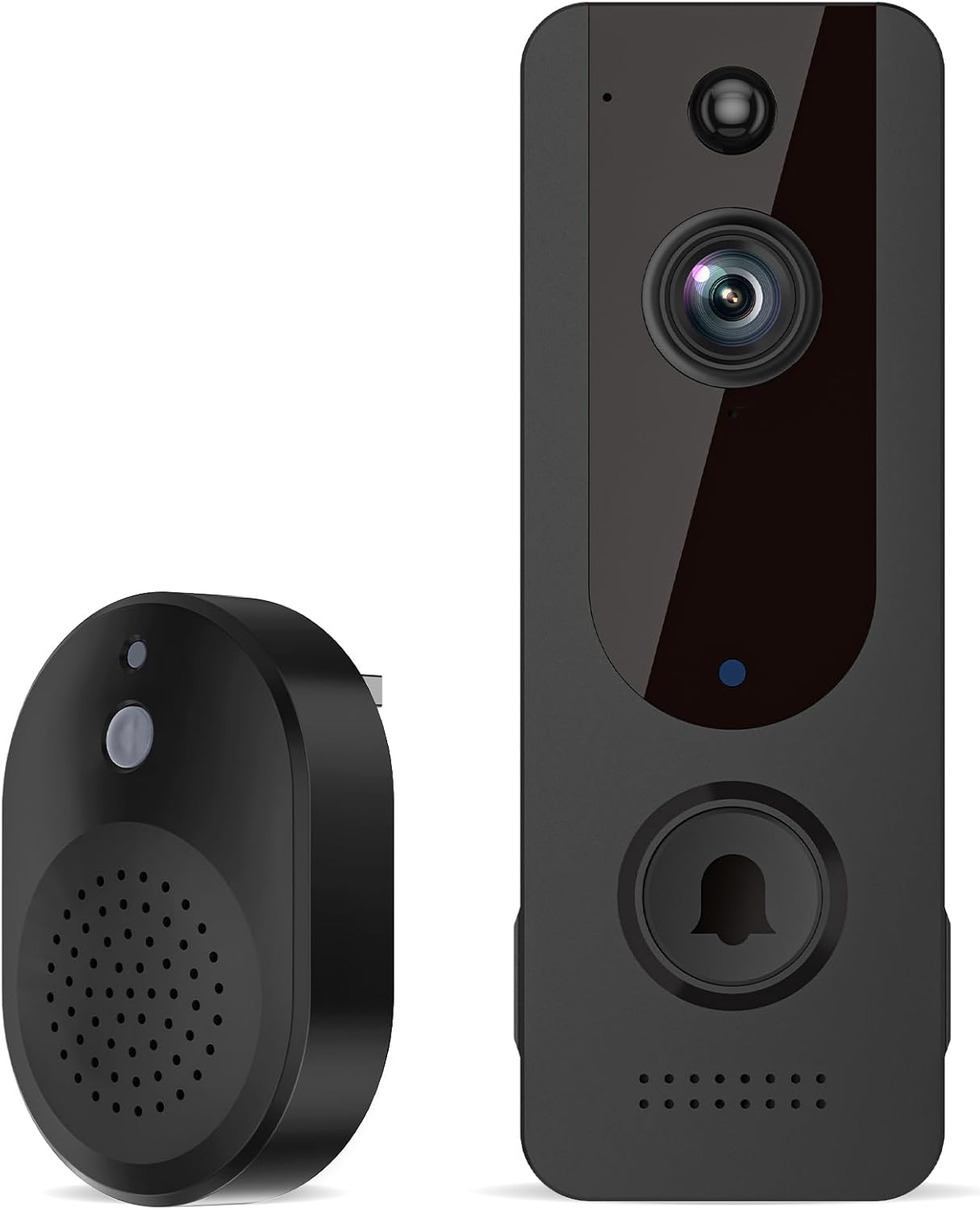
Image: The Aiwit Video Doorbell unit and its accompanying indoor chime ringer, both in black.
3. Product Overview
Familiarize yourself with the components of your Aiwit Video Doorbell:

Image: The Aiwit Video Doorbell mounted on a wall, with icons highlighting key features: AI Human Detection, Two-way Audio, Night Vision, Instant Alert, 2.4GHz Wi-Fi Only, and Cloud Storage. An inset shows the USB charging port on the chime unit.
- Camera Lens: Captures video footage.
- PIR Motion Sensor: Detects movement.
- Microphone: Captures audio for two-way communication.
- Speaker: Outputs audio for two-way communication.
- Doorbell Button: Activates the doorbell and sends alerts.
- Status Indicator Light: Shows device status (e.g., charging, connected).
- Infrared LEDs: Provide illumination for night vision.
- USB Charging Port (Chime): For powering the indoor chime.
4. Setup and Installation
4.1 Charge the Battery
Before initial use, fully charge the 5200mAh rechargeable battery. Insert the battery into the doorbell unit. Connect the doorbell to a USB power source using the provided USB charging cable. The status indicator light will show charging progress.
4.2 Download and Install the Aiwit App
- Search for "Aiwit" in your smartphone's app store (App Store for iOS or Google Play Store for Android).
- Download and install the application.
- Follow the in-app instructions to create an account and log in.
4.3 Connect the Doorbell to Wi-Fi
- Open the Aiwit app and tap the "+" icon to add a new device.
- Select "Video Doorbell" from the device list.
- Follow the on-screen prompts to connect the doorbell to your 2.4GHz Wi-Fi network. Ensure your Wi-Fi signal is strong at the installation location.
- The app will guide you through scanning a QR code with the doorbell camera to establish the connection.
4.4 Pair the Indoor Chime
- Plug the indoor chime into a standard power outlet within range of the doorbell.
- Press the "Pair" button on the chime. The chime's indicator light will flash.
- Press the doorbell button on the video doorbell unit. The chime should ring, indicating successful pairing.
- You can adjust the chime volume and melody through the Aiwit app.
4.5 Mounting the Doorbell
- Choose a suitable location near your door, ensuring a clear view and good Wi-Fi signal. The doorbell is designed for door mount installation.
- Mark the drilling spots using the mounting bracket as a template.
- Drill holes and insert wall anchors if mounting on masonry or stucco.
- Secure the mounting bracket to the wall with the provided screws.
- Attach the Aiwit Video Doorbell unit to the mounting bracket, ensuring it clicks securely into place.
5. Operating Instructions
5.1 Live View
Open the Aiwit app to access the live video feed from your doorbell camera at any time. This allows you to monitor your doorstep in real-time.
5.2 Two-Way Audio Communication
When a visitor presses the doorbell or motion is detected, you will receive an alert on your smartphone. Tap the alert to enter live view and initiate two-way communication. You can speak to visitors and hear their responses through the doorbell's built-in microphone and speaker.
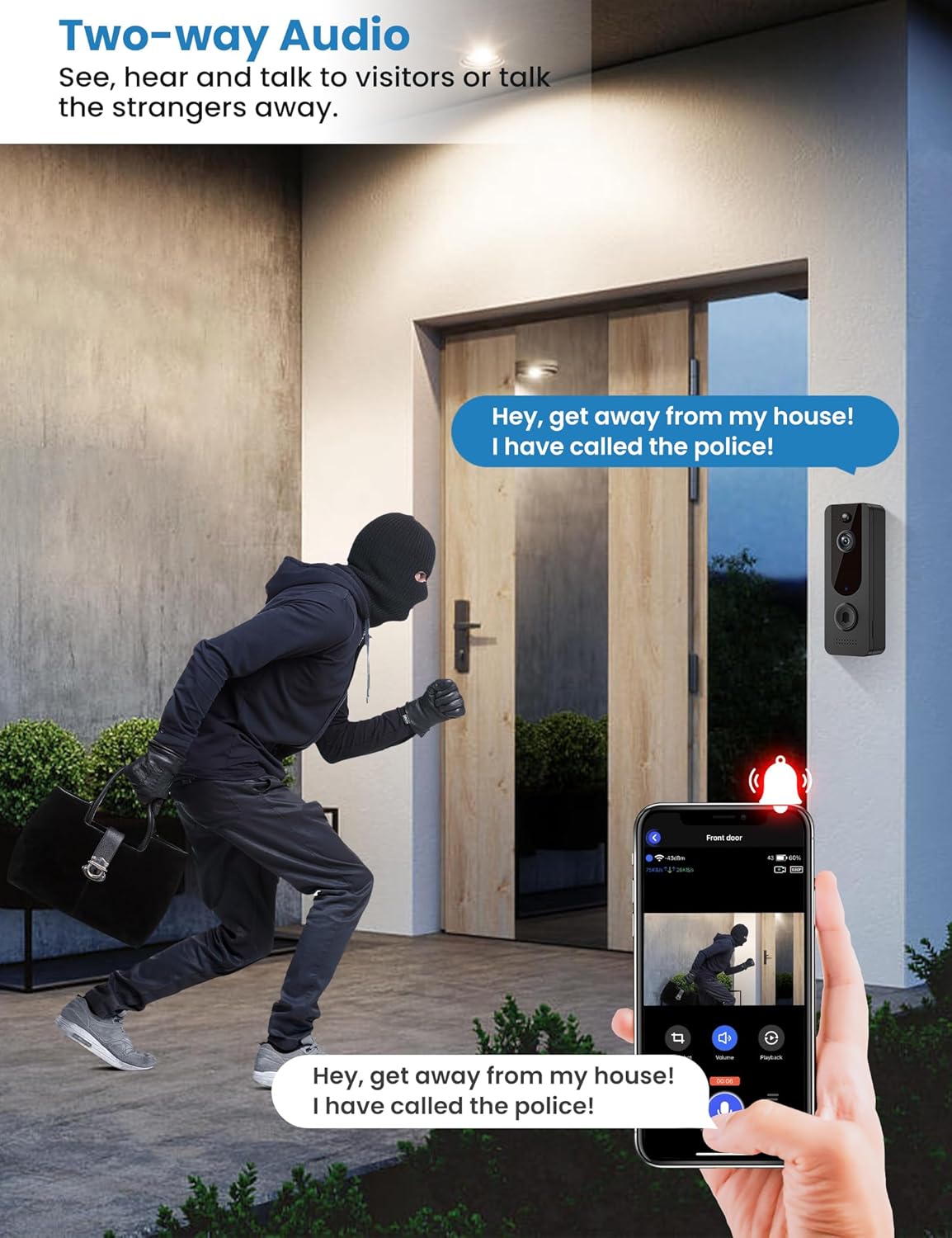
Image: An illustration demonstrating the two-way audio feature, where a user can speak to a visitor at the door via their smartphone app.
5.3 AI Human Detection and Motion Alerts
The doorbell utilizes advanced AI technology to distinguish human shapes from other moving objects like vehicles or animals, reducing false alarms. When a human is detected, you will receive an instant alert on your smartphone. You can adjust motion detection sensitivity and zones within the Aiwit app settings.

Image: A visual representation of the AI Human Detection feature, showing the doorbell identifying a person while ignoring a cat, preventing unnecessary alerts.
5.4 Night Vision
Equipped with six infrared lights and a smart IR sensor, the doorbell provides clear, high-resolution video footage even in low-light conditions or complete darkness. The night vision automatically activates when ambient light is insufficient.

Image: A comparison showing the same house scene in daylight (color) and at night (black and white infrared night vision), demonstrating the doorbell's capability to capture clear images in darkness.
5.5 Cloud Storage
The Aiwit Video Doorbell supports AES-128 encrypted cloud storage for recording, reviewing, and sharing video events. An optional subscription plan is available (sold separately), with a 30-day free trial typically offered. Access recorded events through the "Events" section in the Aiwit app.
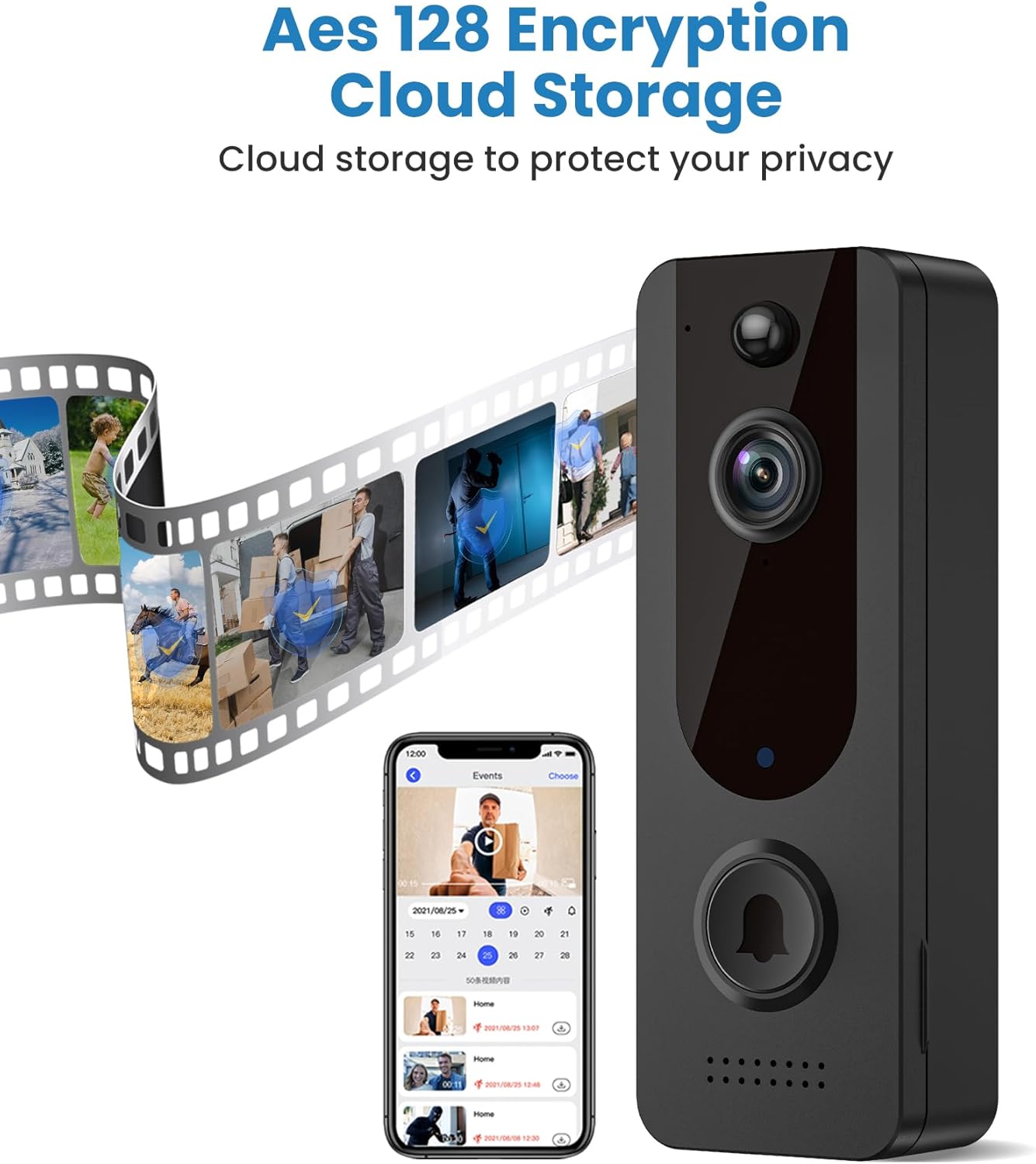
Image: A smartphone screen displaying the Aiwit app's "Events" interface, showing a calendar and a list of recorded video clips stored in the cloud.
6. Maintenance
6.1 Battery Management
The doorbell is powered by a rechargeable Lithium Ion battery. When the battery level is low, you will receive a notification via the Aiwit app. Remove the doorbell unit from its mounting bracket and recharge the battery using the provided USB cable. A full charge typically takes several hours.
6.2 Cleaning
Periodically clean the camera lens and the doorbell's exterior with a soft, damp cloth to remove dust and smudges. Do not use harsh chemicals or abrasive cleaners, as these can damage the device.
6.3 Weather Resistance
The Aiwit Video Doorbell features IP65 weather resistance, meaning it is protected against dust and water jets. It is designed to operate in various outdoor conditions, including shine, snow, rain, and dust, within a working temperature range of 14°F to 140°F (-10°C to 60°C).

Image: The Aiwit Video Doorbell mounted outdoors, with water droplets on its surface, illustrating its IP65 weather resistance against shine, snow, rain, and dust.
7. Troubleshooting
| Problem | Possible Cause | Solution |
|---|---|---|
| Doorbell not connecting to Wi-Fi | Incorrect Wi-Fi password; 5GHz Wi-Fi network; weak signal; too far from router. | Ensure correct 2.4GHz Wi-Fi password. Move doorbell closer to router or use a Wi-Fi extender. Reset doorbell and try pairing again. |
| No motion detection alerts | Motion detection disabled; sensitivity too low; incorrect detection zone settings. | Check Aiwit app settings to enable motion detection, increase sensitivity, and adjust detection zones. |
| Poor video quality | Dirty lens; weak Wi-Fi signal; low battery. | Clean the camera lens. Ensure strong Wi-Fi signal. Recharge the battery. |
| Chime not ringing | Chime unplugged; not paired; volume too low. | Ensure chime is plugged in. Re-pair the chime with the doorbell. Adjust chime volume in the app. |
| Battery drains quickly | Frequent motion detection; high live view usage; extreme temperatures. | Adjust motion detection sensitivity. Reduce live view usage. Ensure doorbell is not exposed to extreme temperatures for prolonged periods. |
8. Specifications
| Feature | Detail |
|---|---|
| Brand | Aiwit |
| Model Name | Aiwit Video Doorbell |
| ASIN | B0C85F4CMZ |
| Mounting Type | Door Mount |
| Video Capture Resolution | 720p |
| Colour | Black |
| Number of Items | 1 (Doorbell unit) |
| Number of Channels | 2 (Two-way audio) |
| Wireless Communication | Wi-Fi (2.4GHz only) |
| Form Factor | Box |
| Frame Rate | 20 fps |
| Dimensions (L x W x H) | 13.5 x 5.1 x 3.8 cm (5.3 x 2 x 1.5 inches) |
| Light Source Type | Infrared |
| Special Features | Motion Sensor, Night Vision, AI Human Detection, Two-Way Audio, Cloud Storage |
| Batteries Included | Yes |
| Battery Cell Type | Lithium Ion (5200mAh) |
| Recommended Product Uses | Outdoor Security |
| Indoor/Outdoor Use | Outdoor |
| Compatible Devices | Smartphone (via Aiwit app) |
| Power Source | Battery Powered |
| Connectivity Protocol | Wi-Fi |
| Controller Type | Amazon Alexa (Voice Control) |
| Weather Resistance | IP65 |

Image: Various product labels and packaging details for the Aiwit Video Doorbell and its receiver, showing model numbers, FCC IDs, and manufacturer information.
9. Warranty and Support
For warranty information and technical support, please refer to the contact details provided with your purchase documentation or visit the official Aiwit website. Keep your purchase receipt as proof of purchase for warranty claims.
If you encounter any issues not covered in this manual, please contact Aiwit customer support for assistance.
Related documentsAiwit Video Doorbell


Ask a question about this manual
Ask about setup, troubleshooting, compatibility, parts, safety, or missing instructions. Manuals+ will review the question and use this page’s manual context to help answer it.