
1. Introduction
The ANENG A3005 Pen-Type Digital Multimeter is a professional, auto-ranging measurement device designed for electrical testing and maintenance. This manual provides detailed instructions for safe and effective operation of your multimeter.
2. Safety Information
Always observe basic safety precautions when using this multimeter to avoid personal injury or damage to the device. Read all instructions carefully before use.
General Safety Precautions:
- Do not exceed the maximum input values for any function.
- Do not use the device if it appears damaged or if the insulation is compromised.
- Exercise extreme caution when working with voltages above 30V AC RMS, 42V peak, or 60V DC. These voltages pose a shock hazard.
- Always disconnect the test leads from the circuit before changing functions.
- Ensure the battery cover is securely closed before operation.
- Do not operate the meter in explosive gas, vapor, or dust environments.
3. Package Contents
Verify that all items listed below are present in your package:
- 1 x ANENG A3005 Pen-Type Digital Multimeter
- 1 x Test Lead
- 2 x AAA 1.5V Batteries
- 1 x User Manual

Image: Contents of the ANENG A3005 package, showing the multimeter, test lead, and batteries.
4. Product Overview
The ANENG A3005 is a versatile pen-type multimeter designed for ease of use and portability. It combines multiple measurement functions in a compact form factor.
Key Features:
- Automatic Range Detection
- Measures AC/DC Voltage, Resistance, Continuity, Frequency, Diode
- Non-Contact Voltage (NCV) Detection
- Live Wire Detection
- Built-in Flashlight for low-light conditions
- VA Screen for clear readings
- Data Hold Function
- Automatic Power Off for energy saving
- Compact and Portable Design with Pen Clip

Image: Overview of the ANENG A3005's various functions and features.

Image: The ANENG A3005 combines the functions of a traditional multimeter and a test pencil.
5. Setup
5.1 Battery Installation
The ANENG A3005 requires two AAA 1.5V batteries for operation. Follow these steps to install them:
- Locate the battery compartment cover on the back of the multimeter.
- Slide the cover open or remove any screws securing it.
- Insert the two AAA batteries, ensuring correct polarity (+ and -) as indicated inside the compartment.
- Replace the battery compartment cover and secure it.

Image: Proper installation of AAA batteries into the multimeter's compartment.

Image: The battery compartment with batteries installed.
5.2 Connecting Test Leads
Connect the black test lead to the COM (common) input jack on the multimeter. The red test lead is integrated into the pen-type design.

Image: Connecting the black test lead to the multimeter.
6. Operating Instructions
The ANENG A3005 features automatic range detection, simplifying measurements. Press the power button to turn the device on.

Image: The ANENG A3005 in use, performing an electrical measurement.
6.1 Measurement Functions:
- AC/DC Voltage Measurement: The multimeter automatically detects AC or DC voltage. Connect the test leads across the circuit or component to measure voltage. The display will show the measured value.
- Resistance Measurement: To measure resistance, ensure the circuit is de-energized. Connect the test leads across the resistor or component. The multimeter will display the resistance value in Ohms (Ω).
- Continuity Test: For continuity, the multimeter will emit an audible beep if the resistance is below a certain threshold, indicating a continuous path.
- Diode Test: Use this function to test diodes. The multimeter will display the forward voltage drop of the diode.
- Non-Contact Voltage (NCV) Detection: Hold the tip of the multimeter near an AC voltage source without direct contact. The device will indicate the presence of voltage through an audible alarm and visual indicator.
- Live Wire Detection: Insert the red probe into the live wire. The multimeter will indicate if the wire is live.

Image: Using the NCV function to detect voltage without contact.
6.2 Additional Functions:
- Flashlight: Press the dedicated flashlight button to illuminate the work area. This is particularly useful in dark environments.
- Data Hold: Press the HOLD button to freeze the current reading on the display. Press it again to release.
- Auto Power Off: The multimeter will automatically power off after approximately 5 minutes of inactivity to conserve battery life.
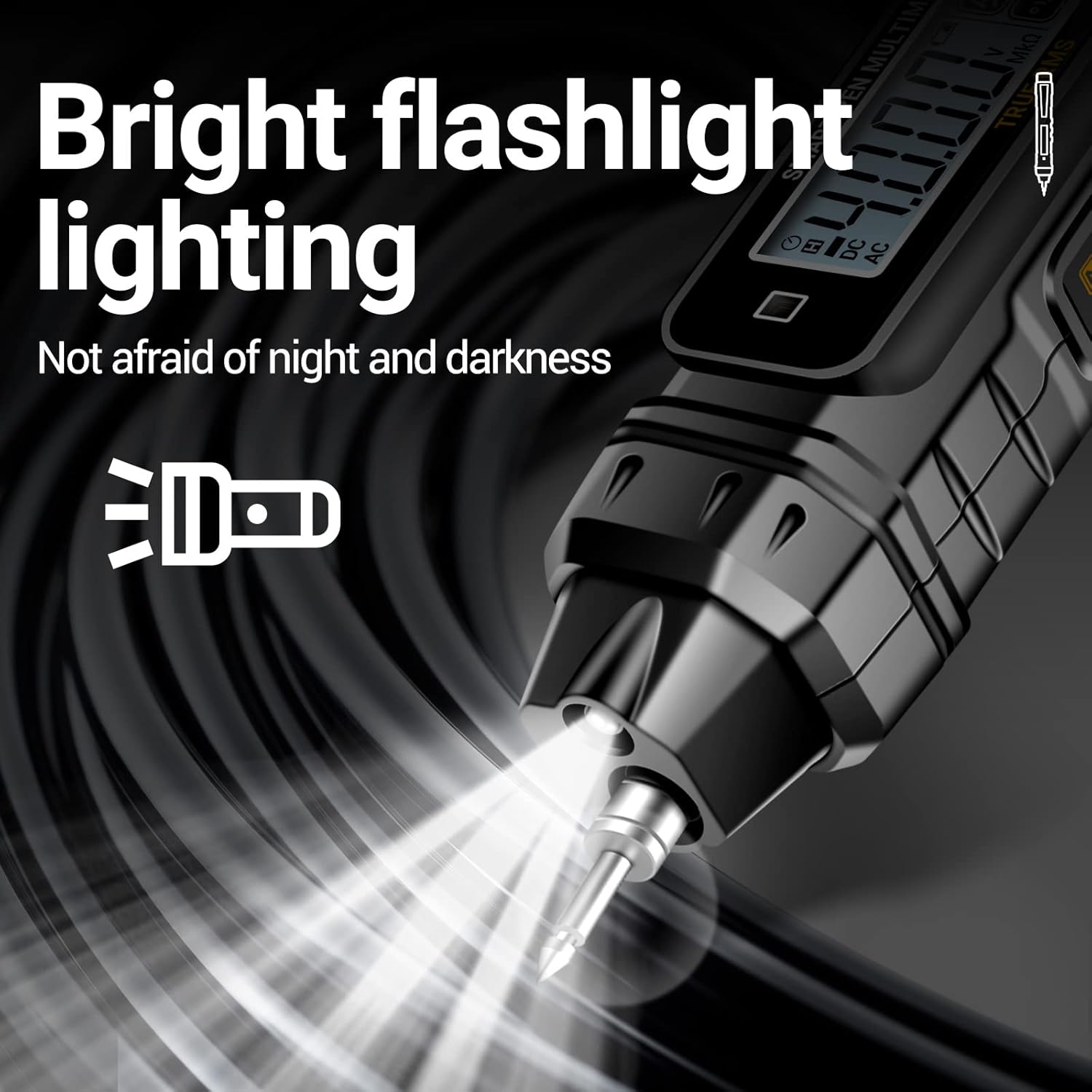
Image: The multimeter's flashlight in operation.

Image: The flashlight providing illumination.

Image: Demonstrations of multiple test functions.
7. Maintenance
7.1 Cleaning:
Wipe the case with a damp cloth and mild detergent. Do not use abrasives or solvents. Keep the input terminals free of dirt or moisture.
7.2 Battery Replacement:
When the low battery indicator appears on the display, replace the batteries promptly to ensure accurate readings. Refer to section 5.1 for battery installation instructions.
7.3 Storage:
If the multimeter is not used for an extended period, remove the batteries to prevent leakage and damage to the device. Store the multimeter in a cool, dry place.

Image: The removable probe tip for maintenance or replacement.
8. Troubleshooting
| Problem | Possible Cause | Solution |
|---|---|---|
| Meter does not power on. | Dead or incorrectly installed batteries. | Check battery polarity or replace batteries. |
| Inaccurate readings. | Low battery; incorrect function selected; environmental interference. | Replace batteries; ensure correct function is automatically selected; move away from strong electromagnetic fields. |
| No continuity beep. | Open circuit; high resistance. | Verify circuit integrity; check for breaks or high resistance points. |
9. Specifications
Technical specifications for the ANENG A3005 Digital Pen-Type Multimeter:
| Function | Range | Resolution | Accuracy |
|---|---|---|---|
| AC Voltage | 0.8V-600V | 1mV | ±(1.2%+5) |
| DC Voltage | 0.8V-600V | 1mV | ±(1.0%+5) |
| Resistance | 0.1Ω-40MΩ | 1Ω | ±(1.2%+3) |
| NCV Induction | ✓ | N/A | N/A |
| Live-Null Line | ✓ | N/A | N/A |
| Buzzer | ✓ | N/A | N/A |
Other Specifications:
- Display: VA Screen, 4000 Counts
- Power: 2 x AAA 1.5V Batteries (included)
- Dimensions: 19.7 x 6 x 3.2 cm (approx.)
- Weight: 130 grams (approx.)
- Auto Power Off: Approx. 5 minutes of inactivity
- Manufacturer: ANENG
- Country of Origin: China

Image: Detailed product specifications and labeled parts diagram.
10. Warranty and Support
ANENG provides lifetime service and technical support for this product. For any inquiries, technical assistance, or warranty claims, please contact ANENG customer service through the retailer or official channels.
Please retain your purchase receipt as proof of purchase for warranty purposes.


