
1. Introduction
This manual provides detailed instructions for the installation, operation, and maintenance of your SIXTOP AHD Rear View Camera. Please read this manual thoroughly before installation and use to ensure proper function and longevity of the product. This camera is designed to enhance safety by providing a clear view of the area behind your vehicle when reversing.
2. Safety Information
- Always ensure the vehicle is turned off and the battery is disconnected before performing any electrical installation.
- Improper installation can lead to electrical shorts, damage to the vehicle's electrical system, or product malfunction. If you are unsure about the installation process, consult a qualified professional.
- The camera is an aid for reversing and parking. Always check your surroundings visually and use your mirrors in conjunction with the camera feed.
- Keep all cables away from moving parts, hot surfaces, and sharp edges within the vehicle.
- Do not attempt to disassemble or modify the camera. This will void the warranty and may cause damage.
3. Package Contents
Verify that all items listed below are included in your package:
- 1 x AHD Rear View Camera
- 1 x 15-Meter Camera Extension Cable

Image: Package contents including the AHD camera and the 15-meter extension cable. Dimensions of the camera are also shown: 39mm (1.5inch) width, 22mm (0.8inch) height, 16mm (0.6inch) depth, and 31mm (1.2inch) length.
4. Specifications
| Feature | Specification |
|---|---|
| Noise Ratio (SNR) | ≥69dB |
| Horizontal Viewing Angle | 160° (Real Angle of View: 170 Degrees) |
| TV System | PAL/NTSC |
| Waterproof Rating | IP69 |
| Minimum Illumination | 0.01Lux |
| Power Supply | DC12V |
| Operating Temperature | -30°C ~ +80°C |
| Pixel Resolution | 1280*720P |
| Night Vision | Automatic gain control, automatic white balance, automatic backlight compensation |
| Product Dimensions | 0.8 x 1.5 x 0.8 inches (20.3mm x 38.1mm x 20.3mm) |
| Item Weight | 10.2 ounces (289.17g) |
| Installation Type | Surface Mount |
| Optical Sensor Technology | CMOS |
| Lens Type | Wide Angle |
| Connector Type | USB (for connection to compatible players) |

Image: The camera is designed with IP69 waterproof rating, ensuring protection against dust and water, and offering anti-corrosion properties for reliable performance in various environmental conditions.
5. Setup and Installation
5.1 Compatibility Check
This AHD Rear View Camera is designed for use with portable Carplay/Android Auto smart players that support camera input. Before installation, confirm that your smart player is compatible with AHD camera input. This camera may not be compatible with standard car radios mounted inside the center console.
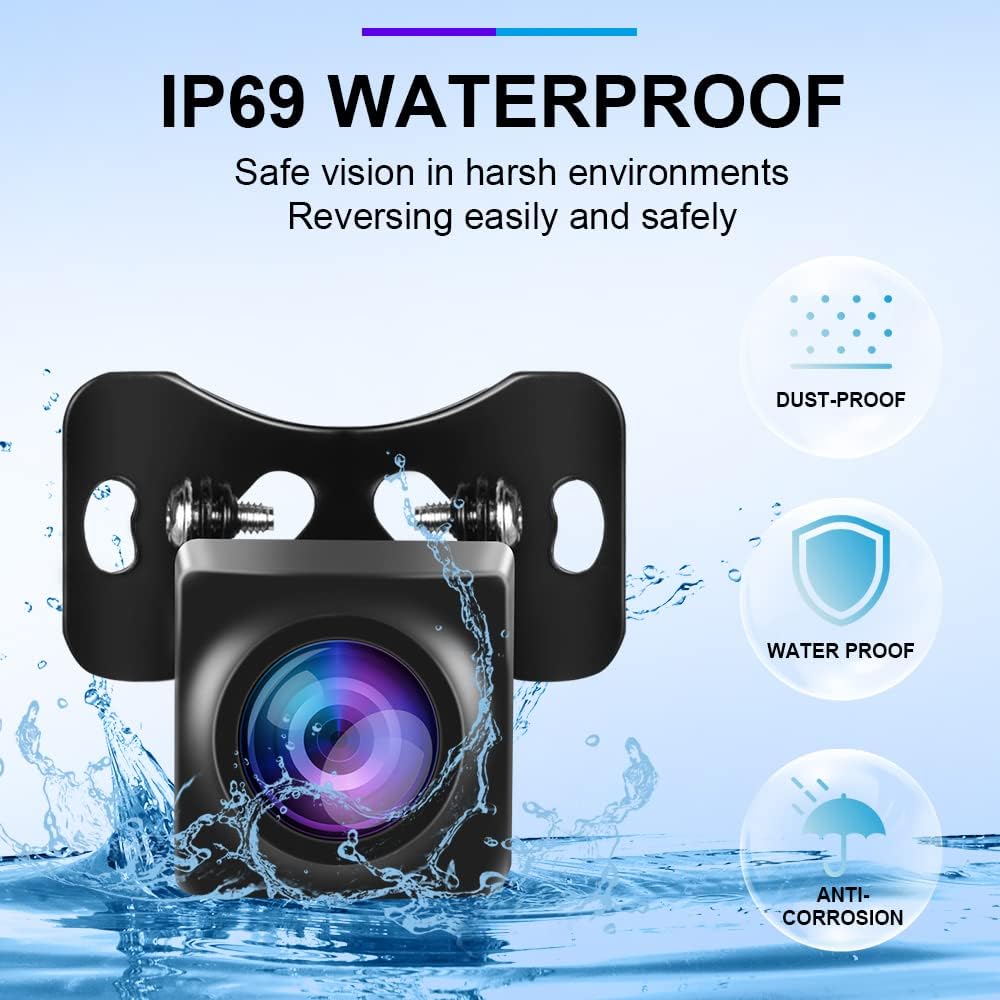
Image: Examples of portable smart players that are compatible with the AHD Rear View Camera.
5.2 Mounting the Camera
- Choose a suitable location on the rear of your vehicle for mounting the camera. Common locations include above the license plate or near the trunk handle.
- Securely attach the camera using the provided mounting bracket and screws. Ensure the camera has a clear, unobstructed view.
5.3 Wiring Connections
- Power Connection: Connect the red wire (trigger line) from the camera's power cable to the positive (+) terminal of your vehicle's reverse light circuit. This ensures the camera powers on automatically when the vehicle is put into reverse gear. The black wire should be connected to a suitable ground point.
- Video Signal Connection: Connect the camera's video output cable to the video input port of your portable Carplay/Android Auto smart player. Use the provided 15-meter extension cable if necessary to reach the player.

Image: Wiring diagram illustrating how to connect the camera's reverse trigger line to the power supply of the reversing light, and the video output to the monitor.
6. Operating Instructions
6.1 Automatic Activation
Once properly installed, the camera will automatically activate and display the rear view on your compatible smart player when you shift your vehicle into reverse gear.
6.2 Night Vision
The camera features infrared night vision with automatic gain control, white balance, and backlight compensation. This provides clear images even in low-light conditions, enhancing visibility during nighttime reversing.

Image: The camera provides clear color night vision, ensuring an unobstructed view regardless of day or night conditions.
6.3 Wide-Angle View
The camera offers a wide horizontal viewing angle of 160° (170° real angle of view), providing an expansive perspective of the area behind your vehicle to minimize blind spots.
6.4 Multi-Angle Adjustment
The camera's mounting bracket allows for multi-angle adjustment, with an adjustable angle of 80°. This enables you to find the optimal reversing angle for your specific vehicle and preference.

Image: The camera offers multi-angle adjustment, allowing users to set the best reversing angle for various situations.
7. Maintenance
- Cleaning: Regularly clean the camera lens with a soft, damp cloth to ensure a clear view. Avoid using abrasive cleaners or solvents that could damage the lens or housing.
- Waterproof Design: The camera has an IP69 waterproof rating, meaning it is highly resistant to dust and water ingress. However, avoid directing high-pressure water jets directly at the camera for extended periods.
- Cable Inspection: Periodically check the wiring for any signs of wear, damage, or loose connections. Secure any loose cables to prevent interference or damage.
8. Troubleshooting
- No Image on Monitor:
- Ensure your smart player supports AHD camera input.
- Check all cable connections between the camera and the monitor/smart player. Ensure they are secure.
- Verify that the camera's power wire is correctly connected to the reverse light circuit and receiving power when the vehicle is in reverse.
- Confirm the monitor/smart player is set to the correct video input source.
- Poor Image Quality / Flickering:
- Clean the camera lens.
- Check for any loose or damaged video cables.
- Ensure the power supply to the camera is stable (12V DC).
- Verify that the camera is not obstructed by dirt, snow, or other debris.
- Image is Not Reversed (Left appears Right):
- This camera outputs a non-reversed image by default. If your monitor unit requires the camera to provide a reversed image, and your monitor does not have a built-in image reversal function, this camera may not be suitable for your setup.
- Consult your smart player's manual to see if it has an option to flip or mirror the camera image.
- Camera Not Activating in Reverse:
- Recheck the connection of the red trigger wire to the reverse light circuit. It must receive 12V only when the vehicle is in reverse.
- Ensure the reverse light itself is functioning correctly.
9. Warranty and Support
9.1 Warranty Information
This SIXTOP AHD Rear View Camera comes with a 1-Year Replacement Warranty from the date of purchase. This warranty covers manufacturing defects and malfunctions under normal use. It does not cover damage caused by improper installation, misuse, accidents, or unauthorized modifications.
9.2 Technical Support
For technical assistance, troubleshooting, or warranty claims, please contact SIXTOP customer support:
- Email: SIXTOP123@163.com
- Availability: 24 Hours / 7 Days Quick Response
- Support: Lifetime Technical Support
When contacting support, please provide your product model (AHD Rear View Camera) and a detailed description of the issue.
