
1. Introduction
Thank you for choosing the Dexnor Keyboard Case DK001. This product is designed to enhance your tablet experience by providing a comfortable typing solution, a precision trackpad, and robust protection. This manual will guide you through the setup, operation, and maintenance of your keyboard case.

The Dexnor Keyboard Case with a tablet securely docked, showcasing the keyboard and trackpad.
2. Compatibility
The Dexnor Keyboard Case DK001 is exclusively designed for the following Samsung Galaxy Tab S series tablets with a 12.4-inch display:
- Samsung Galaxy Tab S10+ Plus (2024)
- Samsung Galaxy Tab S9+ Plus / S9 FE+ Plus (2023)
- Samsung Galaxy Tab S8+ Plus (2022)
- Samsung Galaxy Tab S7 FE (5G) (2021)
- Samsung Galaxy Tab S7+ Plus (2020)
Note: Tablet and S Pen are not included with the keyboard case.

This image illustrates the compatibility of the keyboard case with multiple Samsung Galaxy Tab S series models, all featuring a 12.4-inch display.
3. Package Contents
Please verify that all items are present in your package:
- Dexnor Bluetooth Keyboard Case
- USB-C Charging Cable
- Quick Start Guide
- Detailed Product Manual (this document)
4. Setup
4.1 Charging the Keyboard
Before initial use, fully charge the keyboard. Connect the included USB-C charging cable to the keyboard's charging port and a compatible USB power source. The charging indicator light will show the charging status. A full charge typically takes approximately 4 hours.
4.2 Bluetooth Pairing
- Ensure the keyboard is charged and powered on.
- On your Samsung Galaxy Tab, go to Settings > Connected devices > Bluetooth and turn Bluetooth on.
- Press the Connect button on the keyboard (usually indicated by a Bluetooth icon or a dedicated pairing key). The indicator light will flash, signifying it is in pairing mode.
- On your tablet, select "Dexnor Keyboard" or a similar name from the list of available devices.
- Follow any on-screen prompts to complete the pairing process. The indicator light on the keyboard will stop flashing once successfully paired.
4.3 Attaching Your Tablet
The keyboard case features a strong magnetic stand for secure tablet attachment:
- Align your Samsung Galaxy Tab with the magnetic area on the case's back cover.
- The magnets will securely hold your tablet in place, transforming it into a laptop-like setup.
- The magnetic stand allows for continuous adjustment to achieve your preferred viewing angle.

The magnetic stand feature allows for easy and secure attachment of your tablet to the keyboard case, transforming it into a laptop-like setup.
5. Operating Instructions
5.1 Keyboard Functions
The keyboard features a QWERTZ German layout with scissor-switch keys for a comfortable and quiet typing experience. It includes a range of convenient shortcut keys for media control, volume adjustment, and other functions.

The keyboard features a 7-color backlight with 3 adjustable brightness levels, enhancing visibility and typing comfort in low-light conditions.
5.2 Backlight Adjustment
The keyboard offers a 7-color backlight with 3 adjustable brightness levels. Use the dedicated backlight key (often indicated by a light bulb icon) to cycle through colors and brightness settings to suit your environment.
5.3 Precision Trackpad
The integrated trackpad supports multi-finger gestures for intuitive navigation. You can use gestures such as tapping, scrolling, and swiping to control your tablet, similar to a mouse. This feature significantly enhances productivity when editing documents, browsing the internet, or creating presentations.
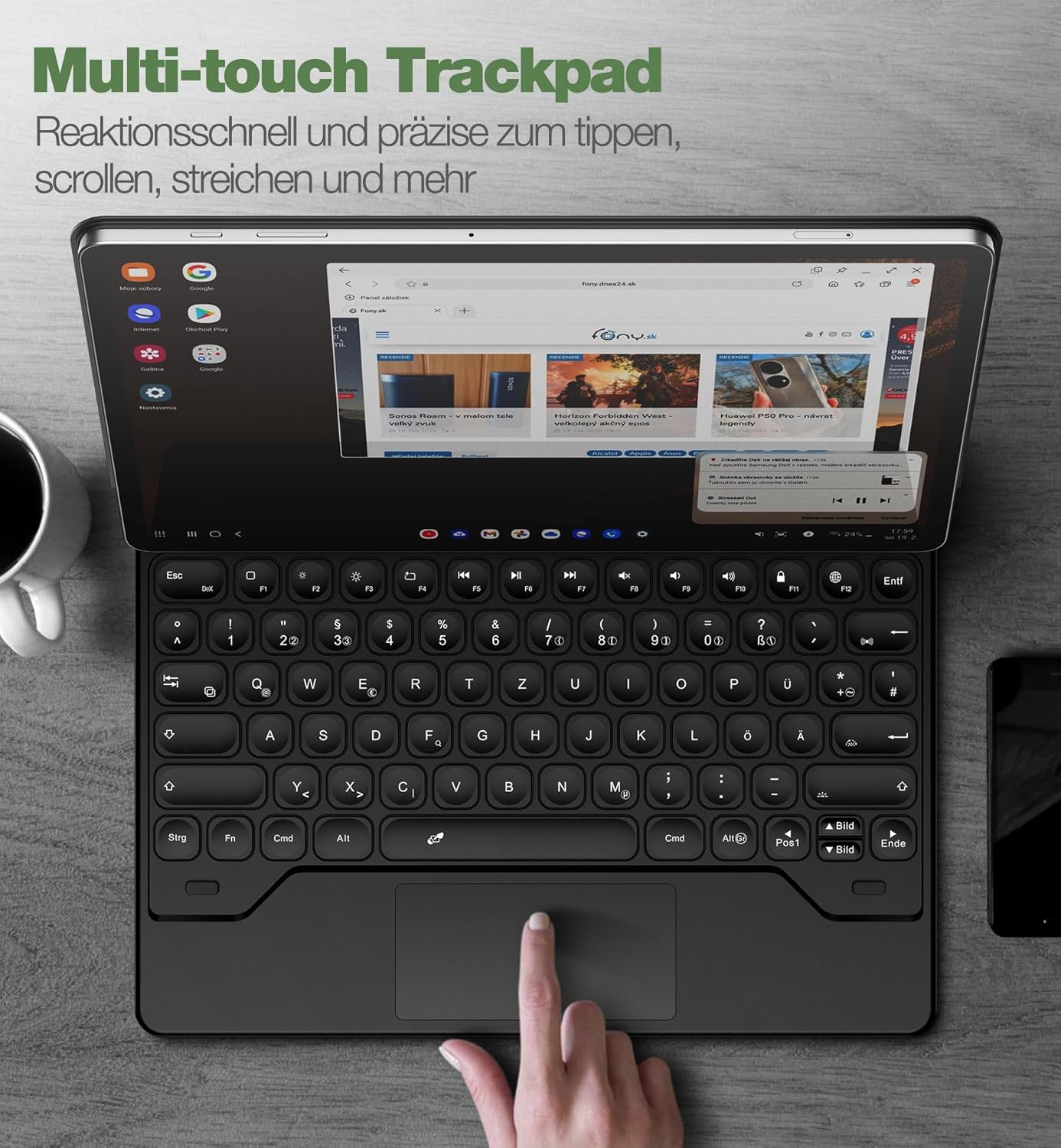
The integrated precision trackpad supports multi-finger gestures, enabling intuitive navigation and enhanced productivity on your tablet.
5.4 S Pen Holder
The keyboard case includes two convenient S Pen storage options:
- An integrated magnetic holder within the keyboard for secure storage.
- A cutout in the rear cover designed for both charging and storage of your S Pen.
These features ensure your S Pen is always accessible and secure.
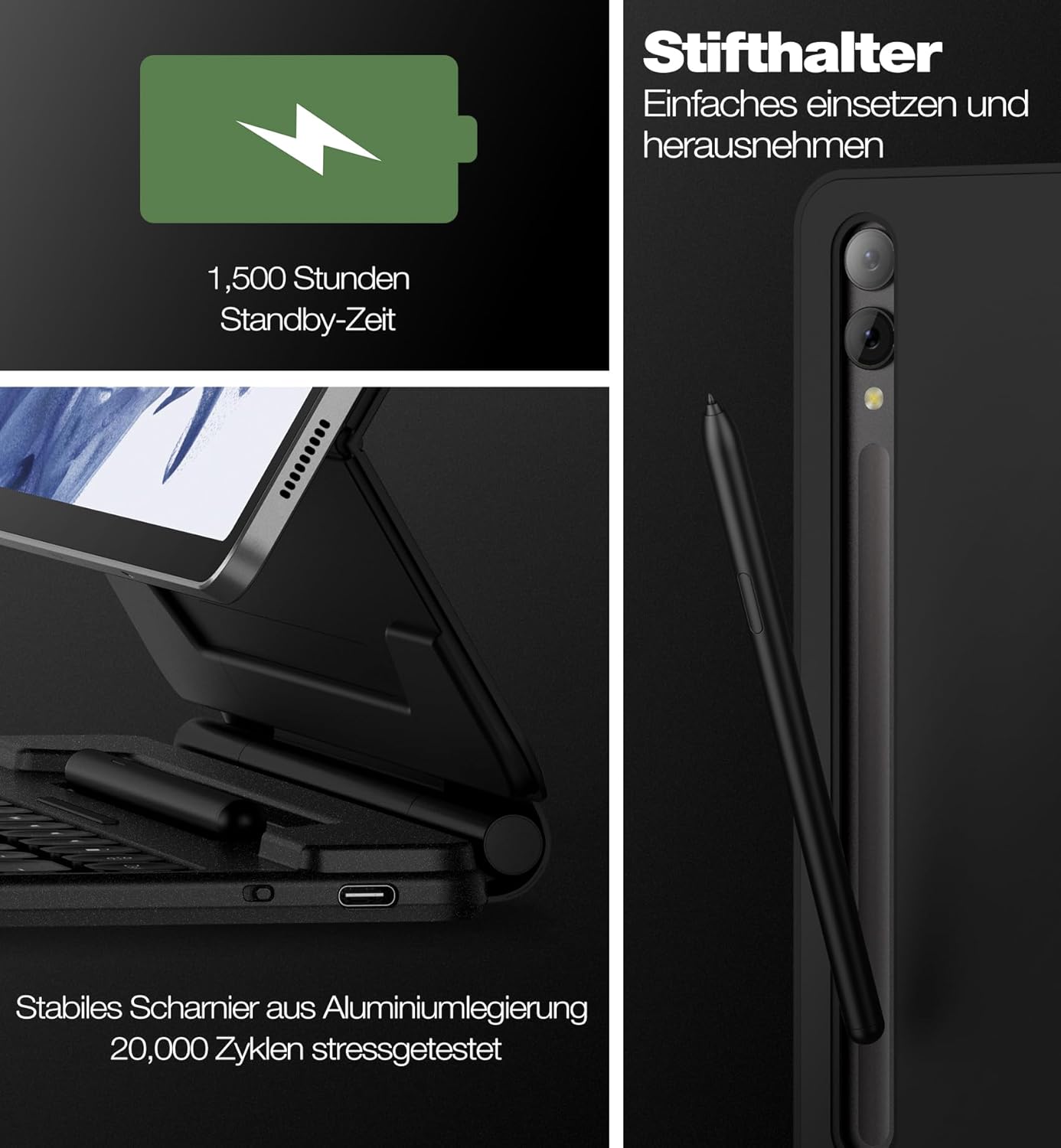
This image highlights the convenient S Pen storage, the USB-C charging port for the keyboard's long-lasting battery, and the robust aluminum alloy hinge designed for durability.
5.5 Adjustable Stand Design
The robust aluminum alloy hinge allows for continuous adjustment of the viewing angle up to 120 degrees. This cantilever design provides a stable and comfortable viewing experience for various activities such as typing, reading, or watching media.

The robust aluminum alloy hinge allows for continuous adjustment of the viewing angle up to 120 degrees, providing optimal comfort for typing, reading, or watching.
5.6 DeX Mode Integration
When combined with your tablet's DeX mode, the keyboard case provides a desktop-like computing experience, enhancing productivity and versatility.
5.7 Auto-Wake/Sleep Function
The keyboard case features an auto-wake/sleep function that helps conserve battery life. Opening the case will wake your tablet, and closing it will put it to sleep.

When closed, the case offers robust front and back protection for your tablet, safeguarding it from drops and scratches.
6. Maintenance
To ensure the longevity and optimal performance of your Dexnor Keyboard Case, follow these maintenance guidelines:
- Cleaning: Use a soft, damp cloth to wipe the exterior of the case. Avoid harsh chemicals or abrasive materials. For the keyboard keys, use a soft brush or compressed air to remove dust and debris.
- Storage: When not in use, store the keyboard case in a cool, dry place away from direct sunlight and extreme temperatures.
- Battery Care: To maintain battery health, avoid fully discharging the keyboard frequently. Charge it regularly, even if not in constant use.
7. Troubleshooting
If you encounter issues with your Dexnor Keyboard Case, refer to the following common solutions:
| Problem | Solution |
|---|---|
| Keyboard not pairing |
|
| Keys not responding |
|
| Trackpad not working |
|
| Backlight not functioning |
|
8. Specifications
| Feature | Detail |
|---|---|
| Brand | Dexnor |
| Model Number | DK001 |
| Connectivity Technology | Bluetooth |
| Compatible Devices | Samsung Galaxy Tab S10+ Plus 2024, S9+ Plus/S9 FE+ Plus 2023, S8+ Plus 2022, S7 FE 5G 2021, S7+ Plus 2020 |
| Keyboard Description | Multi-functional, QWERTZ German Layout |
| Special Features | Laptop-like experience, cantilever design, precision trackpad, dual S Pen holders, tablet/DeX modes, backlit scissor-switch keys, durable rechargeable battery, convenient shortcut keys, slim and portable, premium durable leather, constant protection, ergonomic |
| Backlight Color Management | RGB (7 colors, 3 brightness levels) |
| Battery Composition | Lithium-ion |
| Battery Capacity | 800 mAh |
| Battery Life (Standby) | Up to 1500 hours |
| Battery Life (Usage) | Up to 320 hours |
| Charging Time | Approximately 4 hours (via USB-C) |
| Product Dimensions | 29L x 23.3W x 2.2H cm |
9. Warranty and Support
Your Dexnor Keyboard Case DK001 comes with the following:
- 1-Year Manufacturer Warranty: Covers defects in materials and workmanship under normal use.
- Lifetime Technical Support: Dexnor provides lifetime technical assistance for your product.
For warranty claims or technical assistance, please refer to the contact information provided with your purchase or visit the official Dexnor website.


