
1. Introduction
This manual provides essential instructions for the assembly, operation, and maintenance of your Hot Wheels City Mega Garage playset, Model FTB69. The Mega Garage is designed to offer extensive play possibilities with its multi-level structure, car storage, and interactive track features. It includes a large double-lane loop, a two-car elevator, and a shark attack feature. The playset is also designed to connect with other Hot Wheels City tracks for expanded configurations.
2. Safety Information
No specific safety warnings beyond standard toy safety guidelines are provided for this product. Please ensure adult supervision during assembly and play, especially for younger children. Keep small parts away from children under 3 years of age to prevent choking hazards.
3. Package Contents
Verify that all components are present before beginning assembly. The package should contain:
- One Hot Wheels City Mega Garage playset (Model FTB69)
- Two Hot Wheels vehicles
4. Setup and Assembly
Assembly of the Hot Wheels City Mega Garage is required. Adult supervision is recommended for assembly. Follow the step-by-step instructions provided in the included assembly guide. The playset components are designed for intuitive connection.
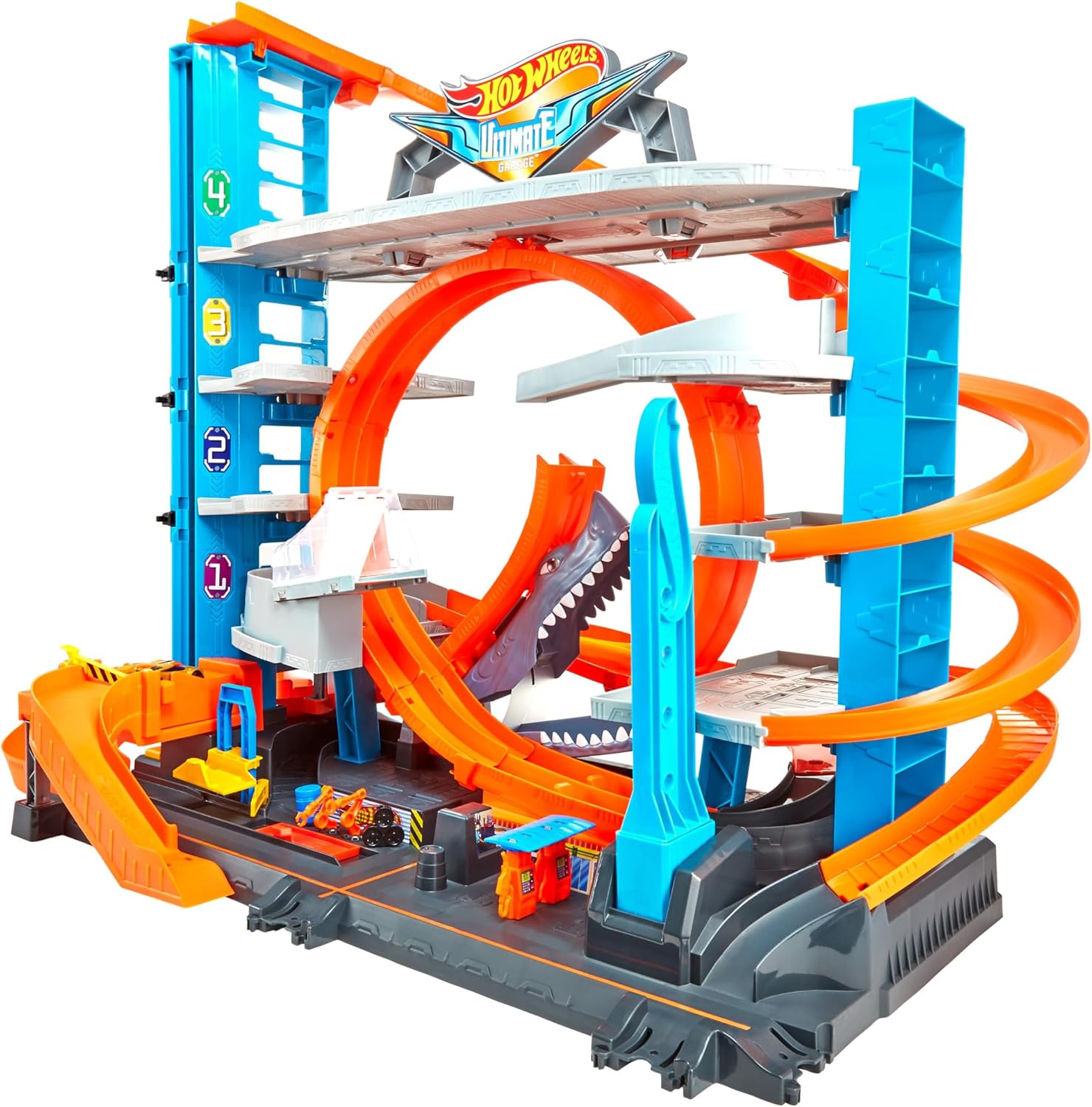
Figure 4.1: Fully assembled Hot Wheels City Mega Garage playset, showcasing its multi-level structure and various track elements.
Ensure all track pieces and structural supports are securely connected to prevent detachment during play.
5. Operating Instructions
5.1. Parking and Storage
The Mega Garage features multiple parking levels capable of storing over 90 Hot Wheels vehicles. Place cars on the designated parking spots on each level.

Figure 5.1: Close-up view of the two-car elevator mechanism, used to transport vehicles between garage levels.
5.2. Two-Car Elevator Operation
To use the elevator, place one or two Hot Wheels vehicles onto the elevator platform. Press the button or activate the lever (depending on the specific mechanism) to raise or lower the cars to different levels of the garage.
5.3. Launching Cars and Double-Lane Loop
Position a car at the start of the launch track. Pull back the booster mechanism and release to propel the car onto the double-lane loop. Ensure the car has sufficient momentum to complete the loop.
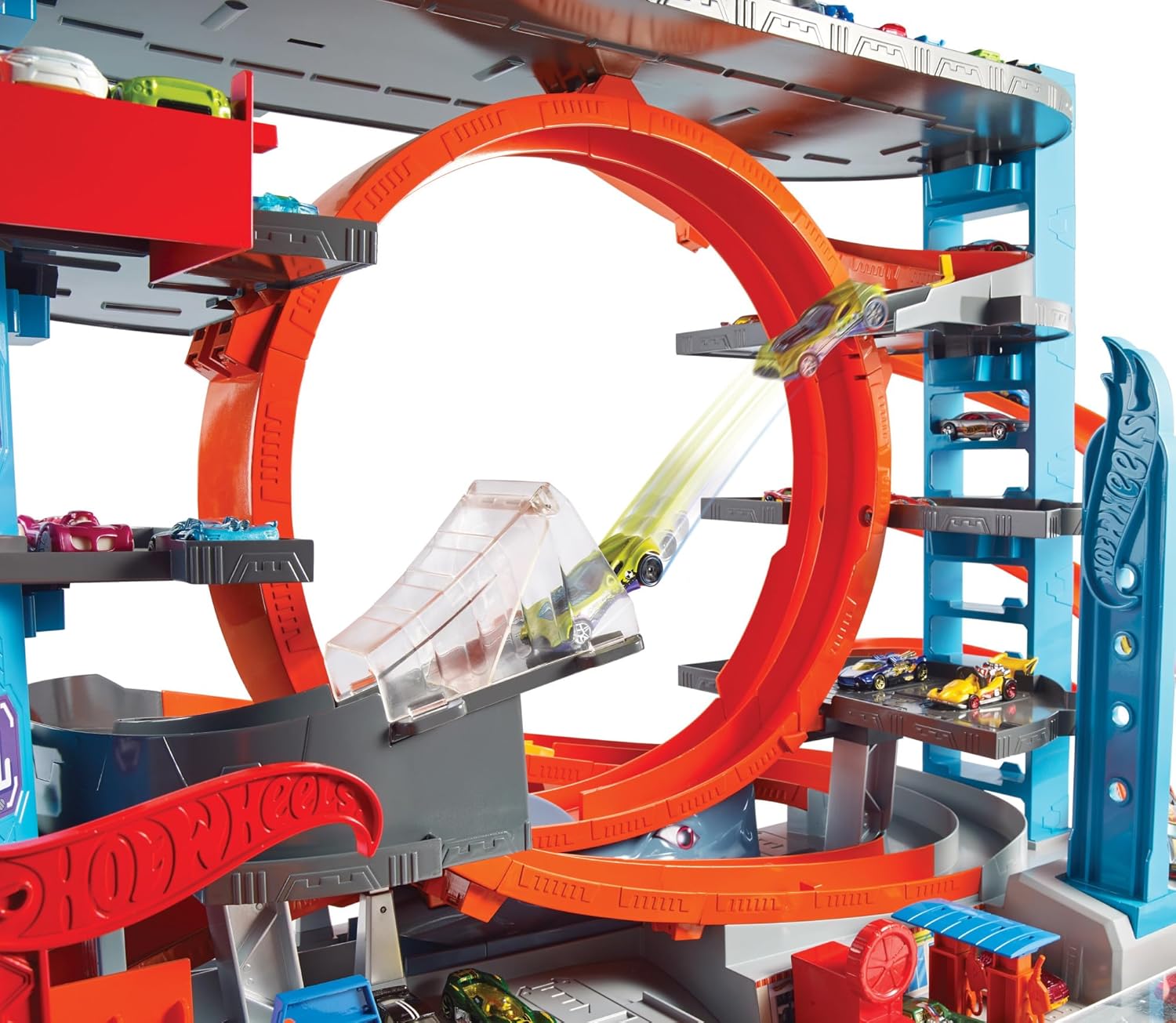
Figure 5.2: A Hot Wheels vehicle navigating the large double-lane loop, demonstrating the playset's dynamic track features.
5.4. Shark Attack Feature
The playset includes an interactive shark feature. As cars race through a specific section of the track, the shark may activate, attempting to "devour" the vehicle. Reset the shark mechanism after activation.

Figure 5.3: The Hot Wheels City Mega Garage featuring the shark attack element, positioned along the track for interactive play.
5.5. Connecting to Other Tracks
The Mega Garage is designed with multiple connection points to integrate with other Hot Wheels City playsets and tracks (sold separately). This allows for customizable and expanded track layouts.
5.6. Refueling and Service Area
A designated area on the lower level allows for simulated car preparation and refueling before cars return to the upper levels via the elevator.
5.7. Video Demonstration
For a visual guide on operating the Hot Wheels City Mega Garage, please refer to the video below.
Video 5.1: A demonstration of the Hot Wheels City Mega Garage features, including car movement, elevator use, and the shark mechanism.
6. Maintenance
To ensure the longevity and optimal performance of your Hot Wheels City Mega Garage, follow these general maintenance guidelines:
- Cleaning: Wipe down the playset regularly with a dry or slightly damp cloth. Avoid using harsh chemicals or abrasive cleaners.
- Storage: Store the playset in a dry, cool environment away from direct sunlight to prevent material degradation.
- Inspection: Periodically check all connections and moving parts for wear or damage. Replace any broken components if possible, or contact customer support.
7. Troubleshooting
If you encounter issues with your Hot Wheels City Mega Garage, refer to the following common problems and solutions:
| Problem | Solution |
|---|---|
| Cars do not complete loops or jumps. | Ensure only compatible Hot Wheels vehicles are used. Vehicle weight and design can significantly affect performance on tracks. Check for any obstructions on the track or issues with the launcher mechanism. |
| Elevator is not moving smoothly. | Verify that the elevator mechanism is clear of any debris or foreign objects. Ensure cars are properly seated and not causing obstruction. |
| Shark attack feature is not activating or resetting. | Check for any obstructions around the shark mechanism. Ensure it is properly engaged and can move freely. |
| Playset makes loud noises during operation. | Some operational noise from the elevator and car launchers is normal due to mechanical action. If the noise is excessive or unusual, inspect for loose parts or obstructions. |
8. Specifications
| Feature | Detail |
|---|---|
| Model Number | FTB69 |
| Brand | Hot Wheels |
| Dimensions (L x W x H) | 43 x 76 x 64 cm |
| Weight | 6.51 kg |
| Recommended Age | 5 years and up |
| Educational Value | Building, designing |
| Number of Players | 2 |
| Assembly Required | Yes |
| Scale | 1:64 |
| Main Material | Plastic |
| Power Source | Non-powered |
| Batteries Required | No |
| Components Included | Garage playset, 2 Hot Wheels cars |
9. Warranty and Support
Specific warranty information for the Hot Wheels City Mega Garage (Model FTB69) is not provided in the product details. For warranty claims, product support, or to inquire about replacement parts, please contact Hot Wheels customer service directly or visit their official website.
Manufacturer Website: www.hotwheels.com


