
Hotpoint H7IHP42LUK
Hotpoint H7IHP42LUK Built-in ActiveDry Dishwasher User Manual
Model: H7IHP42LUK | Brand: Hotpoint
Introduction
This user manual provides essential information for the safe and efficient operation, installation, and maintenance of your Hotpoint H7IHP42LUK Built-in ActiveDry Dishwasher. Please read this manual thoroughly before using the appliance and keep it for future reference.
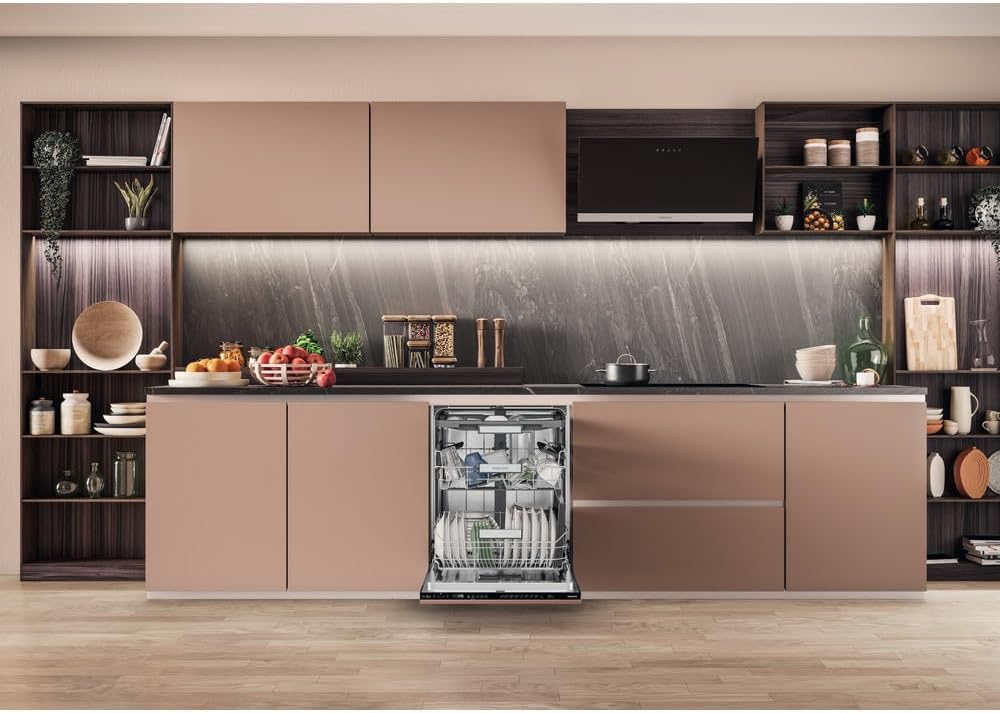
Image: The Hotpoint H7IHP42LUK dishwasher seamlessly integrated into a modern kitchen setting, showcasing its built-in design.
Safety Information
Always follow basic safety precautions when using electrical appliances to reduce the risk of fire, electric shock, and injury to persons. This appliance is intended for household use only.
- Ensure the appliance is properly grounded.
- Do not operate the dishwasher if it is damaged.
- Keep children and pets away from the appliance during operation.
- Use only detergents and rinse aids specifically designed for dishwashers.
- Do not touch the heating element during or immediately after use.
Setup and Installation
The Hotpoint H7IHP42LUK is a built-in dishwasher designed for integration into your kitchen cabinetry. Professional installation is highly recommended to ensure proper fit and function, as well as adherence to local plumbing and electrical codes.
Dimensions and Placement
- Product Dimensions: 56 cm (Depth) x 60 cm (Width) x 82 cm (Height)
- Item Weight: 35 kg
- Ensure adequate space for ventilation and access to water and drainage connections.
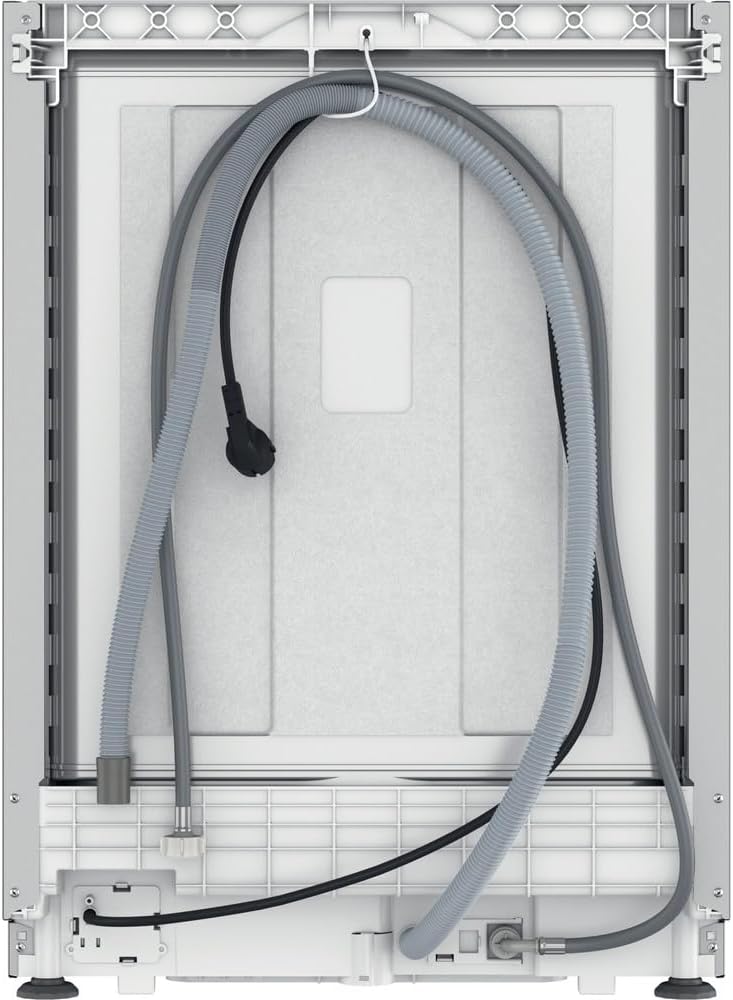
Image: Rear view of the Hotpoint H7IHP42LUK dishwasher, illustrating the water inlet, drain hose, and power cable connections necessary for installation.
Initial Checks
- After installation, ensure all connections are secure and leak-free.
- Remove any packaging materials from inside the dishwasher.
- Perform a test run without dishes to check for proper operation and water drainage.
Operating Instructions
Your Hotpoint dishwasher is designed for ease of use, offering various programs and features to ensure optimal cleaning results.
Loading the Dishwasher
Proper loading is crucial for effective cleaning. The dishwasher has a capacity of 15 place settings.
- Upper Rack: Ideal for delicate items like glasses, cups, and small bowls. The rack is adjustable to accommodate taller items below.
- Lower Rack: Best for plates, larger bowls, pots, and pans.
- Cutlery Tray: Located at the top, designed for knives, forks, spoons, and other utensils. Arrange items separately to prevent nesting.
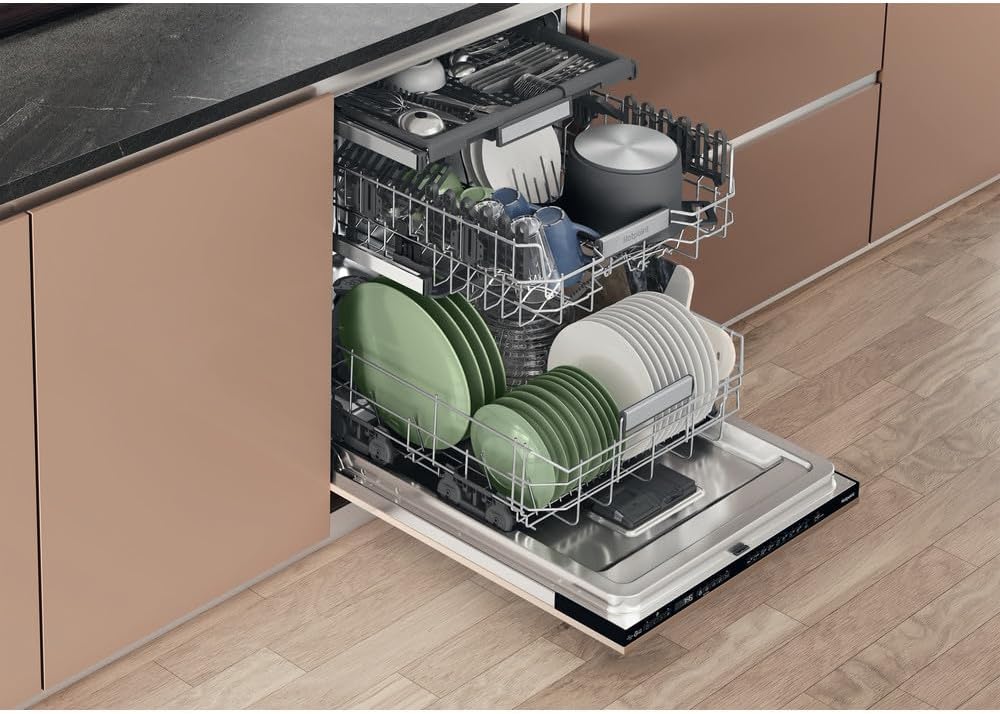
Image: An interior view of the Hotpoint H7IHP42LUK dishwasher, demonstrating how dishes, glasses, and cutlery can be efficiently loaded into its 15 place setting capacity.

Image: A close-up view of the dedicated cutlery tray located at the top of the Hotpoint H7IHP42LUK dishwasher, designed for organized placement of utensils.

Image: A detailed view of the middle rack within the Hotpoint H7IHP42LUK dishwasher, showing its capacity for various items including glasses and a pot.
Adding Detergent and Rinse Aid
Use only automatic dishwasher detergent. Fill the detergent dispenser according to the manufacturer's instructions and the soil level of your dishes. Regularly check and refill the rinse aid dispenser for optimal drying and shine.
Selecting a Wash Program
Your dishwasher features multiple washing programs and 5 option cycles to suit different needs. Refer to the control panel for specific program details.

Image: The front of the Hotpoint H7IHP42LUK dishwasher with its control panel clearly visible, displaying various program options and settings.
Common programs may include:
- Eco Program: Energy-efficient cycle for normally soiled dishes.
- Intensive Program: For heavily soiled pots and pans.
- Daily Program: A standard cycle for everyday use.
- Quick Wash: For lightly soiled items that need a fast clean.
ActiveDry Feature
The ActiveDry feature automatically opens the dishwasher door slightly at the end of the cycle to allow natural air circulation, improving drying performance and reducing energy consumption. This feature can typically be enabled or disabled via the control panel settings.

Image: The Hotpoint H7IHP42LUK dishwasher demonstrating its ActiveDry feature, with the door slightly ajar to release steam and facilitate natural drying.

Image: Another perspective of the Hotpoint H7IHP42LUK dishwasher with its door slightly open, indicating the ActiveDry function in progress for enhanced drying.
Maintenance and Care
Regular maintenance ensures the longevity and optimal performance of your dishwasher.
Cleaning the Filters
The filter system should be cleaned regularly to prevent food particles from recirculating and affecting wash performance. Locate the filter assembly at the bottom of the dishwasher tub, twist to unlock, and remove. Rinse under running water to remove debris. Reassemble and secure properly.
Cleaning the Interior and Exterior
- Interior: Periodically run a dishwasher cleaning cycle with a specialized dishwasher cleaner to remove grease and limescale buildup.
- Exterior: Wipe down the control panel and door with a soft, damp cloth. Avoid abrasive cleaners.
Salt Refill (if applicable)
If your water supply is hard, your dishwasher may have a salt dispenser. Check the indicator light on the control panel and refill with dishwasher salt as needed to prevent limescale buildup and improve wash results.
Troubleshooting
Before contacting service, please check the following common issues and solutions:
| Problem | Possible Cause | Solution |
|---|---|---|
| Dishes not clean | Improper loading, clogged filters, insufficient detergent, incorrect program, water hardness. | Reload dishes correctly, clean filters, use appropriate detergent amount, select suitable program, check salt/rinse aid levels. |
| Dishwasher not starting | Door not closed properly, power supply issue, program not selected. | Ensure door is latched, check power connection/circuit breaker, select a program and press start. |
| Water not draining | Clogged drain hose or filter, air gap blockage. | Clean filters, check drain hose for kinks or blockages, clear air gap. |
| Excessive noise | Items interfering with spray arms, foreign object in pump. | Rearrange dishes, inspect pump area for obstructions. |
Specifications
| Feature | Detail |
|---|---|
| Model Name | Hotpoint H7IHP42LUK Built-in ActiveDry Dishwasher |
| Model Number | H7IHP42LUK |
| Brand | Hotpoint |
| Form Factor | Built-In |
| Capacity | 15 Place Settings |
| Product Dimensions (D x W x H) | 56 cm x 60 cm x 82 cm |
| Item Weight | 35 kg |
| Noise Level | 42 dB |
| Energy Rating | C |
| Voltage | 220 Volts |
| Control Type | Push Button |
| Material | Metal |
| Included Components | Dishwasher |
Warranty and Support
For warranty information, please refer to the documentation provided with your purchase or visit the official Hotpoint website. If you encounter issues that cannot be resolved using the troubleshooting guide, please contact Hotpoint customer support for assistance.
You can typically find contact details on the Hotpoint official website or through your retailer.
Related documentsH7IHP42LUK


Ask a question about this manual
Ask about setup, troubleshooting, compatibility, parts, safety, or missing instructions. Manuals+ will review the question and use this page’s manual context to help answer it.