
1. Product Overview
The Timegyro Digital Alarm Clock is a battery-operated device designed for convenience and portability. It features a clear LED display, adjustable brightness, and a snooze function, making it suitable for various indoor settings such as bedrooms, living rooms, and offices.
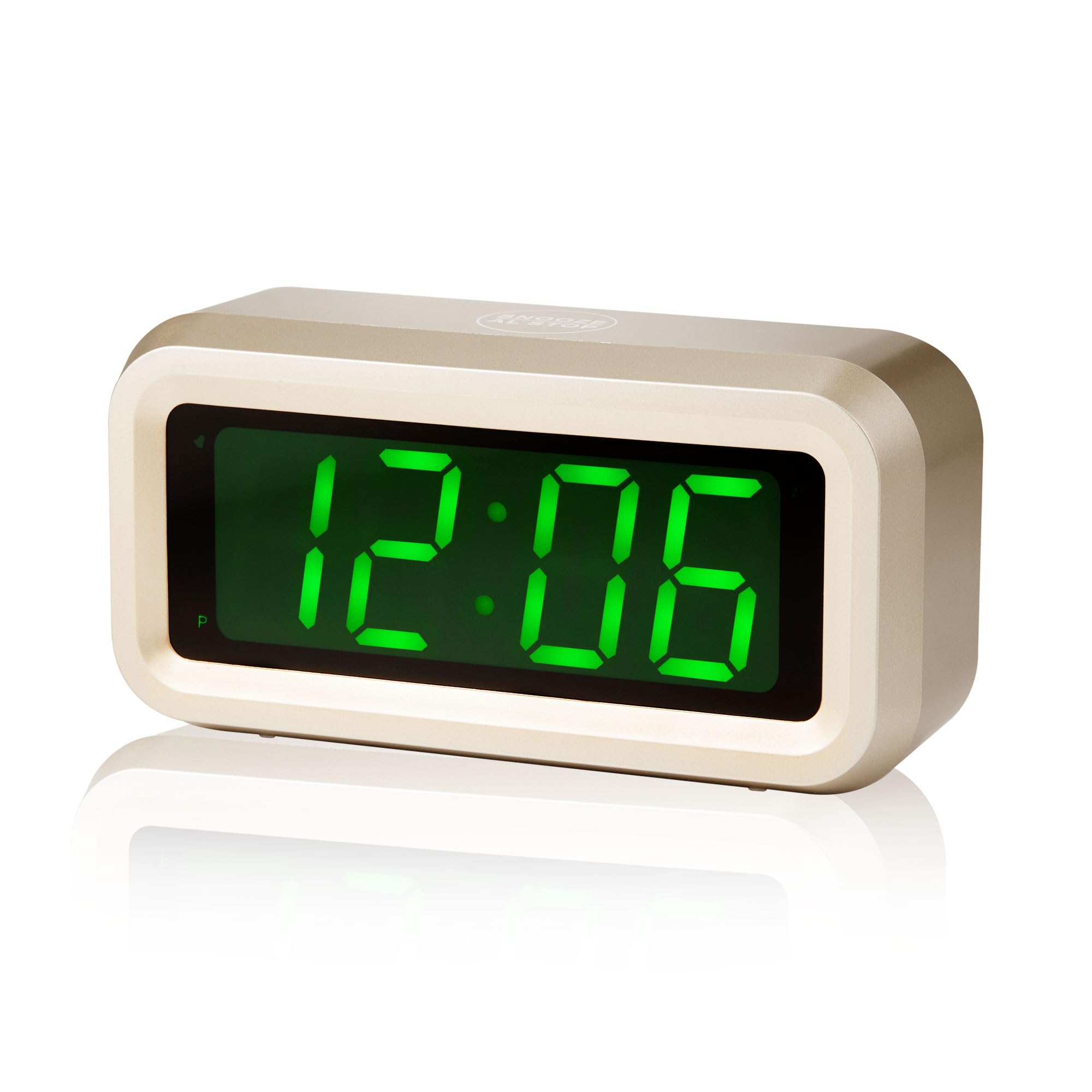
Image: Front view of the Timegyro Digital Alarm Clock.
2. Key Features
- Battery Operated: Powered by 4 AA batteries, allowing for placement anywhere without the need for a power outlet. Provides over 1 year of battery life.
- LED Display with Adjustable Brightness: Features 3 brightness levels. A Night-Mode automatically dims the display between 8:00 PM and 6:00 AM to prevent excessive brightness in dark environments.
- 12/24 Hour Mode: Easily switch between 12-hour and 24-hour time display formats.
- Snooze Function: A dedicated snooze button on top allows for a 7-minute delay of the alarm, repeatable up to 3 times.
- Compact and Portable Design: With dimensions of 5.1 x 1.5 x 2.6 inches, it is suitable for use as a desk clock, bedside clock, or travel clock.

Image: Overview of key features.
3. Setup
3.1 Battery Installation
- Locate the battery cover on the back of the clock.
- Slide the battery cover off.
- Insert 4 AA batteries, ensuring correct polarity (+/-).
- Replace the battery cover securely.

Image: Rear view of the clock showing battery compartment and control buttons.
4. Operating Instructions
The clock features several buttons and switches on its rear panel for setting time, alarm, and adjusting display settings. The top of the clock has a large snooze button.
4.1 Setting the Time
- Press the TIME SET button on the back of the clock. The hour digits will begin to flash.
- Use the HOUR button to adjust the hour.
- Press the TIME SET button again. The minute digits will begin to flash.
- Use the MIN button to adjust the minutes.
- Press TIME SET once more to confirm and exit time setting mode.
4.2 Setting the Alarm
- Press the AL SET button on the back of the clock. The alarm hour digits will begin to flash.
- Use the HOUR button to set the desired alarm hour.
- Press the AL SET button again. The alarm minute digits will begin to flash.
- Use the MIN button to set the desired alarm minutes.
- Press AL SET once more to confirm and exit alarm setting mode.
- To activate or deactivate the alarm, use the AL ON/OFF switch.
4.3 Snooze Function
When the alarm sounds, press the large SNOOZE button located on the top of the clock. The alarm will pause for 7 minutes and then sound again. This can be repeated up to 3 times.

Image: Demonstrating the snooze function.
4.4 Brightness Adjustment
The clock offers 3 brightness levels. Use the DIMMER switch on the back of the clock to select your preferred brightness. The Night-Mode feature automatically adjusts brightness for nighttime viewing.

Image: Visual representation of the three brightness levels.
4.5 12/24 Hour Mode
To switch between 12-hour and 24-hour time formats, press the HOUR/12/24 button on the back of the clock.

Image: Comparison of 12-hour and 24-hour display modes.
5. Maintenance
- Cleaning: Wipe the clock with a soft, dry cloth. Avoid using abrasive cleaners or solvents.
- Battery Replacement: Replace all 4 AA batteries when the display becomes dim or stops functioning. Do not mix old and new batteries.
- Storage: If storing the clock for an extended period, remove the batteries to prevent leakage.
6. Troubleshooting
| Problem | Possible Cause | Solution |
|---|---|---|
| Display is blank or very dim. | Low or depleted batteries. | Replace all 4 AA batteries with new ones. |
| Alarm does not sound. | Alarm is not activated or set incorrectly. | Ensure the AL ON/OFF switch is in the 'ON' position and the alarm time is set correctly. |
| Time display is incorrect. | Time was set incorrectly or batteries were removed. | Reset the time using the TIME SET, HOUR, and MIN buttons. |
| Display is too bright or too dim at night. | Brightness level is not optimally set. | Adjust the DIMMER switch on the back of the clock to your preferred brightness level. |
7. Specifications
- Brand: Timegyro
- Color: Golden-green
- Display Type: Digital LED
- Power Source: Battery Powered (4 AA batteries required, not included)
- Product Dimensions: 5.55"W x 2.95"H (approximately 5.1" x 1.5" x 2.6" as per feature bullets)
- Material: Acrylonitrile Butadiene Styrene (ABS)
- Item Weight: 4.6 ounces (0.13 Kilograms)
- Special Features: Snooze, Alarm, Auto Dimmable, Brightness Dimmer, Battery Operated, Cordless, 12/24Hr, Easy to use, Large Display
- Usage: Indoor, Outdoor (as per specifications, but primarily designed for indoor use)
- Mounting Type: Tabletop
8. Warranty and Support
For customer service inquiries or support, please contact:
Email: chaorong@shenzhenchaorong.com
Please note that specific warranty details are not provided in this manual. For warranty information, please refer to the product packaging or contact customer support directly.

