
1. Introduction
This manual provides essential information for the proper installation, operation, and maintenance of your JVC KD-X38MBS Marine Digital Media Receiver and JVC CS-DR6200M 6.5-inch Marine Speakers. Please read this manual thoroughly before use to ensure optimal performance and longevity of your marine audio system.
Package Contents:
- JVC KD-X38MBS Marine Digital Media Receiver
- JVC CS-DR6200M 6.5" 2-Way Marine Speakers (Pair)
- Marine Dash Kit Protector Radio Black Cover Receiver Shield
- Flexible Rubber Mast Long Range Marine Radio Antenna
- 50 Ft 16-Gauge Speaker Wire

Figure 1.1: Overview of the JVC Marine Audio Bundle, including the receiver, speakers, radio cover, antenna, and speaker wire.
2. Setup and Installation
Proper installation is crucial for the performance and durability of your marine audio system. It is recommended to have installation performed by a qualified professional.
2.1 JVC KD-X38MBS Receiver Installation
- Mounting: Install the single DIN receiver into a suitable dash opening. Ensure adequate ventilation around the unit.
- Power Connection: Connect the yellow wire to a constant 12V power source, the red wire to a switched 12V accessory power source, and the black wire to a reliable ground point.
- Speaker Connections: Connect the speaker wires from the receiver to the JVC CS-DR6200M speakers, ensuring correct polarity (+ to + and - to -).
- Antenna Connection: Connect the marine radio antenna to the receiver's antenna input.
- Optional Connections: Connect any external amplifiers via the 4.0V high-voltage 3 pre-outs, or wired remote controls if applicable.

Figure 2.1: Front view of the JVC KD-X38MBS Marine Digital Media Receiver, showing controls and display.
2.2 JVC CS-DR6200M Speaker Installation
- Location: Choose appropriate locations for the 6.5-inch speakers, ensuring they are securely mounted and have clear sound projection.
- Mounting: Cut the necessary openings and mount the speakers using the provided hardware. Ensure a watertight seal for marine environments.
- Wiring: Use the included 16-gauge speaker wire to connect the speakers to the receiver. Observe correct polarity.
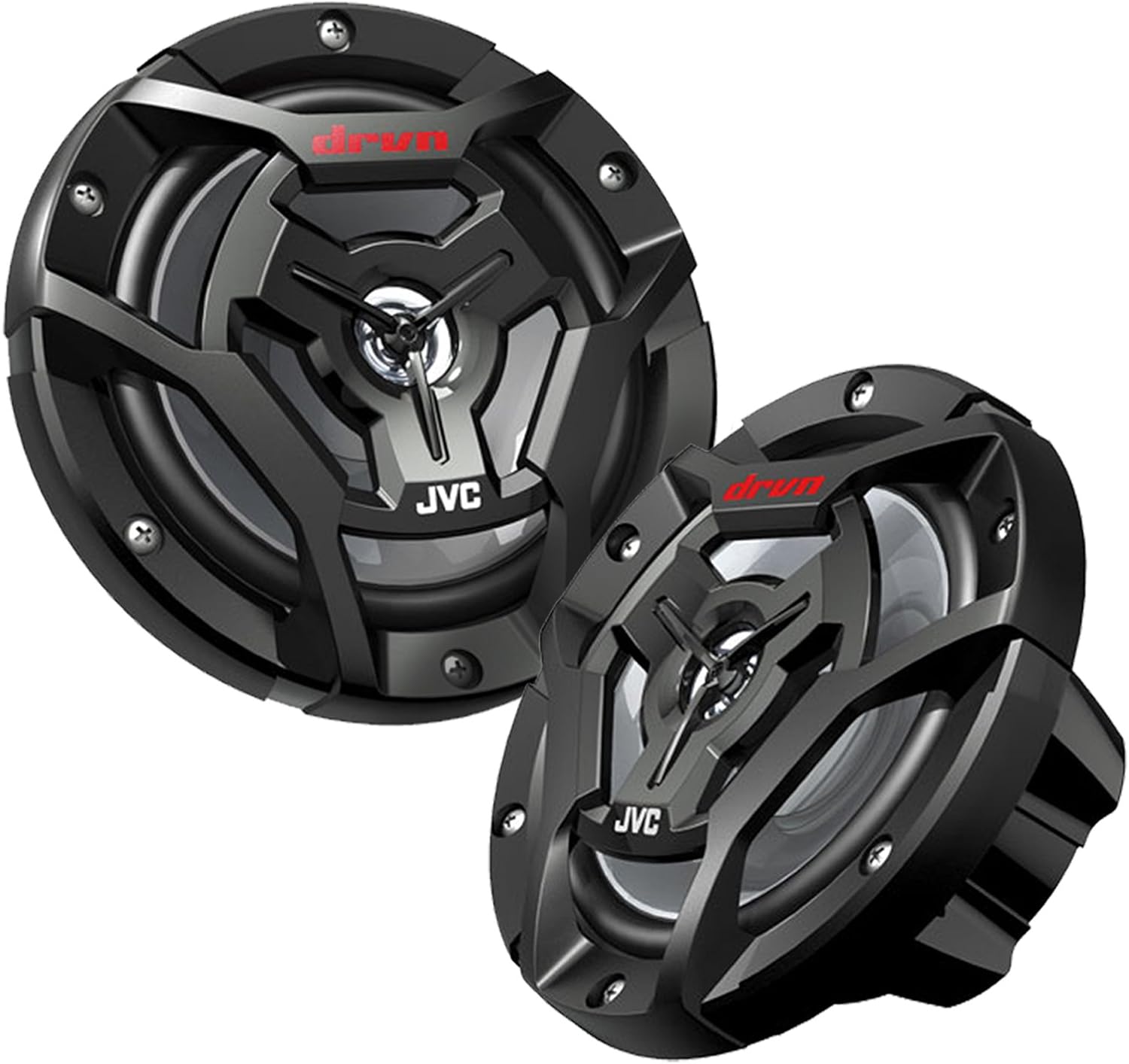
Figure 2.2: A pair of JVC CS-DR6200M 6.5-inch marine speakers, designed for durability in outdoor conditions.
2.3 Marine Radio Cover Installation
The marine radio cover provides protection against water and UV exposure.
- Mounting: Secure the radio cover housing over the installed receiver, ensuring it is properly aligned and sealed.
- Operation: The hinged cover allows access to the receiver controls while providing protection when closed.

Figure 2.3: The marine radio cover installed, protecting the receiver from environmental elements.
2.4 Marine Radio Antenna Installation
The flexible rubber mast antenna enhances AM/FM reception.
- Mounting Location: Choose a location that provides maximum exposure and minimal obstruction for optimal signal reception.
- Secure Mounting: Mount the antenna securely to a flat surface.
- Cable Routing: Route the antenna cable to the receiver, avoiding sharp bends or interference with other electrical components.

Figure 2.4: The flexible rubber mast marine radio antenna, designed for robust signal reception.
2.5 Speaker Wire Usage
The included 50 ft 16-gauge speaker wire is designed for marine environments.
- Gauge: 16-gauge wire is suitable for connecting the speakers to the receiver over typical marine distances.
- Routing: Route speaker wires carefully to avoid pinching, abrasion, or exposure to excessive heat.

Figure 2.5: A spool of 50 ft 16-gauge marine-grade speaker wire, essential for audio connections.
3. Operating Instructions
This section details the basic functions and features of your JVC KD-X38MBS Marine Digital Media Receiver.
3.1 Power On/Off and Source Selection
- Power: Press the power button (usually marked with a power symbol) to turn the unit on or off.
- Source: Press the 'SRC' button to cycle through available audio sources: AM/FM radio, Bluetooth Audio, USB, and AUX input.
3.2 Bluetooth Connectivity
The receiver features built-in Bluetooth for wireless audio streaming and control.
- Pairing Mode: Select Bluetooth as the source. The receiver will automatically enter pairing mode or can be manually set via the menu.
- Device Connection: On your mobile device, search for available Bluetooth devices and select 'JVC KD-X38MBS'. Confirm pairing if prompted.
- Automatic Pairing: iPhone devices may offer automatic Bluetooth pairing for convenience.
- Audio Streaming & Control: Once paired, you can stream audio and control playback (play/pause, skip tracks) directly from the receiver or your device.
3.3 USB and AUX Inputs
- USB: Connect a USB storage device to the USB port for playback of MP3/WMA/WAV/AAC/FLAC files. The USB port also provides high current 1.5A charging.
- AUX: Connect external audio devices using a 3.5mm stereo cable to the AUX input.
3.4 AM/FM Tuner
- Tuning: Select AM or FM source. Use the seek/scan buttons to find radio stations.
- Presets: The receiver supports 18 FM and 6 AM preset stations. Tune to a desired station and hold a preset button (1-6) to save it.
- Satellite Radio Ready: The unit is compatible with an optional satellite radio tuner (sold separately).
3.5 Audio Settings and Customization
- 13-Band EQ: Access the equalizer settings to fine-tune the audio output to your preference.
- 2-Zone Variable-Color Illumination: Customize the display and button illumination colors.
- Space Enhancement: Adjust sound field settings to optimize the listening experience.
- Sound Response & Sound Lift: Utilize these features to enhance bass response and adjust sound image height.
- JVC Remote App: Download the JVC Remote App for compatible smartphones to control receiver functions wirelessly.
4. Maintenance
Regular maintenance ensures the longevity and optimal performance of your marine audio system.
- Cleaning the Receiver: Use a soft, dry cloth to wipe the receiver's front panel. For stubborn dirt, dampen the cloth with water. Avoid harsh chemicals or abrasive cleaners.
- Cleaning Speakers: The CS-DR6200M speakers are designed to be waterproof. Clean them with fresh water and a soft cloth to remove salt, dirt, or debris.
- Radio Cover: Keep the marine radio cover clean and ensure its seal remains intact to protect the receiver from water ingress.
- Environmental Protection: The receiver features a conformal coated PCB for enhanced moisture protection. However, always ensure the radio cover is properly closed when not in use or during adverse weather conditions.
- Cable Inspection: Periodically inspect all wiring for signs of wear, corrosion, or damage. Replace any compromised cables immediately.
5. Troubleshooting
If you encounter issues with your JVC marine audio system, refer to the following common problems and solutions.
| Problem | Possible Cause | Solution |
|---|---|---|
| No power to receiver | Blown fuse, incorrect wiring, power supply issue | Check receiver and vehicle fuses. Verify power and ground connections. |
| No sound from speakers | Incorrect speaker wiring, volume too low, mute activated, amplifier issue | Check speaker connections and polarity. Increase volume. Deactivate mute. Ensure external amplifier (if used) is powered on. |
| Bluetooth not connecting | Device not in pairing mode, receiver not discoverable, interference | Ensure receiver is in Bluetooth source and pairing mode. Restart both devices. Clear previous pairings. |
| Poor radio reception | Antenna not connected, damaged antenna, environmental interference | Check antenna connection. Inspect antenna for damage. Try a different location if possible. |
| USB device not recognized | Unsupported file format, incompatible USB device, corrupted files | Ensure files are supported (MP3/WMA/WAV/AAC/FLAC). Try a different USB device. Reformat USB device if necessary. |
If the problem persists after attempting these solutions, consult a qualified service technician.
6. Specifications
6.1 JVC KD-X38MBS Marine Digital Media Receiver
- Power Output: MOSFET 22 watts RMS/50 peak x 4 channels
- Display: 2-Line VA LCD Display, Backlit, White Background
- Connectivity: Bluetooth Built-In, USB Input, AUX Input, 3.5mm Jack
- Audio Features: 13-Band EQ, 2-Zone Variable-Color Illumination, Space Enhancement, Sound Response, Sound Lift
- Pre-Outs: 4.0V High-Voltage 3 Pre-Outs
- Tuner: AM/FM Tuner (18 FM, 6 AM Preset Stations), Satellite Radio Ready
- Playback: MP3/WMA/WAV/AAC/FLAC Playback via USB
- Charging: High Current 1.5A USB Charging
- Special Features: Conformal Coated PCB, JVC Remote App Compatibility, Wired Remote Control Ready, Steering Wheel Remote Control Ready
- Controller Type: Amazon Alexa, Android, iOS (via app)
- Audio Output Mode: Stereo
- Surround Sound Channel Configuration: 2
6.2 JVC CS-DR6200M 6.5" 2-Way Coaxial Marine Speakers
- Type: 6.5" DRVN Series 2-way Coaxial Marine Speakers
- Peak Power: 150 watts (each)
- Woofer: Carbon Mica Cone Woofer, 16 cm (6-1/2'') with Rubber Surround
- Tweeter: 1" Poly-Ether Imide Balanced Dome Tweeter
- Impedance: 4 ohms
- Magnet: 8.1oz. Ferrite magnet motor structure
- Sound Pressure Level: 87dB/W.m
- Frequency Response: 60 - 18,400 Hz
- Sensitivity: 87dB
6.3 General Product Specifications
- Package Dimensions: 16.5 x 12.3 x 8.5 inches
- Item Weight: 10.08 pounds
- Manufacturer: JVC
- Date First Available: June 13, 2023
7. Warranty and Support
JVC products are manufactured to high-quality standards. For specific warranty information, please refer to the warranty card included with your product or visit the official JVC website. For technical support or service inquiries, please contact JVC customer service.
You can find more information and support resources by visiting the JVC Store on Amazon.


