
1. Introduction
The GOOZEEZOO MRA-821 is a portable shortwave radio loop antenna designed to enhance reception for shortwave (SW) and FM bands. It features a built-in signal amplification circuit and noise suppression capabilities to improve listening quality. This manual provides instructions for the proper setup, operation, and maintenance of your MRA-821 antenna.
2. Safety Information
- Outdoor Installation: If installing outdoors, ensure proper waterproofing for all connections and components to prevent water damage.
- Lightning Protection: For outdoor installations, implement appropriate lightning protection measures to safeguard the antenna and connected equipment.
- Power Source: Use only the specified power source for the antenna's amplification circuit.
- Handling: Handle the antenna components with care to avoid damage.
3. Package Contents
Please verify that all components are present in your package:
- MRA-821 Main Antenna Unit (with tuning box)
- Loop Element
- Coaxial Cable (for connecting to radio)
- Power Cable/Adapter (if applicable, for amplifier)
4. Setup Instructions
Follow these steps to set up your MRA-821 antenna:
- Assemble the Loop: Connect the loop element to the main antenna unit's designated connectors. Ensure a secure connection.
- Position the Antenna: For optimal reception, it is recommended to install the antenna outdoors. Choose a location free from obstructions and away from sources of electrical interference. If outdoor installation is not feasible, position it near a window.

- Connect to Radio: Connect one end of the coaxial cable to the main antenna unit's coaxial connector (typically an SO-239 or BNC type).

- Connect the other end of the coaxial cable to the antenna input of your shortwave radio receiver.
- Power On: If your antenna unit requires external power for its amplifier, connect the power cable/adapter and turn it on.
5. Operating Instructions
To achieve the best reception with your MRA-821 antenna:
- Tune Your Radio: Select the desired frequency band on your shortwave radio receiver.
- Tune the Antenna: The MRA-821 features a tuning knob on the main unit. Slowly rotate this knob to fine-tune the antenna to the specific frequency you are listening to. You will notice an improvement in signal strength and clarity as you approach the optimal tuning point.

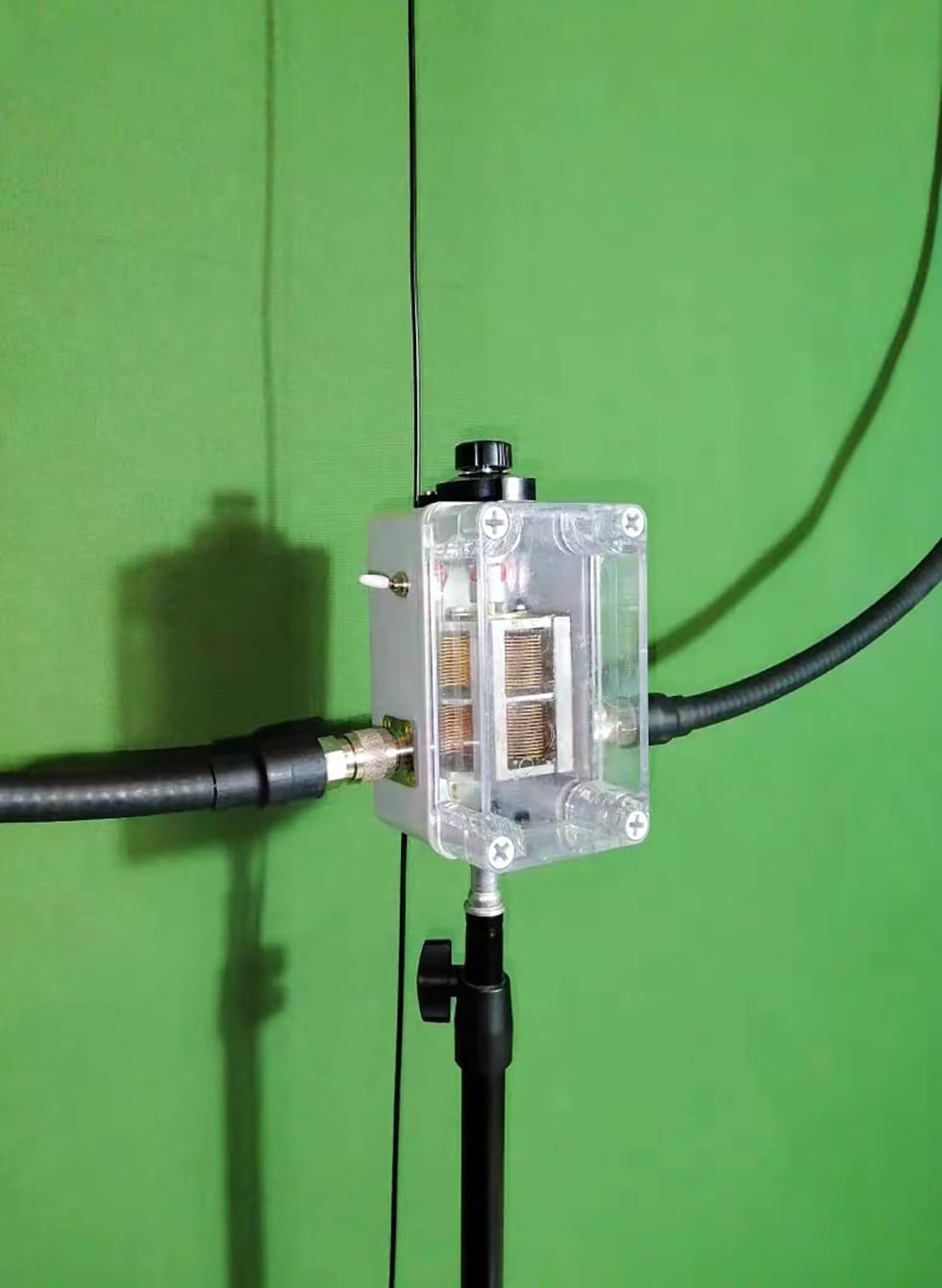
- Optimize Orientation: For loop antennas, rotating the antenna horizontally can sometimes help reduce noise or improve signal directionality. Experiment with the antenna's orientation for best results.
- Noise Suppression: The built-in noise suppression circuit works automatically to reduce interference. Proper tuning and placement will further enhance its effectiveness.
6. Specifications
| Model | MRA-821 |
| Frequency Range (SW) | 3.5 - 22 MHz (operates on 7, 10, 14, 21 meter bands) |
| Frequency Range (FM) | 76 - 108 MHz |
| Antenna Type | Portable Shortwave Radio Loop Antenna |
| Features | Built-in signal amplification, noise suppression circuit |
| Product Dimensions | 5"L x 5"W x 2"H (Main Unit) |
7. Maintenance
- Cleaning: Wipe the antenna unit with a soft, dry cloth. Do not use harsh chemicals or abrasive cleaners.
- Connections: Periodically check all cable connections to ensure they are secure and free from corrosion, especially for outdoor installations.
- Storage: When not in use for extended periods, store the antenna in a dry, cool place, protected from direct sunlight and extreme temperatures.
8. Troubleshooting
- Poor Reception:
- Ensure the antenna is properly tuned to the desired frequency using the tuning knob.
- Check all cable connections between the antenna and the radio.
- Relocate the antenna to a higher position or away from potential interference sources (e.g., computers, fluorescent lights).
- If installed indoors, try moving it closer to a window or outdoors.
- Excessive Noise:
- Adjust the antenna's tuning knob carefully.
- Try rotating the antenna to find an orientation that minimizes noise.
- Identify and eliminate local sources of electrical noise.
- No Signal:
- Verify that the antenna's amplifier (if applicable) is powered on.
- Confirm that the coaxial cable is securely connected to both the antenna and the radio.
- Test with a different coaxial cable if available.
9. Warranty and Support
The GOOZEEZOO MRA-821 antenna comes with a 1-year manufacturer's warranty. For warranty claims or technical support, please contact GOOZEEZOO customer service through the retailer where the product was purchased or visit the official GOOZEEZOO website for contact information.