
ANRAN Q04
ANRAN 4G LTE Solar Security Camera User Manual
Model: Q04
Introduction
Thank you for choosing the ANRAN 4G LTE Solar Security Camera. This camera is designed for outdoor surveillance in locations without Wi-Fi or consistent electrical power, utilizing 4G LTE cellular connectivity and solar power for continuous operation. It features 2K HD resolution, 360° pan-tilt capabilities, PIR motion detection, and two-way audio, providing comprehensive security monitoring.
This manual provides detailed instructions for setting up, operating, and maintaining your camera to ensure optimal performance and longevity.
Important Safety Information
- Ensure the camera is installed securely to prevent accidental falls.
- Do not expose the camera to extreme temperatures outside its operating range.
- Use only the provided or recommended charging cable and power adapter (slow charger recommended for initial charge).
- Do not attempt to disassemble or modify the camera. This will void the warranty.
- Keep the camera and its components out of reach of children.
- This camera is designed for 4G LTE cellular connection and does not support Wi-Fi connection for its primary operation.
- Only use the SIM card provided with the camera. Replacing it with another SIM card is not supported.
Package Contents
Please check the package for the following items:

ANRAN 4G LTE Solar Security Camera (Model Q04)

User Manual
Type-C Charging Cable
Mounting Screws and Anchors
Prepaid 4G LTE SIM Card (with 100M free trial data)
32GB Micro SD Card (pre-installed or included separately)
Product Overview
The ANRAN Q04 camera integrates a solar panel for continuous power and operates via 4G LTE cellular networks, making it ideal for remote surveillance.
Camera Unit
Features a 2K HD lens, infrared LEDs for night vision, spotlights for color night vision, PIR motion sensor, microphone, and speaker for two-way audio.

Integrated Solar Panel
Efficiently charges the built-in 9600mAh rechargeable battery, providing continuous power without external electricity.

Pan-Tilt Mechanism
Allows for 355° horizontal pan and 90° vertical tilt, controllable remotely via the mobile application to cover a wide area.
Setup Guide
1. Initial Charging
Before first use, fully charge the camera's battery using the provided Type-C charging cable and a standard 5V/2A USB charger (not included). Avoid fast chargers as they may damage the battery. A full charge ensures optimal battery life and proper camera activation.
2. SIM Card and SD Card Installation
Locate the SIM card and Micro SD card slot on the camera (usually under a protective cover). Insert the provided 4G LTE SIM card and the 32GB Micro SD card into their respective slots. Ensure they are inserted correctly until they click into place. Close the protective cover firmly to maintain the camera's IP66 weatherproof rating.
Note: Only the included SIM card is supported. Do not replace it with other SIM cards.
3. App Download and Account Creation
Download the official ANRAN security camera application from your smartphone's app store (e.g., Apple App Store for iOS or Google Play Store for Android). Search for "ANRAN" or refer to the QR code in the user manual (if available). Install the app and create a new user account following the on-screen instructions.
4. Camera Pairing
- Power on the camera. You may hear a startup chime or see an indicator light.
- Open the ANRAN app and tap "Add Device" or the "+" icon.
- Select the appropriate camera model (e.g., 4G Camera).
- Follow the app's instructions to scan the QR code on the camera or manually enter its device ID.
- Once connected, you can name your camera and begin live viewing.
5. Mounting the Camera
Choose a suitable outdoor location with good 4G LTE signal reception and direct sunlight exposure for the solar panel. The camera is IP66 weatherproof, suitable for various outdoor conditions.
Location Considerations:
- Ensure the solar panel receives at least 4-6 hours of direct sunlight daily.
- Mount at a height that provides optimal viewing angle and deters tampering.
- Verify 4G LTE signal strength at the chosen location using your smartphone.

Installation Steps:
- Use the mounting bracket as a template to mark drill holes on the wall.
- Drill holes and insert wall anchors if necessary.
- Secure the mounting bracket to the wall using the provided screws.
- Attach the camera to the mounting bracket, ensuring it is firmly locked in place.
- Adjust the camera's angle for optimal coverage.
Operating Instructions
1. Live View
Open the ANRAN app and select your camera from the device list. The live video feed will appear. You can view real-time footage from anywhere with 4G LTE coverage on your camera and internet access on your phone.
2. Pan-Tilt Control
In the live view interface, use the directional controls (joystick or arrows) to remotely pan the camera horizontally (355°) and tilt it vertically (90°). This allows you to adjust the viewing area as needed.
3. Two-Way Audio

Tap the microphone icon in the app to activate two-way audio. You can speak through your phone, and your voice will be projected through the camera's speaker. Similarly, you can hear audio from the camera's surroundings through your phone's speaker.
4. Motion Detection and Alerts
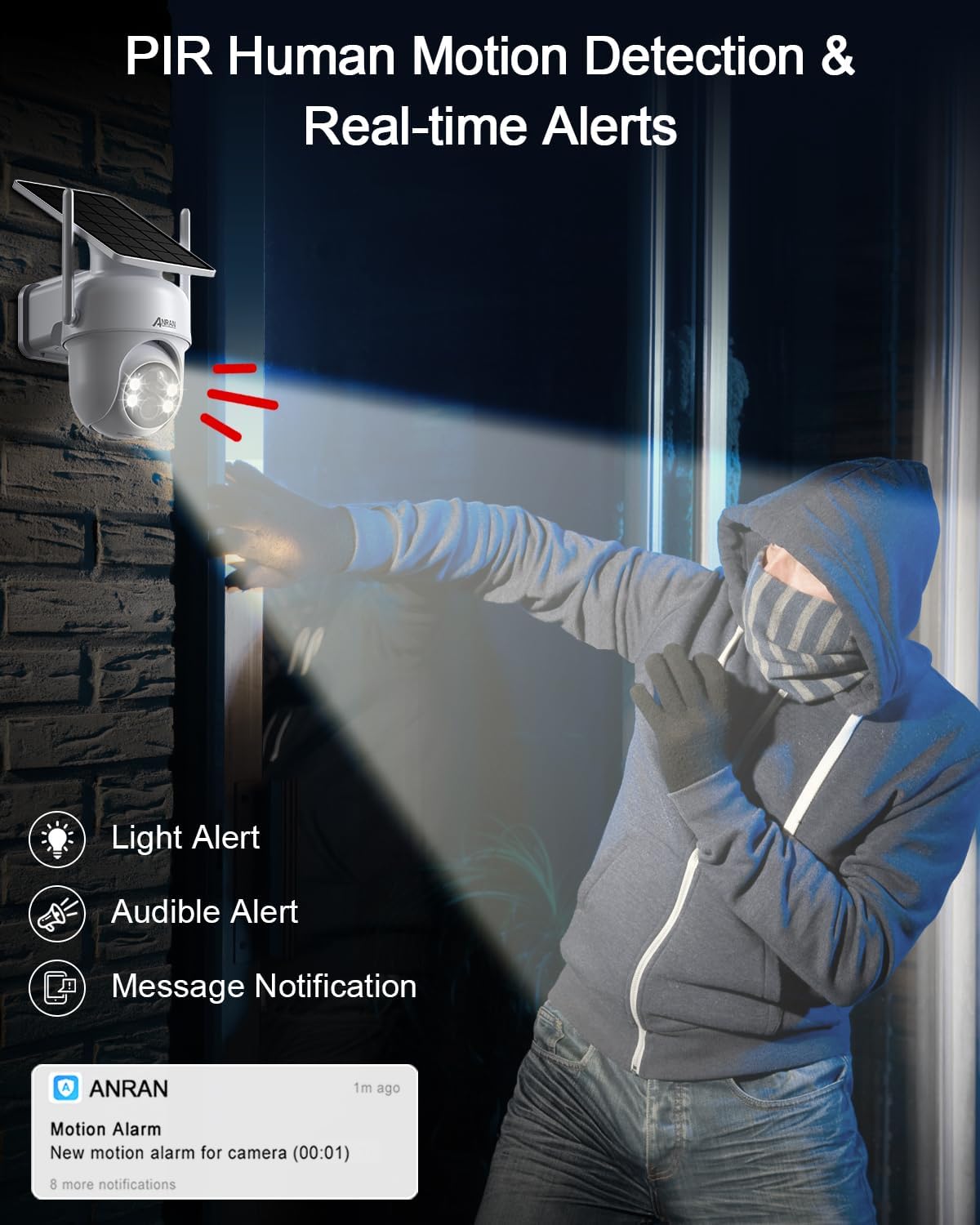
The camera features a PIR (Passive Infrared) motion sensor to detect human movement. When motion is detected, the camera can:
- Send real-time push notifications to your phone.
- Trigger a light alert (spotlights turn on).
- Activate an audible alarm (siren).
Adjust detection sensitivity and customize alarm areas within the app settings to minimize false alarms.
5. Night Vision Modes

The camera offers two night vision modes:
- Infrared Night Vision: Provides clear black-and-white footage in complete darkness using IR LEDs.
- 2K Color Night Vision: Utilizes built-in spotlights to capture full-color video even in low-light conditions. This can be toggled on/off in the app.
6. Recording and Playback
Recordings are stored on the included 32GB Micro SD card. You can access recorded footage via the app's playback feature. The camera supports continuous recording or event-triggered recording based on motion detection. Optional cloud storage plans may be available through the app for additional backup.
7. Multi-User Sharing
You can share access to your camera's live feed and recordings with family members or trusted individuals through the ANRAN app. Each user will need their own account, and you can manage their permissions.
Maintenance
- Cleaning: Regularly wipe the camera lens and solar panel with a soft, damp cloth to remove dust and debris. Do not use harsh chemicals.
- Battery Care: While solar-powered, ensure the solar panel is clean and receives adequate sunlight to maintain battery charge. If the camera is stored for extended periods, fully charge it before storage and recharge every few months to prevent deep discharge.
- Firmware Updates: Check the ANRAN app periodically for firmware updates. Keeping the camera's firmware updated ensures optimal performance, new features, and security enhancements. Follow the app's instructions for any updates.
- SIM Card Data Plan: Monitor your 4G LTE data usage. After the initial 100MB free trial, you will need to renew your data plan through ANRAN to continue cellular connectivity.
Troubleshooting
| Problem | Possible Cause / Solution |
|---|---|
| Camera not powering on. | Battery is low or depleted. Fully charge the camera with a slow charger for several hours. Ensure the power button is pressed. |
| No live view / Offline. |
|
| Poor image quality. |
|
| Motion detection not working or too many false alarms. |
|
| Cannot access recordings. |
|
Specifications
| Model Name | Q04 (G1) |
| Brand | ANRAN |
| Connectivity | 4G LTE Cellular (SIM card included) |
| Power Source | Solar Powered with 9600mAh Rechargeable Battery |
| Video Resolution | 2K HD (3MP Effective Resolution) |
| Pan/Tilt Angle | 355° Pan, 90° Tilt |
| Night Vision | Infrared Night Vision, 2K Color Night Vision (with spotlights) |
| Motion Detection | PIR Human Motion Detection |
| Audio | Two-Way Audio |
| Storage | 32GB Micro SD Card (included), supports up to 256GB, Cloud Storage (optional) |
| Weather Resistance | IP66 Waterproof |
| Operating Temperature | Not specified |
| Dimensions | 590.55 x 787.4 x 472.44 inches (Product Dimensions) |
| Weight | 1.94 pounds |
Warranty and Support
ANRAN products typically come with a limited warranty. Please refer to the warranty card included in your package or visit the official ANRAN website for detailed warranty terms and conditions.
For technical support, troubleshooting assistance, or any product-related inquiries, please contact ANRAN Customer Service:
- Email: support@anran-cctv.com
- Website: www.anran-cctv.com
When contacting support, please have your product model (Q04) and purchase information ready.
Related documentsQ04


Ask a question about this manual
Ask about setup, troubleshooting, compatibility, parts, safety, or missing instructions. Manuals+ will review the question and use this page’s manual context to help answer it.