
Introduction
The ToughBuilt TB-H2-LM-165-BT Laser Distance Measurer is a precision tool designed for accurate and efficient distance measurement. Featuring Bluetooth connectivity, a large color screen with a digital viewfinder, and a robust design, it is ideal for professionals requiring reliable measurements on the job site. This manual provides comprehensive instructions for setting up, operating, maintaining, and troubleshooting your device.
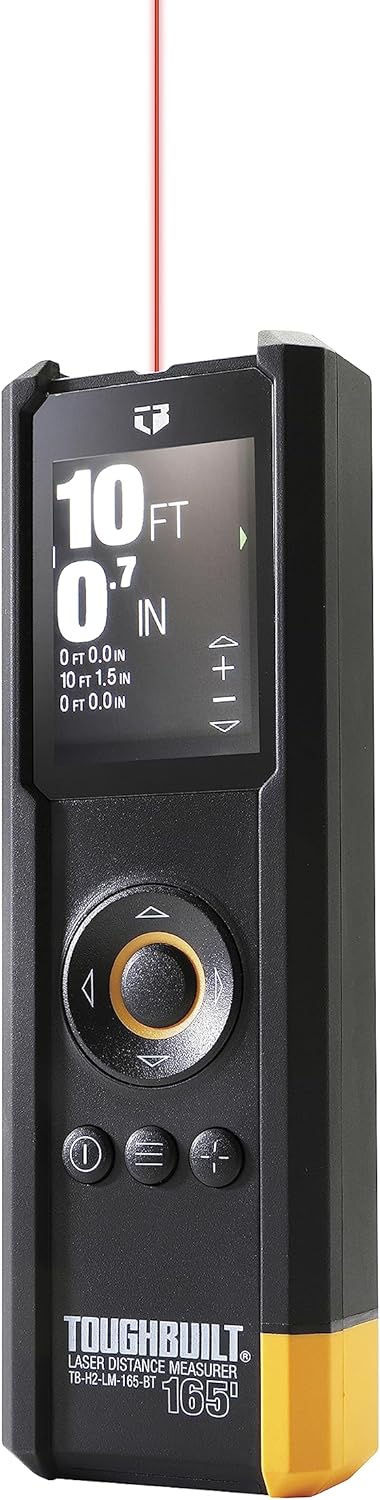
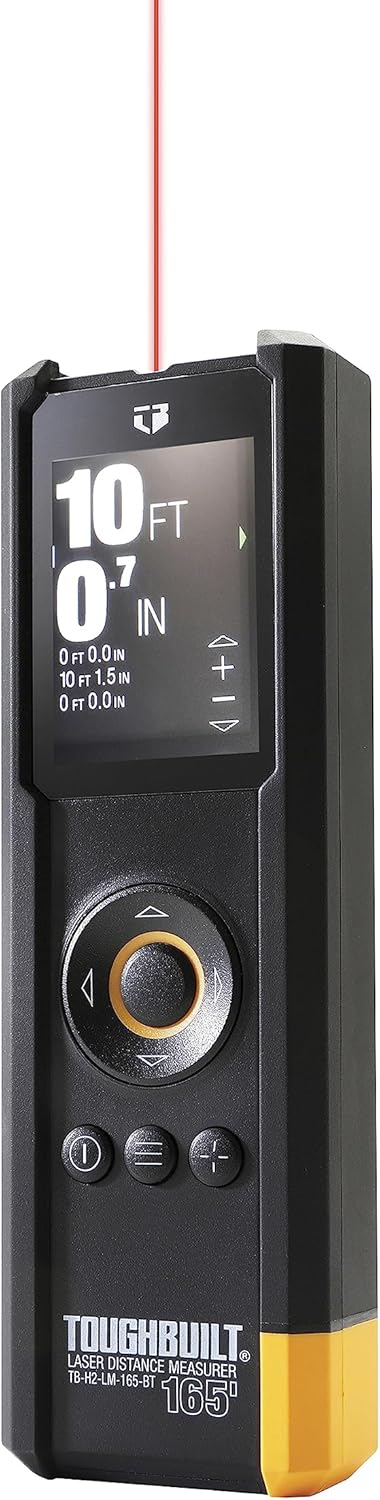
The ToughBuilt 165' Laser Distance Measurer in operation, showing a laser beam extending from the device.
Key Features
- Digital Viewfinder with Adjustable Zoom: Locate the laser point accurately at far distances, even in bright conditions.
- Large Color Screen: Displays measured distance and other information clearly.
- Bluetooth Functionality: Connects to the ToughBuilt Connect App for enhanced data management.
- Built-in Inclinometer: Enables advanced, calculated measurements and functions.
- Max Distance of 165 ft: Provides a wide measurement range for various applications.
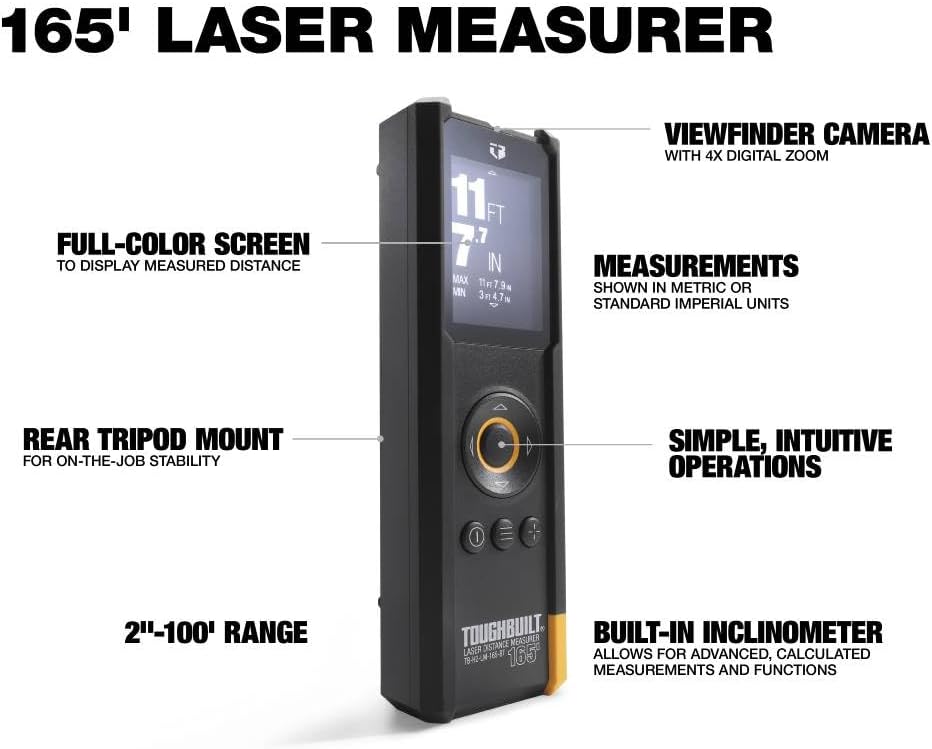
The full-color screen of the laser measurer displaying measurement data.

Detailed view of the device, pointing out the viewfinder camera and intuitive controls.
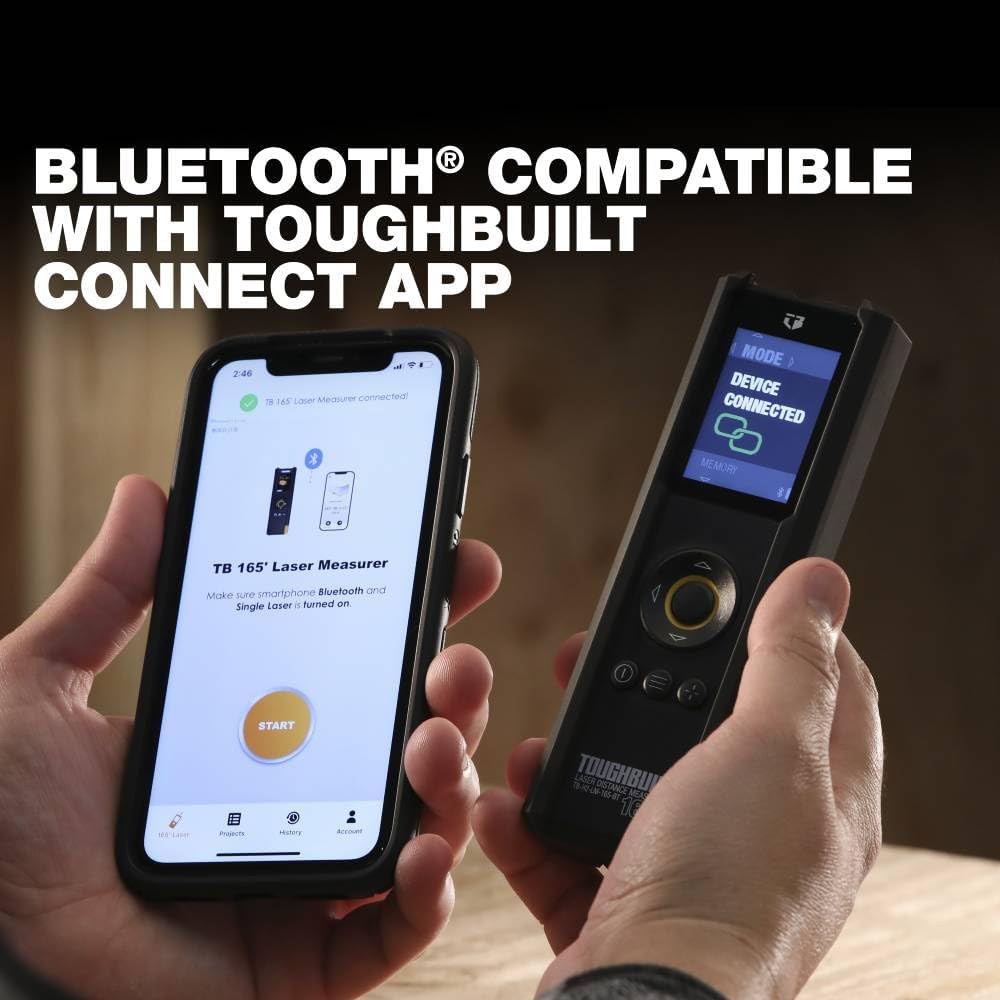
The laser measurer shown alongside a smartphone, illustrating its Bluetooth compatibility with the ToughBuilt Connect App.
Setup
1. Unboxing and Initial Inspection
Carefully remove all components from the packaging. Verify that all included items are present:
- 1 x ToughBuilt 165' Laser Distance Measurer
- 1 x Soft Pouch
- 2 x AAA Batteries
Inspect the device for any signs of damage. If any components are missing or damaged, contact ToughBuilt customer support.
The complete package contents, including the laser measurer, soft pouch, and AAA batteries.
2. Battery Installation
- Locate the battery compartment on the back of the device.
- Open the battery compartment cover.
- Insert the two AAA Zinc batteries, ensuring correct polarity (+/-).
- Close the battery compartment cover securely.
3. Power On
Press the power button (I) to turn on the device. The color screen will illuminate, and the device will be ready for use.
Operating Instructions
1. Basic Measurement
- Ensure the device is powered on.
- Point the laser beam at the target surface.
- Press the measurement button (usually the central circular button) to take a reading.
- The measured distance will be displayed on the screen.

The device held in hand, demonstrating its easy-to-read display and effective range of 2 inches up to 165 feet.
2. Advanced Measurement Modes
The ToughBuilt Laser Distance Measurer offers 12 unique calculation modes, including:
- Continuous Length Measurement
- Area Calculation
- Volume Calculation
- Indirect Height Measurement (Pythagorean)
- Level Measurement (Inclinometer)
- Trapezoid Measurement
- Circle Area and Cylinder Volume
Navigate through the modes using the directional buttons and select the desired function. The device can present values in both standard (imperial) and metric units.
The device screen displaying the volume calculation mode, indicating its advanced measurement capabilities.
3. Bluetooth Connectivity and App Integration
The device connects seamlessly with the ToughBuilt Connect App, allowing you to:
- View measurements in real-time on your smartphone.
- Annotate photos with measured dimensions for better context.
- Add notes and create project folders to organize your data.
- Share data with collaborators and clients easily.
To connect, ensure Bluetooth is enabled on your smartphone and follow the pairing instructions in the ToughBuilt Connect App.

A smartphone screen displaying measurements overlaid on an image, showcasing the app's ability to provide better context for recorded data.

The ToughBuilt Connect App interface on a smartphone, showing how users can create and manage project folders for their measurements.
4. Official Product Video
This video provides a comprehensive overview of the ToughBuilt 165' Laser Distance Measurer, demonstrating its features, measurement capabilities, and integration with the ToughBuilt Connect App for efficient data management on job sites.
Maintenance
1. Cleaning
- Wipe the device with a soft, damp cloth. Do not use abrasive cleaners or solvents.
- Keep the laser aperture and screen clean and free of dust or debris to ensure accurate readings.
2. Storage
- Store the device in its soft pouch in a cool, dry place when not in use.
- Avoid exposing the device to extreme temperatures or direct sunlight for prolonged periods.
3. Battery Care
- Remove batteries if the device will not be used for an extended period to prevent leakage.
- Replace batteries when the low battery indicator appears on the screen.
Troubleshooting
| Problem | Possible Cause | Solution |
|---|---|---|
| Device does not power on | Dead or incorrectly installed batteries | Check battery polarity or replace with new AAA batteries. |
| Inaccurate measurements | Dirty laser aperture/lens; unstable measuring surface; extreme environmental conditions | Clean the lens; ensure a stable surface; avoid measuring in direct sunlight or extreme temperatures if possible. |
| Bluetooth connectivity issues | Bluetooth off on device/phone; device out of range; app not updated | Ensure Bluetooth is on for both devices; move closer to the device; update the ToughBuilt Connect App. |
| Screen is dim or unreadable | Low battery; screen brightness setting | Replace batteries; adjust screen brightness in settings. |
Specifications
| Specification | Detail |
|---|---|
| Model Number | TB-H2-LM-165-BT-6BES |
| Measuring Range | 2 inches to 165 feet |
| Power Source | Battery Powered (2 x AAA Zinc) |
| Dimensions (L x W x H) | 5.98 x 1.93 x 1.3 inches |
| Item Weight | 8 ounces |
| Material | Stainless Steel |
| Color | Black |

Technical drawing illustrating the dimensions of the ToughBuilt Laser Distance Measurer.
Warranty Information
The ToughBuilt TB-H2-LM-165-BT Laser Distance Measurer comes with a 3-Year Limited Warranty. This warranty covers defects in materials and workmanship under normal use. For full details regarding warranty terms, conditions, and claim procedures, please refer to the official ToughBuilt website or contact customer support.
Support
For further assistance, technical support, or to inquire about replacement parts, please visit the official ToughBuilt website or contact their customer service department:
- Website: www.toughbuilt.com
- Customer Service: Refer to the website for contact numbers or online support options.
Please have your model number (TB-H2-LM-165-BT) and purchase date available when contacting support.