
fishkeeper FK012-12W
fishkeeper FK012-12W Aquarium LED Light Instruction Manual
Model: FK012-12W
Introduction
This manual provides detailed instructions for the installation, operation, and maintenance of your fishkeeper FK012-12W Aquarium LED Light. Please read this manual thoroughly before use to ensure proper function and longevity of the product.
The fishkeeper FK012-12W is a full-spectrum LED light designed for aquariums, featuring a built-in timer with a 24/7 mode, high-quality aluminum alloy construction for efficient heat dissipation, and extendable brackets for versatile mounting. It is rated IP68 waterproof, offering protection against water splashes, but should not be fully submerged.
Important Safety Instructions
- Always unplug the light from the power outlet before performing any maintenance or cleaning.
- Do not operate the light if it has a damaged cord or plug, or if it is malfunctioning or has been dropped or damaged.
- This product is designed for indoor use only.
- The light is IP68 waterproof, meaning it is protected against immersion up to 1 meter for 30 minutes. However, it is recommended to avoid prolonged submersion and direct water jets to prevent potential damage.
- Ensure the power supply voltage matches the product's requirements (220-240V AC).
- Keep out of reach of children.
- Do not attempt to disassemble or repair the light yourself. Contact qualified personnel for service.
What's in the Box
- 1 x fishkeeper FK012-12W Aquarium LED Light
- 2 x Extendable Brackets (for aquariums 30-45cm)
- 1 x Power Adapter with Controller
Setup Instructions
- Unpack the Light: Carefully remove all components from the packaging. Inspect the light and accessories for any damage.
- Attach the Brackets: Slide the two extendable brackets onto each end of the light fixture. Ensure they are securely attached.
- Position the Light: Place the light fixture on top of your aquarium. Adjust the extendable brackets to fit the width of your aquarium (suitable for 30-45cm tanks). Ensure the light is stable and centered over the aquarium.
- Connect Power: Plug the power adapter into the light fixture, then plug the adapter into a suitable power outlet (220-240V AC). Ensure a drip loop is formed with the power cord to prevent water from running down to the outlet.

Image: The fishkeeper FK012-12W Aquarium LED Light with its extendable brackets, ready for installation on an aquarium.

Image: Close-up view of the light fixture, illustrating the dimensions and how the brackets attach to the ends of the light bar.
Operating Instructions
The fishkeeper FK012-12W Aquarium LED Light features an integrated controller for managing light modes, brightness, and timer functions.
Controller Overview

Image: The inline controller with buttons labeled 'W' (White light), 'B' (Blue light), Power/Mode, and 'TIMER' (with 6H, 10H, 12H, and sunrise/sunset indicators).
- Power/Mode Button: Press once to turn on/off. Long press to cycle through different light color modes.
- "W" Button (White Light): Adjusts the brightness of the white, red, and green LEDs.
- "B" Button (Blue Light): Adjusts the brightness of the blue LEDs.
- "TIMER" Button: Sets the operating duration or activates the 24/7 mode.
Light Color Modes
The light offers three distinct color modes:
- Mode 1: White, Red & Green Light (Full Spectrum) - Press the Power/Mode button once. This mode provides a balanced spectrum for plant growth and vibrant fish colors.
- Mode 2: Blue Light (Moonlight) - Press the Power/Mode button a second time. This mode simulates moonlight, creating a calming atmosphere.
- Mode 3: White, Blue, Red & Green Light (All LEDs On) - Press the Power/Mode button a third time. This mode utilizes all LEDs for maximum brightness and a comprehensive spectrum.
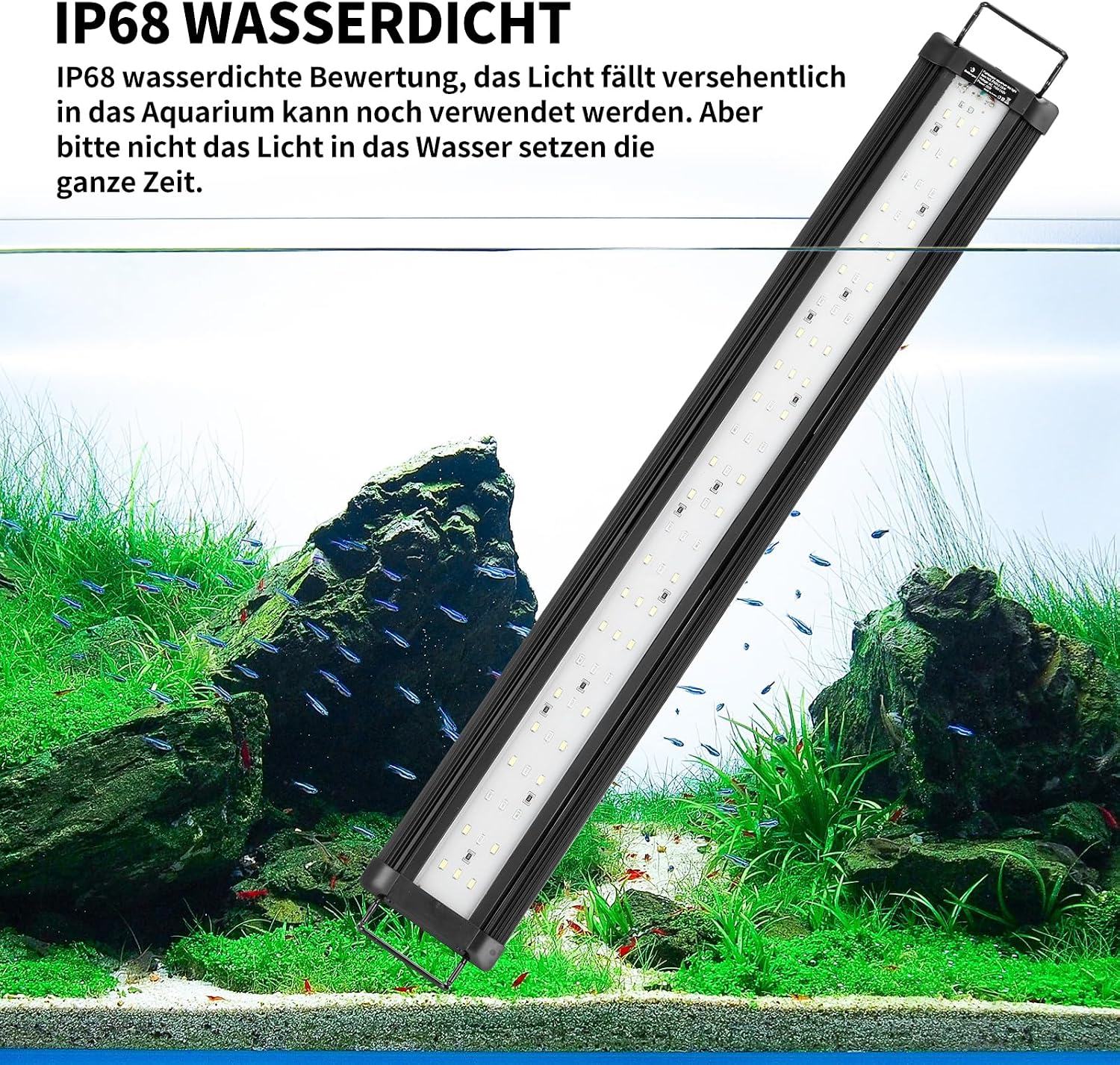
Image: Visual representation of the three light modes: Mode 1 (White, Red & Green), Mode 2 (Blue), and Mode 3 (All LEDs), demonstrating their appearance in an aquarium.
Brightness Adjustment
Both white (W) and blue (B) light components can be adjusted across 10 brightness levels (10% to 100%).
- "W" Button: In Mode 1 or Mode 3, repeatedly press the "W" button to cycle through 10 brightness levels for the white, red, and green LEDs.
- "B" Button: In Mode 2 or Mode 3, repeatedly press the "B" button to cycle through 10 brightness levels for the blue LEDs.

Image: The controller illustrating how the 'W' and 'B' buttons adjust brightness, with visual scales from 10% to 100% for each light type.
Timer and 24/7 Mode
The "TIMER" button allows you to set the operating duration or activate the automatic 24/7 day/night cycle.
- Timed Operation: Press the "TIMER" button to select a fixed duration: 6 hours, 10 hours, or 12 hours. The light will operate for the selected period and then turn off.
- 24/7 Day/Night Cycle: Continue pressing the "TIMER" button until the "sunrise/sunset" indicator is lit. This mode simulates a natural day and night cycle over 24 hours, gradually changing light intensity and color to mimic dawn, daylight, dusk, and moonlight.

Image: The controller's timer section, detailing the 6H, 10H, 12H options, and the 24/7 mode with a graphical representation of a day/night cycle.
Video: This video demonstrates the installation and various operating modes of the fishkeeper aquarium light, including the 24/7 day/night simulation.
Maintenance
- Cleaning: Regularly wipe the light fixture with a soft, damp cloth to remove dust and water spots. Ensure the light is unplugged before cleaning. Do not use abrasive cleaners or solvents.
- Water Exposure: While the light is IP68 waterproof, it is designed to resist splashes and accidental immersion, not continuous submersion. Avoid direct water jets or prolonged exposure to high humidity to prevent internal damage.
- Heat Dissipation: The aluminum alloy housing is designed for efficient heat dissipation. Ensure the light is not covered or obstructed to allow proper airflow and prevent overheating.
- Cable Inspection: Periodically check the power cord and plug for any signs of damage. If damage is found, discontinue use and contact customer support.

Image: Diagram illustrating the aluminum alloy housing and its function in dissipating heat from the LED light fixture.

Image: The light fixture positioned above an aquarium, highlighting its IP68 waterproof rating and emphasizing that it should not be continuously submerged.
Troubleshooting
| Problem | Possible Cause | Solution |
|---|---|---|
| Light does not turn on. |
|
|
| Light flickers or dims unexpectedly. |
|
|
| Timer function not working correctly. |
|
|
| Water inside the light fixture. |
|
|
Specifications
| Feature | Detail |
|---|---|
| Brand | fishkeeper |
| Model Number | FK012-12W |
| Power (Wattage) | 12.00 W |
| Voltage | 230 Volts (AC) |
| Light Type | LED |
| Number of LEDs | 24 |
| Color Temperature | 6500K |
| Color Rendering Index (CRI) | 80.2 |
| Material | Aluminum |
| Finish Type | Matte |
| Product Dimensions (D x W x H) | 9.5P x 25.5l x 1.6H cm (3.74 x 10.04 x 0.63 inches) |
| Item Weight | 440 Grams |
| Control Method | Touch (via inline controller) |
| Waterproof Level | IP68 |
| Mounting Type | Table Mount (with extendable brackets) |
| Energy Label | E |
| EPREL Database Link | https://eprel.ec.europa.eu/qr/1669802 |

Image: Detailed view of the LED array, indicating 24 LEDs, color distribution, 6500K color temperature, 85.7 Ra, 80.2 CRI, 220-240V voltage, and 12W power.

Image: European Union energy label for the fishkeeper FK012-12W aquarium light, displaying an energy efficiency class of E and energy consumption of 12 kWh per 1000 hours.
Warranty and Support
Specific warranty information is not provided in the product details. For warranty claims, technical support, or any questions regarding your fishkeeper FK012-12W Aquarium LED Light, please contact the retailer or manufacturer directly. Retain your proof of purchase for any warranty-related inquiries.
Ask a question about this manual
Ask about setup, troubleshooting, compatibility, parts, safety, or missing instructions. Manuals+ will review the question and use this page’s manual context to help answer it.