
Pagani Design RT-1701
Pagani Design 1701 Chronograph Quartz Watch User Manual
Model: RT-1701
1. Introduction
Thank you for choosing the Pagani Design 1701 Chronograph Quartz Watch. This manual provides essential information for the proper setup, operation, and maintenance of your timepiece. Please read it carefully to ensure optimal performance and longevity of your watch.

Image: The Pagani Design 1701 Chronograph Quartz Watch worn on a wrist.
2. Product Overview
The Pagani Design 1701 is a sophisticated chronograph watch featuring a reliable Japanese VK63 quartz movement. It combines elegant design with robust functionality, including 100-meter water resistance and a durable stainless steel construction with sapphire crystal.
Key Features:
- Movement: Japanese VK63 Quartz Chronograph
- Case Material: Stainless Steel
- Band Material: Stainless Steel
- Crystal: Sapphire Crystal (scratch-resistant)
- Water Resistance: 100 Meters (10 ATM)
- Functions: Time (hours, minutes, seconds), Date, Chronograph (stopwatch)
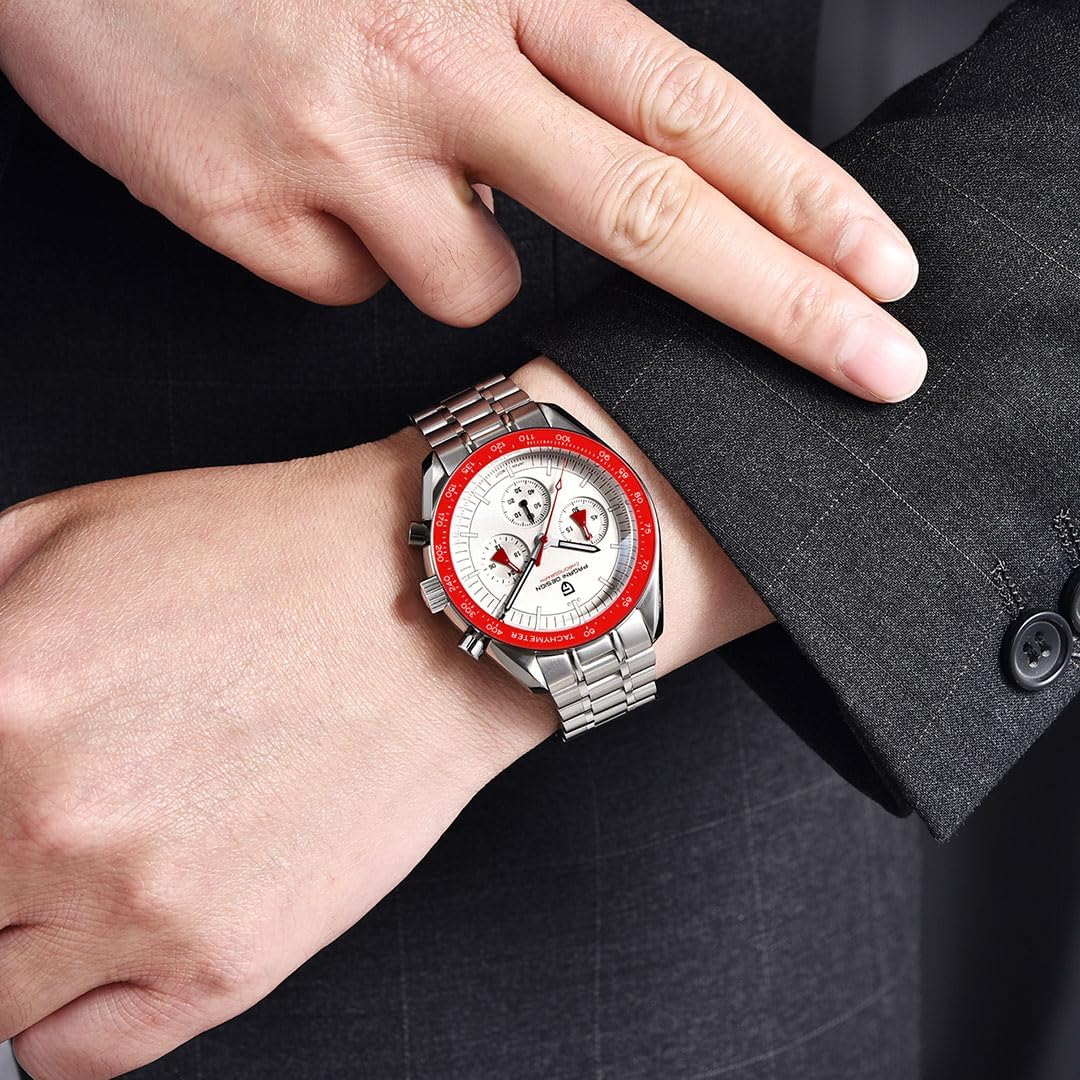
Image: Detailed view of the watch face, highlighting the chronograph subdials and pushers.
3. Setup
3.1 Setting the Time and Date
- Unscrew the Crown: If your watch has a screw-down crown, rotate it counter-clockwise until it releases.
- Set the Date: Pull the crown out to the first click position. Rotate the crown clockwise or counter-clockwise (depending on the movement) to set the correct date. Avoid setting the date between 9 PM and 3 AM, as this can interfere with the date change mechanism.
- Set the Time: Pull the crown out to the second click position. Rotate the crown to set the correct hour and minute. Ensure the AM/PM is correctly set by observing the date change (the date will change at midnight).
- Push and Screw Down the Crown: Once the time and date are set, push the crown back into its normal position. If it's a screw-down crown, gently push and rotate it clockwise to secure it, ensuring water resistance.
3.2 Adjusting the Bracelet
Your watch comes with a band regulator tool. To adjust the stainless steel bracelet, use the provided tool to remove or add links as needed for a comfortable fit. If you are unsure, it is recommended to have a professional watchmaker adjust the bracelet.
4. Operating the Chronograph
The chronograph function allows you to measure elapsed time. Your watch features two pushers, typically located at the 2 o'clock and 4 o'clock positions.
- Start: Press the upper pusher (usually at 2 o'clock) to start the chronograph. The chronograph second hand will begin to move.
- Stop: Press the upper pusher again to stop the chronograph. The elapsed time will be indicated by the chronograph hands.
- Reset: After stopping the chronograph, press the lower pusher (usually at 4 o'clock) to reset all chronograph hands to their zero positions.
The subdials on your watch typically indicate chronograph minutes, chronograph hours, and a 24-hour indicator for the main time.
5. Maintenance
5.1 Cleaning
Regular cleaning helps maintain the appearance and hygiene of your watch. Use a soft, dry cloth to wipe the watch case and bracelet. For stainless steel, a slightly damp cloth can be used, followed by a dry cloth. Avoid using harsh chemicals or abrasive materials.
5.2 Water Resistance Guidelines
Your Pagani Design 1701 watch is water-resistant to 100 meters (10 ATM). This means it is suitable for swimming and snorkeling. However, please observe the following precautions:
- Ensure Crown is Secured: Always make sure the crown is fully pushed in and, if applicable, screwed down before exposing the watch to water.
- Do Not Operate Buttons Underwater: Pressing the pushers or crown while the watch is submerged can compromise its water resistance.
- Avoid Hot Water/Steam: Do not wear the watch in hot showers, saunas, or hot tubs. Extreme temperature changes and steam can cause seals to expand and contract, potentially leading to water ingress.
- Not for Diving: This watch is not designed for scuba diving or high-impact water sports.

Image: The watch's stainless steel case back and clasp, showing water resistance markings.
6. Troubleshooting
Common Issues and Solutions:
- Watch Not Running:
- Check if the crown is fully pushed in.
- As this is a quartz watch, the battery may need replacement. Consult a professional watchmaker for battery service.
- Chronograph Hands Not Resetting to Zero:
- Ensure the chronograph is stopped (press the upper pusher).
- Press the lower pusher firmly to reset the hands. If they still do not align, consult the support section.
- Date Not Changing:
- Ensure the time is set correctly, especially the AM/PM cycle.
- Avoid setting the date during the automatic date change period (typically 9 PM to 3 AM).
7. Specifications
| Feature | Detail |
|---|---|
| Model Name | RT-1701 |
| Movement | Japanese Quartz (VK63) |
| Display Type | Analog |
| Case Diameter | 40 mm |
| Case Thickness | 14 mm |
| Band Width | 20 mm |
| Band Length | 250 mm |
| Case Material | Alloy Steel |
| Band Material Type | Stainless Steel |
| Dial Window Material Type | Sapphire Crystal |
| Water Resistance Depth | 100 Meters |
| Clasp Type | Fold-over clasp with push button |
| Item Weight | 133 Grams |
| Included Components | Watch, Warranty Card, Cleaning Cloth, Instruction Manual, Band Regulator |
8. Warranty
Your Pagani Design 1701 watch is covered by a 1-year warranty from the date of purchase. This warranty covers manufacturing defects under normal use. It does not cover damage resulting from improper handling, accidents, unauthorized repairs, or normal wear and tear. Please retain your proof of purchase for warranty claims.
9. Support
Should you have any questions regarding the operation, maintenance, or troubleshooting of your Pagani Design 1701 watch, please do not hesitate to contact our customer support. We offer 24/7 online customer support to assist you.
For assistance, please refer to the contact information provided with your purchase or visit the official Pagani Design website.
Related documentsRT-1701


Ask a question about this manual
Ask about setup, troubleshooting, compatibility, parts, safety, or missing instructions. Manuals+ will review the question and use this page’s manual context to help answer it.