
Introduction
Welcome to the user manual for your High-Tech Place NX9 Smartwatch. This guide provides detailed instructions on how to set up, operate, and maintain your device, ensuring you get the most out of its advanced features. The NX9 smartwatch is designed to enhance your daily life with comprehensive health monitoring, various sports modes, and convenient communication capabilities.

Image: Front view of the High-Tech Place NX9 Smartwatch, displaying time and activity metrics.
Key Features
- Processor: RTL8762DK+HN333
- Memory: 64MB FLASH RAM
- Display: 1.39-inch IPS color screen with 360x360 resolution
- Battery: 400mAh lithium-polymer battery
- Connectivity: Bluetooth BLE 5.1
- Battery Life: Approximately 10 days working time, 30 days standby
- Charging Time: 3 hours
- Water Resistance: IP68 rating
- Companion App: Fitcloud Pro
- Functions: Bluetooth calls, heart rate monitoring, blood oxygen monitoring, blood pressure monitoring, pedometer, calorie consumption, distance calculation, multiple sports modes, sleep monitoring, call/SMS/third-party message reminders, sedentary reminders, music control.
- Supported Languages: Chinese, English, German, French, Italian, Spanish, Japanese, Polish, Russian, Portuguese, Vietnamese, Arabic, Hebrew, Thai, Croatian, Turkish, Czech, Dutch, Indonesian, Malaysian, Finnish, Greek, Romanian (English is default).
Setup Guide
1. Charging the Device
Before initial use, fully charge your smartwatch. Connect the magnetic charging cable to the charging contacts on the back of the watch and plug the USB end into a standard USB power adapter (not included). The watch display will indicate charging status. A full charge typically takes about 3 hours.
2. Downloading the Companion App
Search for "Fitcloud Pro" in your smartphone's app store (App Store for iOS or Google Play Store for Android) and download the application. Alternatively, scan the QR code provided in the quick start guide (if available) to download the app.
3. Pairing with Your Smartphone
- Ensure Bluetooth is enabled on your smartphone.
- Open the Fitcloud Pro app and follow the on-screen instructions to create an account or log in.
- In the app, navigate to the device pairing section (usually indicated by a device icon or "Add Device").
- The app will search for available devices. Select "NX9" from the list to initiate pairing.
- Confirm the pairing request on both your smartphone and the smartwatch if prompted.
- Once paired, the app will synchronize data with your watch, and you can customize settings.
Operating Instructions
1. Display and Navigation
The NX9 features a vibrant 1.39-inch IPS color screen with a high resolution of 360x360 pixels, offering clear visibility even in bright outdoor conditions. Navigate through menus by swiping left, right, up, or down. Tap to select an option. The physical buttons on the side can be used for quick access to functions or to return to the home screen.

Image: The smartwatch display highlighting its 1.39-inch TFF IPS HD screen, wide perspective viewing angle, color accuracy, and wider color gamut.
2. Making and Receiving Calls
With Bluetooth call functionality, you can make and receive calls directly from your smartwatch when it's connected to your smartphone. Access the call interface from the main menu, dial numbers, or answer incoming calls with a tap on the screen.
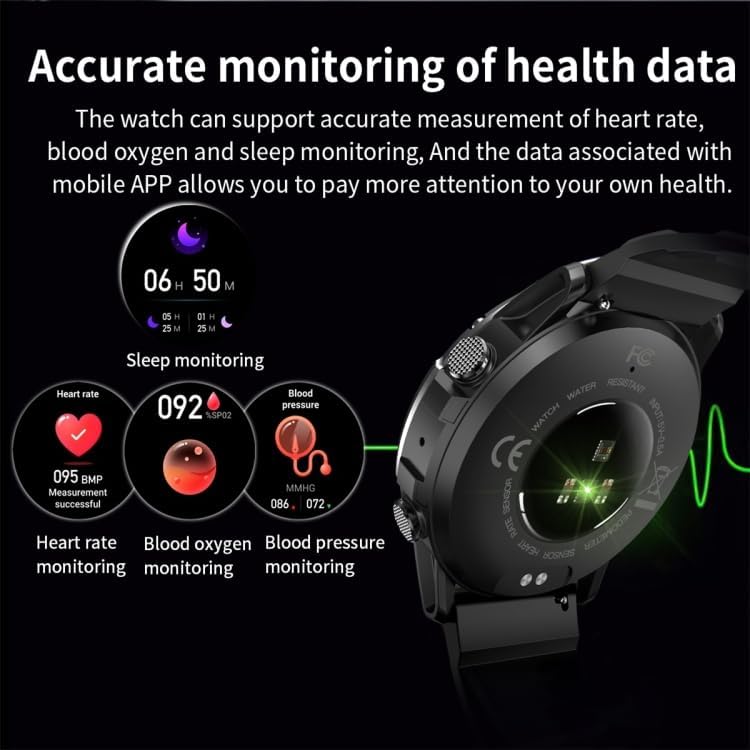
Image: The smartwatch screen showing an incoming call notification with options to answer or decline.
3. Health Monitoring
The NX9 smartwatch provides accurate monitoring of various health metrics. Access these features through the watch's menu or the Fitcloud Pro app:
- Heart Rate Monitoring: Continuously tracks your heart rate throughout the day.
- Blood Oxygen Monitoring (SpO2): Measures the oxygen saturation level in your blood.
- Blood Pressure Monitoring: Provides estimates of your blood pressure.
- Sleep Monitoring: Analyzes your sleep patterns, including sleep duration and quality.
For best results, ensure the watch is worn snugly on your wrist during measurements. The data is synchronized with the mobile app for detailed analysis and historical tracking.
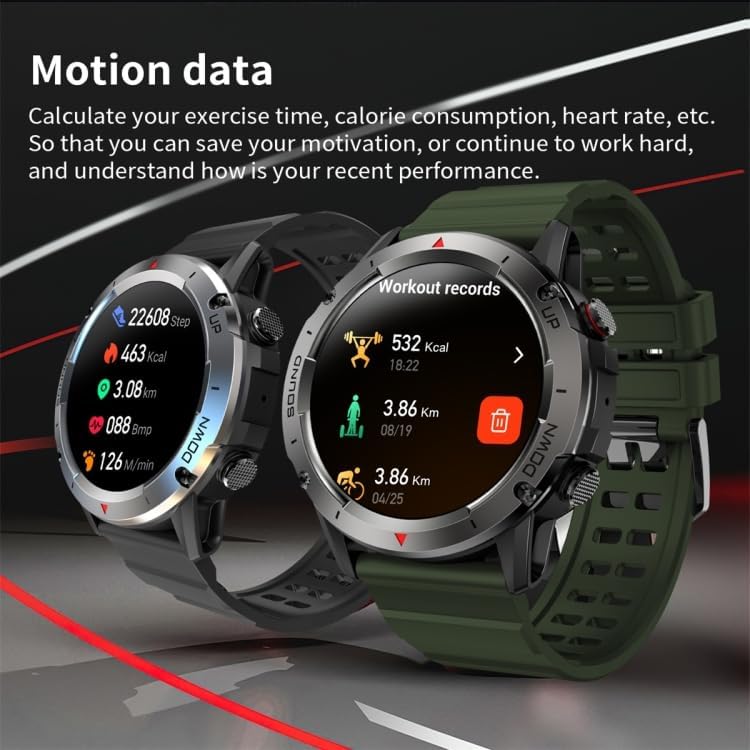
Image: The smartwatch displaying various health metrics such as sleep duration, heart rate, blood oxygen, and blood pressure readings.
4. Sports Modes and Motion Data
The smartwatch supports multiple sports modes to track your physical activities. Select your desired activity from the sports menu to record exercise time, calorie consumption, heart rate, and distance. The motion data helps you monitor your performance and progress.
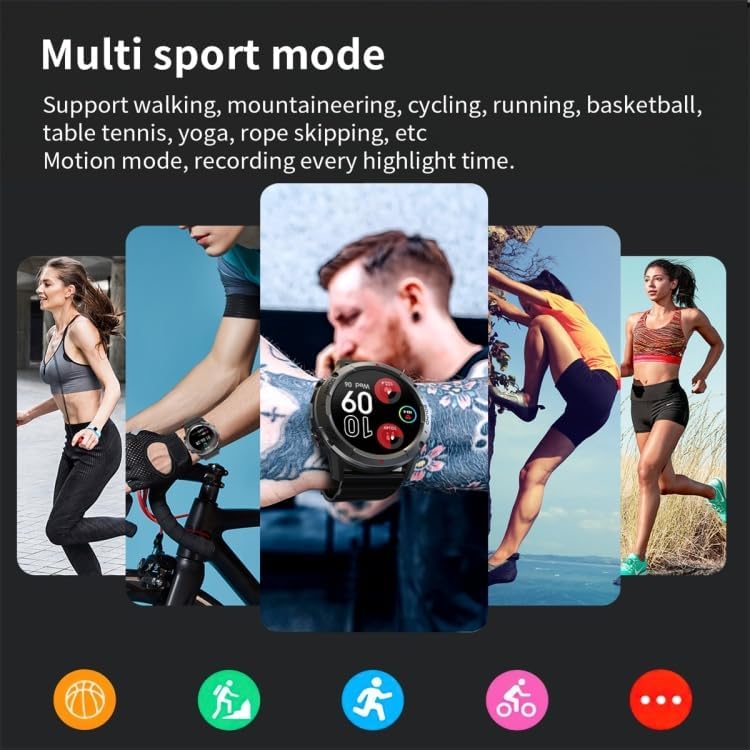
Image: The smartwatch interface displaying various multi-sport modes, including walking, mountaineering, cycling, running, basketball, table tennis, yoga, and rope skipping.

Image: Two smartwatches showing detailed motion data, including steps, calories burned, distance, and workout records.
5. Notifications and Reminders
Receive notifications for incoming calls, SMS messages, and alerts from third-party messaging applications directly on your watch. The smartwatch also supports task reminders, such as sedentary reminders, to encourage activity.
6. Music Control
Control music playback on your smartphone directly from your smartwatch. You can play, pause, skip tracks, and adjust volume without needing to take out your phone, ideal for activities like running or cycling.

Image: The back of the smartwatch, showing its sensors and a graphic representation of sound waves, illustrating music synchronization capabilities.
Care and Maintenance
- Cleaning: Regularly clean your smartwatch and strap with a soft, dry cloth. If necessary, use a slightly damp cloth and mild soap, then rinse and dry thoroughly. Avoid harsh chemicals or abrasive materials.
- Water Resistance: The NX9 smartwatch has an IP68 water resistance rating, meaning it is protected against dust and can withstand immersion in water up to 1.5 meters for up to 30 minutes. It is suitable for daily use, hand washing, and light rain. Avoid hot water, saunas, or diving, as these can compromise the seal.
- Temperature: Avoid exposing the watch to extreme temperatures (very hot or very cold) or sudden temperature changes.
- Storage: When not in use for extended periods, store the watch in a cool, dry place.
Troubleshooting
- Watch not turning on: Ensure the watch is fully charged. Connect it to the charger and wait a few minutes before attempting to power it on again.
- Unable to pair with smartphone:
- Ensure Bluetooth is enabled on your phone and the watch.
- Make sure the watch is within Bluetooth range of your phone.
- Restart both your phone and the smartwatch.
- Clear the Bluetooth cache on your phone or try unpairing and re-pairing the device.
- Inaccurate health data: Ensure the watch is worn snugly on your wrist, not too tight or too loose. Clean the sensors on the back of the watch. Avoid excessive movement during measurements.
- Notifications not appearing: Check app permissions on your smartphone to ensure the Fitcloud Pro app has access to notifications. Verify that notifications are enabled within the Fitcloud Pro app settings for the specific applications.
- Short battery life: Reduce screen brightness, disable unnecessary features, or limit continuous monitoring if not required. Ensure the watch is fully charged each time.
Technical Specifications
| Processor | RTL8762DK+HN333 |
| RAM + ROM | 64MB FLASH |
| Display | 1.39-inch IPS, 360x360 resolution |
| Battery Capacity | 400mAh Lithium-Polymer |
| Bluetooth Version | BLE 5.1 |
| Standby Time | Approx. 30 days |
| Working Time | Approx. 10 days |
| Recharge Time | 3 hours |
| Waterproof Level | IP68 |
| Companion APP | Fitcloud Pro |
| Color | Black |
| Compatible Devices | Smartphone |
Warranty and Support
High-Tech Place, in close collaboration with its suppliers, offers a commercial warranty of 2 years for this product. Please retain your proof of purchase for warranty claims.
For further assistance, technical support, or warranty inquiries, please refer to the contact information provided with your purchase or visit the official High-Tech Place website.