
1. Introduction
Thank you for choosing the PalliPartners Metal Detector A970. This device is designed for both adults and children, offering high accuracy and versatile detection capabilities for various metal types. Its adjustable and waterproof features make it suitable for diverse environments, from backyards to beaches. Please read this manual thoroughly to ensure proper assembly, operation, and maintenance of your metal detector.

Image 1: PalliPartners Metal Detector A970 and included accessories.
2. Package Contents
Ensure all items listed below are present in your package:
- PalliPartners Metal Detector A970 Main Unit
- 12-inch Waterproof Search Coil
- Adjustable Stem
- Headphones
- Folding Shovel with Camouflage Pouch
- Carrying Bag
- User Manual
- 2 x 9V Batteries
3. Assembly Instructions
Follow these steps to assemble your metal detector:
- Attach the Search Coil: Insert the lower stem into the search coil. Secure it using the provided rubber pads and tighten the nut until the coil is firmly attached.
- Connect the Middle and Upper Stems: Slide the middle stem into the lower stem, ensuring the spring clips align and lock into place. Repeat for the upper stem.
- Mount the Control Box: Attach the control box to the upper stem. Ensure the snaps on the bottom of the main unit correspond to the notches on the handle. Fasten and push to the appropriate position. Lock the screw to fix the main body.
- Wrap the Cable: Carefully wrap the search coil cable around the stem, securing it with the provided clips to prevent tangling and signal interference.
- Connect the Cable to the Control Box: Plug the aviation connector from the search coil cable into the corresponding port on the control box. Ensure it is securely fastened.
- Install Batteries: Open the battery compartment on the control box. Insert the 2 x 9V batteries, observing the positive (+) and negative (-) terminals. Close the battery cover securely.
- Adjust Armrest: Position the armrest for comfortable use. The stem is adjustable from 39.3 inches to 51.3 inches, accommodating users of various heights.
Video 1: Detailed installation instructions for the metal detector components.
Video 2: Instructions for assembling the digging shovel.
4. Product Features and Controls
The PalliPartners A970 features an intuitive LCD display and easy-to-use buttons for various functions:

Image 2: Detailed view of the control panel and LCD display.
- LCD Display: Shows detection mode, sensitivity level, target depth, battery status, and target identification.
- Power Button (Red): Press and hold to turn the detector ON/OFF.
- SENS Button: Adjusts the sensitivity level (3 levels). Higher sensitivity increases detection depth but may also increase false signals.
- Light Button: Toggles the backlight for the LCD display.
- DISC Button: Activates the discrimination mode, allowing you to filter out unwanted metal types.
- PP (Pinpoint) Button: Used to precisely locate the detected target.
- Mode Button: Cycles through different detection modes (All Metal, Disc, Memory, Jewelry, PP).
- Volume Buttons (+/-): Adjusts the audio volume.
- Headphone Jack: Connect headphones for private listening.
5. Operating Instructions
Familiarize yourself with the various operating modes and settings for optimal performance.
5.1 Detection Modes
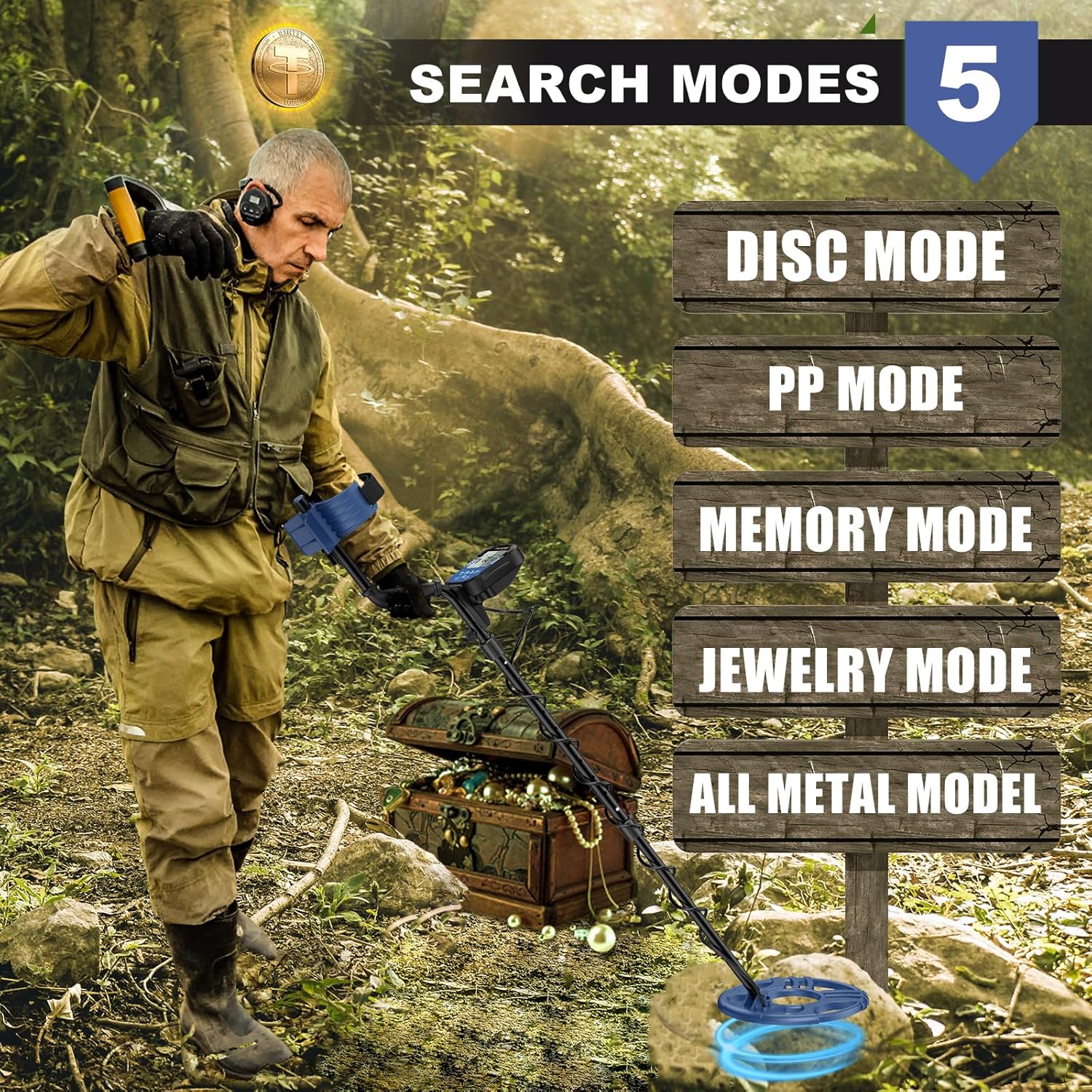
Image 3: Overview of the 5 available search modes.
- ALL METAL Mode: Detects all types of metal. This is the most sensitive mode and is ideal for general treasure hunting when you don't want to miss anything.
- DISC (Discrimination) Mode: Allows you to eliminate certain unwanted metal types (e.g., iron, foil) from detection. Use the DISC button to adjust the discrimination level.
- MEMORY Mode: This mode allows the detector to remember a specific metal type you want to search for and ignore others.
- JEWELRY Mode: Specifically designed to detect jewelry, typically ignoring iron and other common trash metals.
- PP (Pinpoint) Mode: Once a target is detected, press the PP button to narrow down the exact location of the object. The audio tone will become more intense as you get closer to the target.
5.2 Sensitivity and Depth
Adjusting sensitivity and understanding depth indications are crucial for successful detection.

Image 4: Illustration of detection depth capabilities up to 10 inches.
- Sensitivity: Use the SENS button to increase or decrease the detector's sensitivity. Higher sensitivity allows for deeper detection but can also lead to more false signals in mineralized ground.
- Depth Indication: The LCD display provides an approximate depth indication of the detected target. This helps in estimating how deep you need to dig.
5.3 Audio Discrimination
The detector provides 3-tone audio discrimination to help identify targets without looking at the screen.

Image 5: Chart illustrating the 3-tone audio discrimination for different metal types.
- Low Tone: Typically indicates ferrous metals like iron or small, low-conductive items.
- Medium Tone: Often indicates medium-conductive metals such as zinc, nickel, or small gold items.
- High Tone: Usually signifies high-conductive metals like silver, copper, or larger gold items.
5.4 Waterproof Search Coil
The 12-inch search coil is IP68 waterproof, allowing for detection in shallow water.

Image 6: The 12-inch IP68 waterproof search coil being used in shallow water.
Ensure the control box is kept away from water as it is not waterproof.
6. Maintenance
- Cleaning: Wipe down the detector with a damp cloth after each use. Avoid abrasive cleaners.
- Storage: Store the detector in a cool, dry place. Remove batteries if storing for extended periods to prevent leakage.
- Search Coil Care: While the search coil is waterproof, avoid submerging the control box. Inspect the cable for any damage regularly.
7. Troubleshooting
- No Power: Check battery installation and ensure batteries are fresh.
- Erratic Signals: Reduce sensitivity, check for electromagnetic interference (power lines, other electronics), or ensure the search coil cable is tightly wrapped and connected.
- No Detection: Ensure the detector is turned on, the search coil is properly connected, and the sensitivity is set appropriately for the environment.
- False Signals: This can be caused by highly mineralized ground, electrical interference, or high sensitivity settings. Try lowering sensitivity or using DISC mode.
8. Specifications
| Feature | Specification |
|---|---|
| Brand | PalliPartners |
| Model Number | 970B |
| Search Coil Size | 12 inches |
| Waterproof Rating | IP68 (Search Coil only) |
| Adjustable Length | 39.3 to 51.3 inches |
| Operating Frequency | 7.69 KHz |
| Power Source | 2 x 9V Batteries |
| Item Weight | 6.38 pounds |
| Product Dimensions | 10 x 8 x 47 inches |
| UPC | 758334510428 |
9. Warranty and Support
For warranty information or technical support, please refer to the contact details provided with your purchase or visit the official PalliPartners website. Keep your purchase receipt as proof of purchase.