
McKesson MCK895RFV
McKesson Refrigerator/Freezer Thermometer
User Manual
Model: MCK895RFV
Product Overview
The McKesson Refrigerator/Freezer Thermometer is a digital device designed for precise temperature monitoring in medical laboratories, food storage, and other critical environments. It features a triple display that simultaneously shows current, minimum, and maximum temperatures, ensuring accurate and continuous monitoring.

Image: The McKesson Refrigerator/Freezer Thermometer, showing the main unit with its large digital display, the external probe, and the product packaging box. The display shows temperature readings in Fahrenheit.
Key features include:
- Simultaneous display of current, minimum, and maximum temperatures.
- Real-time and date stamp with a 10-second refresh rate.
- Accuracy of ±0.5°C and a 0.1° display resolution.
- Large digits for quick and easy readings.
- Audible alarm for programmable low and high temperature limits.
- Multiple mounting options: fold-away stand, magnet, and hook-and-loop attachments.
Setup Instructions
- Unpacking: Carefully remove the thermometer and its accessories from the packaging. Inspect for any damage.
- Battery Installation: The thermometer typically comes with batteries pre-installed or requires 1 AAA battery. Open the battery compartment on the back of the unit and insert the battery, ensuring correct polarity (+/-). Close the compartment securely.
- Probe Placement: The external probe is designed to be placed inside the refrigerator or freezer. Ensure the probe cable is not pinched by the door seal. The probe is encased in a bio-safe glycol bottle, which buffers temperature fluctuations for more accurate readings of stored items.
- Initial Power-On: The device should power on automatically once batteries are installed. The display will show current, minimum, and maximum temperatures.
- Mounting: Choose a suitable location for the main unit. Use the integrated fold-away stand for tabletop use, the magnet for metal surfaces, or the hook-and-loop attachment for other surfaces.
Operating the Thermometer

Image: A close-up view of the McKesson Refrigerator/Freezer Thermometer's digital display, showing current, minimum, and maximum temperatures in Celsius. The "IN" indicator is visible, along with the "MIN" and "MAX" labels.
- Reading the Display:
- The large top number indicates the current temperature.
- The bottom left number shows the minimum temperature recorded since the last reset.
- The bottom right number shows the maximum temperature recorded since the last reset.
- Switching Temperature Units (°F/°C):
Press the Mode button to toggle between Fahrenheit (°F) and Celsius (°C) temperature units.
- Setting Alarms (High/Low Limits):
The thermometer features programmable high and low temperature alarms. Refer to the detailed instructions below for setting these limits:
- Press and hold the Mode button until the alarm setting mode is activated.
- Use the Min-Reset LO↓ and Max-Reset HI↑ buttons to adjust the desired low and high temperature limits.
- Press Mode again to confirm each setting and move to the next.
- An audible alarm will sound if the temperature breaches these set limits.
- Resetting Min/Max Readings:
To clear the recorded minimum and maximum temperatures:
- Press the Min-Reset LO↓ button to reset the minimum temperature.
- Press the Max-Reset HI↑ button to reset the maximum temperature.
Maintenance
- Cleaning: Wipe the thermometer unit and probe with a soft, damp cloth. Do not immerse the main unit in water. Use mild soap if necessary, then wipe with clean water and dry thoroughly. Avoid abrasive cleaners or solvents.
- Battery Replacement: When the display dims or becomes erratic, it's time to replace the battery. Open the battery compartment on the back, remove the old battery, and insert a new AAA battery, observing polarity. Dispose of old batteries responsibly.
- Probe Care: Ensure the probe cable is not kinked or damaged. The glycol bottle surrounding the probe is sealed; do not attempt to open it.
- Storage: If storing the thermometer for an extended period, remove the battery to prevent leakage. Store in a cool, dry place away from direct sunlight and extreme temperatures.
Troubleshooting
| Problem | Possible Cause | Solution |
|---|---|---|
| Display is blank or dim. | Low or dead battery. | Replace the battery with a new AAA battery. |
| Incorrect temperature readings. | Probe improperly placed or damaged; unit exposed to extreme conditions. | Ensure probe is correctly positioned. Check for visible damage to the probe or cable. Allow unit to stabilize at room temperature before re-testing. |
| Alarm not sounding. | Alarm limits not set correctly; alarm function disabled (if applicable). | Review and reset the high/low alarm limits as per operating instructions. Ensure the alarm is enabled. |
| Min/Max readings not resetting. | Incorrect button press. | Ensure you are pressing the correct reset buttons (Min-Reset LO↓ / Max-Reset HI↑). |
Specifications
- Model: MCK895RFV
- Internal Sensor Measuring Range: 32°F to 122°F (0°C to 50°C)
- External Probe Measuring Range: -58°F to 158°F (-50°C to 70°C)
- Accuracy: ±0.5°C
- Display Resolution: 0.1°
- Refresh Rate: 10 seconds
- Display Type: Triple digital display (Current, Min, Max)
- Alarm: Programmable high/low audible alarm
- Mounting Options: Fold-away stand, magnet, hook-and-loop attachments
- Power Source: 1 x AAA Battery
- UPC: 0120612479223442
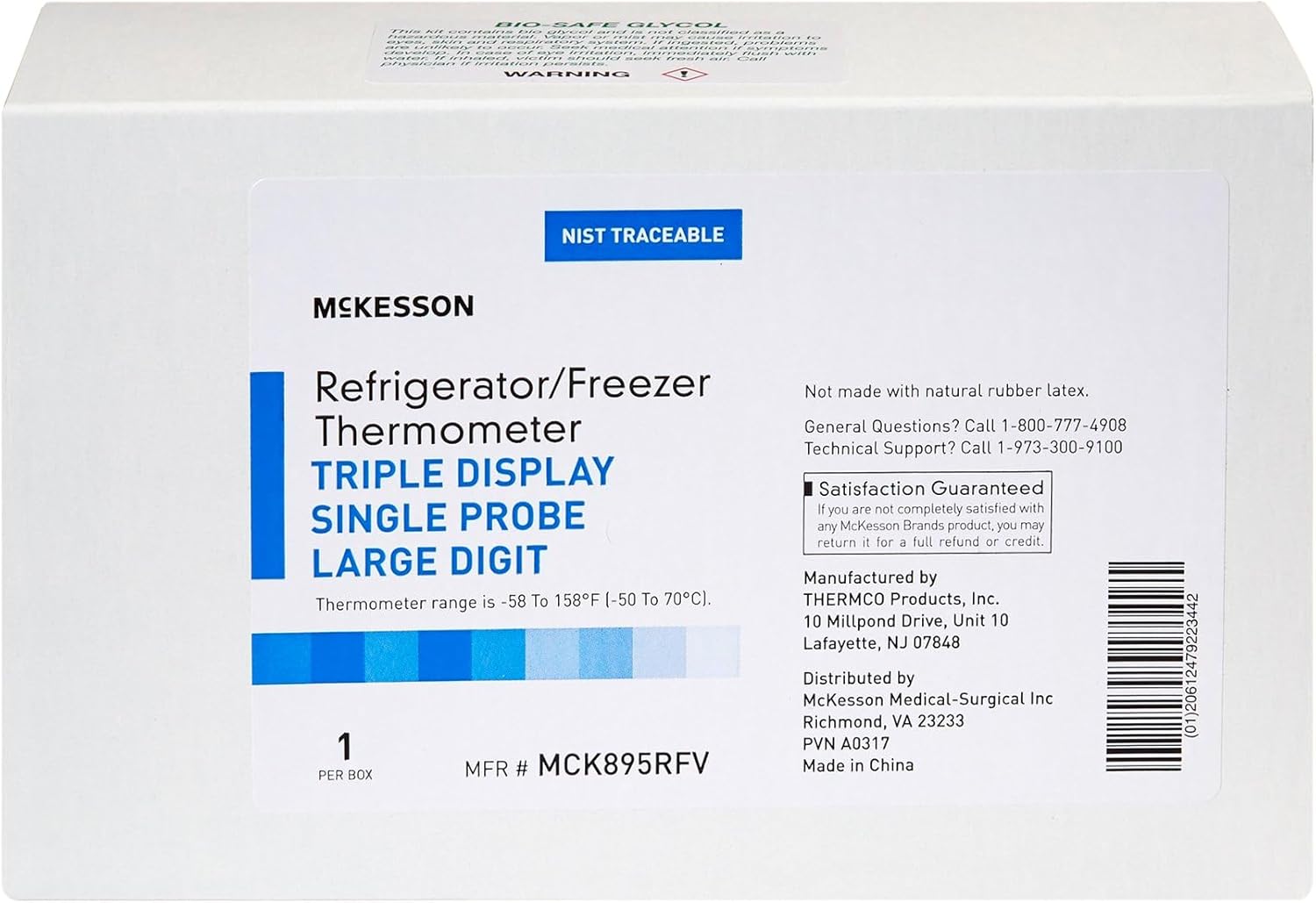
Image: The side of the McKesson Refrigerator/Freezer Thermometer box, displaying key specifications such as temperature range, NIST traceability, and manufacturer contact information. The UPC barcode is also visible.
Warranty and Support
Satisfaction Guaranteed: McKesson stands by the quality of its products. If you are not completely satisfied with any McKesson Brands product, you may return it for a full refund or credit.
For general questions or technical support regarding your McKesson Refrigerator/Freezer Thermometer, please contact:
- General Questions: 1-800-777-4908
- Technical Support: 1-973-300-9100
You can also visit the official McKesson store on Amazon for more information and products: McKesson Store
Related documentsMCK895RFV


Ask a question about this manual
Ask about setup, troubleshooting, compatibility, parts, safety, or missing instructions. Manuals+ will review the question and use this page’s manual context to help answer it.