
1. Introduction
This user manual provides comprehensive instructions for the MOUNTUP Dual Monitor Stand (Model MU1014). This free-standing monitor desk mount is designed to support two screens, ranging from 13 to 27 inches, with a maximum weight capacity of 17.6 lbs per arm. It features a tempered glass base and a storage tray, compatible with VESA patterns 75x75mm and 100x100mm. Please read this manual thoroughly before installation and use to ensure proper setup and safe operation.

Figure 1.1: MOUNTUP Dual Monitor Stand, showcasing its design and dual monitor capability.
2. Product Features and Compatibility
The MOUNTUP Dual Monitor Stand offers enhanced viewing ergonomics and efficient workspace organization. Key features include:
- Ergonomic Viewing: Offers +80°/-90° tilt, 360° rotation, +90° swivel for arms, and adjustable height up to 16.4 inches for optimal positioning.
- Great Alignment: Upgraded integrated arm design ensures balance and stability, allowing monitors to shift along a 29-inch arm for perfect alignment.
- Wide Compatibility: Supports most 13-27 inch flat or curved monitors weighing between 4.4 lbs and 17.6 lbs, with VESA patterns of 75x75mm or 100x100mm.
- Heavy-duty & Elegant Base: Features a tempered glass base for stability and a thoughtfully designed storage shelf for organization.
- Clean Cable Management: Integrated clips help keep cables neat and organized.
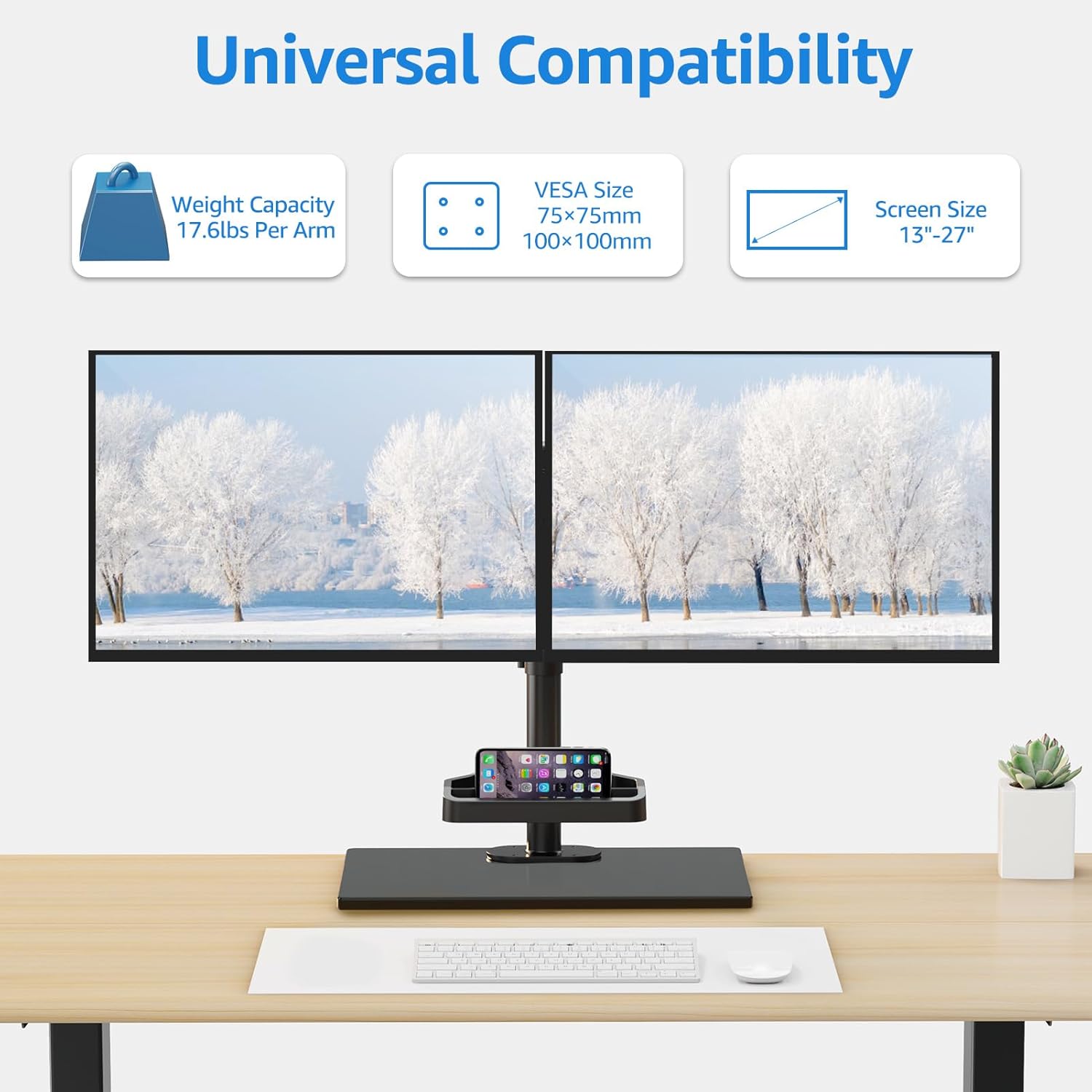
Figure 2.1: Universal compatibility details, showing weight capacity, VESA sizes, and screen size range.

Figure 2.2: Detailed dimension measurements of the monitor stand, including arm span and base dimensions.
3. Setup and Installation
The MOUNTUP Dual Monitor Stand offers two installation options: free-standing and grommet mounting. Installation is quick and easy, typically completed within 15 minutes.
3.1 Pre-Installation Checklist
- Verify your monitor's VESA mounting pattern (75x75mm or 100x100mm).
- Ensure your desktop thickness is suitable for grommet mounting (0.39" - 3.15" thick with a bolt-through hole 0.39" - 2.36").
- Gather all components and tools as per the included instruction manual.
3.2 Installation Options

Figure 3.1: Illustration of the two installation options: Free Standing (Option A) and Grommet Mounting (Option B).
3.3 Attaching Monitors
Use the quick-release VESA mount to effortlessly attach your monitors to the arms. Ensure all screws are securely tightened to prevent movement.
Video 3.1: This video demonstrates various features including the free sliding along the arm, +90° swivel for the arms, tilt adjustment (+80°/-90°), and cable management. It provides a visual guide to adjusting and organizing your setup.
4. Operating Instructions
Once installed, the MOUNTUP Dual Monitor Stand allows for flexible adjustments to achieve your ideal viewing experience.
4.1 Adjusting Monitor Position
- Height Adjustment: Loosen the collar on the main pole to slide the monitor arms up or down to your desired height. Re-tighten the collar securely.
- Tilt Adjustment: The monitor mount offers +80°/-90° tilt. Gently push or pull the top or bottom of your monitor to adjust the vertical viewing angle.
- Swivel Adjustment: The arms can swivel +90° horizontally. Rotate the monitor arms to change the horizontal viewing angle.
- Rotation: Monitors can be rotated 360° from landscape to portrait orientation.
- Sliding Along Arm: Monitors can be shifted left and right along the 29-inch arm to achieve perfect alignment between two displays.

Figure 4.1: Visual representation of the ergonomic viewing angle adjustments, including tilt and rotation.

Figure 4.2: Demonstrates the free sliding capability of the mounting plates along the arm for precise monitor positioning.

Figure 4.3: Illustrates the vertical height adjustment mechanism of the monitor stand.
5. Maintenance
To ensure the longevity and optimal performance of your MOUNTUP Dual Monitor Stand, follow these simple maintenance guidelines:
- Cleaning: Wipe down the stand and base with a soft, damp cloth. Avoid abrasive cleaners or solvents that could damage the finish.
- Tightness Check: Periodically check all screws and connections to ensure they remain tight and secure. Re-tighten if necessary.
- Cable Management: Utilize the integrated cable management clips to keep your cables neat and organized, preventing tangles and potential damage.

Figure 5.1: Close-up view of the clean cable management system, showing how cables are routed and secured.
6. Troubleshooting
If you encounter any issues with your MOUNTUP Dual Monitor Stand, refer to the following common troubleshooting tips:
- Monitors are not level: Ensure both monitors are securely attached to their VESA plates. Adjust the sliding mechanism on the arm to fine-tune horizontal alignment.
- Stand feels unstable: Verify that the base is placed on a flat, stable surface. If using grommet mounting, ensure the bolt is tightened securely to the desk. Check all connection points for tightness.
- Difficulty adjusting monitor position: Ensure no cables are snagged or preventing movement. Check that adjustment screws (if any) are loosened before attempting to reposition, and tightened afterward.
- Missing parts: Refer to the parts list in the original instruction manual. Contact MOUNTUP customer support if any components are missing.
7. Specifications
| Feature | Detail |
|---|---|
| Brand | MOUNTUP |
| Model Number | MU1014 |
| Material | Metal, Tempered Glass |
| Color | Black |
| Screen Size Compatibility | 13-27 inches |
| Weight Capacity (per arm) | 4.4 lbs - 17.6 lbs |
| VESA Compatibility | 75x75mm, 100x100mm |
| Height Adjustment | Up to 16.4 inches |
| Tilt Angle | +80°/-90° |
| Swivel Angle | +90° |
| Rotation | 360° |
| Arm Span | 29 inches |
| Item Weight | 12.51 pounds |
| Assembly Required | Yes |
8. Warranty and Support
MOUNTUP provides a warranty for this product. For specific warranty details and claims, please refer to the documentation included with your purchase or visit the official MOUNTUP website. For additional support, you may also refer to the official User Manual PDF available online.
Official User Manual (PDF): Download Here
MOUNTUP Store: Visit MOUNTUP Store on Amazon


