
KALINCO IDW19
KALINCO Kids Smart Watch IDW19 Instruction Manual
Model: IDW19
1. Introduction
The KALINCO Kids Smart Watch IDW19 is designed for children, teens, and youth, offering a range of features to support an active and healthy lifestyle. This 1.8-inch colorful screen smartwatch includes fitness tracking, health monitoring, communication capabilities, and various smart functions. This manual provides essential information for its proper use and maintenance.
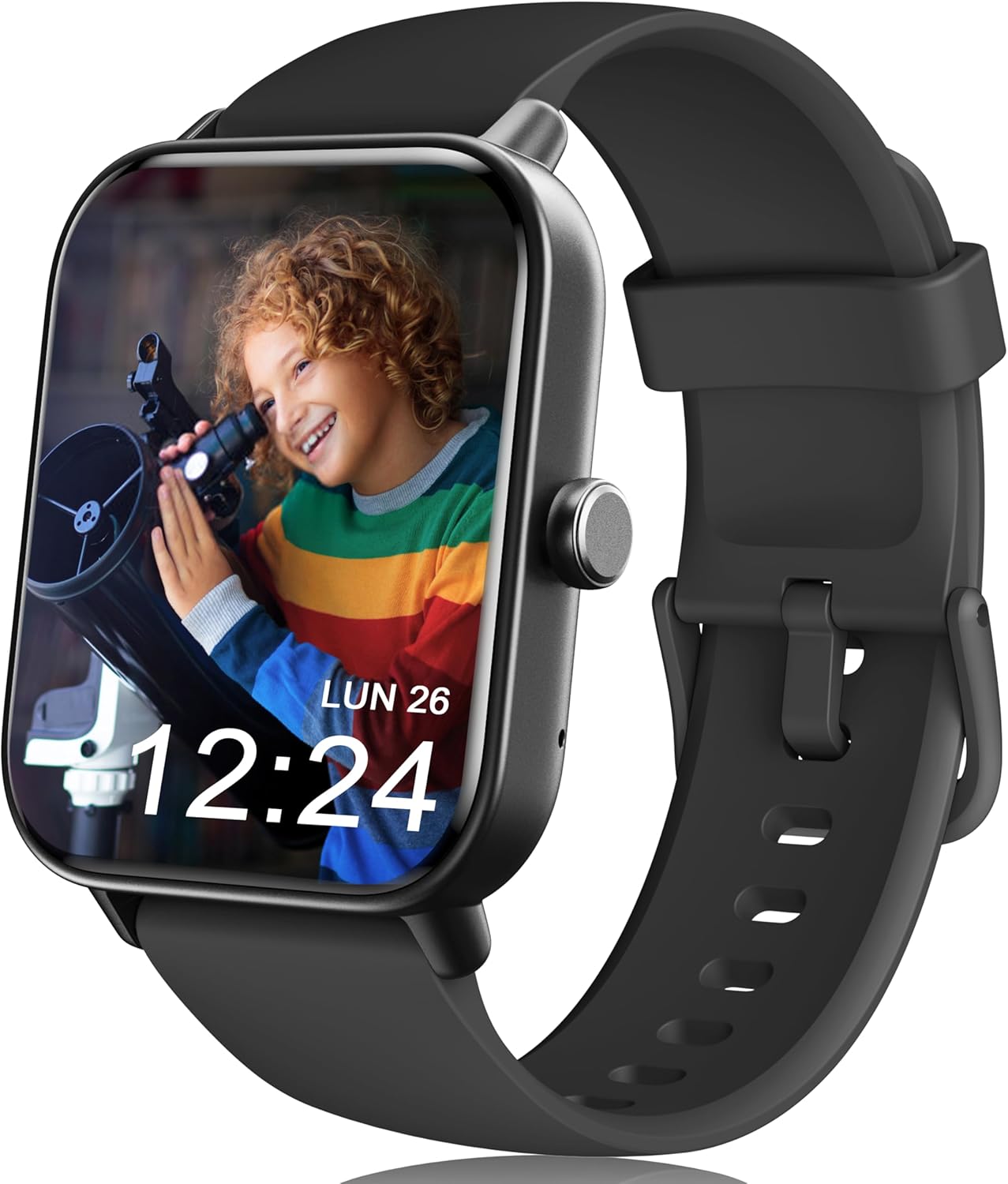
Image 1.1: The KALINCO Kids Smart Watch IDW19, featuring a vibrant display and comfortable black strap.
2. What's in the Box
Upon unboxing your KALINCO Kids Smart Watch IDW19, please ensure all the following items are present:
- Smart Watch (IDW19)
- Charging Cable
- User Manual (this document)
3. Setup
3.1. Charging the Device
Before first use, fully charge the smartwatch. Connect the provided charging cable to the charging port on the back of the watch and to a standard USB power source. A full charge typically takes approximately 1 hour.

Image 3.1: Illustration of the smartwatch connected to its magnetic charging cable.
3.2. Initial Setup (Standalone Use)
The watch can be used independently without a smartphone application for basic functions. For the first use, you can set the time, language, and other initial preferences directly on the watch screen.
3.3. App Installation and Pairing (Optional)
For an enhanced experience and access to all features, download the VeryFit application on a compatible smartphone (iOS 9.0+ or Android 6.0+).
- Ensure your smartphone's Bluetooth is activated.
- Open the VeryFit app and follow the on-screen instructions to add a new device.
- Keep the smartwatch within 0.5 meters of your smartphone during the initial connection process.
- Once connected, maintain the device within an effective Bluetooth range (typically up to 10 meters) for continuous synchronization.
4. Operating the Smart Watch
4.1. Basic Navigation
The smartwatch features a 1.8-inch full touchscreen display for intuitive navigation. Swipe across the screen to access different menus and functions. The screen can be activated by raising your wrist. You can also adjust brightness and turn on the flashlight directly from the watch.
4.2. Watch Faces
Customize the watch face to personalize your device. The watch offers over 100 built-in watch faces. You can also upload your own photos through the VeryFit app to use as a custom wallpaper.
4.3. Making and Answering Calls
When connected to a smartphone via the VeryFit app, the smartwatch allows you to make, answer, and reject calls directly from your wrist using its built-in microphone and speaker. You can add frequent contacts and view call history on the watch.

Image 4.1: A child interacting with the smartwatch to answer a call.
4.4. Activity Tracking (100+ Sports Modes)
The IDW19 features over 100 sports modes to track various physical activities, including running, cycling, basketball, football, and swimming. It records data such as steps, calories burned, pace, time, distance, and workout paths. The watch provides unique achievement awards when fitness goals are met, encouraging an active lifestyle.

Image 4.2: A child with a basketball, illustrating the smartwatch's 100+ sports modes feature.
4.5. Health Monitoring
The smartwatch continuously monitors key health metrics:
- Heart Rate: Real-time heart rate monitoring with reminders for high or low readings.
- SpO2: Measures and analyzes blood oxygen levels.
- Sleep Monitoring: Automatically tracks sleep duration and stages (awake, light, deep, REM sleep) to provide insights into sleep quality.

Image 4.3: A child sleeping, with an overlay showing the smartwatch's sleep monitoring interface.
4.6. Smart Reminders
The watch supports smart reminders to help develop healthy habits, including:
- Sedentary Alerts: Prompts to stand up and move after periods of inactivity.
- Hydration Reminders: Nudges to drink water throughout the day.
- Hand-washing Reminders: Gentle prompts for hygiene.

Image 4.4: Visual representation of the smartwatch's smart reminder features, including sedentary alerts and drinking reminders.
4.7. Other Features
The IDW19 includes additional useful functions:
- Alarm: Set multiple alarms for daily routines.
- Stopwatch & Timer: Practical tools for managing time.
- Weather Forecast: Provides three-day weather information.
- Games: Five built-in puzzle games to engage and entertain.
- Flashlight: A convenient light source when needed.
- Stress & Breath Training: Features to help manage stress and practice breathing exercises.
- Alexa Built-in: Control compatible Alexa devices by commanding the watch directly (requires connection to a phone with Alexa app).
5. Maintenance
5.1. Water Resistance
The KALINCO Kids Smart Watch IDW19 is IP68 waterproof, making it suitable for swimming and other water activities. It includes a built-in draining function to expel water after exposure. Avoid prolonged submersion in hot water or exposure to high-pressure water jets.
5.2. Cleaning
Regularly clean the watch and strap with a soft, damp cloth. Avoid using harsh chemicals or abrasive materials that could damage the device.
5.3. Battery Care
To maximize battery life, avoid fully discharging the watch frequently. Charge the device when the battery level is low. The battery provides approximately 7 days of normal use and up to 20 days of standby time on a single charge.
6. Troubleshooting
If you encounter issues with your smartwatch, please refer to the following common solutions:
- Device not found during connection: Ensure your smartphone's Bluetooth is active and running Android 6.0+ or iOS 9.0+. Keep the watch within 0.5 meters during initial pairing. Verify the watch has sufficient battery.
- Features requiring app connection: Some advanced features, such as making/answering calls, message notifications, and full watch face customization, require the watch to be connected to the VeryFit app on a smartphone.
- Battery life concerns: Battery performance can vary based on usage patterns. Frequent use of features like continuous heart rate monitoring, calls, and screen brightness can reduce battery life.
For further assistance, the watch may contain a built-in user manual accessible directly on the device. You may also contact customer support.
7. Specifications
| Feature | Specification |
|---|---|
| Model Number | IDW19 |
| Screen Size | 1.8 Inches |
| Display Resolution | 240x284 |
| Human Interface Input | Touchscreen |
| Operating System Compatibility | iOS 9.0+ & Android 6.0+ |
| Wireless Communication | Bluetooth |
| GPS | No GPS |
| Special Features | Alexa Built-in, 100+ Sports Modes, Making/Answering Call, Automatic Heart Rate/Blood Oxygen/Stress Monitoring, Sleep Monitor, Breathe Training, Cycle Tracking |
| Water Resistance | IP68 |
| Battery Type | Lithium Polymer |
| Battery Capacity | 300 mAh |
| Item Weight | 3.2 ounces |
8. Warranty and Support
KALINCO provides a 1-Year Quality Assurance for this product. We are committed to quality and customer satisfaction. For any questions or technical support, please utilize our 24/7 Online Customer Service. You can typically find support options by logging into your Amazon account, navigating to 'Your Orders', and locating the watch order for assistance.
Related documentsIDW19


Ask a question about this manual
Ask about setup, troubleshooting, compatibility, parts, safety, or missing instructions. Manuals+ will review the question and use this page’s manual context to help answer it.