
rowood AMK81
RoWood Magic Piano 3D Wooden Puzzle Music Box (Model AMK81) User Manual
Brand: RoWood | Model: AMK81
Introduction
This manual provides comprehensive instructions for the assembly, operation, and maintenance of your RoWood Magic Piano 3D Wooden Puzzle Music Box, Model AMK81. This intricate mechanical model is designed to offer an engaging building experience and a delightful musical output without the need for batteries.
Safety Information
- Keep small parts away from children under 14 years of age due to choking hazards.
- Handle wooden pieces with care to prevent breakage.
- Do not force pieces during assembly; refer to instructions if a part does not fit easily.
- Avoid exposure to excessive moisture or direct sunlight to prevent warping or damage to the wood.
Package Contents
Verify that all components are present before beginning assembly:
- Pre-cut Wood Sheets (233 pieces)
- Music Movement Mechanism
- Assembly Tools (e.g., screwdriver, sandpaper if included)
- Detailed Instruction Manual with labeled parts

Image: Overview of the kit contents, showing the wooden sheets, music box mechanism, and small tools required for assembly.
Setup and Assembly
The assembly process typically takes approximately 4.5 hours. Follow the detailed instructions provided in your kit, which include labels on each part for easy matching.
- Unpack Components: Carefully open the package and lay out all the pre-cut wood sheets and other components.
- Read Instructions: Familiarize yourself with the entire instruction manual before starting. Each step is clearly illustrated.
- Remove Pieces: Gently press out the individual pieces from the wood sheets. Use sandpaper if necessary to smooth any rough edges.
- Assemble Step-by-Step: Follow the numbered steps in the manual. Ensure all connections are secure but do not apply excessive force. The pieces are designed to fit precisely.
- Install Music Mechanism: Integrate the music movement mechanism as instructed. This mechanical transmission is driven by a multi-stage gear set and does not require batteries.
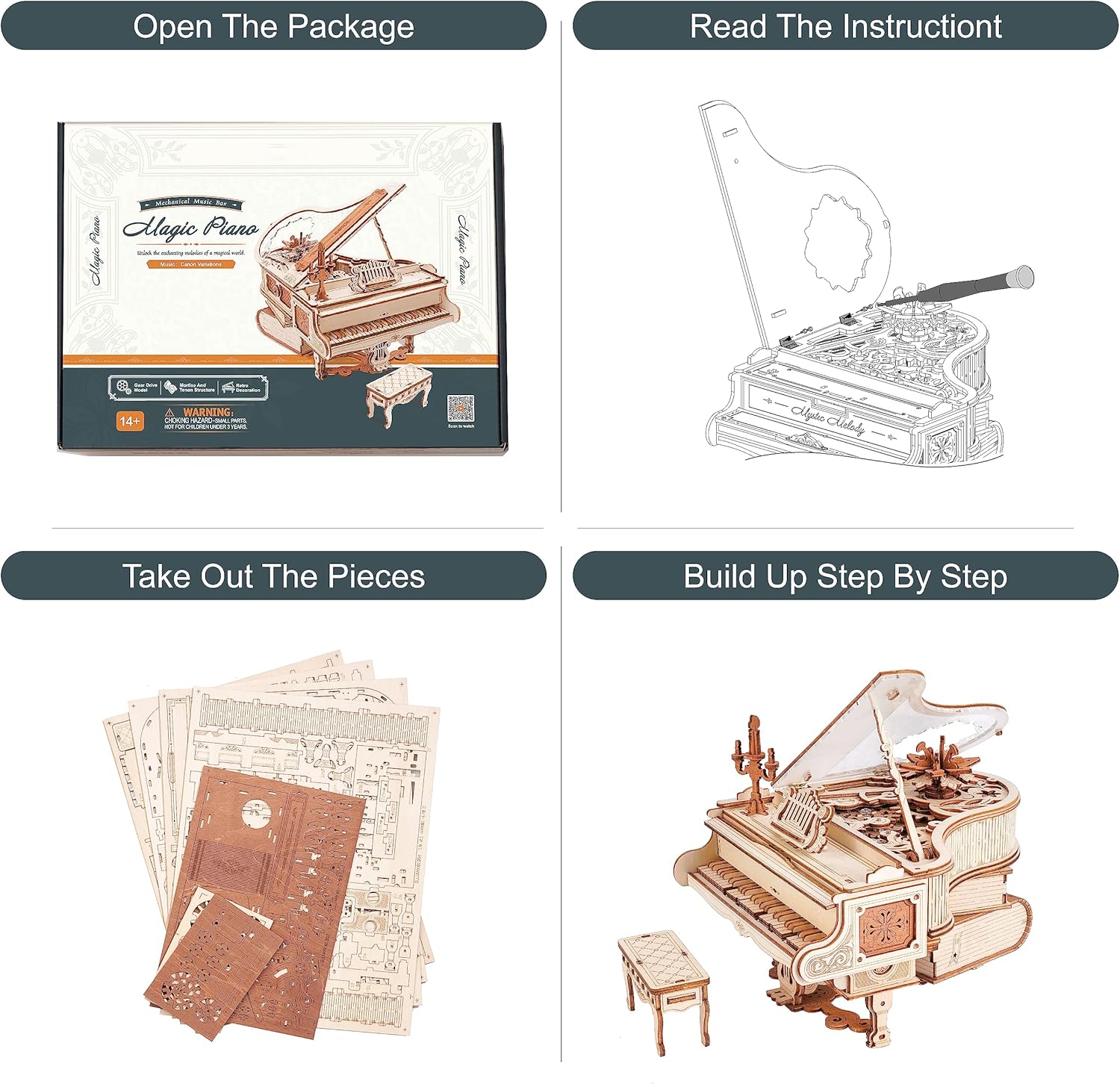
Image: Visual guide to the initial assembly steps, from unboxing to the gradual construction of the piano model.
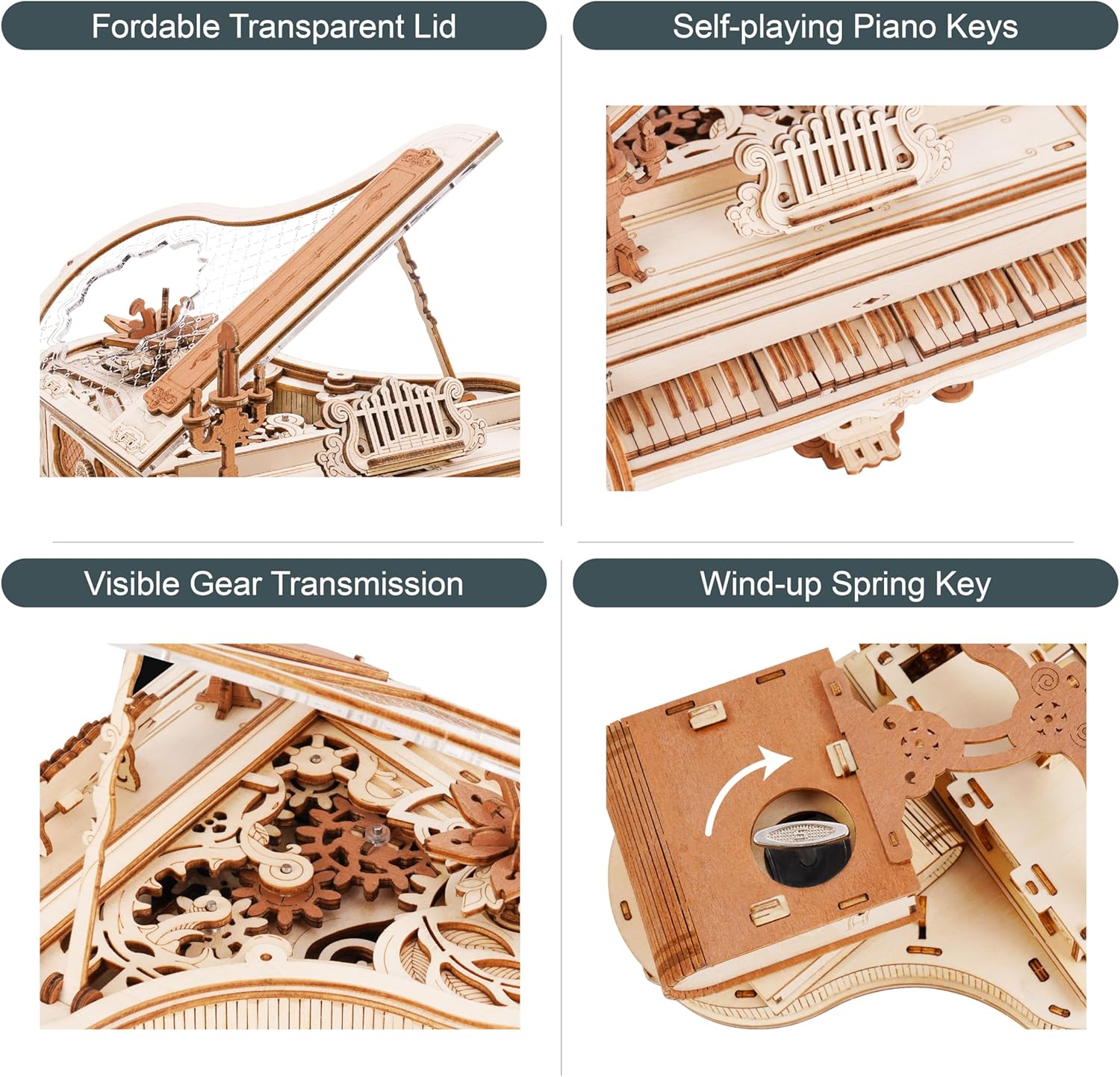
Image: Detailed views of key features, including the transparent lid, moving keys, internal gears, and the winding mechanism.
Operating Instructions
Your Magic Piano Music Box operates purely mechanically. To enjoy its melody:
- Wind the Spring: Locate the winding key on the side or bottom of the piano. Gently turn the key clockwise until you feel slight resistance. Do not over-wind.
- Activate Music: Once wound, the music box will begin to play its melody. The self-playing keys will move in sync with the music.
- Pause/Stop: The music will play for a set duration. There is typically no manual stop function; the melody will conclude naturally.
Video: Official demonstration of the RoWood Magic Piano Mechanical Music Box AMK81, showcasing its features and musical operation.
Video: A closer look at the 3D Puzzles Magic Piano, demonstrating its intricate design and functionality.
Maintenance
- Cleaning: Use a soft, dry cloth to gently wipe dust from the wooden surfaces. Avoid abrasive cleaners or excessive moisture.
- Storage: Store the assembled model in a dry environment, away from direct sunlight and extreme temperature fluctuations, to preserve the wood and mechanical components.
- Lubrication: The internal mechanical parts are designed for long-term operation without lubrication. Do not apply oils or greases unless specifically instructed by the manufacturer.
Troubleshooting
| Problem | Possible Cause | Solution |
|---|---|---|
| Music box does not play after winding. | Insufficient winding, mechanism jammed, or internal component misalignment. | Ensure the spring is fully wound (without over-winding). Gently check for any visible obstructions in the gear mechanism. Review assembly steps for potential errors. |
| Keys do not move or move erratically. | Misaligned or stuck key mechanisms, or issues with the internal gear system. | Carefully inspect the key linkages and ensure they are not obstructed. Verify that all gears are properly seated and rotate freely. |
| Parts are loose or fall off. | Incomplete or improper assembly. | Re-examine the specific assembly steps for the affected parts. Ensure all connections are firm. If a part is damaged, contact customer support for replacement. |
Specifications
| Brand: | RoWood |
| Model Number: | AMK81 |
| Material Type: | Wood |
| Number of Pieces: | 233 |
| Approximate Assembly Time: | 4.5 hours |
| Operation Mode: | Manual Winding (No battery required) |
| Item Dimensions (L x W x H): | 6.7 x 5.5 x 4.9 inches |
| Recommended Age: | Adult (14+ years) |

Image: Diagram illustrating the dimensions of the assembled Magic Piano model.
Warranty Information
The RoWood Magic Piano 3D Wooden Puzzle Music Box comes with a 1-Year Warranty on Parts. This warranty covers manufacturing defects and missing components. Please retain your proof of purchase.
Support
For any questions, missing parts, or technical assistance, please contact RoWood customer support:
- Online Support: Visit the official RoWood website for FAQs and contact forms.
- Email: Refer to the contact information provided in your product packaging.
- Replacement Parts: In case of broken or missing pieces, contact customer support with your model number and the specific part number (found in the instruction manual).
Related documentsAMK81


Ask a question about this manual
Ask about setup, troubleshooting, compatibility, parts, safety, or missing instructions. Manuals+ will review the question and use this page’s manual context to help answer it.