
Introduction
Thank you for purchasing the Kisonli SC-21 Wireless Solar Bluetooth Speaker. This portable speaker offers versatile audio playback options including Bluetooth, USB, TF card, and FM radio, along with the convenience of solar charging. Please read this manual carefully before use to ensure proper operation and to maximize your listening experience.

Image: The Kisonli SC-21 Wireless Solar Bluetooth Speaker, showcasing its design with solar panels and the Kisonli brand logo.
Safety Instructions
- Do not expose the speaker to extreme temperatures or direct sunlight for prolonged periods, especially when not charging.
- Avoid dropping or subjecting the speaker to strong impacts.
- Keep the speaker away from water and liquids. Although it is water-resistant, it is not fully waterproof.
- Do not attempt to disassemble or repair the speaker yourself. Contact qualified service personnel for assistance.
- Use only the specified charging cables and adapters.
- Keep out of reach of children.
Package Contents
Please check the package for the following items:
- Kisonli SC-21 Wireless Solar Bluetooth Speaker
- USB Charging Cable
- Portable Shoulder Strap
- User Manual (this document)
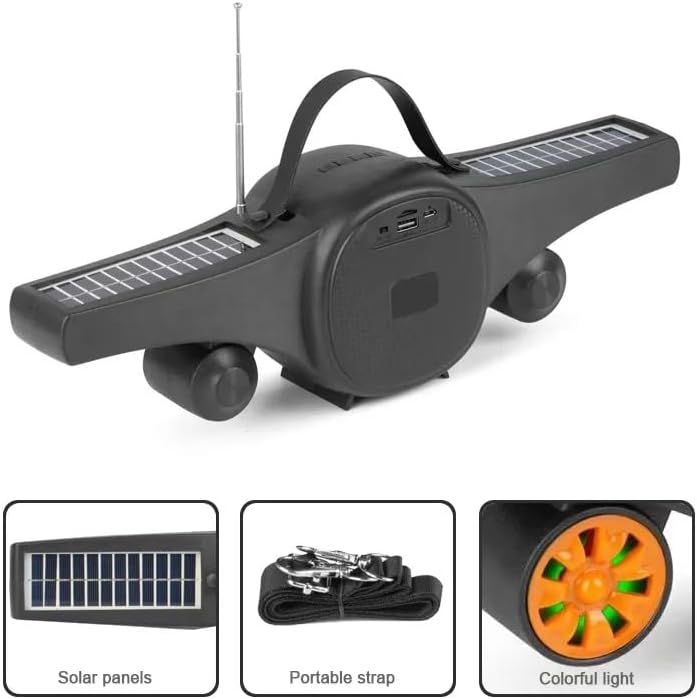
Image: The Kisonli SC-21 speaker showing its solar panels, antenna, USB port, and the included portable strap.
Product Overview
Familiarize yourself with the various parts and controls of your Kisonli SC-21 speaker.
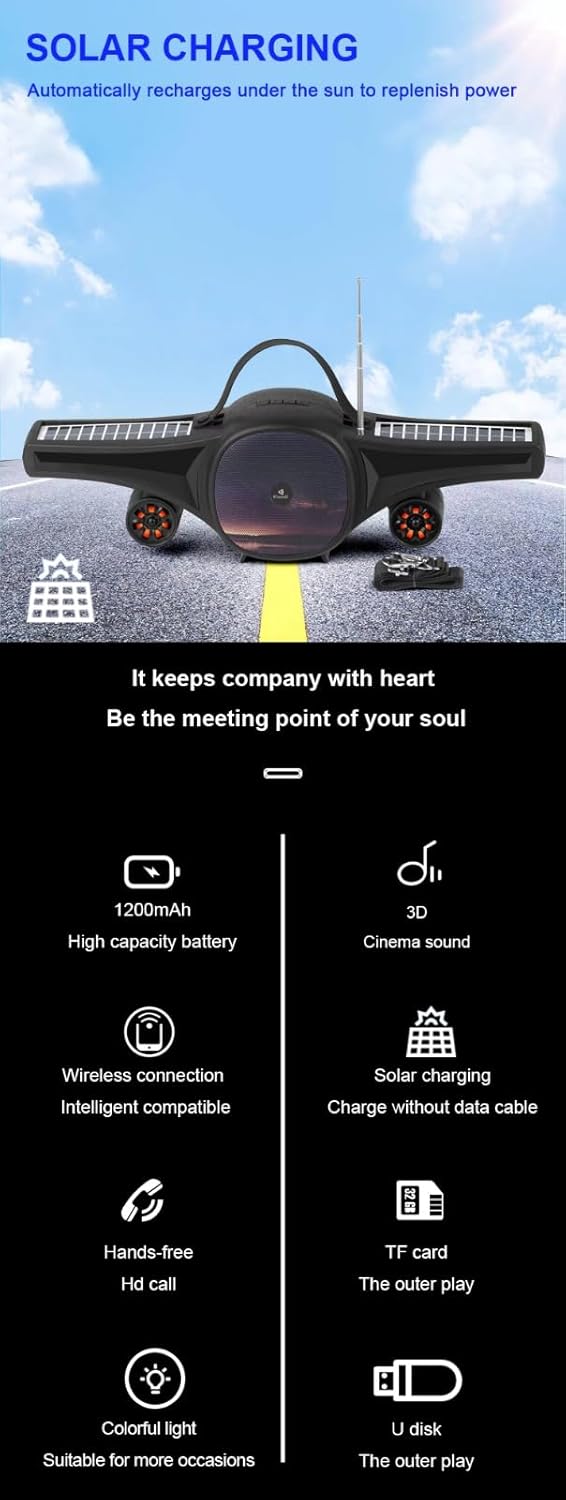
Image: A detailed display of the speaker's features, including the carrying handle, portable strap, control buttons, multiple playback ports (USB, TF card), colorful LED lights, and solar panels.
Controls and Ports:
- Power Switch: ON/OFF button.
- Mode Button (M): Switches between Bluetooth, FM Radio, USB, and TF card modes.
- Play/Pause Button (►/−): Plays or pauses audio. In FM mode, long press to auto-scan stations.
- Previous Track/Volume Down (-): Short press for previous track/station, long press to decrease volume.
- Next Track/Volume Up (+): Short press for next track/station, long press to increase volume.
- LED Light Button (☀): Toggles the colorful LED lights.
- USB Port: For USB flash drive playback.
- TF Card Slot: For TF (MicroSD) card playback.
- DC 5V Charging Port: For charging the speaker using the provided USB cable.
- Solar Panels: Located on the wings for solar charging.
- Antenna: Extendable antenna for improved FM radio reception.
Setup
1. Charging the Speaker
Before first use, fully charge the speaker. The speaker can be charged via USB or solar power.
- USB Charging: Connect the provided USB charging cable to the DC 5V port on the speaker and to a USB power adapter (not included) or a computer's USB port. The charging indicator light will illuminate. Charging time is approximately 2-3 hours.
- Solar Charging: Place the speaker in direct sunlight. Ensure the solar panels are facing upwards and are not obstructed. The speaker will automatically recharge. Solar charging is slower than USB charging and is ideal for maintaining charge or for use in outdoor environments.

Image: The Kisonli SC-21 speaker positioned to demonstrate its solar charging capability under sunlight.
2. Powering On/Off
To power on the speaker, slide the Power Switch to the "ON" position. To power off, slide it to the "OFF" position.
Operating Instructions
1. Bluetooth Mode
- Power on the speaker. It will automatically enter Bluetooth pairing mode, indicated by a flashing LED light.
- On your device (smartphone, tablet, laptop), enable Bluetooth and search for available devices.
- Select "SC-21" from the list of devices.
- Once paired, the speaker will emit a confirmation sound, and the LED light will stop flashing. You can now play audio from your device through the speaker.
2. USB/TF Card Playback
- Insert a USB flash drive or a TF (MicroSD) card containing MP3/MAV audio files into the respective port.
- The speaker will automatically switch to USB or TF card mode and begin playing audio. If it doesn't, press the "M" (Mode) button to cycle through modes until you reach the correct playback mode.
- Use the Previous/Next Track buttons to navigate through your music.
3. FM Radio Mode
- Extend the antenna for better reception.
- Press the "M" (Mode) button until you hear the FM radio.
- Long press the Play/Pause button (►/−) to initiate an automatic scan for available radio stations. The speaker will save the stations it finds.
- Short press the Previous/Next Track buttons to switch between saved radio stations.
4. Volume Control
Long press the "+" button to increase the volume. Long press the "-" button to decrease the volume.
5. LED Light Control
Press the LED Light button (☀) to turn the colorful LED lights on or off.
Maintenance
- Cleaning: Use a soft, dry cloth to clean the speaker's surface. Do not use abrasive cleaners or solvents.
- Storage: Store the speaker in a cool, dry place away from direct sunlight and extreme temperatures when not in use for extended periods.
- Battery Care: To prolong battery life, avoid fully discharging the battery frequently. Charge the speaker regularly, even if not in use.
Troubleshooting
| Problem | Possible Cause | Solution |
|---|---|---|
| Speaker does not power on. | Battery is low or depleted. | Charge the speaker using the USB cable or place it in direct sunlight. |
| No sound from the speaker. | Volume is too low; device not paired; incorrect mode selected. | Increase volume; ensure Bluetooth device is paired; press "M" button to select correct mode (Bluetooth, USB, TF, FM). |
| Bluetooth pairing fails. | Speaker is not in pairing mode; device is too far; interference. | Ensure speaker is in Bluetooth mode (flashing LED); move device closer; turn off other Bluetooth devices. |
| Poor FM radio reception. | Antenna not extended; weak signal. | Extend the antenna fully; try moving the speaker to a different location. |
| USB/TF card not playing. | Incorrect file format; card/drive not inserted correctly; speaker not in correct mode. | Ensure files are MP3/MAV format; reinsert card/drive; press "M" button to select USB/TF mode. |
Specifications
Detailed technical specifications for the Kisonli SC-21 speaker.

Image: A table displaying the product parameters for the Kisonli SC-21 speaker.
| Feature | Detail |
|---|---|
| Model | SC-21 |
| Bluetooth Version | BT 5.0 |
| Output Power | 5W x 1 |
| Charging Time | 2-3 hours |
| Playing Time | 3-5 hours |
| Battery Capacity | 1200mAh |
| Product Dimensions (L x W x H) | 400 x 92 x 116 mm |
| Product Weight | 100 grams (device only) / 800 grams (package weight) |
| Playback Modes | Bluetooth, TF Card, USB Disk, FM Radio |
| Supported Music Formats | MP3, MAV |
| Power Source | Solar Powered, DC 5V USB |
| Special Features | LED Light, Portable, Water Resistant |
| Compatible Devices | Smartphones, Tablets, Laptops |
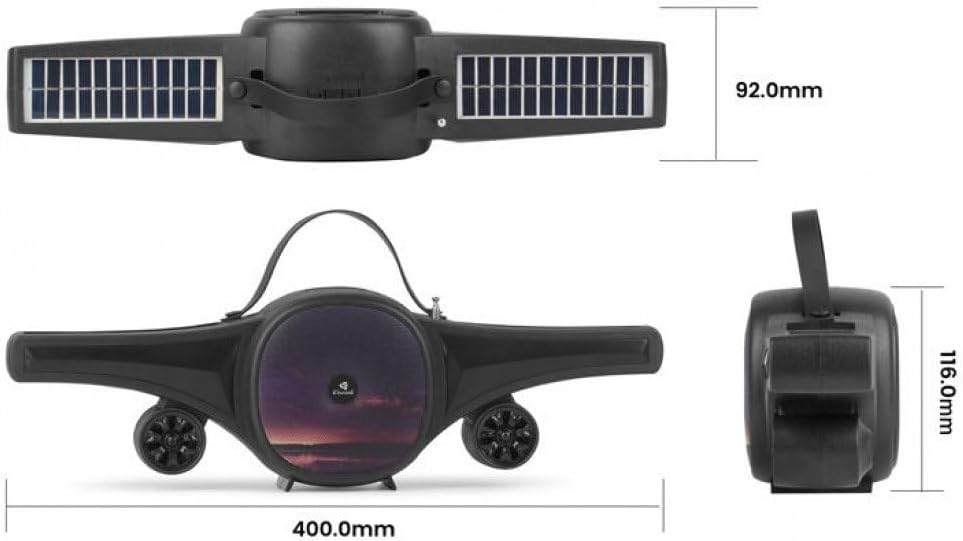
Image: Technical drawing of the Kisonli SC-21 speaker showing its dimensions (400mm length, 92mm width, 116mm height).
Warranty and Support
Kisonli products are designed for reliability and performance. For warranty information or technical support, please refer to the retailer where you purchased the product or visit the official Kisonli website. Please retain your proof of purchase for warranty claims.