
Product Overview
The GESKE SmartAppGuided MicroDermabrasion Blackhead Remover 7-in-1 is a versatile skincare device designed for deep cleansing, exfoliation, and skin rejuvenation. It combines several technologies to address various skin concerns, including blackheads, dead skin cells, and impurities.

Image: The GESKE SmartAppGuided MicroDermabrasion Blackhead Remover device.
Key Features and Technologies
- MicroDermabrasion Technology: Gently exfoliates the skin to remove dead skin cells and impurities.
- AirPulse Suction Deep Pore Cleansing: Utilizes targeted suction to cleanse pores, removing makeup residue, excess oil, blackheads, and whiteheads.
- Red Light Active Regeneration Technology: Triggers the cell renewal system, activating the skin's natural healing processes and promoting skin rejuvenation.
- UltraSpin Exfoliation Technology: Works in conjunction with microdermabrasion for effective removal of surface debris.
- Skin Rejuvenation Technology: Aids in fighting early signs of aging and contributes to a smoother, healthier-looking complexion.
- Smart App Integration: Connects to the GESKE app for personalized skincare routines and video-guided sessions.
- Long-lasting Rechargeable Battery: Provides extended use between charges.
- Skin-Friendly Silicone: Biocompatible materials for safe use.
- Dermatologist Approved: Ensures product safety and efficacy.

Image: Illustration of the GESKE MicroDermabrasion device highlighting its core technologies.
Setup
- Cleanse Your Face: Ensure your face is clean and free of makeup before starting.
- Insert Exfoliation Disc: Place an exfoliation disc of your desired intensity into the device.
- Secure Face Cap: Securely attach the appropriate face cap over the exfoliation disc.
- Power On: Turn on the device by holding the power button for two seconds. This activates the MicroDermabrasion Technology and Red Light Active Regeneration Technology.
- Select Intensity: Adjust the UltraSpin Exfoliation intensity using the plus (+) and minus (-) buttons on the device.

Image: The GESKE MicroDermabrasion device shown with different caps and accessories.
Operating Instructions
Before using the device on your face, it is recommended to practice on your arm or leg to familiarize yourself with the sensation and movement. Do not hold the device stationary in one spot on your skin. Maintain continuous movement to avoid discomfort or skin marking.
Video: Official GESKE MicroDermabrasion Blackhead Remover 7-in-1 How-To Guide. This video demonstrates the proper usage techniques for the device.
- Chin and Jawline: Place the device on the bottom of your chin. Glide the device in an outward and upward motion, following the jawline towards the ear. Repeat this motion, making another stroke above the last one, covering the entire side of the face up to the hairline.
- Cheeks: For smoother motion, gently pull the skin taut. Move the device across your cheeks in an upward and outward direction. Avoid the sensitive skin around the eyes. Perform only one pass per path.
- Forehead: Move the device across your forehead in upward strokes, from your eyebrows towards your hairline.
- Nose and T-Zone: Use the device to gently cleanse the nose and T-zone area, focusing on areas prone to blackheads and impurities.
- Repeat on Other Side: Repeat the entire process on the other side of your face.
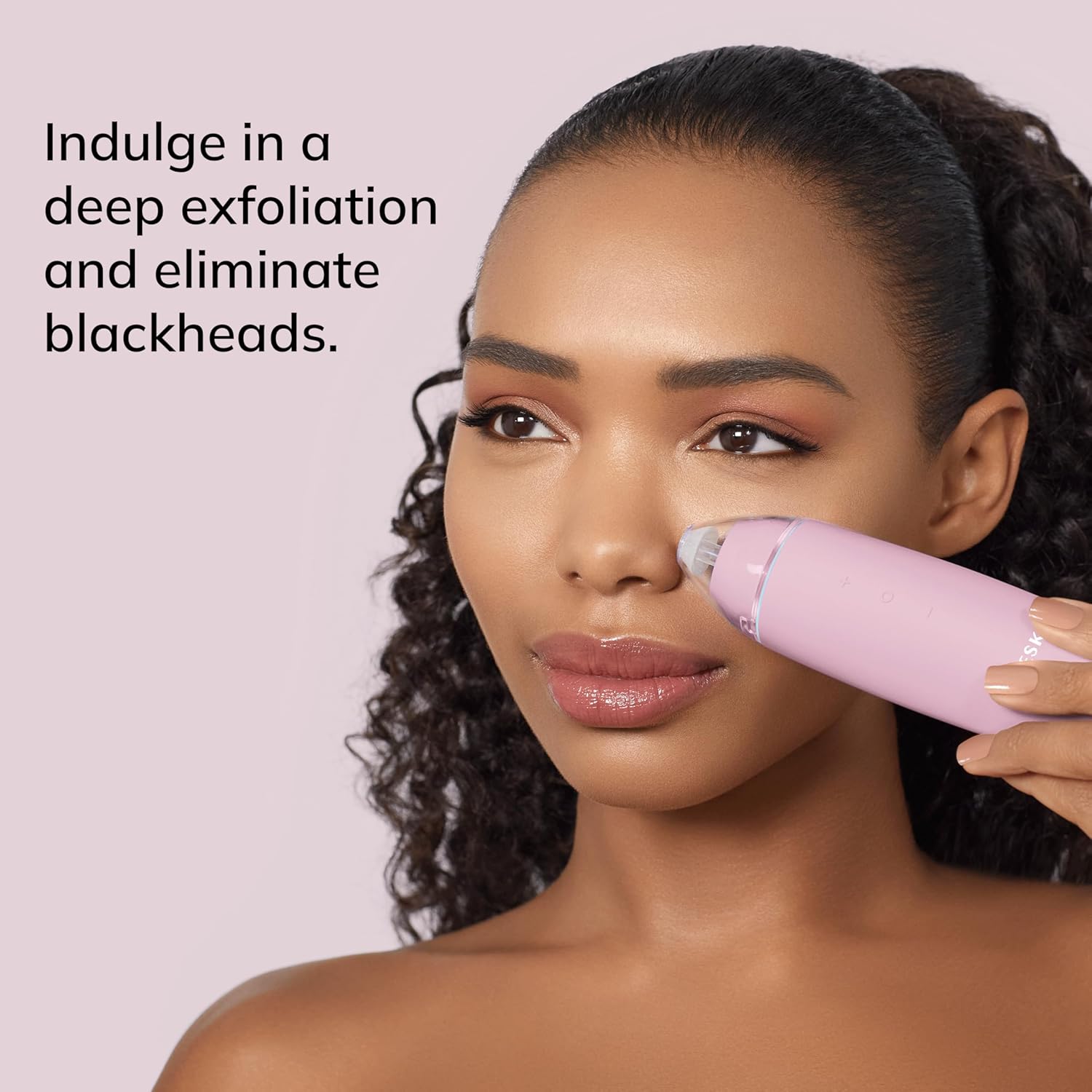
Image: A user demonstrating the application of the GESKE MicroDermabrasion device on the nose area.
Maintenance
After each use, ensure the device is turned off. Carefully remove the face cap and exfoliation disc. Clean the disc and the device's suction head with warm water and a mild soap. Rinse thoroughly and allow all parts to air dry completely before reassembling or storing. Regular cleaning prevents buildup of dead skin cells and debris, maintaining optimal performance and hygiene.
Post-Treatment Care
After using the MicroDermabrasion Blackhead Remover, your skin is primed to absorb skincare products more effectively. Apply a suitable serum to the targeted areas. For best results, GESKE recommends using their specialized serums, such as the Skin Smoothing Serum with Collagen & Caffeine. These formulas are designed to sink in deeper, providing enhanced moisturization and a healthy, rejuvenated look.

Image: GESKE Skin Smoothing Serum, recommended for post-treatment application.
Smart App Integration
Enhance your skincare routine with the GESKE SmartAppGuided app. The app offers a personalized beauty routine based on a skin scan, along with hundreds of hours of video-guided sessions for all GESKE devices. This feature helps you optimize your usage and achieve the best possible results.

Image: Screenshots of the GESKE SmartAppGuided app demonstrating skin scan and personalized routine features.
Download the app here: https://www.geske.com/app
Specifications
| Feature | Detail |
|---|---|
| Product Dimensions | 1.69 x 1.69 x 5.91 inches |
| Item Weight | 1.2 ounces (34 Grams) |
| Batteries | 1 Lithium Ion battery required (included) |
| Model Name | SmartAppGuided™ MicroDermabrasion |
| Brand | GESKE |
| Item Form | Pen |
| Manufacturer | GESKE Beauty Tech Inc. |
Troubleshooting
- Device Not Turning On: Ensure the device is fully charged. If the issue persists, contact customer support.
- Weak Suction: Check that the face cap is securely attached and the exfoliation disc is correctly inserted. Ensure the device is clean and free from debris buildup.
- Skin Redness/Irritation: Reduce the exfoliation intensity. Ensure you are not holding the device stationary on one spot. If redness or irritation persists, discontinue use and consult a dermatologist.
- App Connectivity Issues: Ensure your device's Bluetooth is enabled and the app is updated to the latest version. Restart both the device and the app if necessary.
Warranty and Support
The GESKE SmartAppGuided MicroDermabrasion Blackhead Remover comes with a 15-year guarantee, ensuring long-term reliability and customer satisfaction.
For further assistance, technical support, or warranty claims, please refer to the official GESKE website or contact their customer service directly. The GESKE SmartAppGuided app also provides extensive support resources and video guides.

