
Vosker V300
Vosker V300 Ultimate Security Camera User Manual
Your comprehensive guide to setup, operation, and maintenance.
1. Product Overview
The Vosker V300 Ultimate is an autonomous 4G-LTE outdoor security camera designed for continuous, long-term surveillance without the need for Wi-Fi. It features a high-capacity 15,000 mAh external solar power bank, ensuring year-long performance with minimal maintenance. The camera captures 1080p Full HD videos with a 90° ultra-wide angle view and up to 100 ft motion detection, providing comprehensive coverage day and night. Live audio-video streaming is available, allowing remote monitoring from anywhere.

Image: The Vosker V300 Ultimate camera system, including the camera unit, external solar panel, and product packaging.

Image: The Vosker V300 Ultimate camera and its external solar panel mounted on the side of a wooden building, demonstrating outdoor installation.

Image: An aerial view illustrating the 100-foot detection range of the Vosker V300 camera, highlighted by a yellow shaded area over a landscape.

Image: A close-up shot of the Vosker V300 camera covered in water droplets, emphasizing its weather-resistant design.
2. What's in the Box
The Vosker V300 Ultimate package includes all necessary components for immediate setup and operation.
- V300 Ultimate Security Camera
- Solar Power Bank (15,000 mAh)
- 14,000 mAh Lithium Battery (V-LIT-B3)
- 360-degree Swivel & Tilt Mounting Arm
- Wood Screw Mounting Option
- Preactivated SIM Card (Non-Removable)
- 32 GB MicroSD Card (Removable)
- DC Power Adapter
- USB-C to USB-C Cable (Camera Power Supply) 3 ft/1 m
- USB-A to USB-C Cable (Battery Charging) 3 ft/1 m
- 2x Stickers "Protected by VOSKER"
- 2x Flat Mounting Plate
- 2x Wood Screw Mounting Option

Image: All components included in the Vosker V300 Ultimate package, neatly arranged for display.
3. Setup
3.1 Initial Charging
Before first use, and especially before winter, fully charge the 14,000 mAh Lithium Battery (V-LIT-B3) for 24 hours using the provided DC Power Adapter and USB-A to USB-C Cable. This ensures optimal battery performance and longevity.
3.2 SIM Card and MicroSD Installation
The V300 Ultimate comes with a preactivated SIM card for cellular connectivity. Insert the included 32 GB MicroSD card into the designated slot on the camera for local backup of recordings.
3.3 Mounting the Camera
The V300 Ultimate offers flexible installation options. Use the adjustable 360-degree Swivel & Tilt Mounting Arm for precise positioning. The package includes both flat mounting plates and wood screw options to secure the camera and solar panel to various surfaces. Ensure the mounting surface is stable to prevent false detections, especially during high winds.

Image: Visual representation of the flat mounting plate and wood screw options for installing the Vosker V300 camera on different surfaces like siding, brick, or wood.

Image: A person installing the Vosker V300 camera and its solar panel onto a wooden beam, demonstrating the mounting process.
3.4 App Download and Activation
Download the Vosker mobile app (available for Android and iOS) to manage your camera. The preactivated SIM card facilitates easy setup. A 7-day free trial is available to explore data plans. Live streaming requires a paid data plan and a $20 add-on for 40 minutes, which can be shared across multiple V300 ULT devices. Test cellular reception at the installation site before final deployment. Initial camera sync may take several minutes to hours.

Image: A smartphone screen displaying the Vosker mobile application interface, showing a list of "Latest Events" with construction site and driveway camera feeds.
4. Operation
4.1 Live Streaming and Video Capture
The V300 Ultimate records 1080p Full HD videos automatically when motion is detected. Utilize the live audio-video streaming mode through the Vosker app to check on your property in real-time from any location.

Image: A smartphone held in hands, displaying a live video feed from the Vosker V300 camera, showing an outdoor scene with a person and a truck.
4.2 Motion Detection
The camera features up to 100 ft motion detection and a 90° ultra-wide angle view to capture activity within its field. Motion-triggered recordings provide essential surveillance footage.
4.3 Data Plans
A data plan is required for the V300 Ultimate's cellular connectivity. Plans start at $10/month, offering various levels of alerts and video downloads. Smart notifications keep you informed, and the mobile app allows management of multiple cameras.
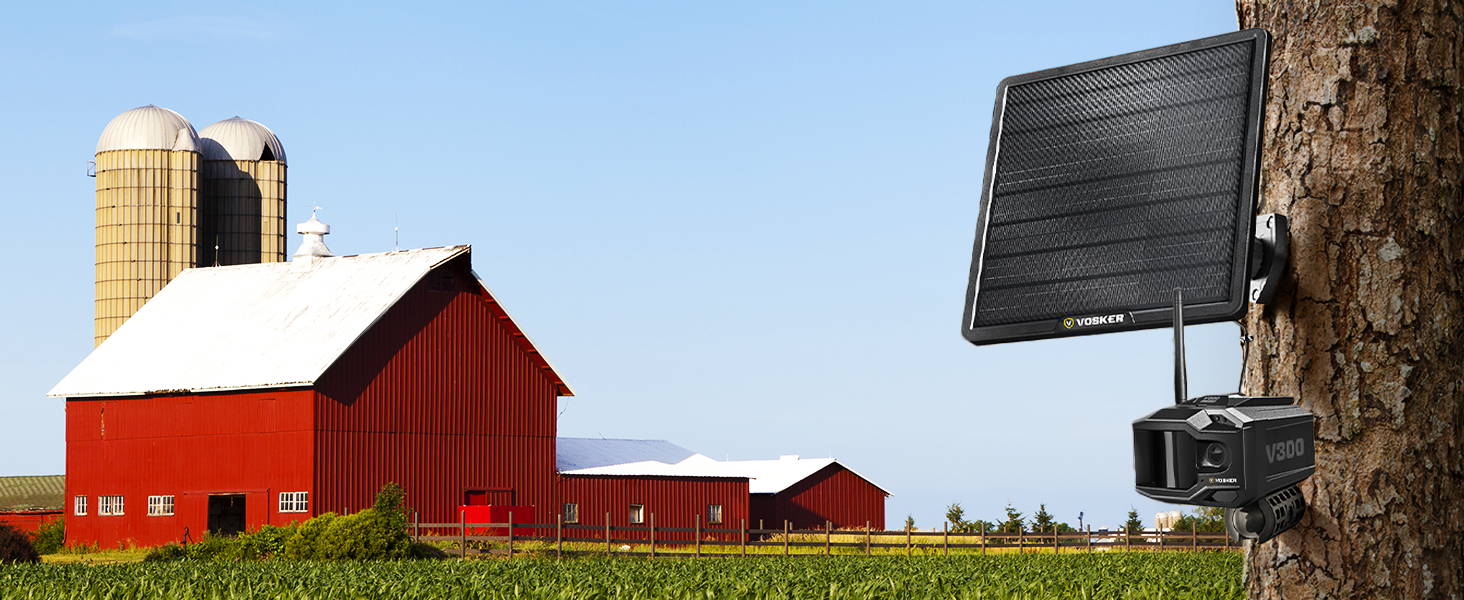
Image: A graphic illustrating the different Vosker data plan tiers (Basic, Alerted, Elite) with their respective monthly costs, alert limits, history durations, and Full HD video allowances. It also highlights the 40 minutes of Full HD Live Streaming add-on.
For detailed information on data plans and to subscribe, please visit the official Vosker website or consult the Vosker mobile application.
5. Maintenance
5.1 Battery Management
The V300 Ultimate's autonomy varies with usage. For optimal performance, ensure the battery is fully charged before initial use and prior to winter conditions. The external solar panel significantly extends battery life, but consistent sunlight exposure is crucial.
5.2 Cleaning and Care
Periodically inspect the camera lens and solar panel for dirt, dust, or debris. Gently clean with a soft, damp cloth to ensure clear image capture and efficient solar charging. Avoid using harsh chemicals or abrasive materials.
6. Troubleshooting
6.1 Common Issues and Solutions
- Camera Offline:
Verify cellular reception at the installation site. Move the camera to an area with stronger signal if necessary. Ensure your data plan is active and not depleted.
- Battery Draining Quickly:
Ensure the solar panel is receiving adequate direct sunlight. Reduce the frequency of alerts, video downloads, and live streaming sessions, as these consume more power. Fully charge the battery for 24 hours before deployment.
- False Detections:
Improper installation on unstable surfaces or in areas with significant wind movement can cause false detections. Re-evaluate mounting stability and camera placement.
- Poor Image/Video Quality:
Clean the camera lens. Ensure there are no obstructions in the camera's field of view. Check lighting conditions; while the camera has low light technology, extreme darkness can affect quality.
- Initial Sync Issues:
The initial synchronization process can take minutes to hours. Ensure the camera is in an area with good cellular signal and allow sufficient time for it to connect.
For further assistance, refer to the official Vosker support resources or contact customer service.
7. Specifications
| Feature | Detail |
|---|---|
| Model Name | Vosker V300-ULT-US |
| Indoor/Outdoor Usage | Outdoor |
| Connectivity Protocol | Cellular (4G-LTE) |
| Power Source | Battery Powered (with 15,000 mAh External Solar Power Bank) |
| Video Capture Resolution | 1080p Full HD |
| Night Vision Range | 100 Feet |
| Motion Detection Range | Up to 100 Feet |
| Ultra-wide Angle View | 90° |
| Included Battery | 14,000 mAh Lithium Battery (V-LIT-B3) |
| Storage | 32 GB MicroSD Card (included) |
| Water Resistance Level | Water Resistant |
| Dimensions (L x W x H) | 5.4 x 3.8 x 4.5 inches |
| Item Weight | 16 ounces (1 pound) |
| UPC | 628504653609 |
8. Warranty and Support
The Vosker V300 Ultimate Security Camera comes with a Two (2) Year Limited Warranty. This warranty covers defects in materials and workmanship under normal use. Please retain your proof of purchase for warranty claims.
For technical support, warranty inquiries, or additional information, please visit the official Vosker website or contact their customer service department.
- Online Support: Visit vosker.com/support
- Contact: Refer to the contact section on the Vosker website for phone numbers or email support.
Related documentsV300


Ask a question about this manual
Ask about setup, troubleshooting, compatibility, parts, safety, or missing instructions. Manuals+ will review the question and use this page’s manual context to help answer it.