
1. Introduction
This manual provides essential information and instructions for the A-MIND LCD Display Touch Screen Digitizer Replacement Kit for the Samsung Galaxy M23 series. It is designed to guide users through the process of replacing a damaged screen, ensuring proper functionality and longevity of the device. Please read all instructions carefully before beginning the repair process.
2. Compatibility
This replacement kit is specifically designed for the following Samsung Galaxy M23 models:
- Samsung Galaxy M23 SM-M236B
- Samsung Galaxy M23 SM-M236B/DS
The screen size is 6.6 inches. This kit addresses issues such as broken screens, liquid crystal ruptures, dead pixels, touch inactivity, touch response problems, display problems, and false color problems. Before purchasing, confirm that your phone's malfunction is due to the LCD or touch panel.
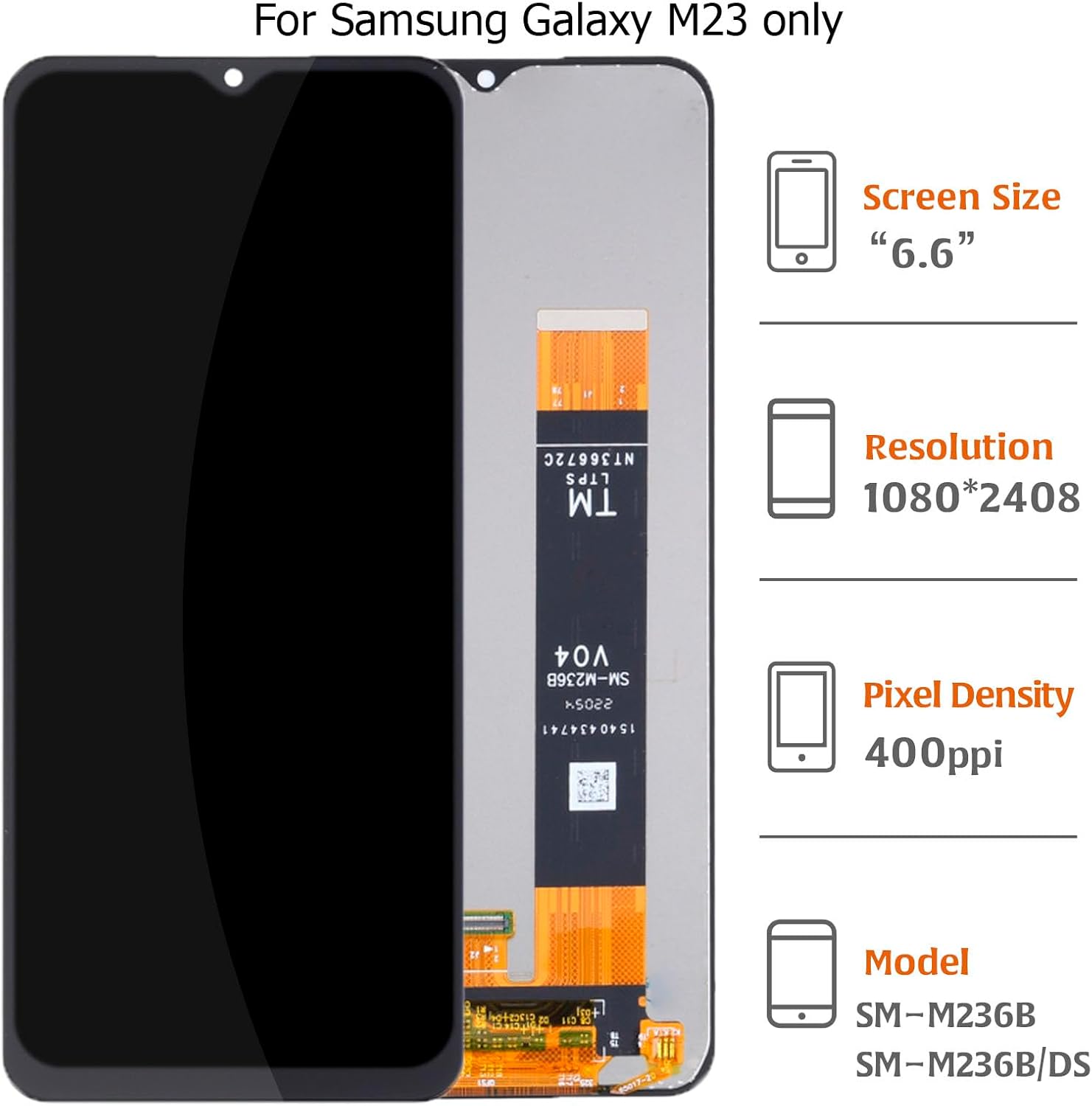
Image 2.1: The replacement screen assembly for Samsung Galaxy M23, highlighting key specifications including a 6.6-inch screen size, 1080*2408 resolution, 400ppi pixel density, and compatibility with models SM-M236B and SM-M236B/DS.
3. Package Contents
The A-MIND LCD Display Touch Screen Digitizer Replacement Kit includes:
- 1 x LCD Touch Digitizer Assembly
- 1 x Set of Repair Tools (uniform tools, may not open all phone models)

Image 3.1: The complete A-MIND screen replacement kit for Samsung Galaxy M23, showing the LCD display assembly alongside a set of included repair tools such as screwdrivers, prying tools, and suction cup.
4. Important Safety Information and Precautions
Please observe the following precautions to prevent damage to the product or injury during installation:
- Fragile Component: The LCD is a fragile component. Handle with extreme care during removal and installation. Glass fragments may cause injury if the screen breaks. Wear protective gloves and eyewear.
- Static Electricity: Pay close attention to electrostatic discharge (ESD) issues. Ground yourself using an ESD wrist strap to prevent static electricity from damaging the phone's electronic components.
- Professional Installation: Installation requires specific techniques and equipment. If you are not experienced in phone repair, it is strongly recommended to seek professional service to avoid damage.
- No Manual Included: This kit does not include a printed installation manual. Refer to online video tutorials (e.g., on YouTube) for detailed step-by-step guidance.
5. Setup and Pre-Installation Steps
Before proceeding with the full installation, it is crucial to perform a test of the new screen assembly.
- Initial Inspection: Upon receipt, carefully inspect the new LCD assembly for any visible damage, cracks, or missing components. If any issues are found, do not proceed with installation and contact customer support immediately.
- Prepare Workspace: Ensure your workspace is clean, well-lit, and free of static electricity. Use an anti-static mat if available.
- Power Off Device: Completely power off your Samsung Galaxy M23 before beginning any disassembly.
- Disconnect Battery: After opening the phone, disconnect the battery cable connector from the motherboard to prevent short circuits during the repair.
- Test the Screen: Without removing any protective films or labels from the new screen, carefully connect the new LCD flex cable to the motherboard. Do not force any connections.
- Power On for Test: Reconnect the battery (temporarily for testing) and then connect the charging cable to power on the phone. Check if the screen works normally, including display quality and touch functionality across the entire screen.
If any abnormality is observed during this test, immediately disconnect the screen and contact customer support with video or photo evidence. Do not install the screen forcibly if it is not functioning correctly. Parts damaged during installation will not be accepted for return if the pre-installation test was not performed or issues were ignored.
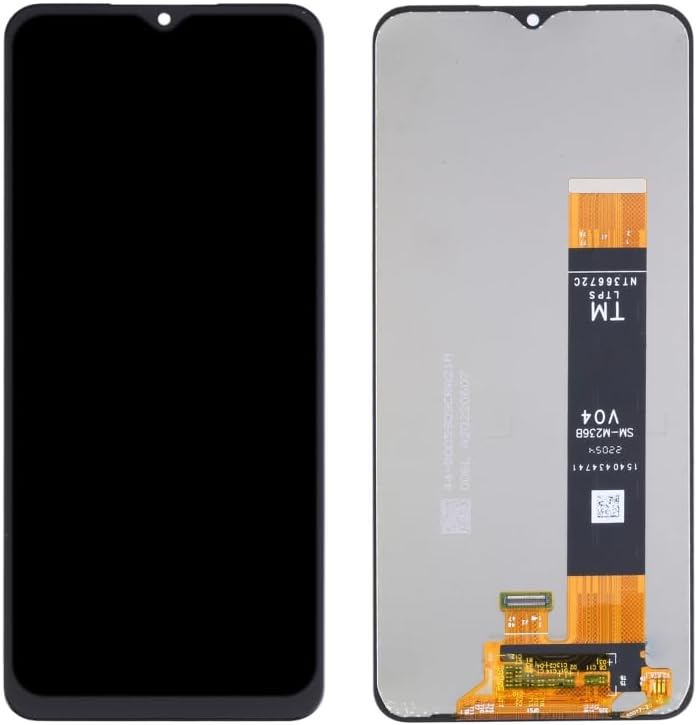
Image 5.1: Front and back views of the A-MIND replacement LCD display and digitizer assembly for the Samsung Galaxy M23, showing the display panel and the flex cable connections.

Image 5.2: A detailed close-up of the flex cable connector on the replacement screen assembly, which connects to the phone's motherboard for display and touch functionality.
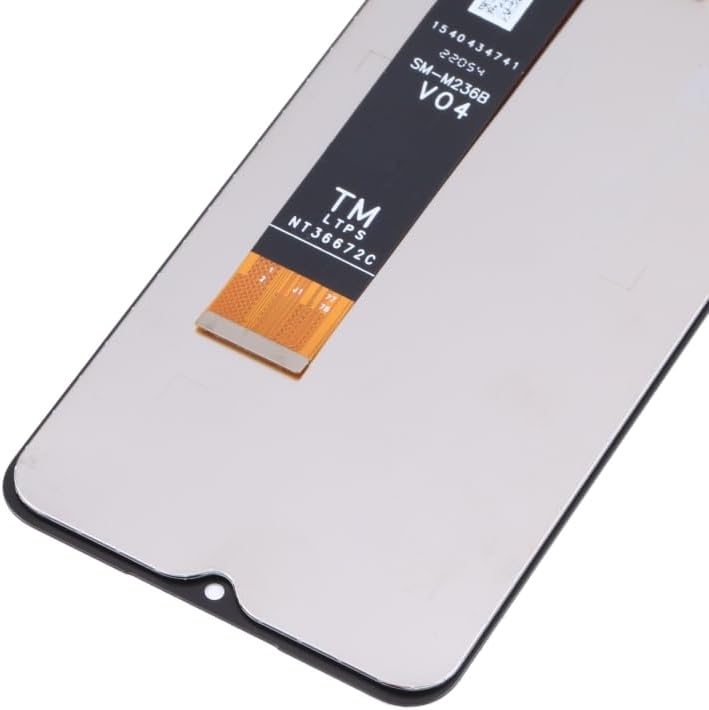
Image 5.3: A close-up view of the top section of the replacement screen assembly, showing the notch for the front camera and sensors, and the overall finish of the display panel.
6. Installation Instructions
Once the pre-installation test is successful, you can proceed with the full installation. This process typically involves:
- Disassembly: Carefully disassemble your phone, removing the old flex cable of the LCD display or touch screen from the motherboard.
- Clean Frame: Clean any old adhesive or debris from the phone's frame where the new screen will be seated.
- Install New Screen: Connect the new LCD touch digitizer assembly's flex cable to the motherboard. Ensure all connections are secure and properly seated.
- Secure Screen: Carefully place the new screen into the phone's frame, ensuring it fits flush. Apply new adhesive if necessary (not included).
- Reassembly: Reconnect the battery and reassemble the phone, ensuring all screws and components are returned to their original positions.
For detailed visual guidance, please search for specific installation tutorials for the Samsung Galaxy M23 on platforms like YouTube. These videos can provide step-by-step visual instructions for the disassembly and reassembly process.
7. Troubleshooting
If you encounter issues after installation, consider the following:
- No Display/Black Screen: Ensure all flex cables are securely connected to the motherboard. Disconnect and reconnect them carefully. Check for any bent pins on the connectors.
- Touch Not Responding: Verify the touch digitizer flex cable is properly connected. Ensure no debris is obstructing the connection.
- Display Anomalies (lines, spots): This could indicate a damaged flex cable or LCD. Re-check connections. If the issue persists, the screen itself may be faulty.
- Phone Not Powering On: Ensure the battery is properly connected and charged. If the issue started after the repair, double-check all internal connections.
If troubleshooting steps do not resolve the issue, please contact A-MIND customer service for further assistance.
8. Specifications
| Feature | Specification |
|---|---|
| Product Type | LCD Display Touch Screen Digitizer Full Assembly |
| Compatibility | Samsung Galaxy M23 SM-M236B, SM-M236B/DS |
| Screen Size | 6.6 inches |
| Resolution | 1080*2408 pixels |
| Pixel Density | 400 ppi |
| Item Weight | 3.52 ounces |
| Package Dimensions | 1 x 1 x 0.79 inches |
9. Warranty and Support
A-MIND offers a 3-month free replacement or refund coverage for non-human product damage and faults. This warranty does not cover damages or malfunctions caused by incorrect installation work.
Important: If the product is broken, damaged, or missing items upon receipt, do not install it. Please email our service team immediately with attached photos for assistance. For any questions or further support, our customer service staff is available to assist you.
Please use this product at your own risk, adhering to all safety precautions and installation guidelines.