
Introduction
The oneisall 5L Smart WiFi Automatic Pet Feeder is designed to provide convenient and precise feeding for your pets. Featuring a 5-liter capacity, dual stainless steel bowls, and smart app control, this feeder ensures your pets receive their meals on schedule, whether you are home or away. It supports both 2.4G and 5G WiFi for stable connectivity and includes a voice recording function to call your pets to eat.
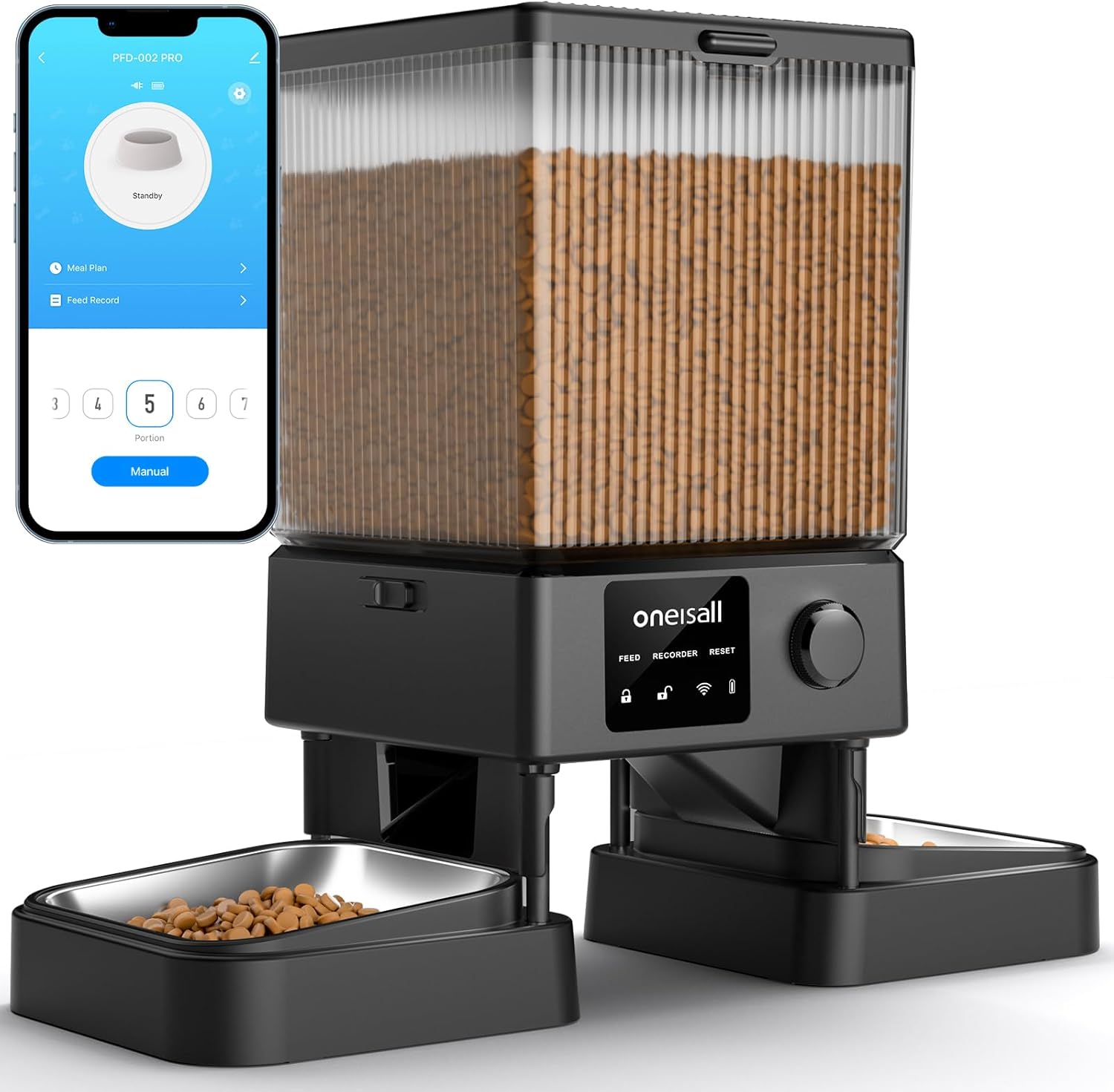
Setup Instructions
- Unpack Components: Carefully remove all parts from the packaging. Ensure you have the feeder unit, two stainless steel bowls, power adapter, USB-C cable, and desiccant bag.
- Assemble Bowls: Place the two stainless steel bowls into their designated slots at the base of the feeder.
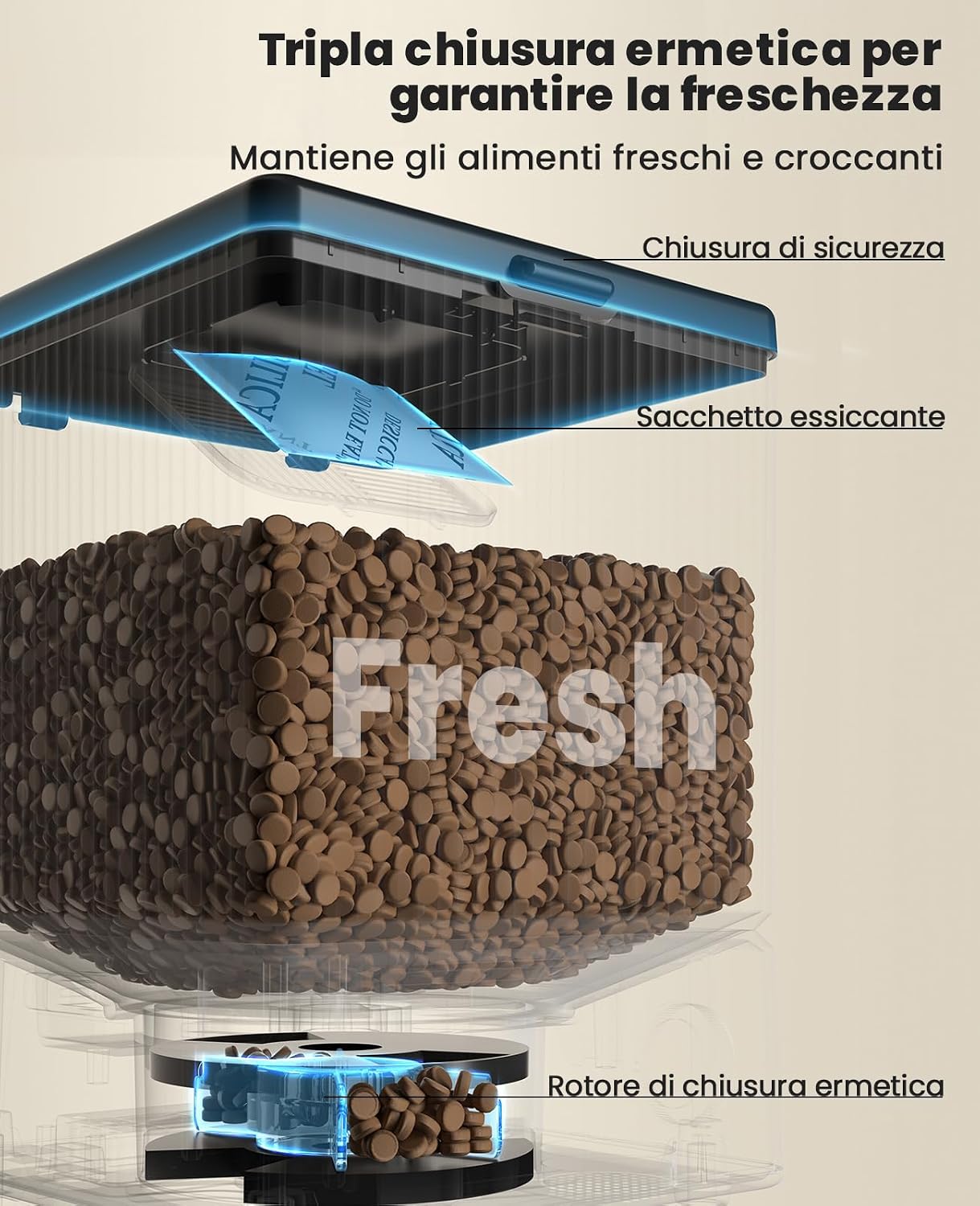
- Install Desiccant: Open the lid of the food container. Locate the desiccant compartment and insert the provided desiccant bag to maintain food freshness. Close the compartment securely.
- Fill Food Container: Pour dry pet food into the transparent food container. The feeder has a 5-liter capacity, suitable for approximately 2 kg of dry food. Ensure kibble size is between 2mm and 12mm for optimal dispensing.
- Power Connection: Connect the USB-C cable to the feeder's power port and plug the adapter into a wall outlet. For backup power during outages, install three AA batteries (not included) in the battery compartment at the bottom of the unit.
- Download App: Scan the QR code provided in the quick start guide or search for "Smart Life" or "Tuya Smart" in your mobile app store (App Store for iOS, Google Play for Android). Install the application.
- Connect to WiFi: Open the app and follow the on-screen instructions to add your device. The feeder supports both 2.4GHz and 5GHz WiFi networks. Ensure your phone is connected to the same network during setup.
- Record Voice Message: Use the app to record a short voice message (up to 10 seconds) that will play during meal times to call your pets.


Operating Instructions
Scheduling Meals
Use the Smart Life app to set up a feeding schedule. You can program up to 10 meals per day, with each meal consisting of 1 to 36 portions. Each portion is approximately 7 grams, depending on kibble size. The app allows you to select specific days of the week for each feeding event.

Manual Feeding
For immediate feeding, you can manually dispense food through the app. This is useful for providing extra treats or adjusting feeding on the fly.
Slow Feeding Function
Activate the slow feeding option in the app to dispense food in 10-second intervals. This helps prevent pets from eating too quickly, promoting better digestion and reducing the risk of choking or vomiting.

Feeding Records
The app maintains a record of all feeding events, allowing you to monitor your pet's eating patterns and ensure they are fed as scheduled.

Multi-User Sharing
The app allows you to share control of the feeder with family members or friends, enabling multiple users to manage feeding schedules and dispense food.

Dual Bowl Feeding
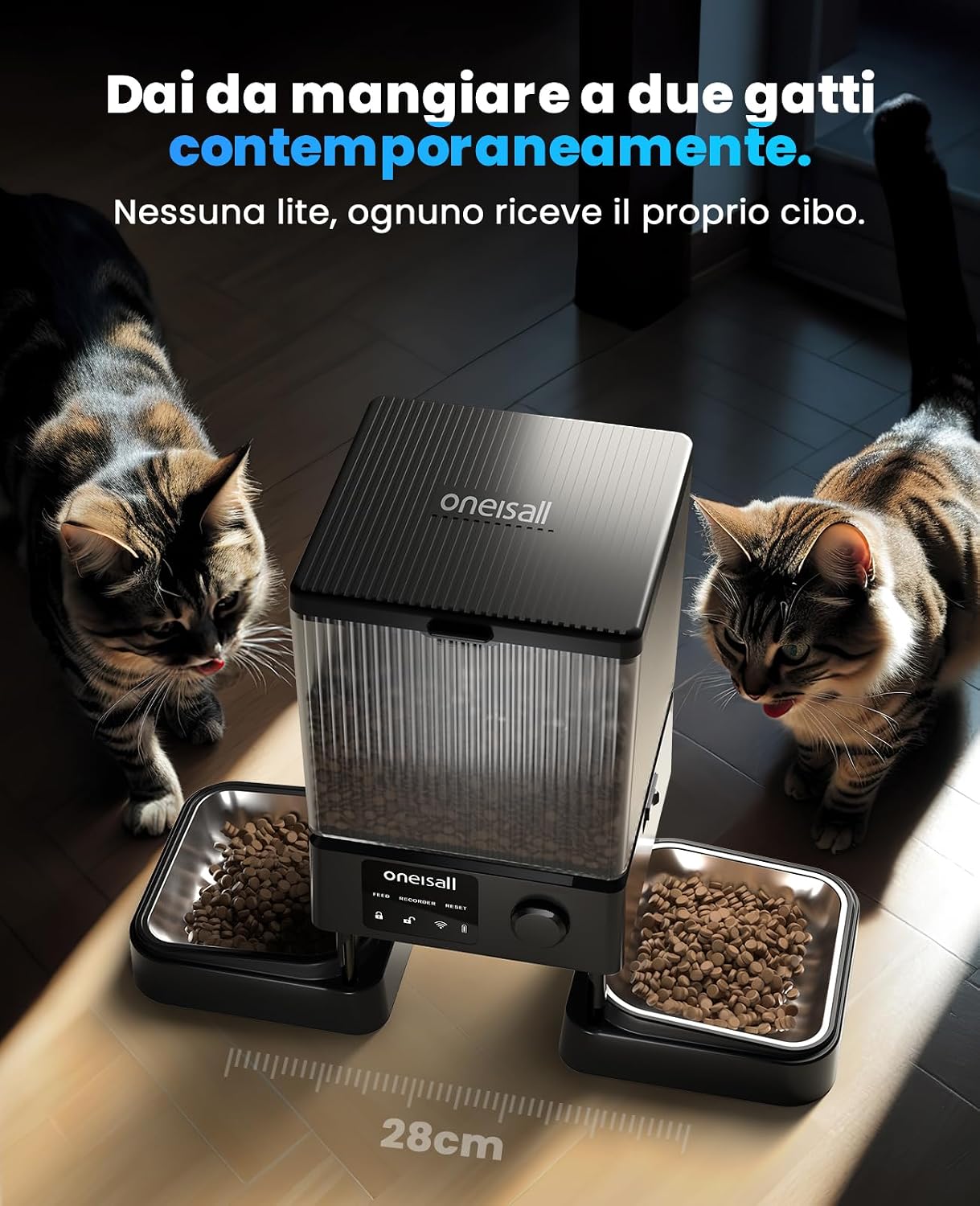
The feeder is designed with two separate dispensing outlets, ensuring that two pets can eat simultaneously without competition. The bowls are spaced 28cm apart for comfortable access.

Maintenance
- Cleaning Bowls: The stainless steel bowls are removable and can be washed with soap and water. Ensure they are completely dry before placing them back into the feeder.
- Cleaning Food Container: Periodically clean the food container to prevent residue buildup. Wipe with a damp cloth and ensure it is dry before refilling with food.
- Desiccant Replacement: Replace the desiccant bag every 15 days to maintain optimal food freshness and prevent moisture buildup.
Troubleshooting
- Feeder Not Connecting to WiFi: Ensure your router is broadcasting a 2.4GHz or 5GHz signal and your phone is connected to the same network during setup. Check that the feeder is within range of your WiFi router.
- No Food Dispensed: Verify that the food container has enough dry food. Check that the kibble size is appropriate (2mm-12mm) and not causing blockages. Ensure the feeder is powered on.
- Power Outage: If the feeder loses main power, it will automatically switch to battery backup (if AA batteries are installed). Scheduled feedings will continue.
- Food Not Fresh: Ensure the desiccant bag is replaced every 15 days. Check that the lid is securely closed and the triple sealing system is intact.
- Uneven Dispensing: The feeder is designed for equal dispensing to both bowls. If you notice significant discrepancies, check for any obstructions in the dispensing mechanism or ensure the feeder is on a level surface.


Specifications
| Model Number | 123 |
| Dimensions (L x W x H) | 18.7 x 18.7 x 25 cm |
| Weight | 1.96 kg |
| Capacity | 5 Liters (approx. 2 kg dry food) |
| Material | Stainless Steel (bowls) |
| Connectivity | WiFi 2.4GHz / 5GHz |
| Power Input | USB-C (5V 1A adapter included) |
| Backup Power | 3 x AA Batteries (not included) |
| Kibble Size Compatibility | 2mm - 12mm |
| Special Features | Voice Recording, Dual Bowls, App Control, Triple Sealing Freshness System |

Warranty and Support
The oneisall 5L Smart WiFi Automatic Pet Feeder comes with a 2-year warranty. For any product defects or issues, please contact customer support. Our dedicated customer service team is available 24 hours to assist you with any inquiries or troubleshooting needs.
For returns within 30 days of receipt due to a change of mind, please refer to the Amazon return policy. For defective or damaged products, consult the Amazon help page for returns and replacements.


