
1. Introduction
Thank you for purchasing the JVC Gumy Connect USB-C Wired Earbuds Headphones, model HAFR9UCB. These earbuds are designed to provide high-quality audio for various devices with a USB-C port. Featuring a built-in Digital-to-Analog Converter (DAC), they reduce noise and enhance sound clarity for music, calls, and gaming. The inline remote control offers convenient management of audio and calls.
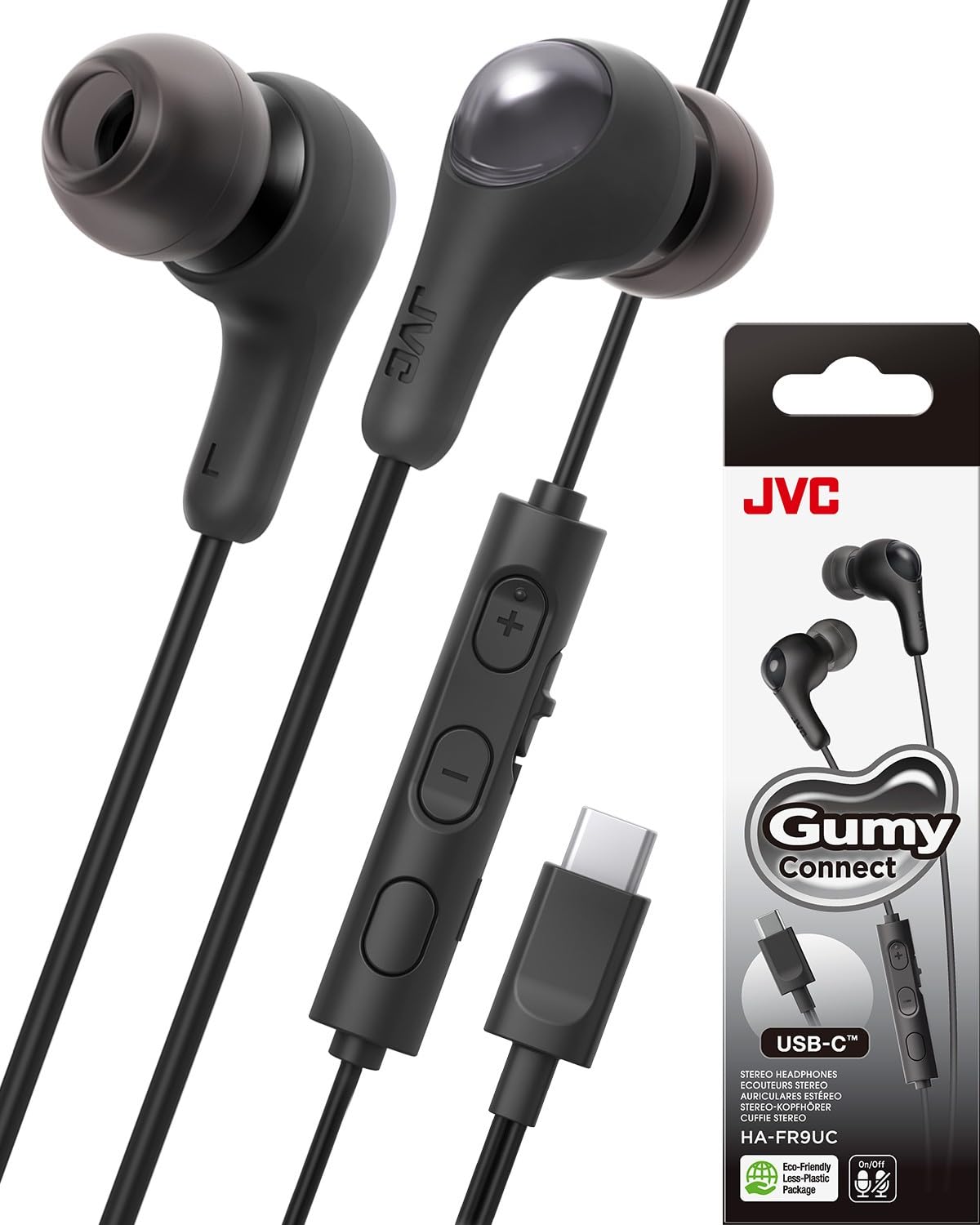
Image: JVC Gumy Connect USB-C Wired Earbuds in Black, showcasing the product design.
2. What's in the Box
Verify that all items are present in the package:
- JVC Gumy Connect USB-C Wired Earbuds (HAFR9UCB)
- Eartips (XS, S, M, L sizes)
- User Manual

Image: Included eartips in four sizes (XS, S, M, L) for a comfortable and secure fit.
3. Setup
The JVC Gumy Connect earbuds are designed for simple plug-and-play operation.
- Select Eartips: Choose the eartip size (XS, S, M, L) that provides the most comfortable and secure fit for your ears. A good seal is essential for optimal sound quality.
- Connect to Device: Insert the USB-C plug of the earbuds into the USB-C port of your smartphone, tablet, laptop, or other compatible device.
- Audio Output: Your device should automatically recognize the earbuds as an audio output device. If not, check your device's audio settings to select the 'USB Audio' or 'Headphones' option.

Image: The USB-C connector of the earbuds plugged into a laptop, demonstrating easy connectivity.
Video: This video demonstrates the JVC Gumy Connect USB-C Wired Headphones, highlighting their plug-and-play functionality, seamless sound for gaming and videos, superior audio quality for music and calls, and easy-to-use inline remote control.
4. Operating Instructions
4.1 Inline Remote Control
The earbuds feature an inline remote control for managing audio playback and calls.
- Volume Up (+): Press to increase audio volume.
- Volume Down (-): Press to decrease audio volume.
- Multi-function Button (Center):
- Single press: Play/Pause music, Answer/End calls.
- Double press: Skip to next track.
- Triple press: Go to previous track.
- Long press: Activate voice assistant (if supported by device).
- Microphone ON/OFF Switch: Slide the dedicated switch to enable or disable the microphone during calls or recordings.

Image: Detailed view of the inline remote control, indicating the volume buttons and microphone ON/OFF switch.
4.2 Usage for Gaming and Videos
The built-in DAC and wired connection ensure delay-free audio, making these earbuds ideal for gaming and watching videos on your smartphone or PC without synchronization issues.

Image: A person enjoying a game on a tablet while using the earbuds, illustrating delay-free audio.
4.3 Usage for Calls and Meetings
The integrated microphone and high-quality sound reproduction make these earbuds suitable for clear voice calls and online meetings.

Image: A man participating in an online meeting with the earbuds, demonstrating their use for clear communication.
5. Maintenance
Proper care ensures the longevity and performance of your earbuds.
- Cleaning: Gently wipe the earbuds and cable with a soft, dry cloth. For eartips, remove them and clean with a mild soap solution, then rinse and dry thoroughly before reattaching.
- Water Resistance: These earbuds are rated IPX4, meaning they are resistant to splashing water from any direction. They are not waterproof and should not be submerged in water. Avoid exposing them to heavy rain or direct water jets.
- Storage: Store the earbuds in a clean, dry place when not in use. Avoid extreme temperatures.
- Cable Care: Do not pull on the cable to disconnect the earbuds from your device. Always grasp the USB-C plug. Avoid sharp bends or excessive tension on the cable.
6. Troubleshooting
If you encounter issues with your earbuds, refer to the following common solutions:
| Problem | Solution |
|---|---|
| No sound from earbuds |
|
| Microphone not working |
|
| Sound quality is poor or distorted |
|
7. Specifications
| Feature | Detail |
|---|---|
| Brand | JVC |
| Model Number | HAFR9UCB |
| Connectivity Technology | USB-C |
| Ear Placement | In Ear |
| Form Factor | In Ear |
| Impedance | 16 Ohms |
| Driver Type | Dynamic Driver (9.2 mm Neodymium) |
| Frequency Response | 22000 Hz |
| Noise Control | Sound Isolation |
| Control Type | Volume Control, Multi-function |
| Additional Features | Built-in DAC, Mic ON/OFF switch, Delay-free audio |
| Water Resistance Level | IPX4 (Sweat/Rain Proof) |
| Item Weight | 0.64 Ounces |
8. Warranty and Support
Warranty: This product comes with a 1-year warranty covering parts and labor from the date of purchase.
Customer Support: For technical assistance, troubleshooting beyond this manual, or warranty claims, please visit the official JVC website or contact JVC customer support. You can also refer to the JVC Store on Amazon for additional product information and resources.
