
Introduction
This manual provides instructions for the proper setup, operation, and maintenance of your Taylor Digital Body Composition Scale, Model 5282542. Please read this manual thoroughly before using the scale to ensure accurate measurements and safe operation.
Important Safety Information
- Do not use this scale on wet or slippery surfaces.
- Do not jump on the scale.
- Avoid placing the scale near heat sources or in direct sunlight.
- Keep out of reach of children.
- Consult a healthcare professional before making significant changes to your diet, exercise, or activity levels.
Product Features
- Body Composition Analysis: Estimates body fat, body water, and muscle mass percentages.
- High Capacity: Supports up to 440 lbs (200 kg) in 0.2 lb (0.1 kg) increments.
- User Recognition: Stores data for up to 8 users, including athlete and normal modes.
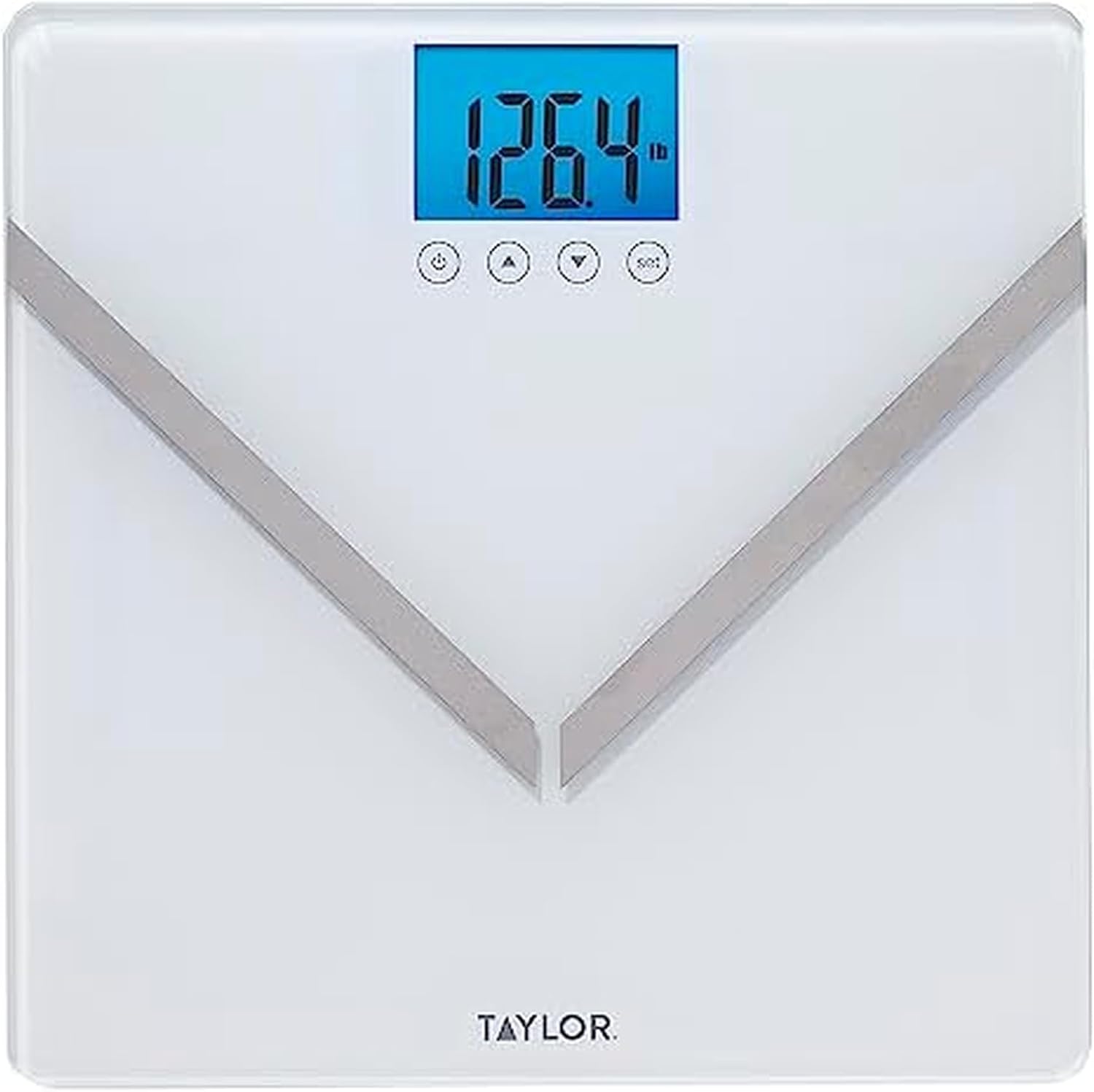
- Clear Display: 3.0-inch x 2.0-inch bright blue backlit LCD for easy reading.
- Durable Design: 6mm tempered glass platform with stainless steel accents.
- Step-On Technology: Instant readings upon stepping onto the scale.

Setup and First Use
- Unpack the Scale: Carefully remove the scale from its packaging.
- Install Batteries: The scale requires 3 AAA batteries (included). Open the battery compartment on the underside of the scale and insert the batteries, ensuring correct polarity.
- Placement: Place the scale on a hard, flat surface. Avoid carpets or uneven flooring for accurate readings.
- Initial Calibration: Tap the scale with your foot to turn it on. Wait for "0.0" to appear on the display. The scale is now ready for use.

Operating Instructions
Measuring Weight
- Step onto the scale with bare feet. Ensure your feet are positioned on the metal electrodes for body composition analysis.
- Stand still until your weight is displayed and flashes several times, indicating a stable reading.
- The scale will automatically turn off after a few seconds.
Setting Up User Profiles (for Body Composition Analysis)
The scale can store data for up to 8 users. Follow these steps to set up a profile:
- With the scale off, press the "SET" button on the back of the scale.
- Use the "UP" or "DOWN" arrows to select a user number (P1-P8). Press "SET" to confirm.
- Set your gender, height, and age using the "UP" or "DOWN" arrows and "SET" to confirm each selection.
- Select "Athlete" or "Normal" mode. Athlete mode is for individuals who engage in intense physical activity regularly.
- Once all settings are confirmed, the scale will display "0.0" and is ready for your first body composition measurement.
Taking Body Composition Measurements
- Ensure your user profile is selected. If not, press the "UP" or "DOWN" arrows to select your profile before stepping on.
- Step onto the scale with bare feet, ensuring good contact with the metal electrodes.
- The display will show your weight first, then cycle through body fat, body water, and muscle mass percentages.
- Stand still until all measurements are displayed and the scale turns off.
Care and Maintenance
- Clean the scale with a damp cloth and mild detergent. Do not use abrasive cleaners.
- Do not immerse the scale in water.
- Store the scale in a cool, dry place.
- Replace batteries when the "Lo" indicator appears on the display.
Troubleshooting
| Problem | Solution |
|---|---|
| "Lo" displayed | Batteries are low. Replace with new AAA batteries. |
| "Err" displayed | Weight capacity exceeded (over 440 lbs) or unstable reading. Step off, wait for "0.0", and re-measure. |
| Inaccurate readings | Ensure scale is on a hard, flat surface. Re-calibrate by tapping the scale and waiting for "0.0". Ensure bare feet contact electrodes for body composition. |
| No display | Check battery installation and ensure batteries are not depleted. |
Specifications
- Brand: Taylor
- Model: 5282542
- Capacity: 440 lbs (200 kg)
- Increments: 0.2 lbs (0.1 kg)
- Display: 3.0" x 2.0" Blue Backlit LCD
- Platform: 12.2" x 12.2" Tempered Glass
- Power: 3 x AAA batteries (included)
- Measurements: Body Weight, Body Fat, Body Water, Muscle Mass
- User Memory: 8 users
Warranty and Support
For warranty information, technical support, or customer service inquiries, please contact Taylor customer support. Refer to the product packaging or the official Taylor website for the most current contact details.
Official Product Video: Learn more about Taylor scales and their features.
Video 1: An official product video from Taylor, titled "Taylor - Life Measured," showcasing the brand's commitment to quality and innovation in measurement products.


