
1. Introduction
This manual provides comprehensive instructions for the Senzooe 2.1-inch Circular TFT LCD Screen, model 707638018130. This display features a 480x480 resolution, an ST7701S driver, and an SPI RGB interface, making it suitable for various embedded applications requiring a compact, circular display solution. Please read this manual carefully before installation and operation to ensure proper use and optimal performance.
2. Product Overview
The Senzooe 2.1-inch Circular TFT LCD Screen is a high-resolution display module designed for integration into custom electronic projects. Its circular form factor and compact size make it ideal for applications such as smartwatches, industrial control panels, or unique display interfaces.
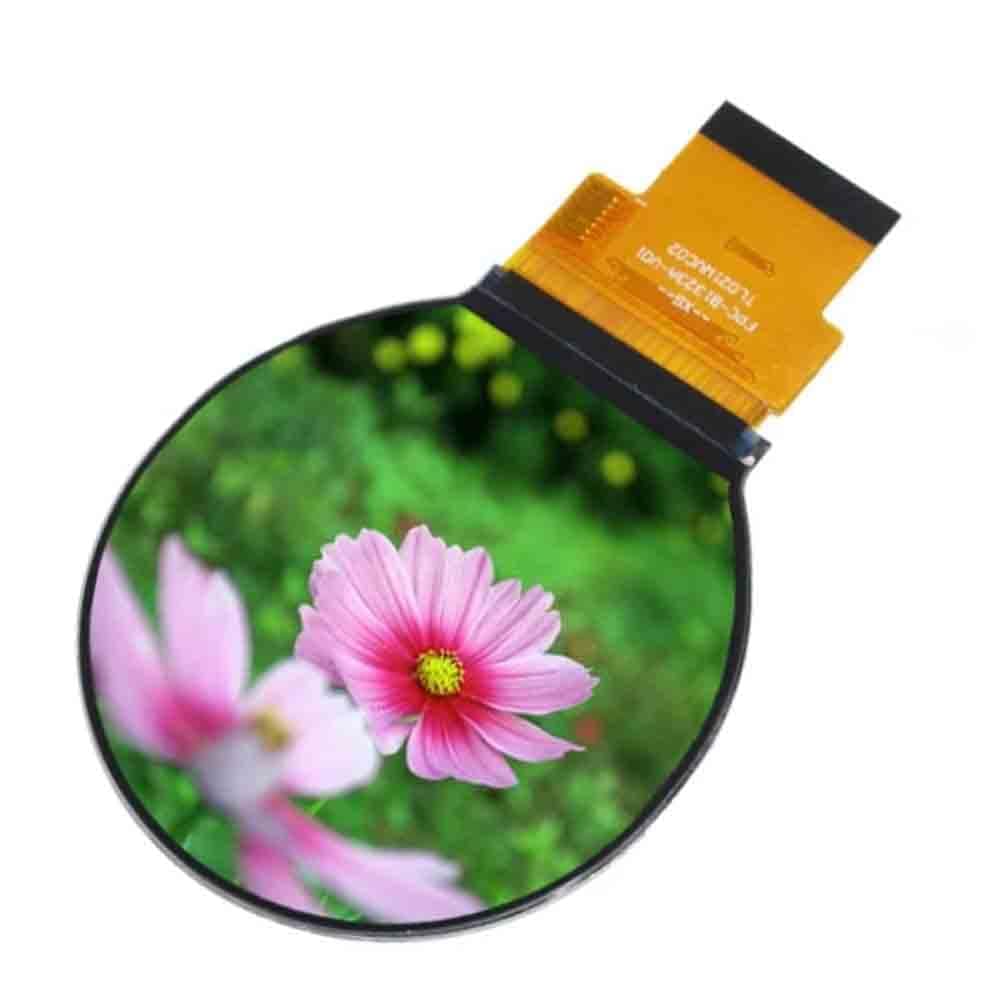
Figure 1: Front view of the 2.1-inch circular TFT LCD screen, showcasing its display capabilities with a colorful image.

Figure 2: Front view of the display module, highlighting the circular screen and the integrated flexible flat cable (FPC) for connectivity.

Figure 3: Rear view of the display module, illustrating the flexible flat cable (FPC) and the integrated driver circuitry.
3. Setup and Connection
Proper setup is crucial for the functionality of the LCD screen. Follow these steps for connection:
- Identify Components: Ensure you have the 2.1-inch circular TFT LCD screen and a compatible host controller board with an SPI interface.
- Power Requirements: The display typically operates on a 3.3V power supply. Refer to the specific datasheet for exact voltage and current requirements. Ensure your power source can provide stable power.
- SPI Interface Connection: Connect the flexible flat cable (FPC) from the LCD screen to your host controller board's SPI interface. The ST7701S driver uses a standard SPI protocol. Ensure the following pins are correctly mapped:
- SCK (Serial Clock): Provides the clock signal for data transfer.
- MOSI (Master Out Slave In): Data line from host to display.
- CS (Chip Select): Activates the display for communication.
- DC (Data/Command): Differentiates between data and command bytes.
- RST (Reset): Resets the display controller.
- BL (Backlight): Controls the display backlight (may require external circuitry or PWM).
- GND (Ground): Common ground connection.
- VCC (Power Supply): Power input for the display.
- Driver Initialization: After physical connection, the ST7701S driver needs to be initialized via software commands sent over the SPI interface. Refer to the ST7701S datasheet and example code for the specific initialization sequence.
- Backlight Control: Configure the backlight pin (BL) on your host controller. This may involve a simple high/low signal or a Pulse Width Modulation (PWM) signal for brightness control.
4. Operating Instructions
Once the display is set up and initialized, you can begin sending data to display images and text.
- Sending Commands: To configure the display (e.g., set display mode, orientation), send specific commands to the ST7701S driver via the SPI interface. Ensure the DC pin is set appropriately for command mode.
- Sending Data: To display pixels, switch the DC pin to data mode and send the RGB pixel data over SPI. The 480x480 resolution means you will be sending a large amount of data for a full-screen image.
- Color Format: The display supports RGB color. Ensure your pixel data is formatted correctly (e.g., RGB565, RGB888) as per the driver's configuration.
- Refresh Rate: The display will continuously refresh. Optimize your data transfer rate to avoid flickering and ensure smooth updates.
- Power On/Off Sequence: Always follow the recommended power-on and power-off sequences specified in the ST7701S datasheet to prevent damage to the display or driver IC.
5. Maintenance
Proper care and maintenance will extend the lifespan of your LCD screen.
- Cleaning: Use a soft, lint-free cloth slightly dampened with distilled water or a specialized screen cleaner. Do not use harsh chemicals, abrasive materials, or excessive pressure, as this can damage the screen surface.
- Handling: Avoid touching the display surface directly with bare hands. Always handle the module by its edges or the FPC. Do not apply excessive force or bend the FPC sharply.
- Static Discharge: LCD modules are sensitive to electrostatic discharge (ESD). Always use appropriate ESD precautions (e.g., anti-static wrist strap, grounded workstation) when handling the display.
- Environmental Conditions: Store and operate the display within the specified temperature and humidity ranges. Avoid exposure to direct sunlight, extreme temperatures, or high humidity.
6. Troubleshooting
If you encounter issues with your Senzooe LCD screen, refer to the following troubleshooting tips:
- No Display/Blank Screen:
- Verify power supply voltage (VCC) and ground (GND) connections are correct and stable.
- Check all SPI interface connections (SCK, MOSI, CS, DC, RST) for proper seating and continuity.
- Ensure the display driver (ST7701S) has been correctly initialized via software.
- Confirm the backlight (BL) pin is receiving the correct signal.
- Incorrect Colors/Distorted Image:
- Verify the pixel data format (e.g., RGB565, RGB888) matches the driver's configuration.
- Check the SPI data transmission for errors or incorrect timing.
- Ensure the display's orientation settings are correct in your software.
- Flickering Display:
- Check the stability of the power supply. Insufficient current or voltage fluctuations can cause flickering.
- Review the SPI clock speed; it might be too high or too low for stable operation.
- Ensure proper grounding to minimize electrical noise.
- Partial Display/Missing Pixels:
- Inspect the FPC for any damage or bent pins.
- Verify the display's memory addressing and window settings in your software.
7. Specifications
Key technical specifications for the Senzooe 2.1-inch Circular TFT LCD Screen:
| Feature | Specification |
|---|---|
| Display Size | 2.1 inches (Circular) |
| Resolution | 480 x 480 pixels |
| Driver IC | ST7701S |
| Interface | SPI RGB |
| Brand | Senzooe |
| Model Number | 707638018130 |
8. Warranty Information
For warranty details regarding your Senzooe 2.1-inch Circular TFT LCD Screen, please refer to the specific terms and conditions provided at the time of purchase or consult the manufacturer's official website. Warranty coverage typically includes defects in materials and workmanship under normal use.
9. Support and Contact
If you require technical assistance, have questions about integration, or need further support for your Senzooe 2.1-inch Circular TFT LCD Screen, please contact your vendor or the manufacturer directly. Provide your model number (707638018130) and a detailed description of your issue for efficient support.