Shimbol Memory I Pro User Manual
5.5 Inch 4K HDR Daylight Viewable HDMI 3G-SDI 2000nits Portable Monitor/Recorder
1. Introduction
The Shimbol Memory I Pro is a versatile 5.5-inch portable monitor and recorder designed for professional video production. Featuring a 4K HDR daylight viewable display with 2000 nits brightness, an IPS touchscreen, and comprehensive monitoring tools, it is an essential tool for DSLR camera users and filmmakers. This manual provides detailed instructions for setting up, operating, maintaining, and troubleshooting your Memory I Pro device.

Figure 1.1: Shimbol Memory I Pro Portable Monitor/Recorder
2. Key Features
- 2000 Nits High Brightness: Ensures clear visibility even in strong outdoor light conditions.
- Recording and Playback: Supports real-time recording via HDMI and SDI with LUTs. Features a built-in player for quick internal playback and optional bit rate recording. Files are compatible with mainstream editing software like Da Vinci and iMovie.
- Easy Touchscreen and Professional Color Calibration: Intuitive pinch-to-zoom gesture control. Features a native 1920x1080 resolution, 2000nit brightness, and REC-709 color calibration for sharp, rich images.
- Accurate Exposure and Focus Tools: Includes Luma Waveform, RGB Parade, Vectorscope, Histogram, Aspect Ratio Markers, Safe Area, Center Marker, Focus Peaking, Zoom In, Zebra Pattern, False Color, Monochrome, 3D LUT loading & adjustment, Gamma setting, HDR monitoring, Color Temperature setting, Sharpness, and RGB adjustment.
- Aviation Aluminum Body: Constructed from durable, lightweight aviation aluminum using a CNC process for robust performance.

Figure 2.1: 2000 Nits 5.5" Touch LCD Screen

Figure 2.2: Recording and Playback Functionality

Figure 2.3: 3D-LUT Output Feature
3. Package Contents
Please verify that all items are present in your package:
- Shimbol Memory I Pro Monitor/Recorder
- Color Box
- Hot Shoe Mount
- SD Card (32GB Class 10)
- SDI Cable
- User Manual (this document)
- Tempered Screen Protector
- HDMI Cable

Figure 3.1: Included Package Contents
4. Product Overview and Connections
Familiarize yourself with the various ports and controls on your Memory I Pro device:
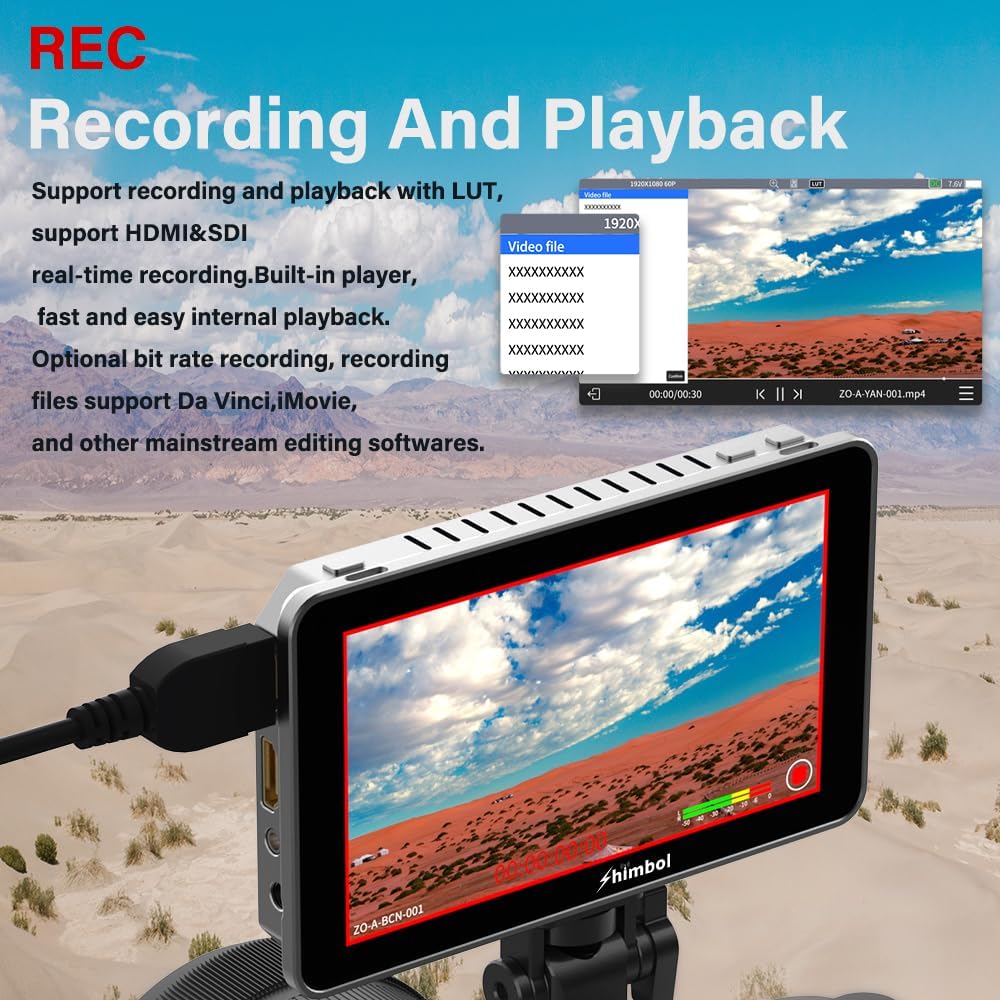
Figure 4.1: Shimbol Memory I Pro Dimensional Specifications and Ports
- Power Button: Used to turn the device on or off.
- Function Key: Customizable button for quick access to frequently used features.
- HDMI Interfaces: Input and output ports for HDMI video signals.
- 3.5mm Headphone Jack: For audio monitoring.
- DC IN: Power input port for external power supply.
- SD Card Slot: For inserting an SD card for recording and playback.
- 1/4"-20 Thread Hole: Standard mounting point for accessories like hot shoe mounts.
- Debug Port: For service and diagnostics.
- NP-F Battery Plate: For attaching NP-F series batteries for portable power.
- SDI Interfaces: Input and output ports for 3G-SDI video signals.
5. Setup
- Power Connection:
- For portable use, attach a compatible NP-F series battery to the NP-F Battery Plate.
- For continuous power, connect a DC power adapter (not included) to the DC IN port.
- SD Card Insertion: Insert the provided 32GB Class 10 SD card into the SD Card Slot with the contacts facing down until it clicks into place.
- Camera Connection:
- Connect your camera's HDMI output to the HDMI IN port on the Memory I Pro using the supplied HDMI cable.
- Alternatively, connect your camera's SDI output to the SDI IN port using the supplied SDI cable.
- Mounting: Attach the Memory I Pro to your camera rig or stand using the 1/4"-20 Thread Hole and the hot shoe mount.
6. Operating Instructions
6.1 Powering On/Off
Press and hold the Power Button (1) for a few seconds to turn the device on or off. A startup screen will appear upon successful power-on.
6.2 Touchscreen Navigation
The Memory I Pro features an intuitive IPS touchscreen. Tap icons to select functions, swipe to navigate menus, and use pinch-to-zoom gestures to magnify your shot.
6.3 Recording and Playback
- Ensure an SD card is inserted.
- From the main interface, tap the Record icon (typically a red circle) to start recording. Tap again to stop.
- To access recorded files, tap the Playback icon (typically a play arrow). You can browse and play back recorded footage directly on the monitor.
6.4 Using Monitoring Tools
The Memory I Pro offers a suite of professional monitoring tools accessible via the touchscreen interface:
- Luma Waveform / RGB Parade / Vectorscope / Histogram: Tap the respective icons to display these scopes for precise exposure and color analysis.
- Focus Peaking: Highlights in-focus areas with a selectable color (red, green, blue, white) to assist with critical focus.
- False Color: Displays different exposure levels as distinct colors, helping to identify overexposed or underexposed areas.
- 3D LUT Loading & Adjustment: Load custom 3D LUTs via the SD card to preview your final graded look in real-time.

Figure 6.1: Focus Peaking Interface

Figure 6.2: Waveform and Scope Menu

Figure 6.3: False Color Display
7. Maintenance
- Cleaning: Use a soft, dry cloth to clean the monitor's body. For the screen, use a microfiber cloth specifically designed for electronics. Do not use harsh chemicals or abrasive materials.
- Storage: When not in use, store the monitor in a cool, dry place away from direct sunlight and extreme temperatures. Use the original packaging or a protective case to prevent damage.
- Battery Care: If using NP-F batteries, follow the manufacturer's guidelines for charging and storage to maximize battery life. Remove batteries if the monitor will not be used for an extended period.
8. Troubleshooting
| Problem | Possible Cause | Solution |
|---|---|---|
| Monitor does not power on. | No power source connected or battery is depleted/not inserted correctly. | Ensure a charged NP-F battery is correctly inserted or connect a compatible DC power adapter. Verify the power button is pressed sufficiently. |
| No video signal on screen. | Incorrect input selected, cable not connected properly, or camera output issue. | Check HDMI/SDI cable connections. Ensure the correct input (HDMI or SDI) is selected on the monitor. Verify camera video output settings. |
| Recording fails or stops unexpectedly. | SD card full, slow SD card, or card error. | Check available space on the SD card. Use a Class 10 or higher speed SD card. Format the SD card (this will erase all data). |
| Touchscreen is unresponsive. | Temporary software glitch or screen protector interference. | Restart the monitor. Ensure the screen protector is applied correctly and not causing issues. |
9. Specifications
| Feature | Detail |
|---|---|
| Display Size | 5.5 inches |
| Resolution | Native 1920x1080 |
| Brightness | 2000 nits |
| Input/Output | HDMI, 3G-SDI |
| Recording Format | MP4 (supports optional bit rate) |
| Color Calibration | REC-709 |
| Body Material | Aviation Aluminum |
| Item Weight | 1.59 pounds (approx. 0.72 kg) |
| Package Dimensions | 10.35 x 4.72 x 1.93 inches (approx. 26.3 x 12 x 4.9 cm) |
10. Warranty and Support
Shimbol products are designed for reliability and performance. For specific warranty information, please refer to the warranty card included with your product or visit the official Shimbol website.
For technical support, troubleshooting assistance, or to inquire about replacement parts, please contact Shimbol customer service through their official channels. You can also visit the Shimbol Store on Amazon for additional resources and contact options.


