
Introduction
This manual provides detailed instructions for the proper use and maintenance of your KZ AS24 In-Ear Monitor Headphones. Please read this manual thoroughly before using the product to ensure optimal performance and longevity.

Image: KZ AS24 In-Ear Monitor Headphones, showcasing the transparent housing and internal components, including the tuning switches.
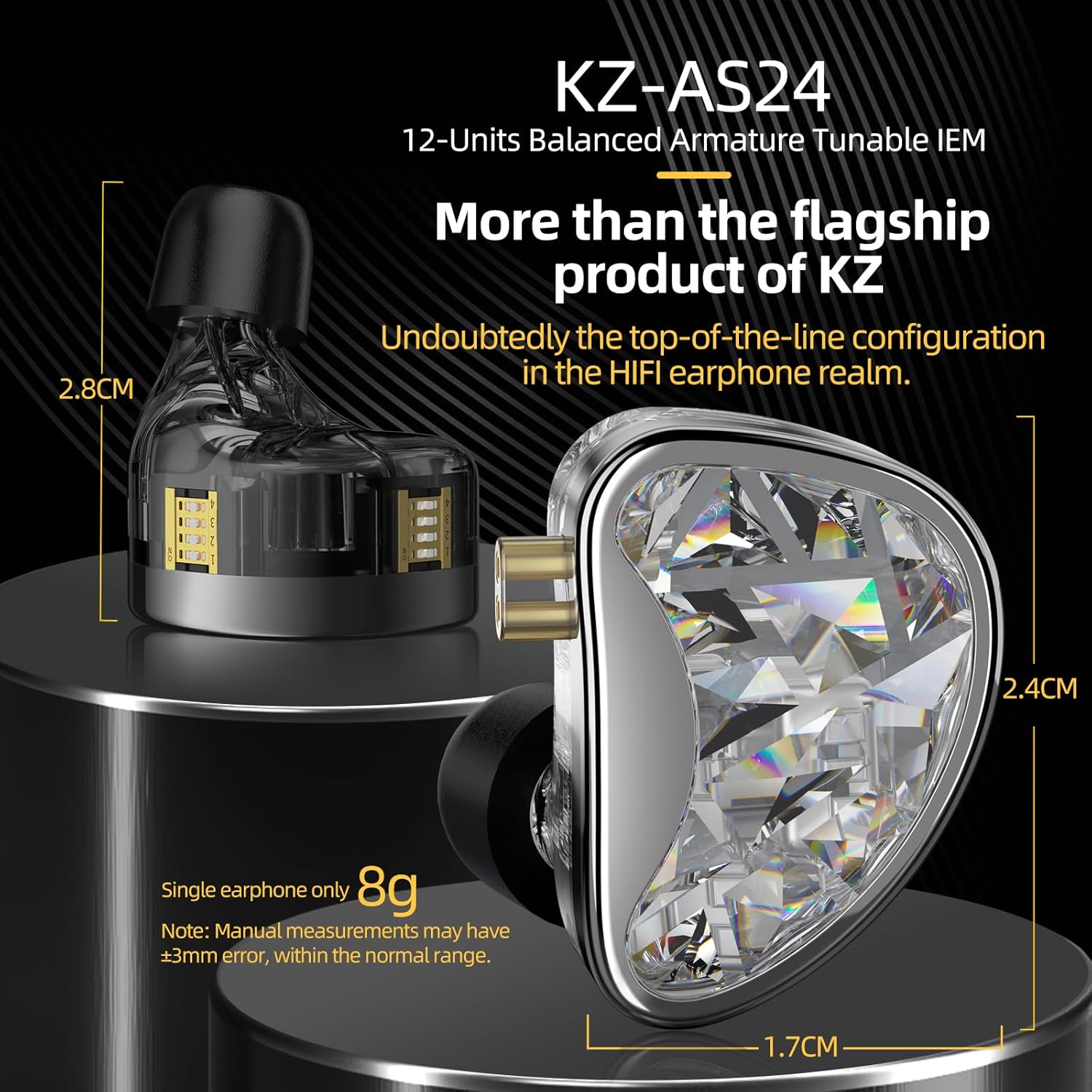
Image: Dimensions of the KZ AS24 earphone, highlighting its compact and ergonomic design.

Image: Close-up of the advanced DLP 3D-printed acoustic filtering nozzle, a key design feature of the KZ AS24.
Package Contents
Verify that all items are present in your package:
- KZ AS24 In-Ear Monitor Headphones
- Detachable Silver-Plated Cable (3.5mm plug)
- Silicone Ear Tips (3 pairs: S, M, L)
- User Manual (this document)

Image: Contents of the KZ AS24 package, showing the earphones, detachable cable, and various sizes of silicone ear tips.
Setup
1. Attaching the Cable
- Identify the left and right earpieces. The cable connectors are typically marked for orientation.
- Align the 0.75mm 2-pin connector on the cable with the corresponding socket on each earpiece. Ensure the pins are correctly oriented.
- Gently push the cable connector into the earpiece socket until it is securely seated. The improved cable-removable design includes a limit slot to protect the pins during insertion and removal.
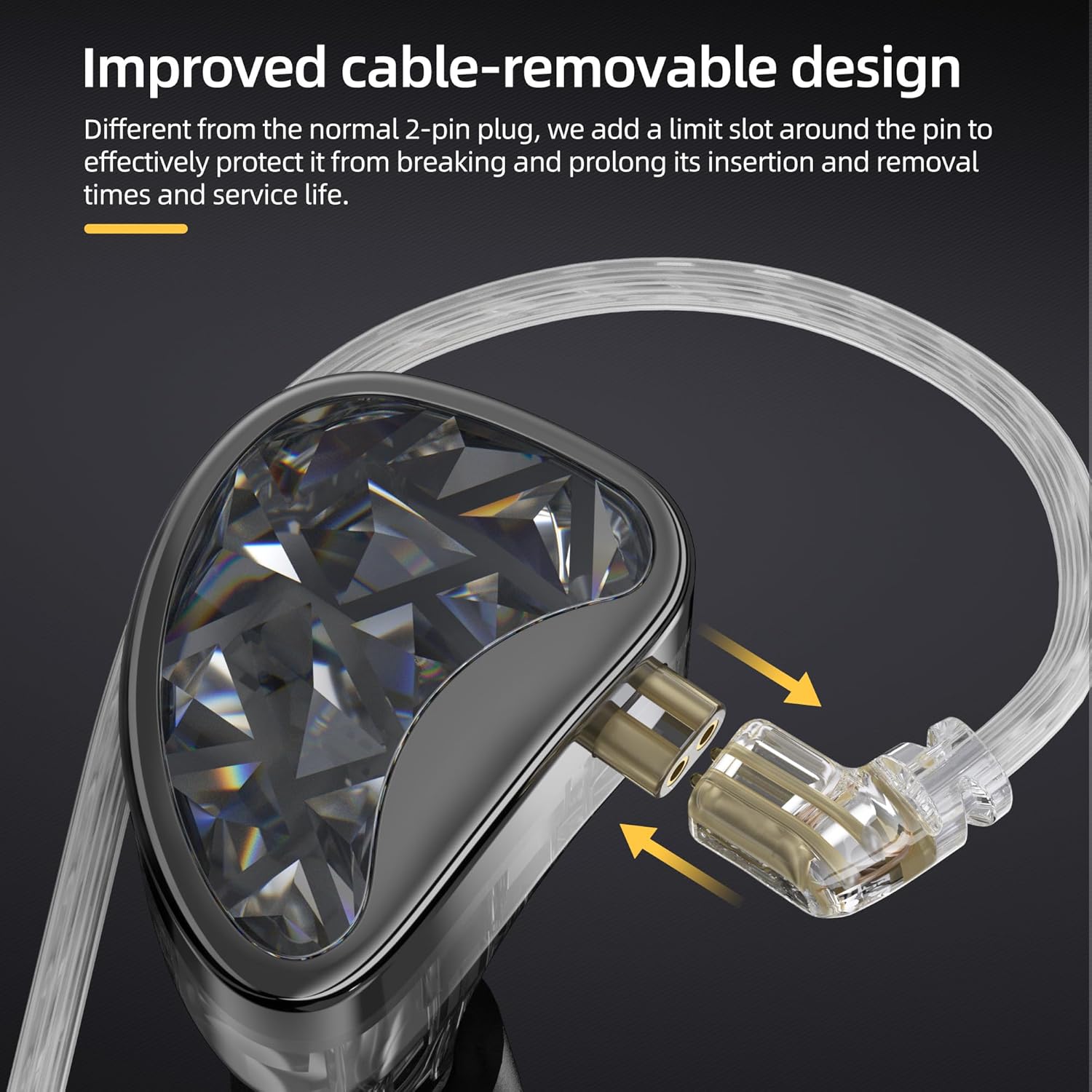
Image: Illustration of the detachable cable connection, emphasizing the secure 2-pin design with a protective limit slot.
2. Selecting and Installing Ear Tips
Choose the ear tips that provide the best seal and comfort for your ears. A proper seal is crucial for optimal sound quality and noise isolation.
- The KZ AS24 comes with three sizes of silicone ear tips (Small, Medium, Large).
- Gently remove the pre-installed ear tips by pulling them off the nozzle.
- Select a new pair of ear tips and push them onto the nozzle until they are firmly attached.
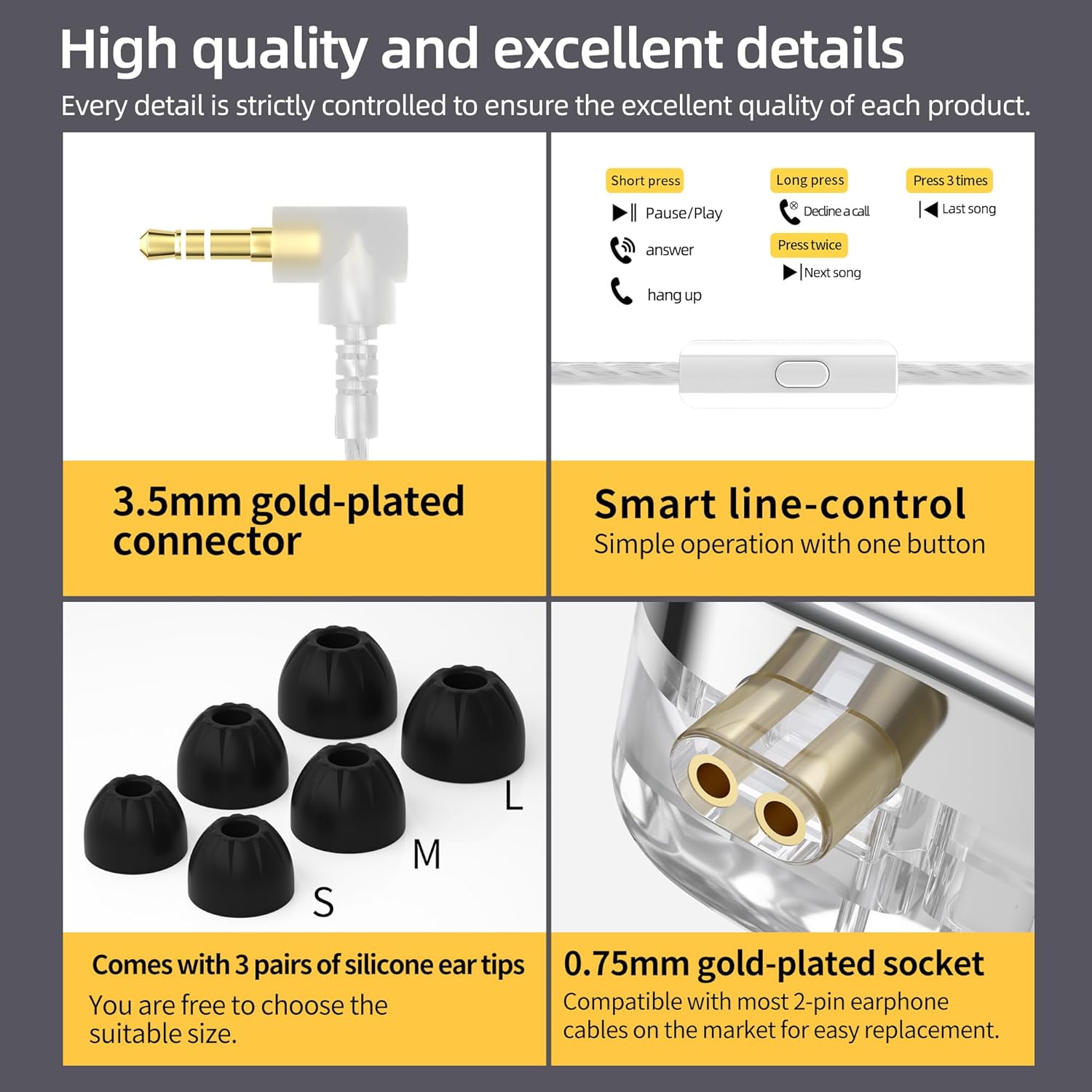
Image: Various accessories including the 3.5mm connector, inline remote, different sized ear tips, and the 2-pin earphone socket.
3. Wearing the Earphones
Insert the earphones into your ear canals. The cable is designed to be worn over the ear for a secure and comfortable fit, especially during movement. Adjust the cable behind your ear to ensure it sits comfortably.
Operating Instructions
1. Audio Source Connection
Connect the 3.5mm gold-plated plug of the cable to your audio device (e.g., smartphone, digital audio player, amplifier).
2. Tuning Switches
The KZ AS24 features dual tuning boards on each earpiece with eight levels of adjustment. These switches allow you to customize the sound profile by independently controlling ultra-high, high, medium, and low frequencies.
- Each earpiece has a "Main tuner" and an "Auxiliary tuner".
- Refer to the diagram below for the function of each switch. Experiment with different combinations to find your preferred sound signature.

Image: Detailed view of the tuning switches on the KZ AS24, indicating the Main and Auxiliary tuners for sound customization.

Image: A frequency response graph demonstrating how various switch settings alter the audio output of the earphones.
3. Smart Line-Control (if applicable)
If your cable includes an inline remote, you can control media playback and calls:
- Short press: Pause/Play music, Answer call.
- Long press: Decline a call.
- Press twice: Next song.
- Press three times: Last song.
Maintenance
1. Cleaning
- Regularly clean the ear tips with a soft, damp cloth.
- Gently wipe the earpieces and cable with a dry, soft cloth.
- Ensure no moisture enters the earpiece nozzles or cable connectors.
2. Storage
When not in use, store your KZ AS24 earphones in a clean, dry place, preferably in a protective case, to prevent damage to the cable and earpieces.
3. Cable Care
The high-purity silver-plated dual parallel cable is designed for durability. Avoid sharp bends, excessive pulling, or tangling to prolong its lifespan. The detachable design allows for easy replacement if needed.
Troubleshooting
- No Sound or Intermittent Sound:
- Ensure the cable is securely connected to both the earpieces and the audio source.
- Check the volume level on your audio device.
- Test with a different audio source or cable to isolate the issue.
- Poor Sound Quality or Lack of Bass:
- Ensure the ear tips form a proper seal in your ear canal. Try different sizes of ear tips.
- Verify the tuning switches are set to your desired configuration.
- Earphones Falling Out:
- Experiment with different ear tip sizes for a more secure fit.
- Ensure the cable is worn over the ear for added stability.
Specifications
| Feature | Detail |
|---|---|
| Product Model | AS24 (Standard Version / Tunable Version) |
| Frequency Range | 20-40000Hz |
| Sensitivity (Standard Version) | 112 ± 3dB |
| Sensitivity (Tuning Version) | 109 ± 5dB |
| Impedance (Standard Version) | 20Ω |
| Impedance (Tuning Version) | 20Ω~50Ω |
| Plug Type | 3.5mm |
| Pin Type | 0.75mm |
| Cable Type | Silver-plated cable |
| Cable Length | 120 ± 5CM |
| Noise Control | Sound Isolation |
| Driver Type | Balanced Armature (12 units per side) |
| Weight (single earphone) | Approximately 8g |

Image: Product information table detailing technical specifications of the KZ AS24.
Warranty and Support
KZ products are typically covered by a 1-year warranty from the date of purchase, covering manufacturing defects. For warranty claims or technical support, please contact your retailer or the official KZ customer service.
For further assistance, please visit the official KZ website or contact their support channels.


