
Important Safety Instructions
Please read all instructions carefully before using your Warm Storm Electric Blanket. Retain this manual for future reference.
- Do not use with infants, children, incapacitated individuals, or anyone insensitive to heat.
- Do not use if the blanket is wet.
- Do not use with a damaged power cord or plug. If damaged, contact customer support.
- Avoid pinching or folding the heating wires. Do not tuck the blanket under a mattress.
- Do not dry clean this product. Dry cleaning solvents may damage the insulation of the heating element.
- Always disconnect the power cord from the outlet when not in use or before cleaning.
- This blanket is equipped with an overheating protection function and is ETL & FCC certified for your safety.
Product Overview
The Warm Storm Twin Electric Blanket provides customizable warmth with 10 heat levels and an automatic 12-hour shut-off feature. It is constructed from soft Sherpa and Polar Fleece for comfort.

Image: The Warm Storm Twin Electric Blanket in blue, shown unfolded on a bed. This blanket measures 84 inches long by 62 inches wide.

Image: A diagram illustrating the dimensions of the electric blanket, indicating a length of 84 inches and a width of 62 inches.
Setup
- Unpack: Carefully remove the electric blanket and controller from its packaging.
- Inspect: Check the blanket and power cord for any signs of damage. Do not use if damaged.
- Connect Controller: Locate the connector on the blanket and firmly plug in the controller cord. Ensure a secure connection.
- Placement: Lay the electric blanket flat on your bed or desired surface. Ensure it is not folded, bunched, or tucked tightly.
- Power Connection: Plug the power cord into a standard 120V AC electrical outlet.
Operating Instructions
Your Warm Storm Electric Blanket features a user-friendly controller for easy operation.

Image: A close-up view of the Warm Storm electric blanket's smart controller, highlighting its digital display and buttons for adjusting heat and timer settings. The controller offers 10 temperature levels, a 12-hour auto-off function, memory function, and overheating protection.
- Power On/Off: Press the power button on the controller to turn the blanket on or off.
- Adjust Heat Levels: Use the 'HEAT' buttons (+ and -) to select your desired heat setting from 1 to 10. The temperature range is 95°F to 131°F. The blanket heats up quickly, reaching desired temperature within 3 minutes.
- Set Auto-Off Timer: Use the 'TIMER' buttons (+ and -) to set the automatic shut-off time up to 12 hours. The blanket will automatically turn off after the set duration.
- Memory Function: The controller remembers your last heat setting for convenience.

Image: A woman is shown sleeping comfortably under the blue electric blanket. An overlay graphic illustrates the blanket's fast heating capability, reaching temperatures between 95°F and 131°F within 3 minutes, and maintaining warmth for up to 12 hours.

Image: A woman is seated comfortably in a chair, wrapped in the blue electric blanket, holding a mug. Text on the image highlights the '12 Hours Auto-Off' feature, indicating that heating time can be set to meet user needs.
Video: An official product video demonstrating the features of the Warm Storm Twin Heated Blanket, including its dimensions, 10 heating levels (95°F-131°F), 12-hour auto-off timer, fast heating capability, and soft Polar Fleece & Sherpa fabric. The video shows the blanket in use for various activities like reading and relaxing.
Maintenance and Care
Proper care ensures the longevity and performance of your electric blanket.
- Before Cleaning: Always unplug the power cord from the wall outlet and remove the controller from the blanket connector.
- Machine Washable: The blanket is machine washable. Use a gentle cycle with cold water.
- Drying: Tumble dry on low heat or air dry. Ensure the blanket is completely dry before reconnecting the controller or storing.
- Storage: When not in use, store the blanket in a cool, dry place. Avoid placing heavy objects on top of the blanket to prevent damage to the internal wiring.
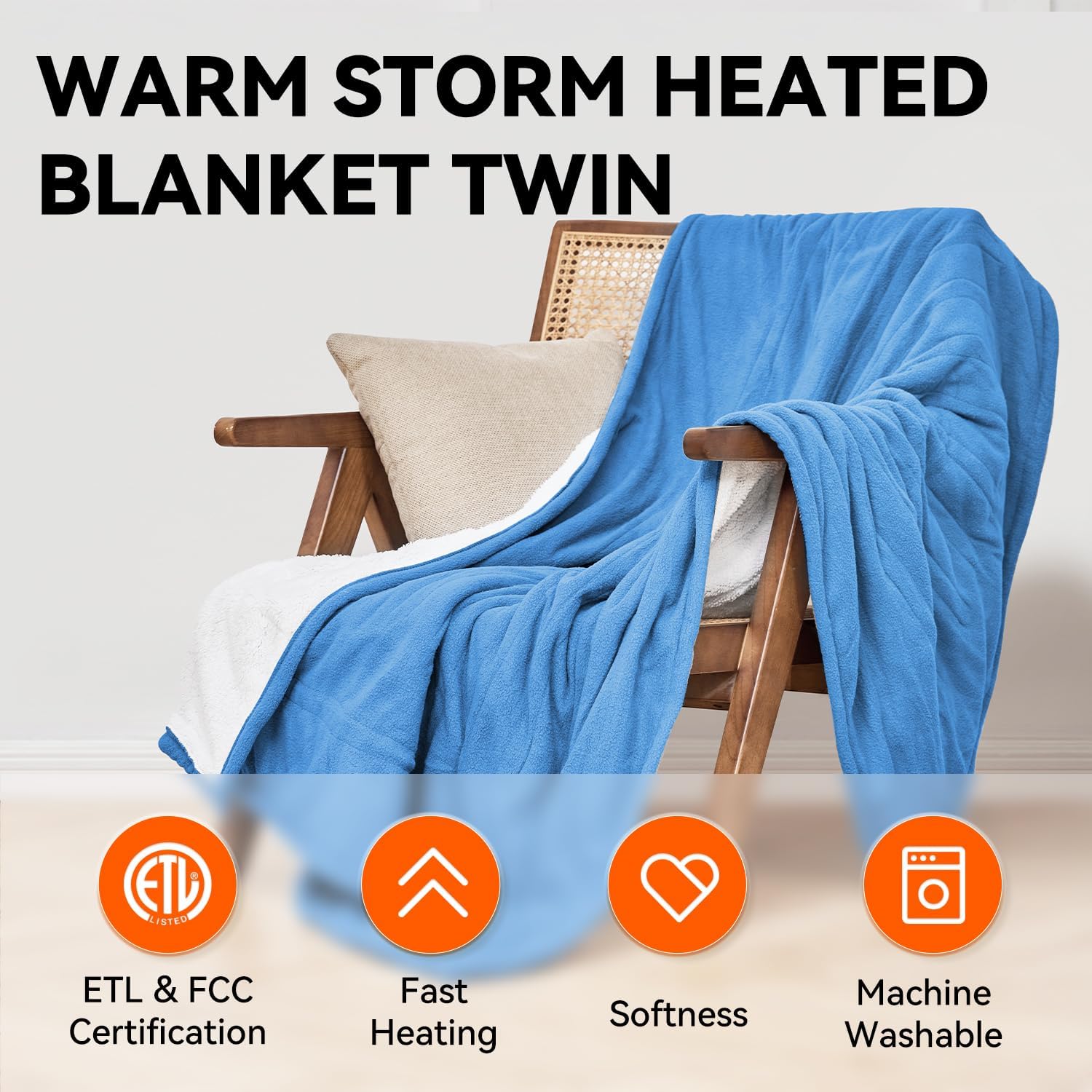
Image: The blue electric blanket is shown draped over a wooden chair. Accompanying icons highlight key features: ETL & FCC Certification for safety, Fast Heating, Softness of the fabric, and its Machine Washable nature for easy care.
Troubleshooting
If you encounter issues with your electric blanket, please refer to the following common solutions:
- Blanket Not Heating:
- Ensure the power cord is securely plugged into a working electrical outlet.
- Verify that the controller cord is firmly connected to the blanket.
- Check if the power button on the controller is pressed and the display is active.
- The blanket has an auto-off feature; if the set time has elapsed, it will turn off. Reset the timer if needed.
- Controller Display Not Working:
- Unplug the blanket from the wall outlet for a few minutes, then plug it back in.
- Ensure all connections are secure.
- Overheating Protection Activated: If the blanket becomes too hot, the safety system will automatically shut off heating. Unplug the blanket, allow it to cool down, and check for any folds or obstructions before restarting.
If problems persist after attempting these steps, please contact Warm Storm customer support.
Specifications
| Feature | Detail |
|---|---|
| Model | WST-DTC-TB1 |
| Size | Twin (84"L x 62"W) |
| Material | Sherpa & Polar Fleece |
| Heat Levels | 10 (95°F - 131°F) |
| Auto-Off Timer | Up to 12 hours |
| Certifications | ETL, FCC |
| Included Components | Electric Blanket, Controller, Power Cord |
Warranty and Support
For any questions regarding the use, maintenance, or troubleshooting of your Warm Storm Electric Blanket, please contact Warm Storm customer service. Specific warranty details are typically provided with your purchase documentation. Please retain your proof of purchase for warranty claims.
You can often find support information on the official Warm Storm website or through your retailer.