
HD Switch 070-0050-00 / 5219-98
HD Switch BIGBearing HiTorque PTO Clutch Instruction Manual
Model: 070-0050-00 / 5219-98
Brand: HD Switch
1. Introduction
This manual provides essential information for the proper installation, operation, and maintenance of your HD Switch BIGBearing HiTorque PTO Clutch. This clutch is an OEM upgrade designed for specific lawn mower models, offering enhanced durability and performance. Please read this manual thoroughly before installation and use to ensure safe and efficient operation.

Figure 1: Overview of the HD Switch BIGBearing HiTorque PTO Clutch.
2. Key Features
The HD Switch BIGBearing HiTorque PTO Clutch incorporates several design enhancements for improved performance and longevity:
- High Torque Coil: This OEM upgrade provides 130 ft-lbs of torque, compared to the OEM standard of 105 ft-lbs. This increased torque ensures the clutch maintains a strong grip, even under demanding cutting conditions, and helps prevent overheating caused by slippage.
- BIGBearing Design: The pulley bearing is a critical component prone to wear. This clutch features a larger, more robust pulley bearing designed for extended life. The billet pulley design includes a snap ring, making the bearing replaceable and the clutch rebuildable.
- Tough Billet Pulleys: Manufactured from solid steel, these billet pulleys are highly resistant to damage, which reduces belt wear and maintains consistent blade speed. The inclusion of a snap ring allows for easy bearing replacement, extending the clutch's service life.
- Premium C3 Bearings: To counteract heat, HD Switch designed these bearings with C3 clearances and high-temperature synthetic grease. This design accommodates thermal expansion, reducing bearing heat, wear, and significantly increasing bearing life.
- Cool Coil Technology: Utilizing a proprietary composite material instead of traditional plastic, this technology allows heat to dissipate from the clutch more rapidly. This results in a cooler running clutch, extending both bearing and overall clutch life.
- Tough Stainless Steel Rivets: The clutch uses durable stainless steel brake rivets, providing a longer and safer service life compared to aluminum or copper alternatives.

Figure 2: High Torque Coil design for enhanced gripping strength.
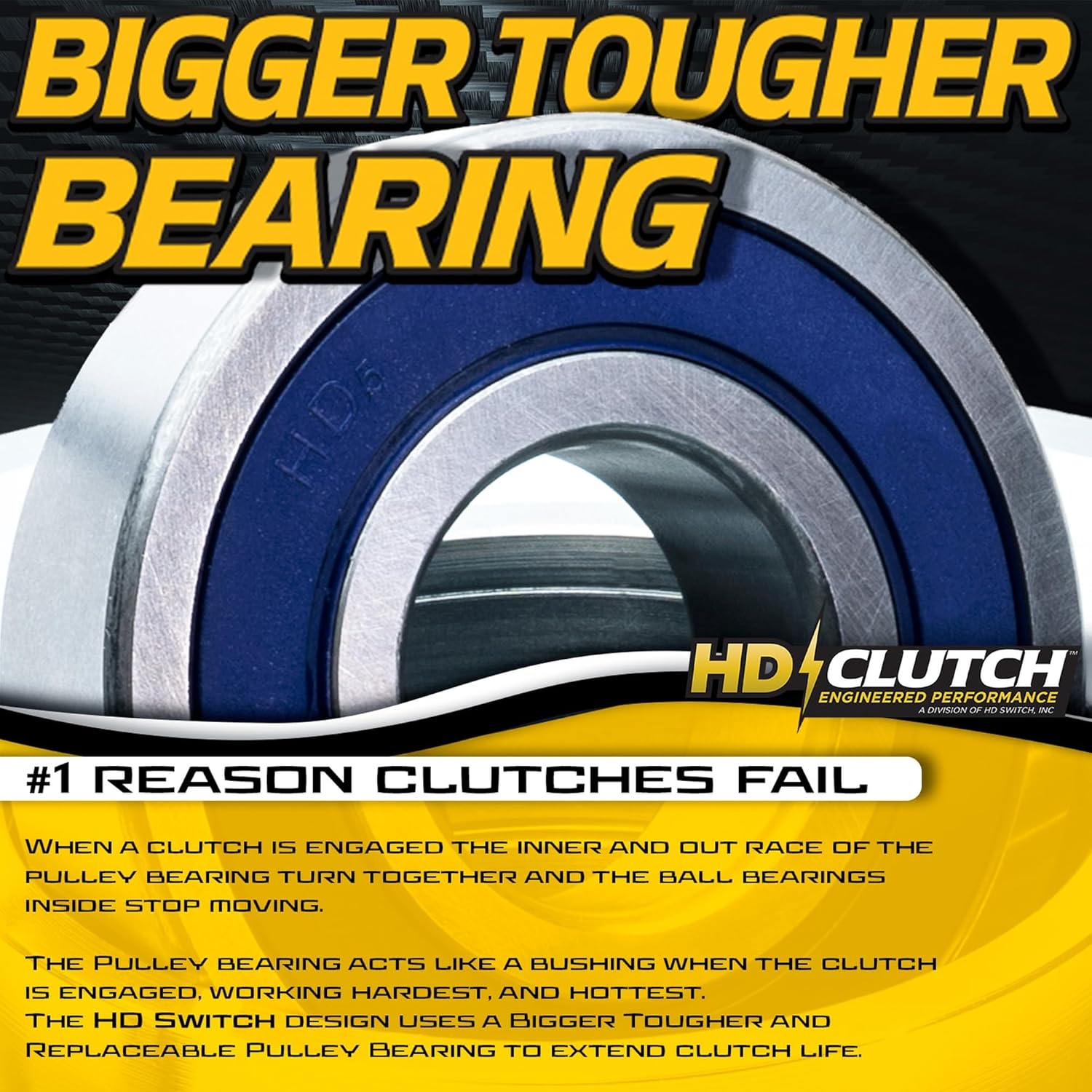
Figure 3: The BIGBearing design addresses common clutch failure points.

Figure 4: Billet pulley construction for durability and belt protection.

Figure 5: Premium C3 bearings designed for high-temperature operation.

Figure 6: Cool Coil Technology for reduced operating temperatures.

Figure 7: Stainless steel rivets for enhanced durability.
3. Setup and Installation
This PTO clutch is designed to fit Bad Boy 2015-2016 Magnum MZ lawn mower models. Proper installation is crucial for optimal performance and safety.
Important Compatibility Note:
All Bad Boy machines that utilize the 070-1000-00 clutch require a new 070-2000-00 diode for proper operation with this clutch. This diode is included with your purchase.

Figure 8: The included replaceable diode (PN: 070-2000-00) for Bad Boy wire harnesses.
General Installation Steps:
- Safety First: Ensure the mower is turned off, the engine is cool, and the spark plug wire is disconnected to prevent accidental starting. Engage the parking brake.
- Access the Clutch: Depending on your mower model, you may need to remove the mower deck or other components to gain access to the existing PTO clutch.
- Disconnect Wiring: Carefully disconnect the electrical wiring from the old clutch. Note the routing for reinstallation.
- Remove Old Clutch: Unbolt and remove the old PTO clutch from the engine shaft. Be aware of any shims or spacers that may be present and note their position.
- Install New Clutch: Slide the new HD Switch PTO clutch onto the engine shaft. Ensure it seats properly and align any keyways or splines. Secure it with the appropriate bolts, tightening them to the manufacturer's specified torque.
- Connect Wiring and Diode: Connect the electrical wiring to the new clutch. If your Bad Boy machine requires it, ensure the new 070-2000-00 diode is correctly installed in the wire harness as per the mower's wiring diagram.
- Reassemble: Reinstall any components that were removed to access the clutch.
- Test Operation: Reconnect the spark plug wire. Start the mower and carefully test the PTO engagement and disengagement in a safe, open area. Listen for any unusual noises and ensure the blades engage smoothly.
If you are unsure about any step of the installation process, it is recommended to consult a qualified service technician or refer to your mower's specific service manual.
4. Operating Instructions
The HD Switch PTO Clutch operates as an electromagnetic clutch, engaging and disengaging the mower blades or other attachments. Follow your mower's manufacturer guidelines for engaging and disengaging the PTO.
- Engagement: To engage the PTO, ensure the engine is running at the recommended RPM (typically full throttle for cutting applications) and activate the PTO switch on your mower's control panel. The clutch will engage, transferring power to the blades.
- Disengagement: To disengage the PTO, simply deactivate the PTO switch. The clutch will release, stopping the power transfer to the blades.
- Avoid Partial Engagement: Do not attempt to operate the mower with the PTO partially engaged, as this can cause excessive heat and premature clutch wear.
- Listen for Abnormalities: During operation, pay attention to any unusual noises, vibrations, or smells coming from the clutch area.
5. Maintenance
Regular maintenance helps ensure the longevity and optimal performance of your PTO clutch.
- Keep Clean: Periodically inspect the clutch for accumulation of grass clippings, dirt, or debris. Keep the clutch and surrounding area clean to allow for proper heat dissipation.
- Inspect Wiring: Check the electrical connections and wiring for any signs of fraying, corrosion, or damage. Ensure connections are secure.
- Check Belt Tension: Ensure the mower deck belt connected to the PTO clutch has the correct tension as specified by your mower manufacturer. Incorrect tension can lead to slippage or excessive strain on the clutch.
- Bearing Inspection/Replacement: Due to the BIGBearing design with a snap ring, the pulley bearing is replaceable. If you notice excessive play, noise, or rough rotation from the pulley bearing, it may be time for inspection or replacement.
- Monitor for Overheating: While the HD Switch clutch is designed to run cooler, prolonged heavy use or improper operation can still generate heat. If the clutch feels excessively hot to the touch after operation, investigate potential issues such as belt slippage or electrical problems.

Figure 9: The replaceable bearing feature extends clutch life.
6. Troubleshooting
If you experience issues with your PTO clutch, consider the following common troubleshooting steps:
- Clutch Not Engaging:
- Check electrical connections to the clutch and the PTO switch.
- Verify the mower's battery voltage is sufficient.
- Ensure the safety interlock switches (e.g., seat switch, brake switch) are functioning correctly.
- Inspect the diode (PN: 070-2000-00) for proper installation and continuity if applicable to your mower.
- Clutch Slipping or Overheating:
- Check mower deck belt tension. A loose belt can cause slippage.
- Ensure the clutch is free of debris that might impede proper engagement.
- Verify the engine RPM is at the recommended level during engagement.
- Inspect the pulley for any damage or wear that could affect belt grip.
- Unusual Noises (Grinding, Squealing):
- Inspect the pulley bearing for wear or damage.
- Check for foreign objects lodged near the clutch or belt.
- Examine the mower deck spindles and bearings for issues.
If these steps do not resolve the issue, professional diagnosis and repair may be necessary.
7. Specifications
| Attribute | Value |
|---|---|
| Product Dimensions | 11.5 x 9 x 6.75 inches |
| Item Weight | 13.62 pounds |
| Manufacturer | HD Switch |
| ASIN | B0C6YQVF6H |
8. Warranty and Support
For specific warranty information regarding your HD Switch PTO Clutch, please refer to the documentation provided with your purchase or contact HD Switch directly. As a small business brand, HD Switch is committed to providing quality products and support.
For technical assistance or inquiries, please visit the official HD Switch website or contact their customer support channels.
Ask a question about this manual
Ask about setup, troubleshooting, compatibility, parts, safety, or missing instructions. Manuals+ will review the question and use this page’s manual context to help answer it.