
ROARBATT 2300W Power Inverter
ROARBATT 2300W Power Inverter User Manual
Model: 2300W Power Inverter
Brand: ROARBATT
1. Introduction
Thank you for choosing the ROARBATT 2300W Power Inverter. This device is designed to convert 12V DC power from your vehicle battery or solar system into 110V/120V AC household power, providing a reliable energy source for various electronic devices during outdoor activities, emergencies, or while on the go. This manual provides essential information for the safe and efficient operation of your inverter.
2. Package Contents
Upon opening the package, please verify that all items listed below are present and in good condition:
- 1 x ROARBATT 2300W Power Inverter
- 1 x Pair of Battery Cables (Red and Black)
- 1 x User Manual
3. Setup and Installation
Proper installation is crucial for the safe and optimal performance of your power inverter. Please follow these steps carefully:
- Prepare the Inverter: Ensure the inverter's power switch is in the "OFF" position.
- Connect Battery Cables to Inverter:
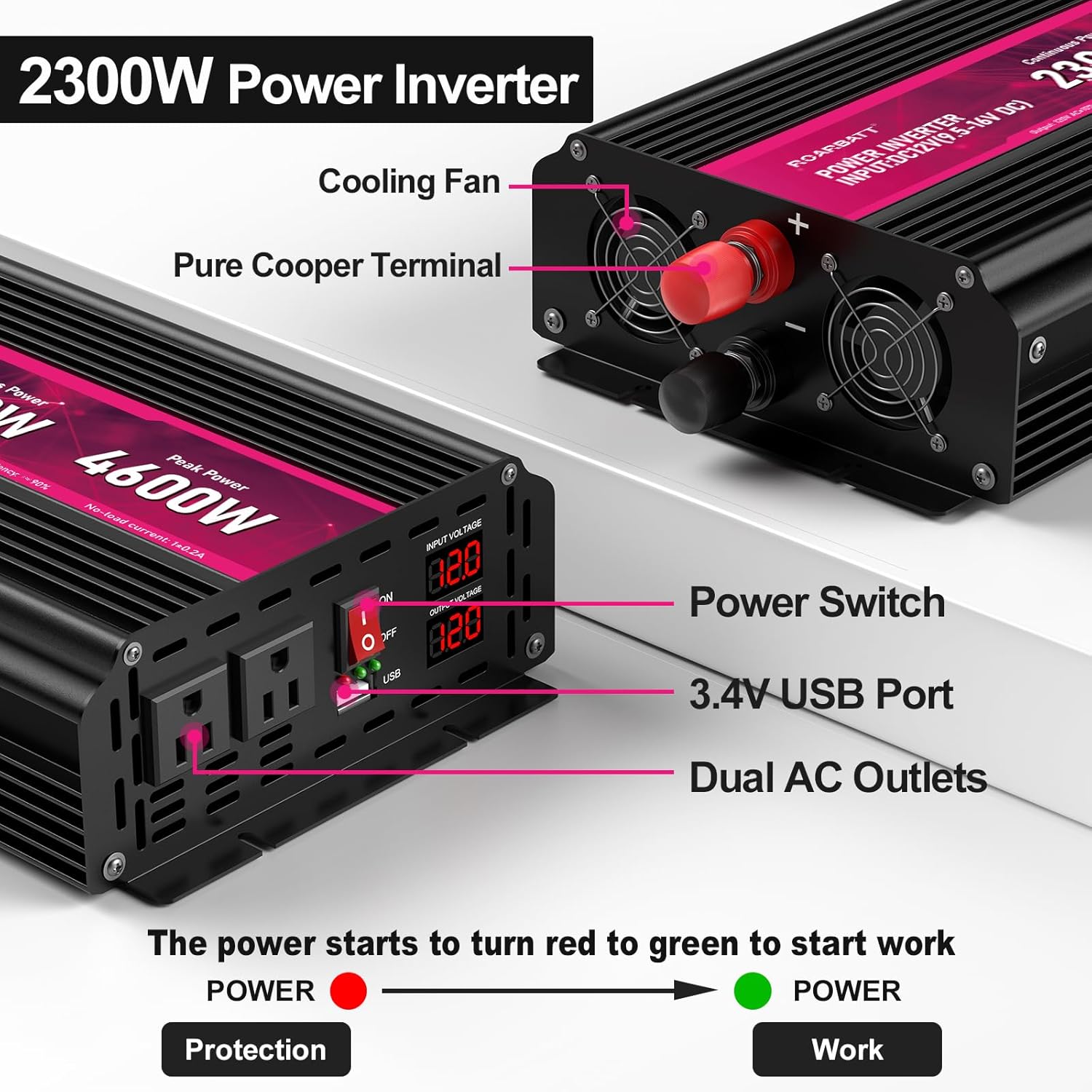
Image: Close-up view of the inverter's rear panel showing the positive (red) and negative (black) terminals, along with the cooling fans. The image illustrates where the battery cables should be connected.
Connect the red battery cable to the positive (+) terminal on the inverter and the black battery cable to the negative (-) terminal on the inverter. Ensure connections are tight and secure to prevent overheating and power loss. - Connect Battery Cables to Battery:
Connect the other end of the red battery cable to the positive (+) terminal of your 12V battery. Connect the other end of the black battery cable to the negative (-) terminal of your 12V battery. Again, ensure all connections are firm and secure. - Ventilation: Place the inverter in a well-ventilated area, away from direct sunlight, heat sources, and flammable materials. Ensure the cooling fans are not obstructed.
For a visual guide on the connection process, please refer to the video below:
Video: Demonstration of connecting the power inverter to a battery and testing its functionality with an induction cooktop. This video provides a step-by-step visual guide for proper setup.
4. Operating Instructions
Once the inverter is properly installed, you can begin using it to power your devices.
4.1 Powering On/Off
- To turn on the inverter, switch the power button to the "ON" position. The LCD display will illuminate, showing input and output voltage.
- To turn off the inverter, switch the power button to the "OFF" position.
4.2 Using AC Outlets and USB Ports
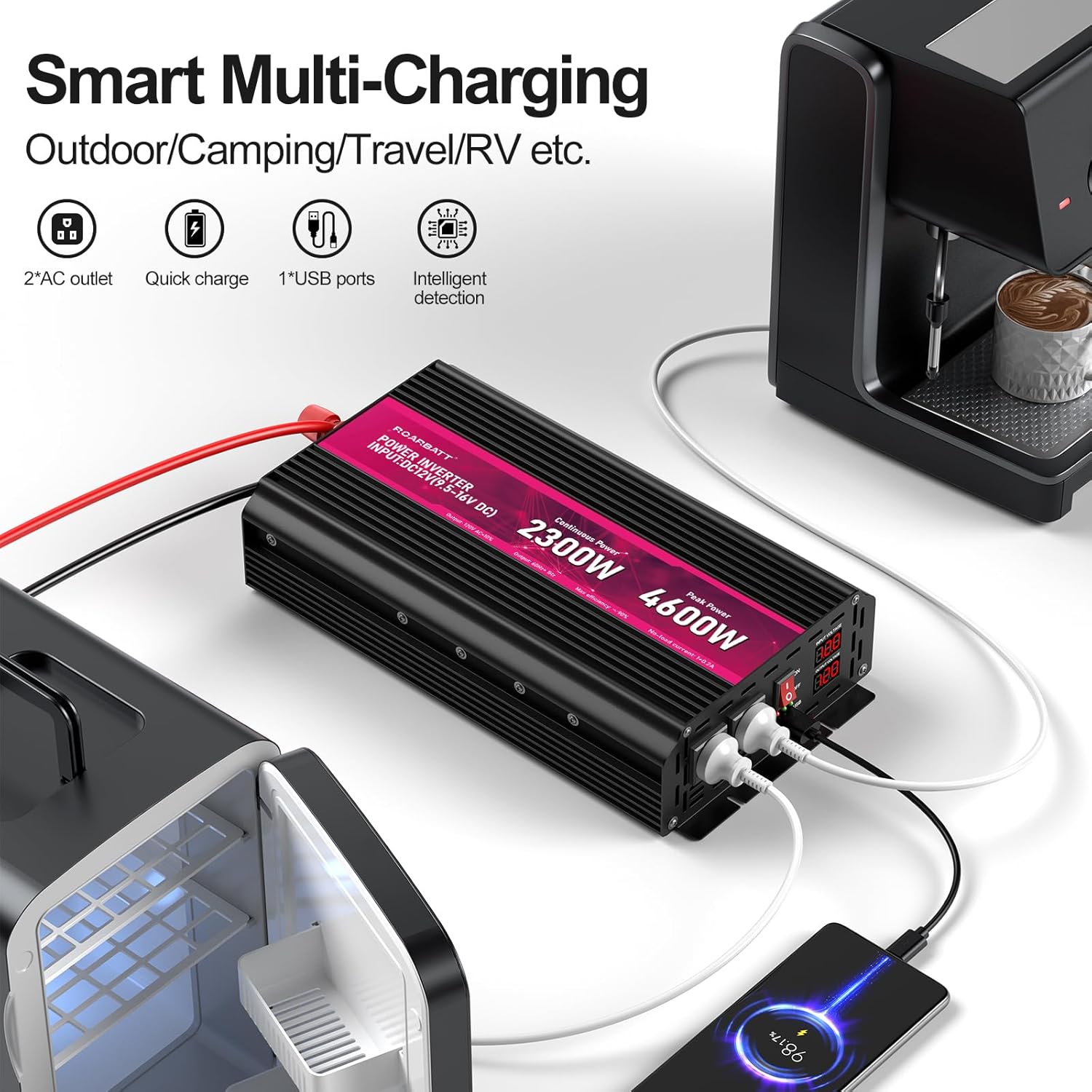
Image: The inverter connected to a battery, powering a smartphone via USB and a small refrigerator and coffee maker via AC outlets, demonstrating its multi-charging capabilities for outdoor and camping use.
- Plug your 110V/120V AC devices into the two AC outlets on the inverter.
- Connect your USB-powered devices to the 2.4A USB port for charging.
- Ensure the total power consumption of all connected devices does not exceed the inverter's continuous rated power of 2300W.
4.3 LCD Display Features
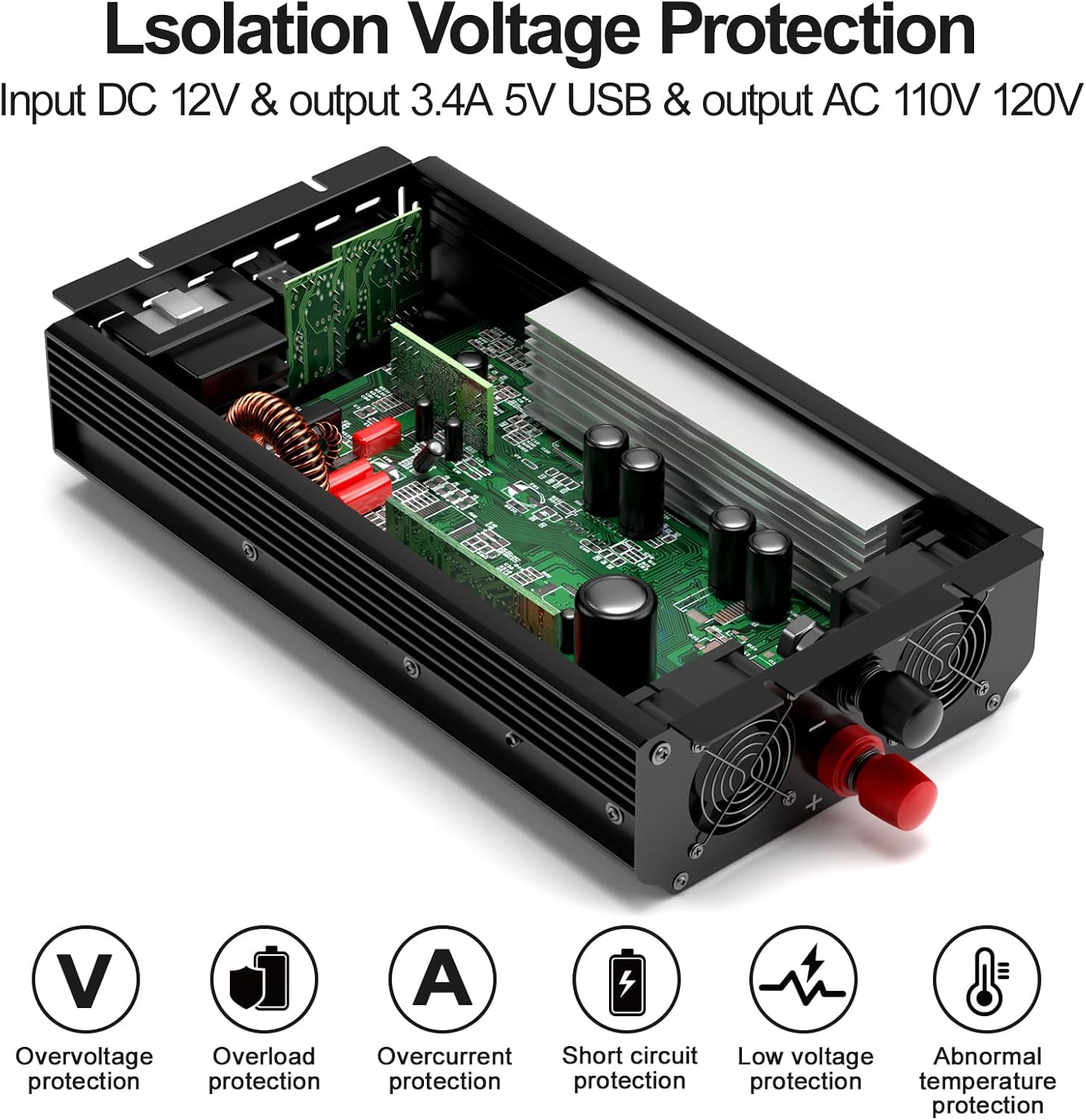
Image: The inverter's LCD display showing input and output voltage readings, along with indicators for various protection features such as overvoltage, overload, overcurrent, short circuit, low voltage, and abnormal temperature.
The LCD display provides real-time information about the inverter's status:
- Input Voltage: Displays the current DC input voltage from the battery.
- Output Voltage: Displays the current AC output voltage.
- Protection Indicators: The display will show error codes (e.g., LO for low input voltage, OH for overheat, HI for over input voltage, OL for overload) to indicate protection activation.
4.4 Wide Application
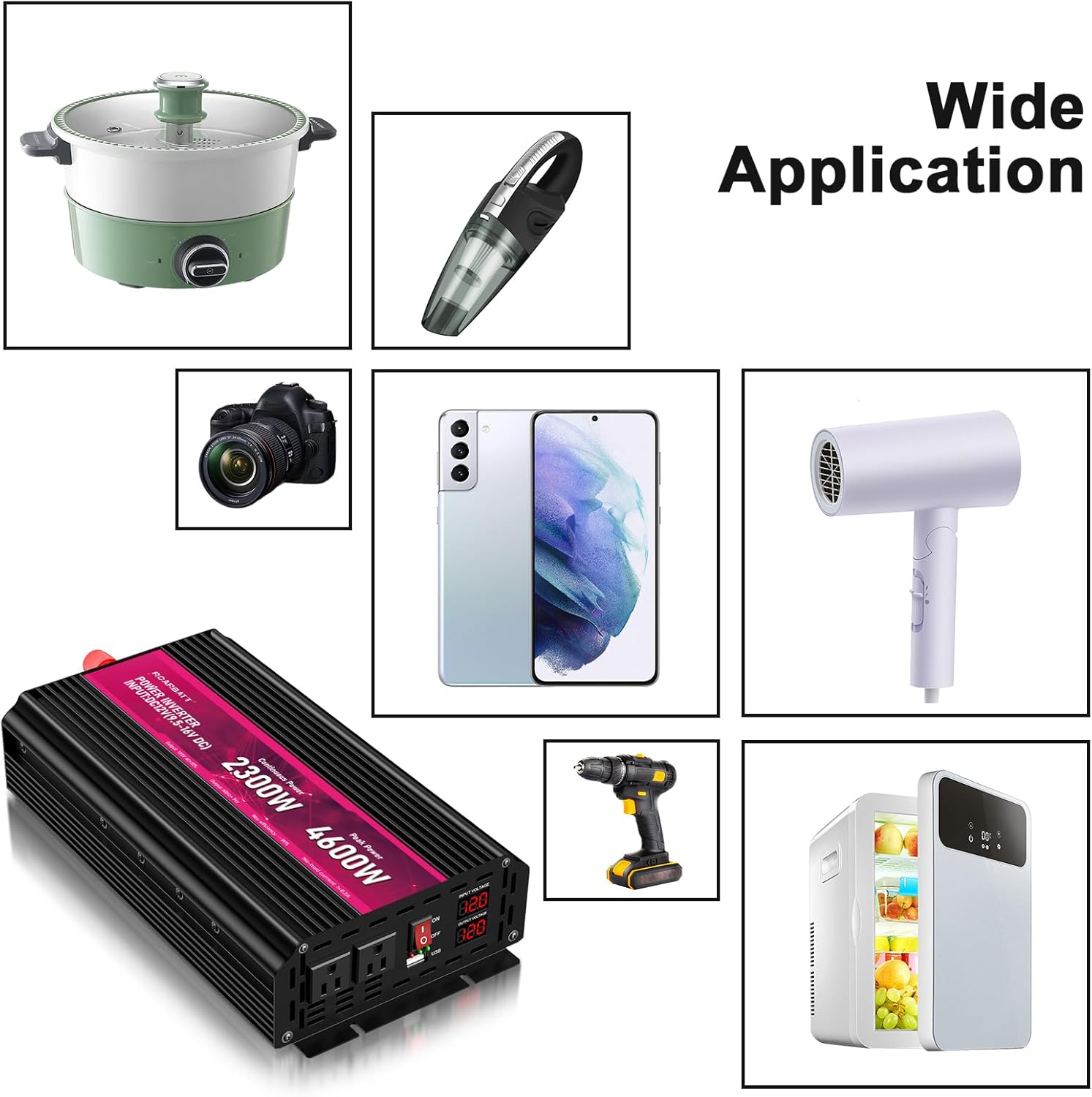
Image: A collage showing the inverter powering various household and portable electronic devices, including a hot pot, handheld vacuum, camera, smartphone, hair dryer, and a portable refrigerator, illustrating its versatility.
The 2300W inverter is suitable for a wide range of applications, including:
- Powering small appliances and electronics in RVs, trucks, and cars.
- Providing backup power during outages or emergencies.
- Supporting solar power generation systems.
- Ideal for camping, outdoor activities, and remote work setups.
5. Safety Precautions
To ensure safe operation and prolong the life of your inverter, please observe the following precautions:
- Do not open the inverter casing. There are no user-serviceable parts inside.
- Keep the inverter away from water, moisture, and extreme temperatures.
- Ensure adequate ventilation around the inverter to prevent overheating. Do not block the cooling fan vents.

Image: An illustration highlighting the built-in cooling fans of the inverter, showing air circulation to effectively dissipate heat and ensure safe operation.
- Do not connect the inverter to AC power sources. It is designed for DC input only.
- Always connect the inverter to a 12V DC power source. Connecting to other voltages may damage the unit.
- Avoid overloading the inverter. The continuous power rating is 2300W, with a peak power of 4600W. Consider the starting (surge) power of appliances, especially those with motors.
- Disconnect the inverter from the battery when not in use to prevent battery drain.
- Keep out of reach of children.
6. Maintenance
Regular maintenance helps ensure the longevity and reliable performance of your inverter:
- Cleaning: Periodically wipe the exterior of the inverter with a soft, dry cloth. Do not use harsh chemicals or abrasive cleaners.
- Connections: Regularly check all cable connections to ensure they are tight and free from corrosion. Loose connections can lead to power loss and overheating.
- Ventilation: Ensure the cooling vents are clear of dust and debris. Use compressed air to clean the fan area if necessary.
- Storage: If storing the inverter for an extended period, disconnect it from the battery and store it in a cool, dry place.
7. Troubleshooting
If you encounter issues with your ROARBATT Power Inverter, refer to the following common problems and solutions:
| Problem | Possible Cause | Solution |
|---|---|---|
| No output / Inverter not turning on | Loose battery connections, low battery voltage, inverter switch off, faulty fuse. | Check all cable connections. Ensure battery voltage is within the operating range (12V). Turn on the inverter switch. Check and replace fuses if necessary. |
| Inverter shuts down (Overload Protection) | Connected appliance draws too much power (exceeds 2300W continuous or 4600W peak). | Disconnect the appliance. Reduce the load to within the inverter's rated capacity. Restart the inverter. |
| Inverter shuts down (Overheat Protection) | Poor ventilation, high ambient temperature, prolonged high load. | Ensure the inverter is in a well-ventilated area. Clear any obstructions from the cooling fans. Allow the inverter to cool down before restarting. |
| Inverter shuts down (Low Voltage Protection) | Battery voltage is too low. | Recharge or replace the battery. |
| Inverter shuts down (Over Voltage Protection) | Input voltage from battery is too high. | Check the battery voltage. Ensure it does not exceed the inverter's maximum input voltage. |
| LCD display shows error code | Specific protection activated (LO, OH, HI, OL). | Refer to the LCD Display Features section for error code meanings and apply the corresponding troubleshooting steps. Contact customer service if the issue persists. |
8. Specifications
Key technical specifications for the ROARBATT 2300W Power Inverter:

Image: A diagram illustrating the physical dimensions of the inverter, showing its length (12.3 inches), width (7 inches), and height (2.9 inches).
| Feature | Detail |
|---|---|
| Model Name | 2300W Power Inverter |
| Continuous Power | 2300W |
| Peak Power | 4600W |
| Input Voltage | 12V DC (9.5V-16V DC) |
| Output Voltage | 110V-120V AC |
| USB Port Output | DC 5V 2.4A |
| Efficiency | >90% |
| No-Load Current Draw | 1±0.2A |
| Product Dimensions | 12.3 x 7 x 2.9 inches |
| Item Weight | 6.41 pounds |
| Housing Material | Durable Aluminum |
9. Warranty and Support
ROARBATT is committed to providing high-quality products and excellent customer service. Your 2300W Power Inverter comes with a standard warranty. Please refer to the product packaging or contact ROARBATT customer service for specific warranty details.
If you have any questions, require technical assistance, or need to report an issue, please contact our customer service team. We offer 24-hour customer service support to ensure your satisfaction.
Contact Information:
- Please refer to your purchase platform or product packaging for the most current contact details.
Ask a question about this manual
Ask about setup, troubleshooting, compatibility, parts, safety, or missing instructions. Manuals+ will review the question and use this page’s manual context to help answer it.