
1. Introduction
The Dynascan H2 is a compact and versatile PMR-446 walkie-talkie designed for efficient communication in various professional and personal environments. This device operates on license-free frequencies, allowing for immediate use without administrative permits. Its robust design and user-friendly features make it suitable for hospitality, retail, warehouses, event management, and outdoor activities.
2. What's in the Box
Upon opening your Dynascan H2 package, please verify that all the following components are included:
- Dynascan H2 Walkie PMR-446 unit
- USB Type-C charging cable
- Lanyard with quick-release button
- User Manual (this document)

Image: Dynascan H2 Walkie-Talkie and its accessories, including the USB-C cable and lanyard.
Video: An unboxing demonstration of a walkie-talkie, showing the contents of the package and initial setup steps.
3. Device Overview
Familiarize yourself with the key components of your Dynascan H2.

Image: Front view of the Dynascan H2, showing the LCD screen, speaker, microphone, and control buttons.

Image: Back view of the Dynascan H2, highlighting the battery compartment and belt clip attachment point.
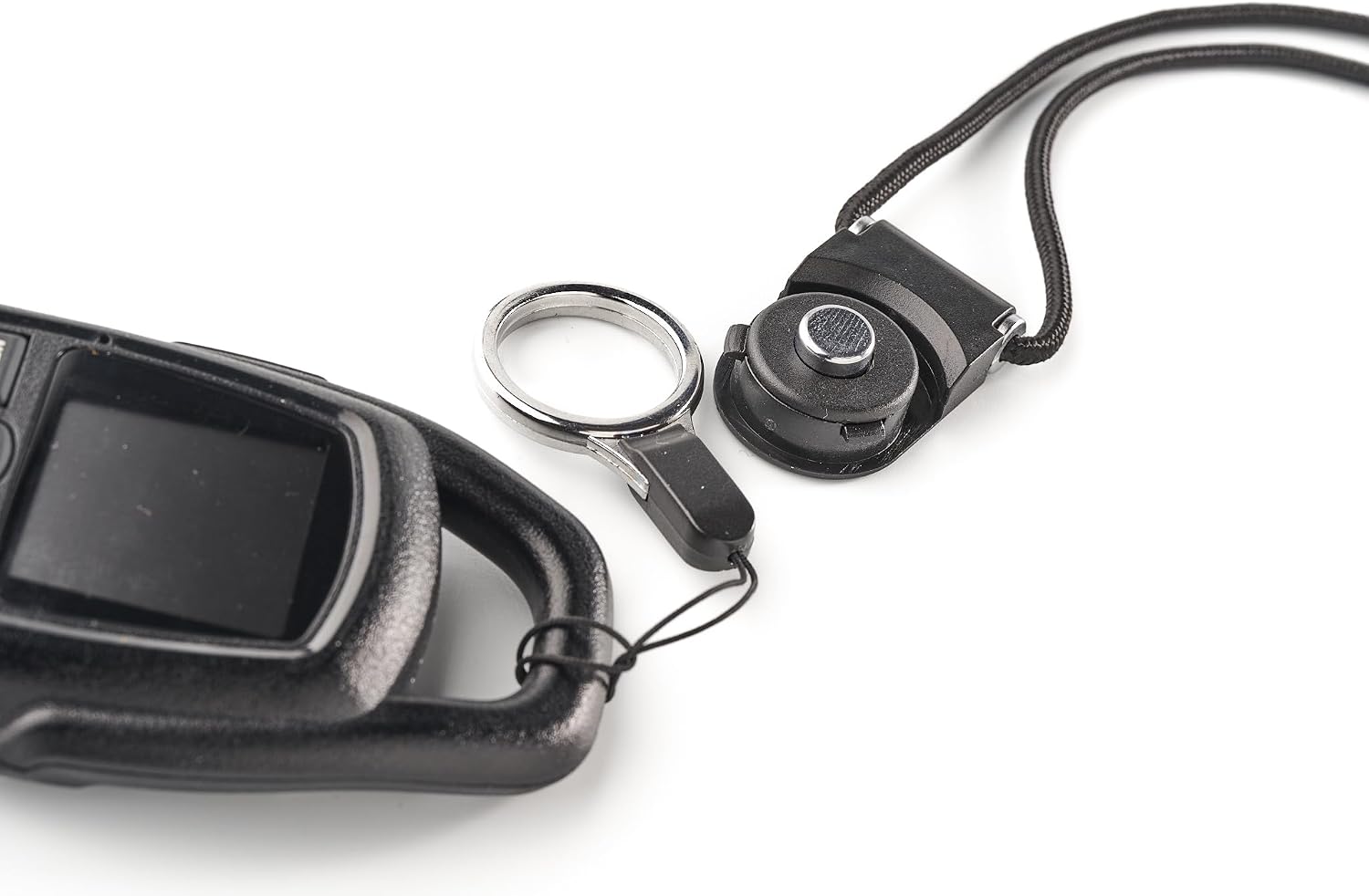
Image: Close-up of the USB-C charging port and accessory jack on the side of the Dynascan H2.
4. Setup
4.1. Initial Charging
Before first use, fully charge the Dynascan H2 battery. Connect the supplied USB Type-C cable to the device's charging port and plug the other end into a compatible USB power source (e.g., a computer USB port or a smartphone charger). The LCD screen will indicate charging status.
4.2. Attaching the Lanyard
The included lanyard allows for convenient carrying. Attach the lanyard to the designated loop on the top of the walkie-talkie. The quick-release button provides easy detachment when needed.

Image: The Dynascan H2 Walkie-Talkie shown with the lanyard attached, ready for carrying.
5. Operating Instructions
5.1. Power On/Off
- To power on: Press and hold the Power button until the LCD screen illuminates.
- To power off: Press and hold the Power button until the screen turns off.
5.2. Channel Selection
The Dynascan H2 features 16 PMR-446 channels. Use the Up and Down arrow buttons to navigate and select your desired channel. The current channel number is displayed on the LCD screen.
5.3. Transmitting and Receiving
- To transmit: Press and hold the PTT (Push-To-Talk) button located on the side of the device. Speak clearly into the microphone. Release the PTT button to stop transmitting.
- To receive: Ensure the PTT button is not pressed. The device will automatically receive transmissions on the selected channel.
5.4. CTCSS and DCS Subtones (Privacy Codes)
To ensure private communication and avoid interference, the Dynascan H2 supports 50 CTCSS (Continuous Tone-Coded Squelch System) and 105 DCS (Digitally Coded Squelch) subtones. These codes allow you to communicate only with other users who have set the same channel and sub-tone combination. Refer to the full manual for detailed instructions on setting these codes via the MENU button.
5.5. VOX Function (Hands-Free Operation)
The VOX (Voice Operated Exchange) function enables hands-free transmission. When activated, the device will automatically transmit when it detects your voice, eliminating the need to press the PTT button. This is particularly useful when both hands are occupied. Adjust VOX sensitivity via the MENU settings.
5.6. FM Radio Receiver
The Dynascan H2 includes an integrated commercial FM radio receiver. Activate and control the FM radio function through the device's menu or dedicated button, if available.
5.7. Keypad Lock
To prevent accidental changes to settings, activate the keypad lock function. This can typically be done by pressing and holding a specific button (e.g., the MENU button) or through the device's menu options. The LCD screen will usually display an icon indicating the keypad is locked.
6. Features
- Compact and Ultralight: Weighing only 90 grams with dimensions of 120 x 50 x 20 mm, it is designed for portability and discretion.
- Integrated Antenna: The integral antenna design prevents snagging and breakage, making it ideal for carrying in pockets or on a lanyard.
- Exceptional Battery Life: Equipped with a 2000 mAh Lithium Polymer battery, providing up to 20 hours of continuous operation.
- USB Type-C Charging: Conveniently recharge using the supplied cable or any compatible smartphone charger.
- Color LCD Screen: Clearly displays current channel, battery level, and active functions.
- Water Resistance: IP67 International Protection rating, indicating resistance to water and dust.
- Channel Scan: Allows scanning through channels to find active conversations.
- Monitor (Squelch): Adjusts the receiver sensitivity to eliminate background noise.

Image: A person using the Dynascan H2 Walkie-Talkie while hiking, demonstrating its portability and outdoor use.
7. Specifications
| Feature | Detail |
|---|---|
| Model Number | 00H2 |
| Brand | Dynascan |
| Color | Black |
| Number of Channels | 16 |
| Frequency Range | 446.00625 MHz – 446.19375 MHz |
| Maximum Talk Range | 8 Kilometers (up to 12 km in optimal conditions) |
| Battery Type | 1 Lithium Ion (2000 mAh) |
| Average Battery Life | 20 Hours |
| Voltage | 5 Volts (DC) |
| Water Resistance Level | IP67 (Water Resistant) |
| Tuner Type | UHF |
| Dimensions | 120 x 50 x 20 mm (approximate) |
| Weight | 90 grams (approximate) |
8. Maintenance
- Cleaning: Use a soft, damp cloth to clean the exterior of the device. Avoid using harsh chemicals or abrasive cleaners.
- Storage: Store the walkie-talkie in a cool, dry place away from direct sunlight and extreme temperatures when not in use for extended periods.
- Battery Care: To prolong battery life, avoid fully discharging the battery frequently. Charge the device regularly, even if not in constant use.
- Water Resistance: While the device is IP67 rated, ensure the USB-C port cover is securely closed to maintain water resistance. Avoid submerging the device unnecessarily.
9. Troubleshooting
- No Power: Ensure the battery is charged. Connect the device to the charger and check if the charging indicator is active.
- Cannot Transmit/Receive: Verify that both devices are on the same channel and sub-tone (CTCSS/DCS). Check that the PTT button is functioning correctly. Ensure no obstacles are severely blocking the signal.
- Poor Audio Quality: Check the volume level. Ensure the microphone and speaker are not obstructed. Move closer to the transmitting device or to an area with fewer obstructions.
- Keypad Unresponsive: Check if the keypad lock function is activated. Deactivate it as per section 5.7.
If issues persist, please contact Dynascan customer support.
10. Warranty and Support
The Dynascan H2 Walkie-Talkie is manufactured by Pihernz Comunicaciones s.a. For warranty information and customer support, please refer to the contact details provided by Pihernz Comunicaciones s.a. or your local retailer. Keep your proof of purchase for warranty claims.


