Introduction
This manual provides essential information for setting up, operating, and maintaining your Hisense 75-Inch Class U6 Series Mini-LED ULED 4K UHD Google Smart TV (Model 75U6K). Please read this manual thoroughly before using your television to ensure proper and safe operation. The U6 Series integrates advanced display technologies such as Mini-LED, Quantum Dot Color, and Full Array Local Dimming to deliver a high-quality visual experience. It also features Dolby Vision IQ, HDR10+, VRR Game Mode Plus, and Google Smart TV functionality for comprehensive entertainment.
Setup
1. Unboxing and Package Contents
Carefully remove the television from its packaging. Ensure all components are present:
- TV Unit
- Power Cable
- Remote Control
- Stand (2 base stands)
2. Stand Installation
Your TV comes with two base stands. For the 75-inch model, the stand width is adjustable, allowing for flexibility in placement. The stand can be set to 23.2 or 55.3 inches apart. Attach the stands securely to the bottom of the TV using the provided screws.

Image: Front view of the Hisense 75U6K TV with its adjustable stand, showing dimensions and the included voice remote control.
3. Wall Mounting
To mount your TV on a wall, a VESA standard bracket (400x400mm or 15.7x15.7 inches) is recommended for the 75-inch model. Use M6 screws for all sizes. Ensure the wall mount is installed by a qualified professional to prevent damage or injury.

Image: Rear view of the Hisense 75U6K TV, illustrating the VESA mounting points and their dimensions (400mm x 400mm).
4. Connecting Devices
Your TV offers various connectivity options:
- HDMI: Connect external devices like Blu-ray players, game consoles, or set-top boxes. The TV supports HDMI 2.0/1.4 with HDCP 2.2.
- USB: Connect USB storage devices for media playback.
- Ethernet (LAN): For a wired internet connection.
- Wi-Fi: For wireless internet connectivity.
- Bluetooth: For connecting wireless accessories.
- Antenna/Cable: For connecting an antenna or cable TV.

Image: Side view of the Hisense 75U6K TV, highlighting the various input ports including HDMI, USB, and antenna connections.
5. Initial Power On
After connecting the power cable, press the power button on the remote control to turn on the TV. Follow the on-screen instructions to complete the initial setup, including network connection and Google TV account login.
Operating the TV
1. Remote Control Functions
The included voice remote control allows for easy navigation and control of your TV. It features dedicated buttons for popular streaming services and a microphone for voice commands.

Image: Close-up of the Hisense 75U6K TV remote control, showing its layout and dedicated buttons for streaming services and voice control.
2. Google TV Interface
The Hisense U6K runs on Google TV, providing a personalized and intuitive user experience. You can browse content from various streaming services, get recommendations, and install a wide range of applications from the Google Play Store.
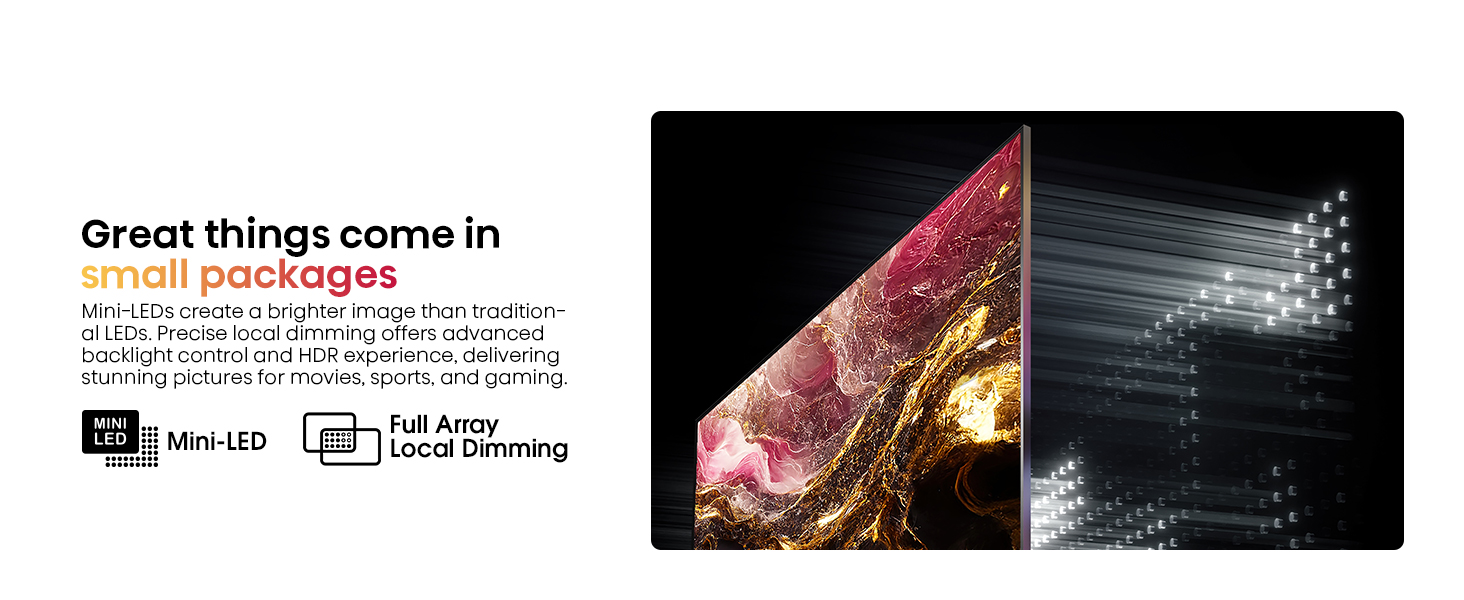
Image: Screenshot of the Google TV interface on the Hisense U6K, displaying various streaming apps and content recommendations.
3. Picture Settings
Optimize your viewing experience by adjusting picture settings:
- Mini-LED with Full Array Local Dimming: This technology enhances contrast and black levels by precisely controlling individual backlight zones.
- Quantum Dot Color: Delivers over a billion shades of vivid color for a richer and more accurate color reproduction.
- Dolby Vision IQ / HDR10+: Supports advanced HDR formats for dynamic scene-by-scene optimization, adjusting brightness and contrast based on room lighting.
- AI Picture: Real-time scenario-specific optimization for brightness, color, and resolution.
- Filmmaker Mode: Preserves the original aspect ratio, color, and frame rate as intended by the director.

Image: Illustration demonstrating the precise backlight control of Mini-LED with Full Array Local Dimming on the Hisense U6K TV.

Image: Visual representation of Quantum Dot Color technology on the Hisense U6K TV, showcasing a wide spectrum of vibrant colors.

Image: Scene from a nature documentary displayed on the Hisense U6K TV, highlighting the detailed and vibrant picture quality with Dolby Vision IQ and HDR10+.
4. Sound Settings
The TV supports Dolby Atmos for immersive audio. You can adjust sound modes and output settings through the TV menu. The TV has an output wattage of 30 Watts.
5. Gaming Features
For gamers, the U6K includes Game Mode Plus with a variable refresh rate (VRR) at 60Hz, ensuring smoother gameplay and reduced input lag on compatible consoles.

Image: Action scene from a video game displayed on the Hisense U6K TV, illustrating the smooth and responsive gaming experience with Game Mode Plus and VRR.
6. Voice Control
Utilize the Hands-Free Voice Control feature or the voice remote to search for content, control playback, and manage TV settings using voice commands. The TV is also Alexa compatible.
7. Official Product Video: Hisense U6K Google Smart TV
Video: An official Hisense video showcasing the features and user experience of the Hisense U6K Google Smart TV.
Maintenance
1. Cleaning the TV
To clean the screen, gently wipe it with a soft, lint-free cloth. For stubborn marks, lightly dampen the cloth with water or a screen-cleaning solution. Avoid using harsh chemicals or abrasive materials. For the TV body, use a soft, dry cloth.
2. Software Updates
Your Google Smart TV may receive automatic software updates to improve performance and add new features. Ensure your TV is connected to the internet to receive these updates. You can also manually check for updates in the TV's settings menu.
Troubleshooting
If you encounter issues with your TV, refer to the following common solutions:
- No Power: Check if the power cable is securely connected to both the TV and the power outlet. Ensure the outlet is functional.
- No Picture/Poor Picture Quality: Verify that the correct input source is selected. Check cable connections for external devices. Adjust picture settings (brightness, contrast, etc.) in the TV menu.
- No Sound/Poor Sound Quality: Check the volume level and ensure the TV is not muted. Verify audio cable connections for external sound systems. Adjust sound settings in the TV menu.
- Remote Control Not Working: Replace the AAA batteries (2 required, included). Ensure there are no obstructions between the remote and the TV's IR sensor.
- Network Connectivity Issues: For Wi-Fi, ensure the router is on and within range. For Ethernet, check the cable connection. Try restarting your router and TV.
For further assistance, please contact customer support.
Specifications
| Feature | Specification |
|---|---|
| Brand | Hisense |
| Model Number | 75U6K |
| Screen Size | 75 Inches |
| Display Technology | Mini-LED ULED (QLED) |
| Resolution | 4K UHD (3840 x 2160) |
| Refresh Rate | 60 Hz (VRR Game Mode Plus) |
| HDR Support | Dolby Vision IQ, HDR10+ |
| Operating System | Google Smart TV |
| Connectivity | Bluetooth, Ethernet, HDMI, USB, Wi-Fi |
| HDMI Ports | 4 (HDMI 2.0/1.4 with HDCP 2.2) |
| USB Ports | 2 |
| Audio Output | 30 Watts, Dolby Atmos |
| Product Dimensions (with stand) | 65.9"W x 41.4"H x 14.6"D |
| Product Dimensions (without stand) | 65.9"W x 38.0"H x 3.1"D |
| Item Weight | 94.8 pounds |
| Included Components | TV, Power Cable, Remote Control, Stand |
Warranty and Support
1. Warranty Information
Your Hisense 75U6K TV comes with a 2-year warranty. Please retain your proof of purchase for warranty claims. For specific terms and conditions, refer to the warranty card included with your product or visit the official Hisense website.
2. Customer Support
If you have any questions, require technical assistance, or need to report an issue, please contact Hisense customer support:
- Phone: +1 (888) 935-8880
- Website: www.hisense-usa.com

Image: A badge indicating the 2-year warranty provided with the Hisense TV.


