
anyloop Smart Watch G96 User Manual
1.85" Fitness Tracker with Call Function, Heart Rate, SpO2, and 100+ Sport Modes
1. Getting Started
Thank you for choosing the anyloop Smart Watch G96. This manual provides essential information for setting up and operating your device.

Figure 1: anyloop Smart Watch G96
1.1. Unboxing and Initial Charge
Upon unboxing, ensure all components are present: the anyloop Smart Watch G96, charging cable, and user manual. Before first use, fully charge the device using the provided magnetic charging cable. The watch will automatically power on and display the charging status.
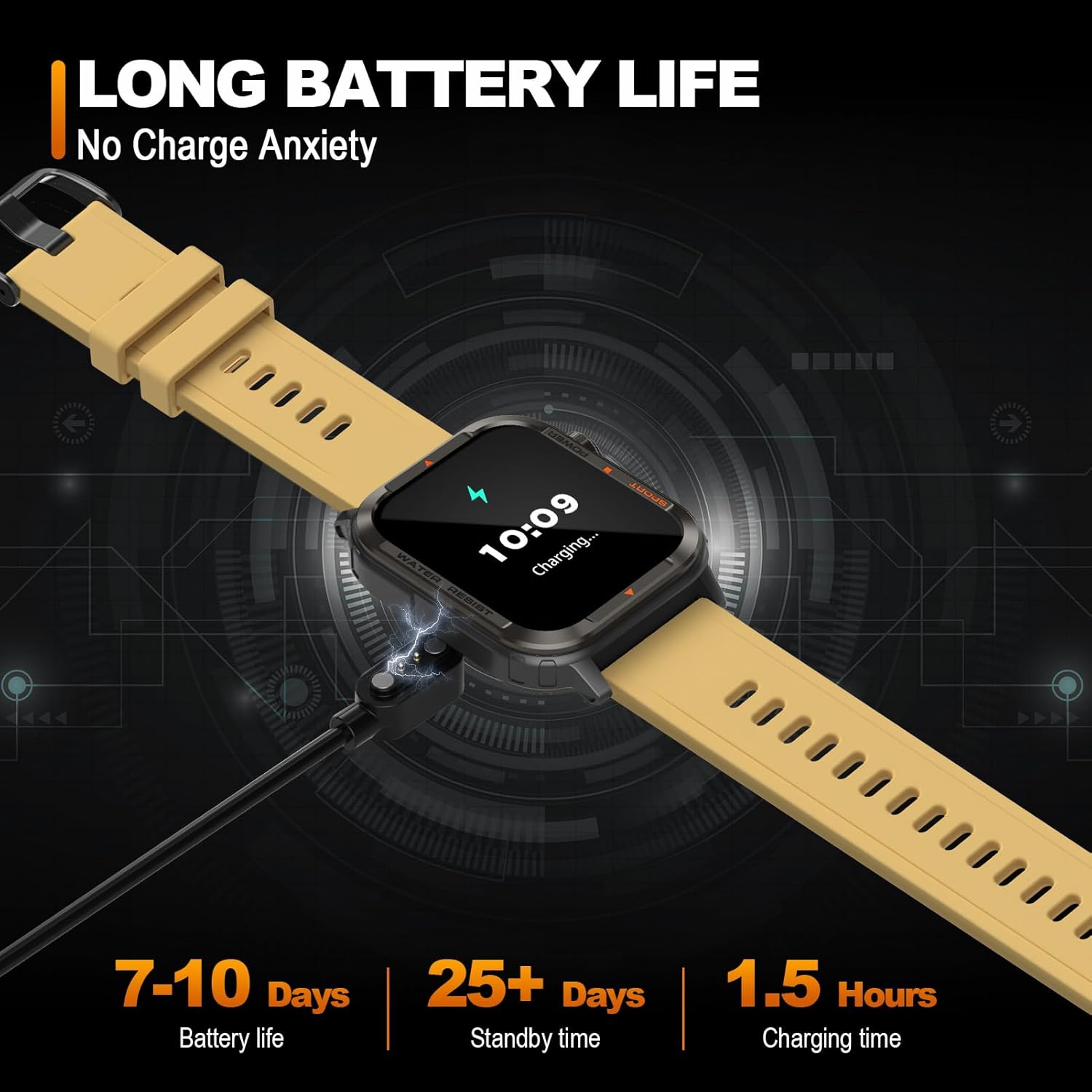
Figure 2: Magnetic Charging of the Smart Watch
1.2. App Installation and Pairing
To unlock the full functionality of your smart watch, download and install the 'Da Fit' application on your smartphone. Scan the QR code provided in the watch's manual or search for 'Da Fit' in your device's app store (Google Play Store for Android, Apple App Store for iOS).
Once installed, open the 'Da Fit' app and follow the on-screen instructions to create your profile and grant necessary permissions. Navigate to the 'Add Device' section within the app and select 'G96' from the list of available devices to initiate pairing. Ensure Bluetooth is enabled on your smartphone.
Video 1: Overview of anyloop Smart Watch G96 features and initial setup process.
1.3. Profile Setup and Notifications
Complete your personal profile in the 'Da Fit' app, including gender, birth date, height, and weight, for accurate health and fitness tracking. Configure notification settings to receive alerts from desired applications (e.g., messages, calls, social media) directly on your watch.
Video 2: Detailed review of the anyloop Smart Watch G96, including app integration and call functionality.
2. Operating Your Smart Watch
2.1. Basic Navigation
- Touchscreen: Swipe left/right to navigate between main screens, swipe up/down to access quick settings or notifications. Tap to select.
- Side Buttons: The top button typically serves as a power/back button. The bottom button (often orange) is a dedicated shortcut for sport modes.
2.2. Customizing Watch Faces
The anyloop G96 offers over 100 watch face options through the 'Da Fit' app. You can also upload a custom photo as your watch face. Long-press the watch screen to quickly switch between pre-loaded faces.

Figure 3: Multifunctional display of the Smart Watch
2.3. Call Functionality
With Bluetooth connectivity, the watch allows you to answer and make calls directly from your wrist. Ensure the 'Phone' and 'Audio Bluetooth' settings are enabled in the watch's quick settings or the 'Da Fit' app for full call functionality.
2.4. Music Control
Control music playback on your smartphone directly from the watch. This includes play, pause, skip tracks, and volume adjustment.
2.5. Alarms and Reminders
Set multiple alarms through the 'Da Fit' app. The watch will vibrate to alert you. You can also set reminders for hydration and sedentary alerts to encourage activity.
3. Health Monitoring
The anyloop G96 Smart Watch provides comprehensive health monitoring features:

Figure 4: All-Day Health Monitoring Features
- Heart Rate Monitoring: Real-time and continuous heart rate tracking. Set an upper limit for heart rate warnings.
- Blood Oxygen (SpO2) Monitoring: Measures blood oxygen saturation levels.
- Sleep Tracking: Automatically monitors sleep patterns, including deep sleep, light sleep, and awake time, providing insights into sleep quality.
- Stress Monitoring: Tracks stress levels throughout the day.
Health data is synchronized with the 'Da Fit' app for detailed analysis and historical trends.
4. Fitness Tracking
The anyloop G96 is designed for active lifestyles, offering extensive fitness tracking capabilities:

Figure 5: Powerful Sport Tracking Features
- 100+ Sport Modes: Supports a wide range of indoor and outdoor activities, allowing you to monitor workouts and design training programs.
- Activity Tracking: Tracks steps, distance, calories burned, and active minutes.
- GPS Exercise: Utilize your phone's GPS through the app to track outdoor activities with route mapping.
- Exercise Records: View detailed summaries of your past workouts in the 'Da Fit' app.
5. Maintenance
5.1. Water Resistance
The anyloop G96 Smart Watch is IP67 rated for water resistance, making it suitable for daily wear and activities like hand washing or light rain. Avoid prolonged submersion or hot water exposure.
5.2. Cleaning
Clean the watch and strap regularly with a soft, damp cloth. Avoid using harsh chemicals or abrasive materials.
5.3. Battery Care
To prolong battery life, avoid extreme temperatures. Charge the watch using the provided magnetic charger. The watch features a battery-saving mode for extended use.
5.4. Watch Band Replacement
The watch band can be easily removed and replaced with compatible 22mm quick-release bands.
6. Troubleshooting Common Issues
- Watch not pairing: Ensure Bluetooth is enabled on your phone and the watch is within range. Restart both devices and try pairing again. Check if the 'Da Fit' app has all necessary permissions.
- Notifications not received: Verify notification permissions for the 'Da Fit' app and individual apps on your phone. Ensure 'Do Not Disturb' mode is not active on either device.
- Inaccurate readings: Ensure the watch is worn snugly on your wrist, not too tight or too loose. Clean the sensor regularly. For GPS tracking, ensure your phone's GPS is active and the app has location permissions.
- Battery draining quickly: Reduce screen brightness, shorten screen-on time, and disable continuous heart rate monitoring if not needed.
- Screen unresponsive: Restart the watch by long-pressing the power button. If unresponsive, allow the battery to fully drain and then recharge.
7. Product Specifications
| Feature | Specification |
|---|---|
| Model Number | G96 (a1203c5a-fe5e-4ce5-9ade-361943a649aa) |
| Display Size | 1.85 Inches TFT colorful screen |
| Resolution | 240*280 |
| Battery Capacity | 250mAh Lithium Ion |
| Battery Life | 7-10 days (typical usage) |
| Waterproofing Level | IP67 |
| Heart Rate Sensor | Easy core 3605 |
| Connectivity | Bluetooth |
| Operating System Compatibility | Android 4.4 or above, iOS 8.0 or above |
| Product Dimensions | 1.46 x 1.83 x 0.38 inches |
| Item Weight | 3.52 ounces (0.1 Kilograms) |
8. Warranty and Support
The anyloop Smart Watch G96 comes with a standard manufacturer's warranty. For detailed warranty information, product support, or technical assistance, please refer to the warranty card included in your product packaging or visit the official anyloop website. Keep your purchase receipt as proof of purchase.


