
1. Introduction
The Inateck BR2001 Bluetooth 5.1 Audio Receiver is designed to enable non-Bluetooth audio devices, such as traditional stereo systems, speakers, or 3.5mm headsets, to receive audio wirelessly from Bluetooth-enabled devices like smartphones or tablets. This device upgrades your existing audio equipment, allowing you to enjoy high-quality wireless audio streaming.
Important Note:
- This product functions solely as a receiver and cannot be used as a transmitter.
- It does not have a built-in battery and requires a continuous power source (5V/1A) for operation, making it ideal for home use.
2. Package Contents
Please check the box for the following items:
- 1 x Inateck Bluetooth Receiver BR2001
- 1 x 50 cm RCA to 3.5mm AUX Audio Cable
- 1 x 5V/1A Power Adapter
- 1 x User Manual

3. Product Overview
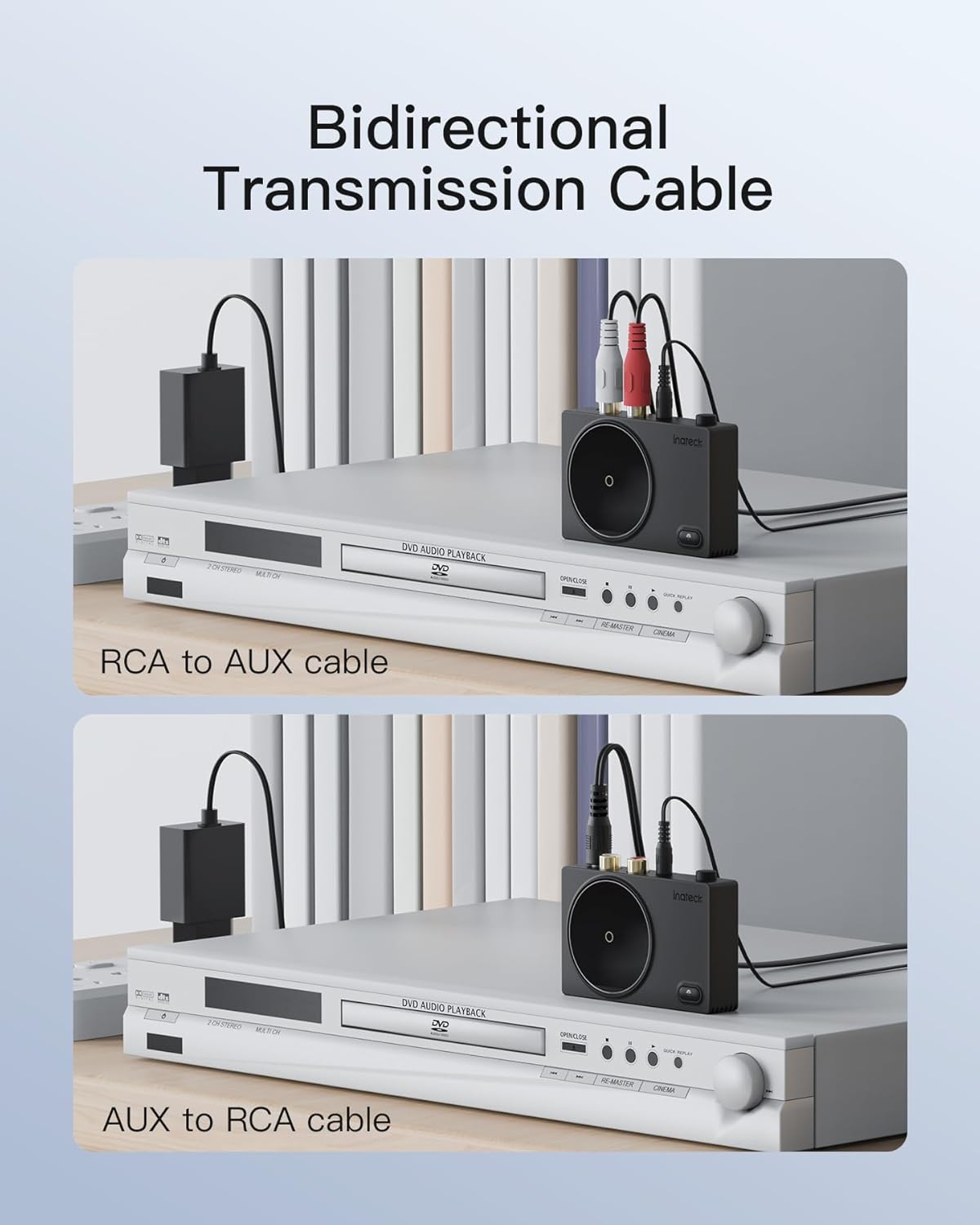
The Inateck BR2001 features a compact design with essential ports for power and audio output. It is equipped with Bluetooth 5.1 technology for stable and fast connections.

4. Setup Instructions
Follow these steps to set up your Inateck BR2001 Bluetooth Receiver:
- Connect to Power: Connect the BR2001 receiver to the provided 5V/1A power adapter and plug it into a power outlet.
- Connect to Audio Device: Use the included 50 cm RCA to 3.5mm AUX audio cable to connect the BR2001 to your non-Bluetooth audio device (e.g., stereo system, speaker, 3.5mm headset). Ensure the correct ports are used on both devices.
- Power On: Press the power button on the BR2001. The device will automatically enter pairing mode, indicated by a flashing LED.
- Pair with Bluetooth Device: On your smartphone or tablet, go to the Bluetooth settings, enable Bluetooth, and search for available devices. Select "BR2001" from the list to connect. Once successfully paired, the LED on the BR2001 will stop flashing and remain solid blue.

5. Operating Instructions
Once the Inateck BR2001 is successfully paired with your Bluetooth device, you can start streaming audio wirelessly.
- Play Audio: Open your preferred music or audio application on your paired smartphone or tablet and begin playback. The audio will be transmitted to your connected non-Bluetooth device.
- Volume Control: Adjust the volume directly from your paired Bluetooth device or from your connected audio system.
- Audio Codec Support: The BR2001 supports AAC and SBC Bluetooth audio format decoding, ensuring compatibility with a wide range of devices and delivering clear sound.

6. Compatibility
The Inateck BR2001 is designed for wide compatibility with various audio devices and Bluetooth-enabled sources:
- Compatible Audio Devices: Speakers, Home Audio Systems, 3.5mm Wired Headsets.
- Compatible Bluetooth Sources: Tablets, Smartphones, Laptops, and other Bluetooth-enabled devices.

7. Specifications
| Feature | Detail |
|---|---|
| Model Number | BR2001-BK |
| Bluetooth Version | 5.1 |
| Audio Codec Support | AAC, SBC |
| Connectors | 3.5 mm Jack, RCA (Left/Right) |
| Power Input | 5V DC |
| Product Dimensions (L x W x H) | 7.9 x 5 x 2.01 cm |
| Weight | 40.82 g |
| Color | Black |
| Manufacturer | INATECK |
8. Troubleshooting
- No Power: Ensure the 5V/1A power adapter is securely connected to the receiver and a working power outlet.
- Cannot Pair:
- Make sure the BR2001 is in pairing mode (flashing LED). If not, press the power button to restart or re-enter pairing mode.
- Ensure Bluetooth is enabled on your source device (smartphone/tablet).
- Move the BR2001 closer to your source device to reduce interference.
- Clear previous Bluetooth connections on your source device and try pairing again.
- No Sound:
- Verify that the audio cable (RCA or 3.5mm AUX) is correctly connected between the BR2001 and your audio system/speakers.
- Check the volume levels on both your source device and your audio system.
- Ensure your audio system is set to the correct input source (e.g., AUX, Line In).
- Confirm that the BR2001 is successfully paired and connected to your source device (solid blue LED).
- Poor Audio Quality:
- Reduce the distance between the BR2001 and your Bluetooth source device.
- Minimize obstacles (walls, furniture) between the devices.
- Avoid interference from other wireless devices (Wi-Fi routers, cordless phones).
9. Warranty and Support
The Inateck BR2001 Bluetooth Receiver comes with a limited warranty. For specific warranty terms and conditions, please refer to the documentation included in your product packaging or visit the official Inateck website.
If you encounter any issues or require technical assistance, please contact Inateck customer support through their official channels. You can typically find contact information on the product packaging or their website.
