
iKF iKF Solo
iKF Solo Wireless Over Ear Headphones User Manual
Model: iKF Solo | Brand: iKF
1. Product Overview
The iKF Solo Wireless Over Ear Headphones are designed to provide an immersive audio experience with advanced features such as Active Noise Cancelling (ANC), HiFi stereo sound, and an extended battery life. These headphones are suitable for various activities including travel, work, and gaming, offering both wireless Bluetooth and wired connectivity options.

Image: iKF Solo Wireless Over Ear Headphones, showcasing their sleek offwhite design.
2. What's in the Box
Upon unboxing your iKF Solo headphones, you will find the following components:
- iKF Solo Headphones
- USB Charging Cable
- Detachable External Microphone
- User Manual (this document)
- Storage Bag

Image: A visual representation of the iKF Solo headphone package contents, including the headphones, charging cable, external microphone, and storage bag.
3. Key Features
3.1 Active Noise Cancelling (ANC)
The iKF Solo headphones feature hybrid active noise cancelling technology, effectively reducing background noise by up to 52dB. This is ideal for environments such as flights, commutes, or busy offices. ANC levels can be adjusted via the iKF app.

Image: A graphic demonstrating the principle of active noise cancellation, showing how ambient sound is filtered out.
3.2 HiFi Sound Quality
Equipped with 40mm silk diaphragm speakers, these headphones deliver powerful bass and clear treble, providing a high-fidelity audio experience. An immersive 3D surround sound movie mode is also available for enhanced entertainment.

Image: An exploded view highlighting the 40mm speaker driver, emphasizing the Hi-Res Audio capability.
3.3 Extended Playback Time
Enjoy up to 130 hours of playtime with ANC off, or 95 hours with ANC on, ensuring prolonged use without frequent recharging. The headphones charge fully in approximately 2 hours.
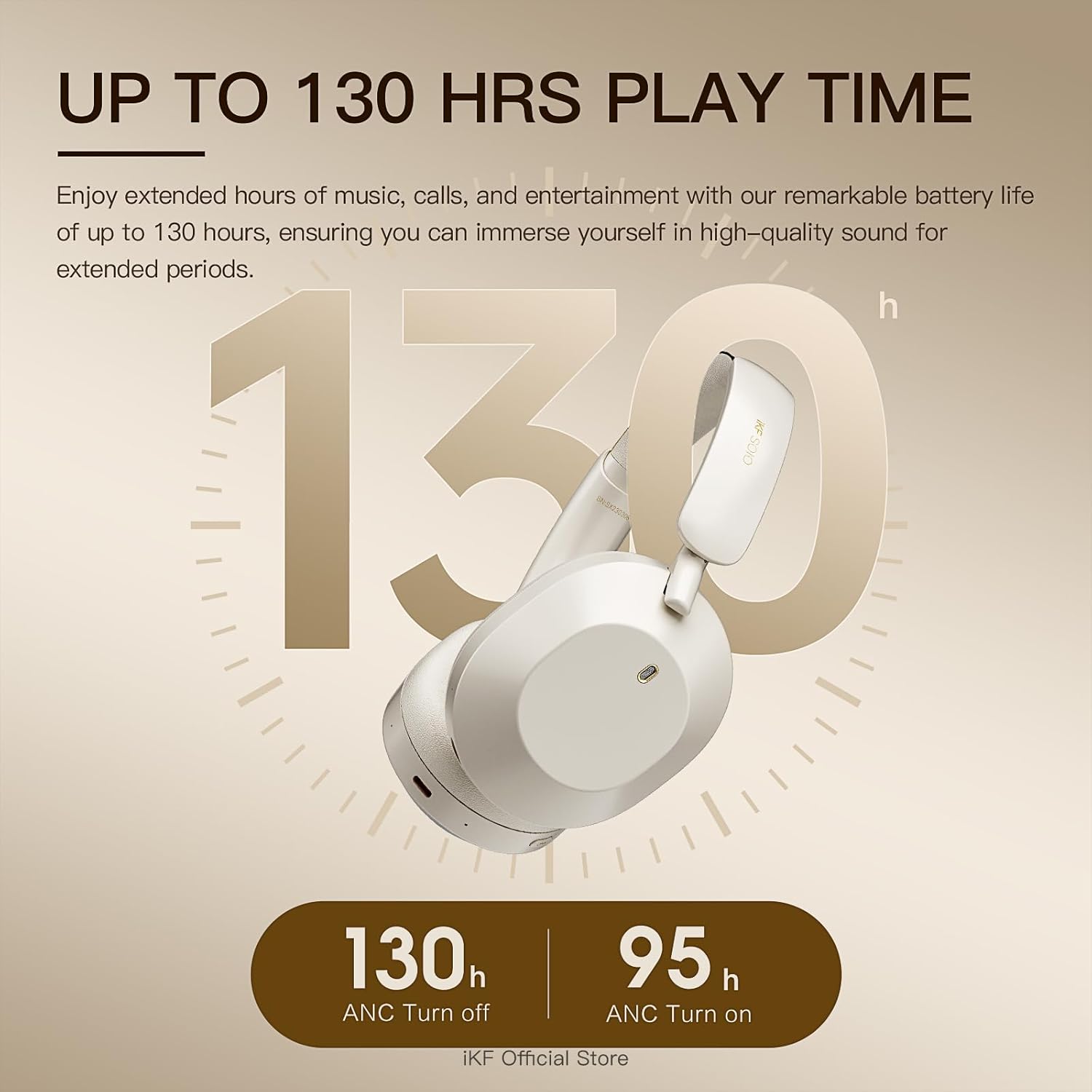
Image: A visual representation of the impressive battery life, indicating 130 hours with ANC off and 95 hours with ANC on.
3.4 Comfortable and Foldable Design
Soft protein leather ear cushions and memory foam padding provide a comfortable, pressure-free fit for extended wear. The lightweight and foldable design enhances portability and storage convenience.

Image: The iKF Solo headphones in their folded configuration, demonstrating their compact design for travel and storage, along with a detail of the soft, skin-friendly earcups.
3.5 Versatile Connectivity
Supports dual wireless (Bluetooth 5.3) and wired connections (AUX input, USB audio output). The detachable microphone ensures clear communication for calls and gaming.
4. Setup Guide
4.1 Charging the Headphones
- Connect the USB charging cable to the Type-C port on the headphones.
- Plug the other end of the cable into a compatible USB power source (e.g., computer USB port, wall adapter).
- The LED indicator will show charging status. A full charge takes approximately 2 hours.
4.2 Bluetooth Pairing
- Ensure the headphones are powered off.
- Press and hold the Power button until the LED indicator flashes, indicating pairing mode.
- On your device (smartphone, tablet, computer), enable Bluetooth and search for available devices.
- Select "iKF Solo" from the list of found devices to connect.
- Once connected, the LED indicator will change to a steady light or turn off, depending on the model.
5. Operating Instructions
5.1 Headphone Controls
The iKF Solo headphones feature intuitive button controls for various functions:
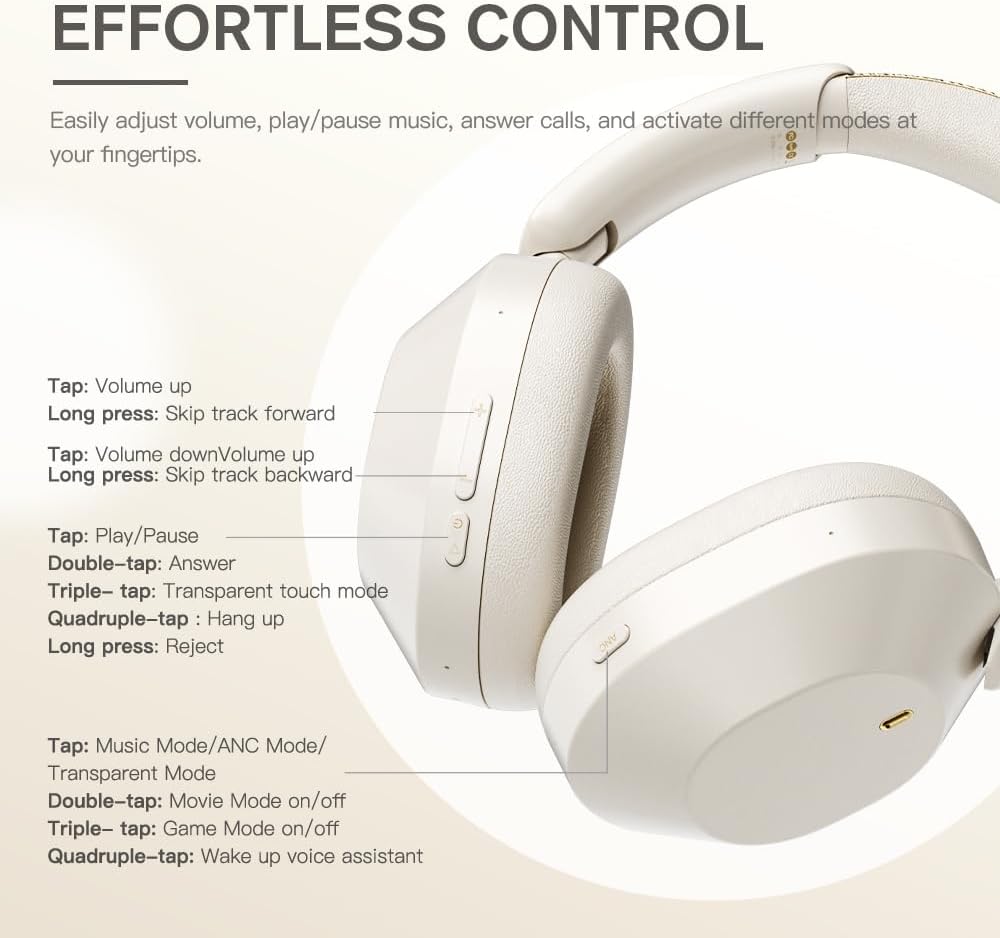
Image: A detailed diagram showing the location and function of each control button on the iKF Solo headphones.
| Action | Function |
|---|---|
| Tap (+) | Volume Up |
| Long press (+) | Skip Track Forward |
| Tap (-) | Volume Down |
| Long press (-) | Skip Track Backward |
| Tap (Play/Pause) | Play/Pause Music |
| Double-tap (Play/Pause) | Answer Call |
| Triple-tap (Play/Pause) | Transparent Touch Mode |
| Quadruple-tap (Play/Pause) | Hang Up Call |
| Long press (Play/Pause) | Reject Call |
| Tap (Mode Button) | Cycle Music Mode/ANC Mode/Transparent Mode |
| Double-tap (Mode Button) | Movie Mode On/Off |
| Triple-tap (Mode Button) | Game Mode On/Off |
| Quadruple-tap (Mode Button) | Wake Up Voice Assistant |
5.2 Transparent Mode
The transparent mode allows you to hear your surroundings without removing your headphones, enhancing situational awareness. This can be activated via a triple-tap on the Play/Pause button or by cycling through modes with the Mode button.
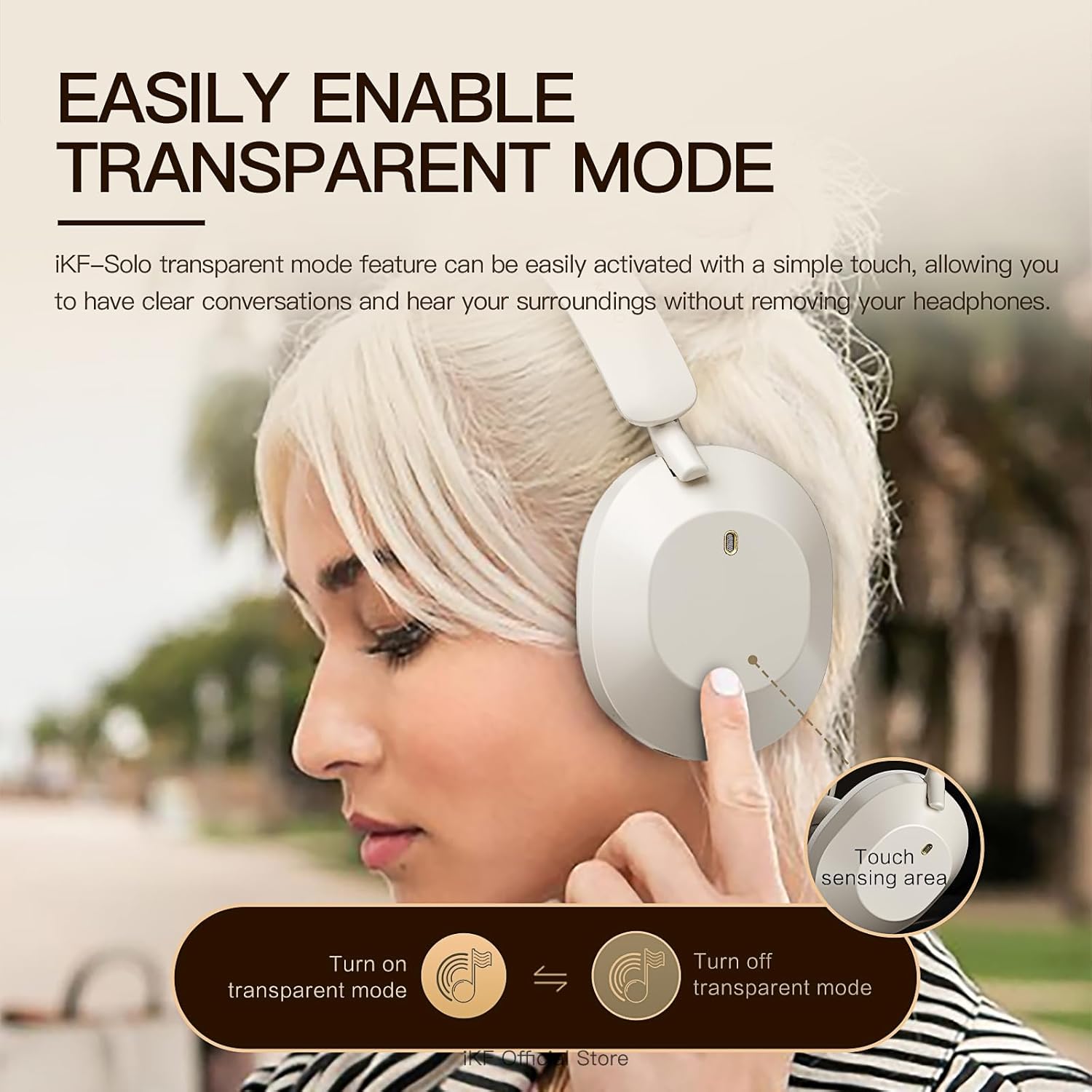
Image: A person demonstrating the activation of transparent mode by touching the ear cup, allowing them to hear their surroundings.
5.3 iKF App Customization
Personalize your listening experience by downloading the iKF app. The app allows you to:
- Adjust ANC strength.
- Switch between various listening modes (e.g., Noise Reduction, Transparent, Movie, Game).
- Control EQ settings for customized audio profiles.
- Enable dual device pairing for seamless switching between devices.
5.4 Product Demonstration Video
Watch this official video for a visual guide on the iKF Solo headphones' features and operation:
Video: An official product video showcasing the iKF Solo Hybrid Active Noise Cancelling Headphones, demonstrating features like ANC, transparent mode, Hi-Fi sound, and gaming latency.
6. Maintenance
To ensure the longevity and optimal performance of your iKF Solo headphones, follow these maintenance guidelines:
- Cleaning: Use a soft, dry cloth to clean the exterior of the headphones. For ear cushions, gently wipe with a slightly damp cloth and allow to air dry completely before use. Avoid using harsh chemicals or abrasive materials.
- Storage: When not in use, store the headphones in the provided storage bag to protect them from dust and scratches. Store in a cool, dry place away from direct sunlight and extreme temperatures.
- Charging: Use only the provided USB charging cable or a certified equivalent. Avoid using chargers with power exceeding 24 watts or unverified fast chargers, as this may damage the battery.
- Water Resistance: These headphones are not water resistant. Avoid exposure to liquids, moisture, or high humidity.
- Handling: Handle the headphones with care. Avoid dropping them or subjecting them to strong impacts.
7. Troubleshooting
If you encounter issues with your iKF Solo headphones, refer to the table below for common problems and their solutions:
| Problem | Possible Cause | Solution |
|---|---|---|
| Headphones do not power on | Low battery | Charge the headphones fully. |
| Cannot pair via Bluetooth | Headphones not in pairing mode; Device Bluetooth off; Interference | Ensure headphones are in pairing mode (flashing LED). Turn device Bluetooth off/on. Move closer to the device. Forget previous pairings on your device. |
| No sound or low volume | Volume too low; Incorrect audio source; Unpaired | Increase headphone and device volume. Ensure headphones are correctly paired/connected. Check audio output settings on your device. |
| Sound is choppy or cuts out | Distance from device; Interference; Low battery | Reduce distance between headphones and device. Avoid strong Wi-Fi signals or other Bluetooth devices. Charge the headphones. |
| ANC not working effectively | ANC not activated; Improper fit | Ensure ANC is turned on. Adjust headphone fit for a proper seal around your ears. |
| Microphone not working | Microphone not attached; Incorrect input device selected | Ensure the detachable microphone is securely plugged in. Check your device's audio input settings to select the headphone microphone. |
8. Product Specifications
| Feature | Specification |
|---|---|
| Model Name | iKF Solo |
| Noise Control | Active Noise Cancellation, Sound Isolation |
| Connectivity Technology | Bluetooth, Wired (AUX, USB Type-C) |
| Wireless Communication Technology | Bluetooth 5.3 |
| Bluetooth Range | 10 Meters |
| Audio Driver Type | Dynamic Driver |
| Audio Driver Size | 40 Millimeters |
| Frequency Range | 20 Hz - 40,000 Hz |
| Impedance | 64 Ohm |
| Battery Life (ANC Off) | Up to 130 Hours |
| Battery Life (ANC On) | Up to 95 Hours |
| Charging Time | Approx. 2 Hours |
| Headphones Jack | Type-C |
| Material | Plastic |
| Weight | 1.57 pounds |
| Ear Placement | Over Ear |
| Control Type | Button Control, App, Voice |
| Water Resistance Level | Not Water Resistant |
9. Warranty and Support
For detailed warranty information and customer support, please refer to the official iKF website or the comprehensive User Manual PDF provided with your product. You can typically find the PDF manual at the following link: iKF Solo User Manual (PDF).
For further assistance, please contact iKF customer service through their official channels.
Related documentsiKF Solo


Ask a question about this manual
Ask about setup, troubleshooting, compatibility, parts, safety, or missing instructions. Manuals+ will review the question and use this page’s manual context to help answer it.