
PARAMITA DG08
PARAMITA DG08 Bone Conduction Headphones User Manual
Model: DG08
Introduction
The PARAMITA DG08 Bone Conduction Headphones offer an innovative audio experience by transmitting sound through your cheekbones, leaving your ears open to ambient sounds. This design enhances situational awareness, making them ideal for outdoor activities and environments where being aware of your surroundings is crucial. Featuring Bluetooth 5.3 connectivity, a lightweight and comfortable design, and IPX6 waterproof rating, these headphones are built for active lifestyles.

Image: The PARAMITA DG08 Bone Conduction Headphones in black, showcasing their ergonomic design.
Key Features
- Open Ear Design: Transfers sound through cheekbone, allowing you to remain aware of your surroundings.
- Sweat Resistant: Designed with strict anti-sweat dispensing technology, suitable for various sports activities.
- Clear Calling: Built-in HD calling MEMS Microphones ensure loud and clear communication.
- Situational Awareness: Enables you to hear ambient sounds, enhancing safety and awareness, especially around children, pets, or during calls.
- Long Battery Life: Equipped with a 180mAh lithium battery, providing up to 5 hours of listening time (at 80% volume) on a full charge.
Setup Guide
1. Charging the Headphones
Before first use, fully charge your DG08 headphones. Connect the included charging cable to the charging port on the headphones and a USB power source. A full charge typically takes approximately 1 hour. The LED indicator will change to indicate charging status (e.g., red for charging, blue for fully charged).
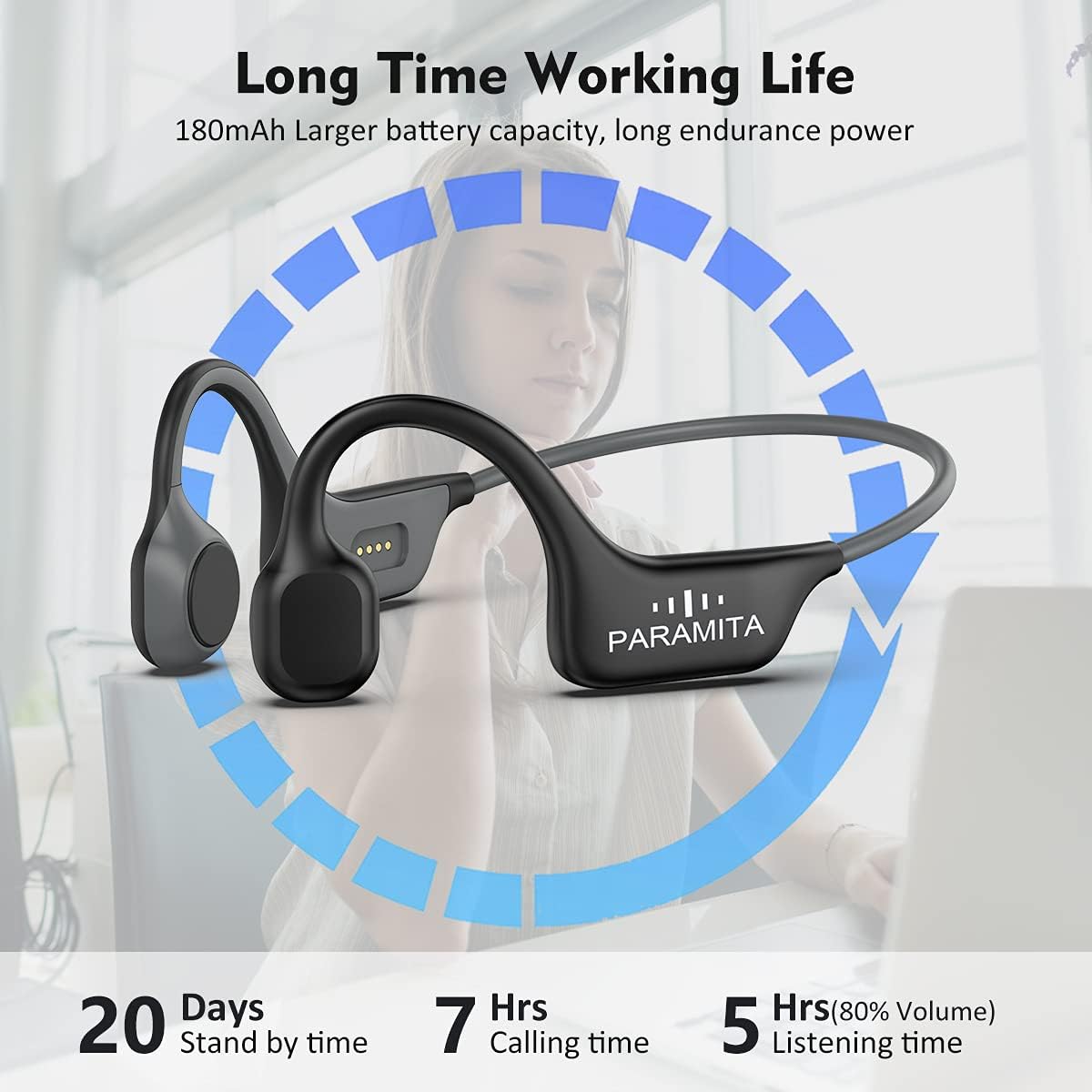
Image: Visual representation of the DG08's battery life, indicating 20 days standby, 7 hours calling, and 5 hours listening time.
2. Bluetooth Pairing
- Ensure the headphones are powered off.
- Press and hold the power button until the LED indicator flashes red and blue alternately, indicating pairing mode.
- On your device (smartphone, smartwatch, etc.), enable Bluetooth and search for available devices.
- Select "DG08" from the list of found devices.
- Once connected, the LED indicator will turn solid blue or stop flashing. You will hear a confirmation tone.
The headphones utilize Bluetooth 5.3 for a fast and stable connection, with a range of up to 15 meters.

Image: An internal view highlighting the Bluetooth 5.0 chip for stable connectivity.
Operating Instructions
Multi-Function Buttons
The DG08 headphones feature intuitive controls for music playback and call management:
- Play/Pause (Music mode): Single Click
- Next song: Double Click
- Last song: Triple Click
- Refuse/Call (Phone mode): Single Click
- Voice assistant: Long Press

Image: A detailed guide to the multi-function buttons for music and call control.
Situational Awareness
The open-ear design is a core feature, allowing you to hear both your audio and the sounds around you. This is particularly beneficial for:
- Outdoor Sports: Cycling, running, hiking, and jogging, where hearing traffic or other warnings is critical for safety.
- Home Environment: Staying aware of children, pets, or incoming calls/doorbells while listening to music or working.

Image: A cyclist wearing the headphones, demonstrating the safety aspect of the open-ear design.

Image: A woman practicing yoga, highlighting the ability to hear surrounding sounds at home.
Maintenance
Cleaning and Care
The DG08 headphones are designed with an IPX6 waterproof and sweatproof rating, making them resistant to heavy splashes and sweat. To ensure longevity and optimal performance:
- Wipe the headphones with a soft, damp cloth after each use, especially after workouts, to remove sweat and dirt.
- Do not submerge the headphones in water. While resistant to splashes, they are not designed for swimming or prolonged submersion.
- Store the headphones in a cool, dry place away from direct sunlight and extreme temperatures.
- Avoid using abrasive cleaners or solvents, as these can damage the material.

Image: The headphones are shown to be IPX6 waterproof and sweatproof, suitable for intense workouts.
Troubleshooting
| Problem | Possible Cause | Solution |
|---|---|---|
| Headphones do not power on. | Low battery. | Charge the headphones for at least 1 hour. |
| Cannot pair with device. | Headphones not in pairing mode; device Bluetooth off; too far from device. | Ensure headphones are in pairing mode (flashing red/blue). Turn device Bluetooth off and on. Move headphones closer to the device (within 15 meters). |
| No sound or low sound. | Volume too low; not properly connected; audio source issue. | Increase volume on both headphones and connected device. Re-pair the headphones. Check audio playback on your device. |
| Call quality is poor. | Microphone obstruction; weak signal. | Ensure the microphone area is clear. Move closer to your connected device. |
| Discomfort or vibration sensation. | Initial adjustment to bone conduction technology; improper fit. | Bone conduction headphones transmit sound through vibration, which can feel different initially. Adjust the fit to ensure the transducers rest comfortably on your cheekbones. The lightweight design (29 grams) is intended for comfort during extended wear. |

Image: The lightweight design (29g) contributes to comfortable wearing.

Image: The ergonomic design ensures a comfortable and secure fit, preventing them from shaking off during exercise.
Specifications
- Model Name: DG08-Black
- Connectivity Technology: Wireless (Bluetooth)
- Bluetooth Version: 5.3
- Bluetooth Range: 15 Meters
- Audio Driver Type: Bone Conduction Driver
- Battery: 180mAh Lithium Ion (included)
- Charging Time: 1 Hour
- Listening Time (80% volume): 5 Hours
- Calling Time: 7 Hours
- Standby Time: 20 Days
- Water Resistance Level: IPX6 (Waterproof & Sweatproof)
- Item Weight: 29 Grams (1.02 ounces)
- Product Dimensions: 6.3 x 1.97 x 4.72 inches
- Material: Plastic
- Control Type: Media Control (Touch)
- Included Components: Cable
- Manufacturer: PARAMITA
Warranty Information
Specific warranty details for the PARAMITA DG08 Bone Conduction Headphones are not provided in this manual. Please refer to the product packaging or the retailer's website for information regarding warranty coverage and terms.
Support
For further assistance or inquiries regarding your PARAMITA DG08 Bone Conduction Headphones, please contact the seller or manufacturer through the platform where the product was purchased. Keep your purchase receipt or order number handy for faster service.
Ask a question about this manual
Ask about setup, troubleshooting, compatibility, parts, safety, or missing instructions. Manuals+ will review the question and use this page’s manual context to help answer it.