
Introduction
Thank you for purchasing the ASHATA PD88H 88-Key Roll-Up Piano. This portable electronic piano is designed for musicians of all levels, offering a full 88-key range, MIDI connectivity, and a variety of built-in features for practice and performance. Please read this manual thoroughly to understand the product's functions and ensure proper use and maintenance.
Product Overview
Key Features:
- 88 standard piano keys (A1 to C9)
- MIDI function for APP connection
- 128 built-in tones
- 128 built-in rhythms
- 14 demo songs
- Multi-functional controls: Record, Edit, Playback, Sustain, Vibrato, Teaching, Chord
- LED digital tube display
- Integrated speaker for independent playback
- Support for external sound output or headphones
- External sustain pedal compatibility
- Flexible power options: Rechargeable lithium battery, external DC 5V, or mobile power bank
- MIDI output for connection to computers or tablets
Package Contents:
- ASHATA PD88H Roll-Up Piano
- Sustain Pedal
- USB Charging Cable
- Power Adapter (US Plug)
- User Manual (This document)

Image: Contents of the ASHATA PD88H package, including the roll-up piano, sustain pedal, USB cable, and power adapter.
Setup
1. Unpacking and Placement:
Carefully remove all components from the packaging. Unroll the piano on a flat, stable surface. Ensure the surface is clean and free of sharp objects that could damage the silicone keys.

Image: The ASHATA PD88H roll-up piano fully unrolled, showing the 88 keys and control panel.
2. Powering On:
The PD88H can be powered in several ways:
- Internal Rechargeable Battery: The piano has a built-in rechargeable lithium battery. Ensure it is charged before first use.
- External DC 5V Power Adapter: Connect the provided power adapter to the DC 5V input port on the control panel and plug it into a wall outlet.
- Mobile Power Bank: Use a standard USB cable to connect the piano to a mobile power bank.
To turn on the piano, press and hold the Power button on the control panel until the LED display illuminates.
3. Connecting the Sustain Pedal:
Insert the plug of the sustain pedal into the designated sustain pedal jack on the control panel. This allows for sustained notes during play.

Image: The included sustain pedal with its cable and plug.
Operating Instructions
Control Panel Overview:

Image: Close-up of the ASHATA PD88H control panel, showing buttons for various functions and the LED display.
- LED Display: Shows current tone, rhythm, or other settings.
- Power Button: Turns the piano on/off.
- Volume +/-: Adjusts the master volume.
- Tone: Selects from 128 different instrument tones. Press the button, then use the number keys or +/- to select.
- Rhythm (RHY): Selects from 128 different rhythms. Press the button, then use the number keys or +/- to select.
- Demo: Plays one of the 14 built-in demo songs. Press repeatedly to cycle through songs.
- Record (REC): Initiates recording of your performance.
- Playback: Plays back recorded performances.
- Sustain: Activates/deactivates the sustain effect (similar to a pedal).
- Vibrato: Activates/deactivates the vibrato effect.
- Teaching: Engages teaching modes (refer to specific teaching functions in the full manual).
- Chord: Activates chord playing modes (e.g., single-finger chord, fingered chord).
- Trans (Transpose): Adjusts the pitch of the keyboard up or down.
- Tempo +/-: Adjusts the tempo of rhythms or demo songs.
- MIDI OUT: Connects to external MIDI devices.
- USB/KEY: USB port for charging and MIDI data transfer.
- MP3: Input for external audio sources.
- Headphone Jack: For private practice.
Basic Playback:
Once powered on, the piano is ready to play. Press the keys to produce sound. Adjust the volume using the Volume +/- buttons.
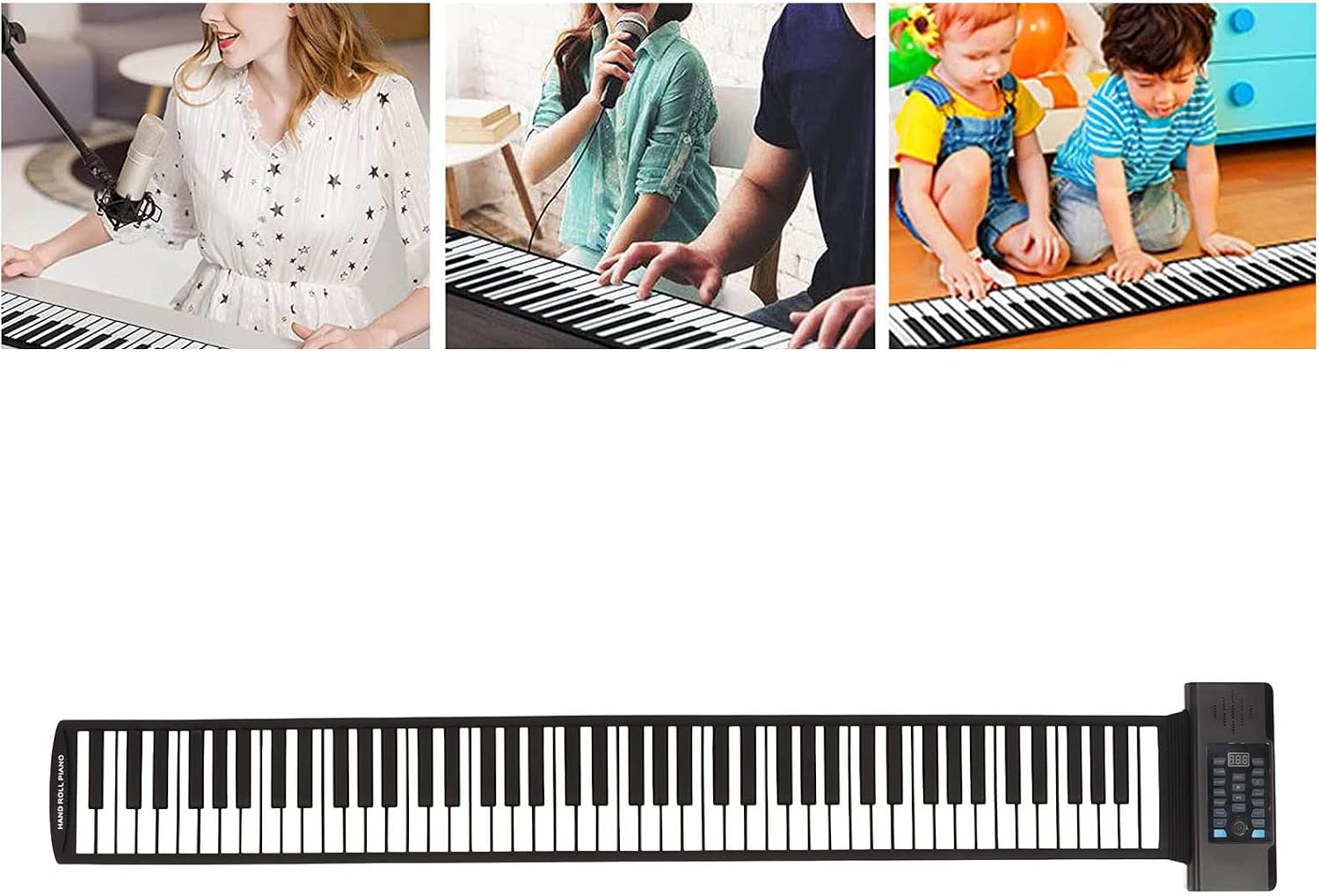
Image: A person playing the ASHATA PD88H roll-up piano, demonstrating its use.

Image: A child playing the ASHATA PD88H roll-up piano, highlighting its accessibility for beginners.
MIDI Connectivity
The ASHATA PD88H supports MIDI functionality, allowing it to connect with various music applications and software on computers or tablets.
Connecting via USB:
- Ensure the piano is powered on.
- Connect one end of a USB cable to the USB/KEY port on the piano's control panel.
- Connect the other end of the USB cable to your computer or tablet.
- Your device should recognize the piano as a MIDI input device. You can then use it with compatible music software (e.g., DAWs, learning apps).
For specific software setup, refer to the instructions provided with your music application.
Maintenance
- Cleaning: Use a soft, dry cloth to wipe the surface of the piano. Do not use abrasive cleaners or solvents, as they may damage the silicone material.
- Storage: When not in use, roll up the piano gently and store it in a dry, cool place away from direct sunlight and extreme temperatures. Avoid folding or creasing the keys.
- Battery Care: For optimal battery life, charge the piano regularly. If storing for an extended period, charge the battery to about 50% and recharge every few months.
- Handling: Avoid placing heavy objects on the piano or subjecting it to excessive force, which could damage internal components or the silicone keys.

Image: The ASHATA PD88H roll-up piano in its compact, rolled-up state, suitable for portable storage.
Troubleshooting
| Problem | Possible Cause | Solution |
|---|---|---|
| No sound when keys are pressed. |
|
|
| Piano does not turn on. |
|
|
| Keys are unresponsive or sticky. |
|
|
| MIDI connection issues. |
|
|
Specifications
| Model | PD88H |
| Brand | ASHATA |
| Number of Keys | 88 |
| Tones | 128 |
| Rhythms | 128 |
| Demo Songs | 14 |
| Connectivity | USB, MIDI OUT |
| Power Source | Rechargeable Lithium Battery, DC 5V Adapter, Mobile Power Bank |
| Package Dimensions | 28 x 24 x 10 cm |
| Package Weight | 1.53 kg |
Safety Information
- Do not expose the piano to water or excessive moisture.
- Avoid extreme temperatures or direct sunlight, which can damage the silicone material and electronics.
- Keep out of reach of small children to prevent accidental damage or ingestion of small parts.
- Use only the provided power adapter or a compatible 5V DC power source.
- Do not attempt to disassemble or repair the unit yourself. Contact customer support for assistance.
Warranty and Support
For warranty information, technical support, or service inquiries, please contact ASHATA customer service through your purchase platform or the official ASHATA website. Please have your product model (PD88H) and purchase date available when contacting support.
Official ASHATA Store: ASHATA Store on Amazon.co.jp