
USHINING T3105
USHINING 4G Senior Flip Phone User Manual
Model: T3105
Introduction
Thank you for choosing the USHINING 4G Senior Flip Phone. This device is specifically designed for ease of use, featuring large buttons, clear sound, and a simple operating system, making it ideal for seniors. This manual provides comprehensive instructions to help you set up, operate, and maintain your new phone.
Package Contents
Please check the box for the following items:
- USHINING 4G Senior Cell Phone
- Charging Dock
- Long Lasting Battery (1000mAh)
- User Manual
- Charging Cord (Power Adapter)
- Speedtalk SIM Card (Included with some packages)
- Phone Case
- SIM Tray Ejector
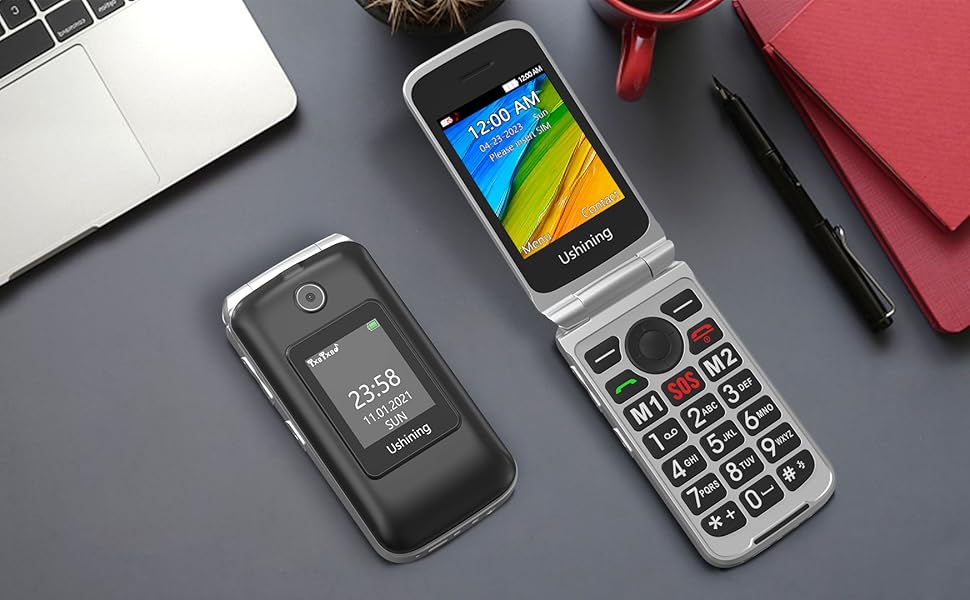
Image: All items included in the USHINING 4G Senior Flip Phone package.
Product Overview
The USHINING 4G Senior Flip Phone features a user-friendly design with essential functions for clear communication.

Image: Front view of the USHINING 4G Senior Flip Phone, both open and in its charging dock.
Key Features:
- Large Buttons: Easy to press and navigate.
- Clear Sound: High-definition loudspeakers for clear calls.
- Dual Screens: 2.8-inch inner screen and 1.77-inch external screen.
- SOS Button: For emergency calls.
- Speed Dial: Quick access to important contacts.
- Flashlight: Built-in 30M powerful flashlight.
- FM Radio: External FM radio.
- Charging Dock: Convenient and easy charging.
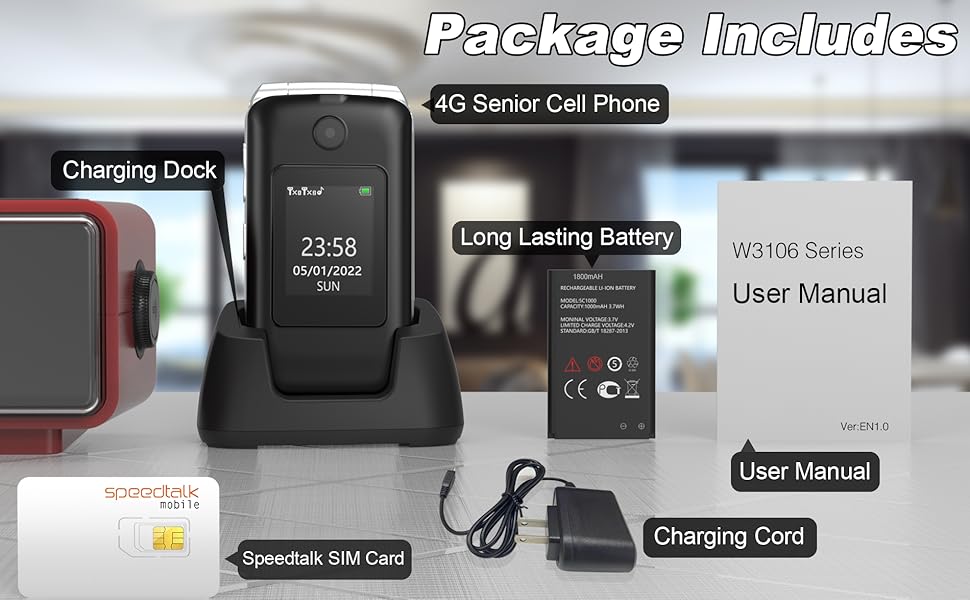
Image: Visual representation of the phone's main features.
Setup Guide
1. Inserting SIM Card and Battery
- Remove Back Cover: Gently pry open the back cover of the phone.
- Insert SIM Card(s): Locate the SIM card slots. This phone supports dual SIM cards. Insert your 4G compatible SIM card(s) into the designated slots with the gold contacts facing down. Ensure the SIM card is correctly oriented as indicated by the diagram near the slot.
- Insert Battery: Place the battery into the battery compartment, aligning the gold contacts on the battery with the contacts in the phone.
- Replace Back Cover: Securely snap the back cover into place.

Image: Internal view of the phone showing SIM card and battery placement. IMEI numbers: 359031100341173, 359031100351057.
2. Charging the Phone
Before first use, fully charge the phone battery. The phone can be charged using the included charging dock or directly via the charging cable.
- Using the Charging Dock: Connect the charging cord to the charging dock and plug the adapter into a power outlet. Place the phone into the charging dock, ensuring it sits securely. The phone will indicate charging.
- Direct Charging: Connect the charging cord directly to the phone's charging port and plug the adapter into a power outlet.
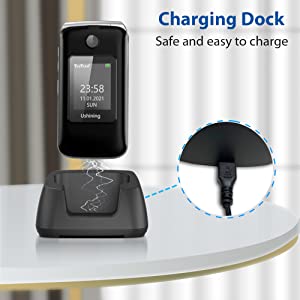
Image: Illustration of the phone being charged using the convenient charging dock.
Operating Instructions
Power On/Off
- Power On: Press and hold the Power/End Call button (red button) until the screen lights up.
- Power Off: Press and hold the Power/End Call button until the power off options appear, then select "Power off".
Making and Receiving Calls
- Making a Call: Dial the number using the keypad and press the Call button (green button).
- Receiving a Call: When the phone rings, press the Call button (green button) to answer. To end a call, press the Power/End Call button (red button).
SOS Emergency Button
The SOS button on the rear cover is designed for emergencies. You can preset up to 5 emergency contacts.
- Setting SOS Contacts: Navigate to the SOS settings in the phone's menu to add or edit emergency numbers.
- Activating SOS: In an emergency, press and hold the SOS button for a few seconds. The phone will automatically dial the preset emergency contacts one by one until a connection is made. It will also send an emergency SMS message to these contacts.
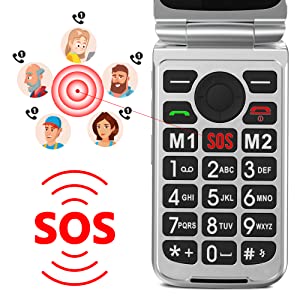
Image: Illustration of the SOS emergency call function and its reach to pre-set contacts.
Speed Dial
Assign frequently called numbers to speed dial keys (2-9) for quick access.
- Setting Speed Dial: Go to Phonebook or Settings, find Speed Dial options, and assign contacts to numbers 2-9.
- Using Speed Dial: Press and hold the assigned number key to dial the contact.
Flashlight
To activate the built-in flashlight, locate the dedicated flashlight button on the side of the phone or access it through the menu.
FM Radio
The phone features an external FM radio. Access it through the main menu. Headphones may be required for optimal reception.
Network Compatibility
This USHINING 4G Senior Flip Phone is designed to work with specific 4G LTE networks. Please ensure your carrier is compatible before use.
- Compatible Carriers (using T-Mobile service): T-Mobile (Prepaid Plan), MetroPCS, Tello Mobile, Ultra Mobile, SpeedTalk, Simple Mobile, Mint Mobile, Red Pocket (GSMT).
- NOT Compatible with: CDMA Carriers (Verizon, Sprint, Boost, PagePlus) or AT&T.
Image: Visual guide to compatible and incompatible network carriers.
Maintenance
Battery Care
- Avoid extreme temperatures, which can reduce battery life.
- Do not leave the phone uncharged for extended periods.
- Use only the original or certified compatible charger and battery.
Cleaning
- Wipe the phone with a soft, dry cloth.
- Do not use harsh chemicals or abrasive cleaners.
- Keep the charging port free of dust and debris.
Troubleshooting
| Problem | Possible Cause | Solution |
|---|---|---|
| Phone does not power on. | Battery is drained or not inserted correctly. | Charge the phone for at least 30 minutes. Ensure the battery is properly seated. |
| No network signal / "Emergency calls only". | SIM card not inserted correctly, incompatible carrier, or incorrect APN settings. |
|
| Cannot hear caller / Caller cannot hear me. | Volume too low, microphone blocked, or network issue. | Adjust call volume. Ensure microphone is not covered. Try moving to an area with better network coverage. |
| Phone freezes or is unresponsive. | Temporary software glitch. | Remove and reinsert the battery to perform a hard reset. |
Specifications
| Model Name | USHINING 4G Senior Flip Phone |
| Item Model Number | T3105 |
| Product Dimensions | 4.09 x 2.11 x 0.83 inches |
| Item Weight | 9.1 ounces |
| Battery Capacity | 1000 mAh Lithium Ion (included) |
| Talk Time | 5-6 hours |
| Standby Time | Over 100 hours (4 days) |
| Internal Screen Size | 2.8 Inches |
| External Screen Size | 1.77 Inches |
| Resolution | 240 x 320 |
| RAM | 64 MB |
| Memory Storage Capacity | 128 MB |
| Cellular Technology | 4G LTE |
| Wireless Communication | Bluetooth, Cellular |
| Audio Jack | 3.5 mm |
| Form Factor | Flip |
| Color | Black |
| Manufacturer | USHINING |
Warranty and Support
For warranty information and technical support, please refer to the warranty card included in your package or contact USHINING customer service. Keep your purchase receipt as proof of purchase.
For further assistance, please visit the official USHINING website or contact their support channels as provided in your product documentation.
Ask a question about this manual
Ask about setup, troubleshooting, compatibility, parts, safety, or missing instructions. Manuals+ will review the question and use this page’s manual context to help answer it.