1. Introduction
Thank you for choosing the Genérico BDF Tablet S10. This 10.1-inch tablet features an Android 9 operating system, an Octa Core processor, 4GB of RAM, and 64GB of internal storage. It supports 3G/4G mobile phone calls, GPS, Bluetooth, and Wi-Fi connectivity, offering a versatile and portable computing experience. This manual provides essential information to help you set up, operate, and maintain your device.

Image: Front and back view of the Genérico BDF Tablet S10, showcasing its sleek design and rear camera.
2. Setup
2.1 What's in the Box
Upon unboxing your Genérico BDF Tablet S10, please ensure all the following items are present:
- BDF Tablet S10 (Main Unit)
- Charging Cable (USB)
- Card Pin (for SIM/TF card tray)
- User Manual (this document)
- Power Adapter
- Protective Film (pre-applied or included)
- USB Adapter (if applicable)
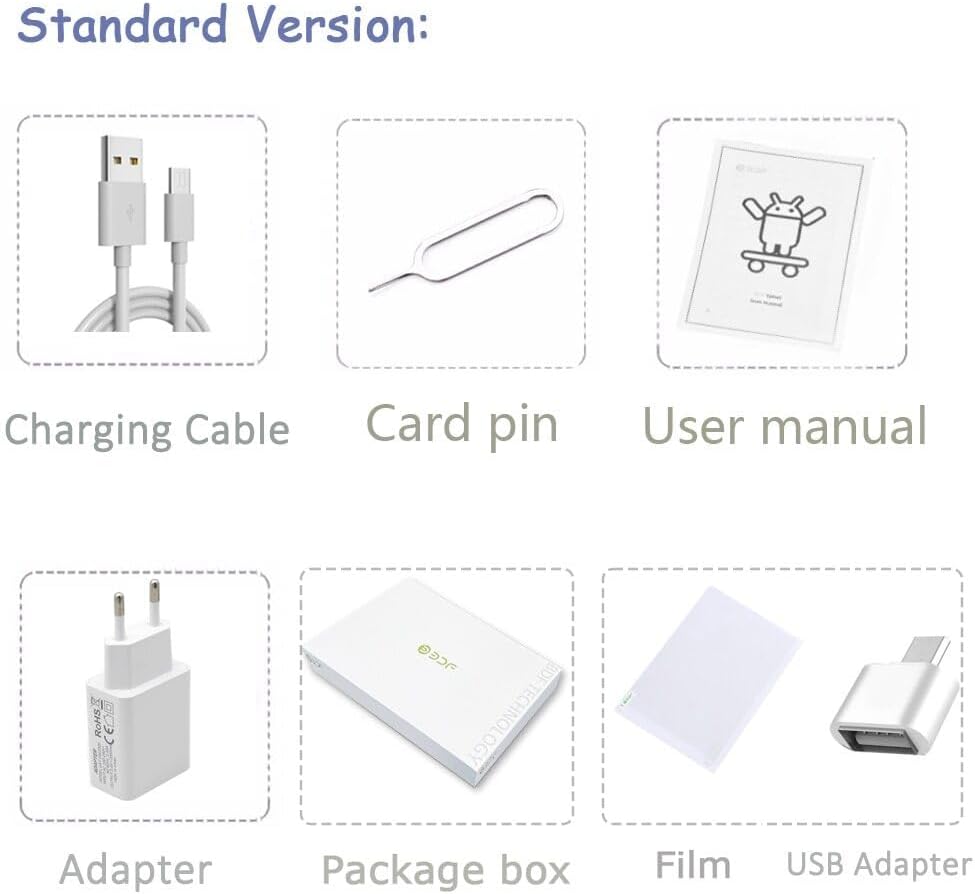
Image: Visual representation of the standard package contents, including the tablet, charging cable, card pin, user manual, adapter, package box, film, and USB adapter.
2.2 Initial Charging
Before first use, fully charge your tablet. Connect the charging cable to the tablet's TYPE-C port and the power adapter, then plug the adapter into a wall outlet. The battery indicator on the screen will show charging status. The tablet has a 5000 mAh battery capacity.
2.3 Inserting SIM and TF Cards
The BDF Tablet S10 supports dual SIM cards for 3G/4G connectivity and a TF (microSD) card for expandable storage. Locate the card tray on the side of the tablet. Use the provided card pin to gently eject the tray. Insert your SIM cards (SIM1, SIM2) and TF card into their respective slots, ensuring correct orientation. Carefully push the tray back into the tablet until it clicks into place.

Image: Close-up view of the tablet's side, illustrating the dual SIM card and TF card slots for network and phone call capabilities.
2.4 Powering On/Off
- To Power On: Press and hold the Power button (usually located on the side) until the screen lights up and the boot animation appears.
- To Power Off: Press and hold the Power button until a power options menu appears. Select "Power Off" and confirm.
- To Restart: From the power options menu, select "Restart" and confirm.
3. Operating Your Tablet
3.1 Android 9 Operating System
Your BDF Tablet S10 runs on Android 9, offering a user-friendly interface and access to a vast ecosystem of applications via the Google Play Store. Navigate using touch gestures: tap to select, swipe to scroll, pinch to zoom.

Image: The tablet display showing the Android 9 interface with various application icons, highlighting its smart control features.
3.2 Connectivity
The tablet supports multiple connectivity options:
- Wi-Fi: Connect to wireless networks for internet access. Go to Settings > Network & Internet > Wi-Fi.
- Bluetooth: Pair with Bluetooth devices like headphones or speakers. Go to Settings > Connected devices > Bluetooth.
- 3G/4G: Utilize cellular data for internet access and phone calls (if a SIM card is inserted and activated).
- GPS: For location services and navigation.
- FM: Built-in FM radio functionality.

Image: The tablet screen showcasing various applications and uses, emphasizing full network support including 3G internet, Wi-Fi, and Bluetooth for games, video calls, and more.
3.3 Display Features
The tablet features a 10.1-inch IPS display with a resolution of 1280x800 pixels, providing clear and vibrant visuals. The IPS technology ensures wide viewing angles (178°), making it suitable for watching videos, video calls, and gaming.

Image: A visual representation of the tablet's 10.1-inch LCD display, highlighting its 178° viewing angle and 1280x800 Full HD resolution.
3.4 Camera Functionality
The BDF Tablet S10 is equipped with two cameras:
- Rear Camera: 5MP for capturing photos and videos.
- Front Camera: 2MP, ideal for video calls and selfies.
3.5 Battery Life
The tablet is powered by a 5000 mAh lithium polymer battery, designed for long-lasting performance. It provides up to 6 hours of local video playback, suitable for entertainment and gaming needs.
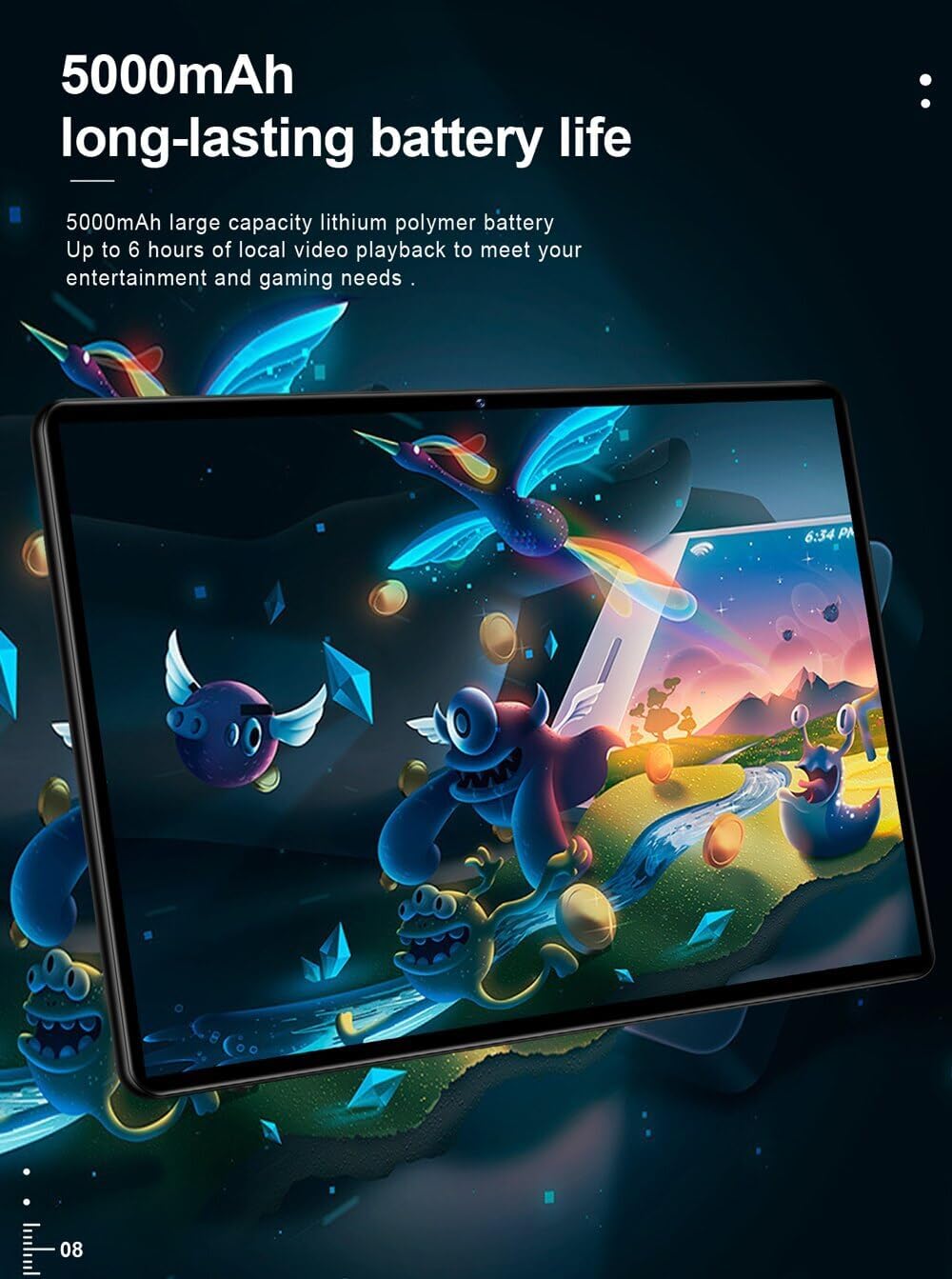
Image: The tablet's rear view, emphasizing its 5000mAh large capacity lithium polymer battery for extended usage.
4. Maintenance
To ensure the longevity and optimal performance of your tablet, follow these maintenance guidelines:
- Cleaning: Use a soft, lint-free cloth to clean the screen and body. Avoid abrasive cleaners or solvents.
- Storage: Store the tablet in a cool, dry place away from direct sunlight and extreme temperatures.
- Protection: Consider using a protective case or screen protector to prevent scratches and damage.
- Software Updates: Regularly check for and install system updates to ensure security and performance improvements.
- Battery Care: Avoid fully discharging the battery frequently. For long-term storage, charge the battery to about 50%.

Image: The tablet being easily placed into a backpack, illustrating its light and portable design for convenient carrying.
5. Troubleshooting
If you encounter issues with your tablet, refer to the following common problems and solutions:
- Tablet does not turn on: Ensure the battery is charged. Connect the charger and wait a few minutes before attempting to power on again. If it still doesn't turn on, try holding the power button for 10-15 seconds.
- Screen is unresponsive: Restart the tablet. If the issue persists, perform a factory reset (note: this will erase all data).
- Cannot connect to Wi-Fi: Ensure Wi-Fi is enabled in settings. Restart your Wi-Fi router. Forget the network and try reconnecting.
- Apps are crashing or slow: Close background apps. Clear app cache (Settings > Apps & notifications > App info > [App Name] > Storage & cache > Clear cache). Ensure sufficient storage space.
- Poor battery life: Reduce screen brightness. Disable unused connectivity features (Wi-Fi, Bluetooth, GPS). Close background apps.
- No sound: Check volume levels. Ensure headphones are not connected. Restart the tablet.
6. Specifications
| Feature | Specification |
|---|---|
| Brand | Genérico |
| Manufacturer | BDF |
| Model Series | S10 |
| Color | Black |
| Screen Size | 10.1 Inches |
| Display Resolution | 1280 x 800 |
| Processor Brand | MTK (Octa Core) |
| RAM | 4GB |
| Storage Capacity | 64GB |
| Operating System | Android 9.0 |
| Front Webcam Resolution | 2 MP |
| Rear Camera Resolution | 5 MP |
| Connectivity | Bluetooth, Wi-Fi, 3G/4G (Integrated), FM |
| Battery Capacity | 5000 mAh |
| Extension Ports | 3G external, Headphone Jack, TF Card, TYPE-C |
| Features | G-Sensor, Multi-Touch, Phone Call, Ultra Thin, Dual Cameras |
| Certifications | CE, FCC, ROHS |
7. Warranty and Support
For warranty information and technical support, please refer to the documentation provided with your purchase or contact the retailer/manufacturer directly. Keep your proof of purchase for warranty claims.