
eKids BU-B52
eKids Bluey Bluetooth Headphones BU-B52 User Manual
Model: BU-B52 | Brand: eKids
Introduction
This manual provides instructions for the safe and efficient use of your eKids Bluey Bluetooth Headphones, model BU-B52. Please read this manual thoroughly before operating the device and retain it for future reference.

Image: Front view of the eKids Bluey Bluetooth Headphones, featuring Bluey-themed earcups and plush ears on the headband.
Safety Information
- Volume Level: The headphones are designed with a volume limit of 85 dB to protect hearing. Prolonged exposure to high volume levels can still cause hearing damage.
- Choking Hazard: Keep small parts and cables away from young children to prevent choking hazards.
- Water Resistance: This product is not water resistant. Avoid exposure to liquids.
- Cleaning: Use a soft, dry cloth for cleaning. Do not use liquid cleaners or aerosols.
- Battery Safety: Do not attempt to replace the internal lithium-ion battery. Dispose of the product according to local regulations.
Package Contents
Verify that all items are present in the package:
- eKids Bluey Bluetooth Headphones (Model BU-B52)
- 3.5mm Audio Cable
- USB Charging Cable (Micro USB to USB-A, typically)
- User Manual (this document)

Image: Overview of the headphones highlighting features like adjustable headband, foldable design, comfortable ear cushions, and showing the included charging and line-in cables.
Product Overview
Familiarize yourself with the various parts and controls of your headphones:
- Adjustable Headband: Allows for a custom fit.
- Soft Ear Cushions: Provide comfort during use.
- On-Ear Controls: Buttons for power, volume, and playback (specific functions detailed in Operating Instructions).
- Built-in Microphone: For hands-free communication.
- 3.5mm Audio Jack: For wired connection.
- USB Charging Port: For recharging the internal battery.
- LED Indicator: Displays power and pairing status.
Setup
1. Charging the Headphones
- Locate the USB charging port on the headphones.
- Connect the smaller end of the USB charging cable to the headphone's charging port.
- Connect the larger end of the USB charging cable to a powered USB port (e.g., computer, USB wall adapter).
- The LED indicator will illuminate during charging and turn off or change color when fully charged.
- A full charge provides up to 37 hours of continuous Bluetooth playtime.
2. Powering On/Off
- To Power On: Press and hold the Power button until the LED indicator lights up.
- To Power Off: Press and hold the Power button until the LED indicator turns off.
3. Bluetooth Pairing (Wireless Mode)
- Ensure the headphones are charged and powered off.
- Press and hold the Power button for approximately 5-7 seconds until the LED indicator flashes rapidly (usually blue and red), indicating pairing mode.
- On your device (smartphone, tablet, computer), enable Bluetooth and search for available devices.
- Select "eKids Bluey Headphones" or "BU-B52" from the list of found devices.
- Once paired, the LED indicator will typically flash slowly or turn solid blue.
- The headphones will automatically attempt to reconnect to the last paired device when powered on.
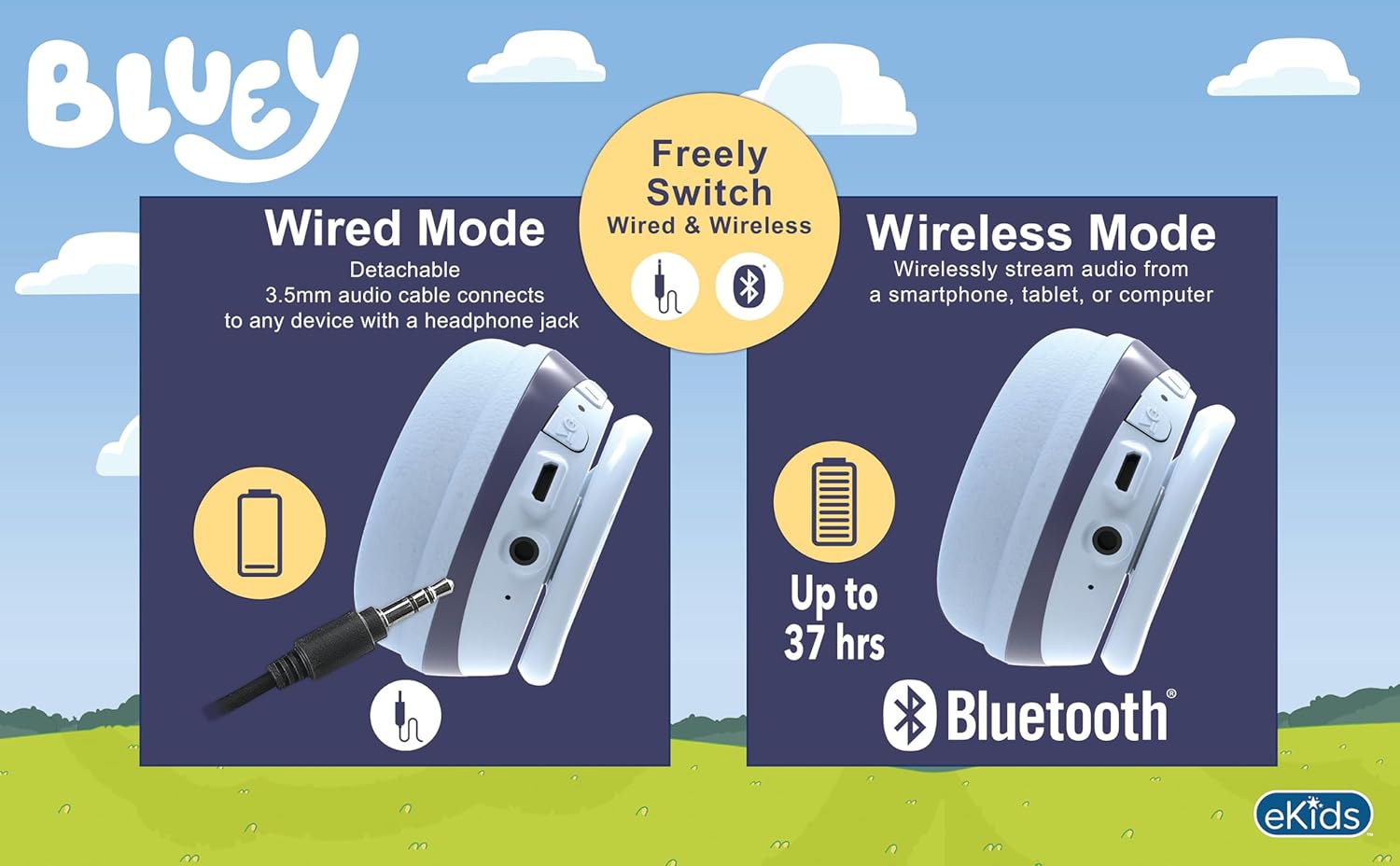
Image: A visual comparison of wired mode (using a 3.5mm audio cable) and wireless mode (Bluetooth connection with up to 37 hours of battery life).
4. Wired Connection (Aux Mode)
- Ensure the headphones are powered off.
- Connect one end of the included 3.5mm audio cable to the headphone's 3.5mm audio jack.
- Connect the other end of the 3.5mm audio cable to the audio output jack of your device.
- The headphones will function in wired mode, bypassing Bluetooth. No battery power is required for wired listening.
Operating Instructions
The headphones feature integrated controls for ease of use.
1. Volume Control
- Use the volume buttons located on the headphones to adjust the listening level.
- The headphones have a built-in volume limiter set at 85 dB for hearing protection.
2. Music Playback (Bluetooth Mode)
- Play/Pause: Press the Play/Pause button once.
- Next Track: Press and hold the Volume Up button (or specific 'next' button if present).
- Previous Track: Press and hold the Volume Down button (or specific 'previous' button if present).
3. Call Functions (Bluetooth Mode)
- Answer/End Call: Press the Play/Pause button once during an incoming call or active call.
- Reject Call: Press and hold the Play/Pause button during an incoming call.
- Using the Microphone: The built-in microphone activates automatically during calls.
Maintenance
- Cleaning: Wipe the headphones with a soft, dry, lint-free cloth. Do not use abrasive cleaners, alcohol, or chemical solvents.
- Storage: When not in use, store the headphones in a cool, dry place, away from direct sunlight and extreme temperatures. The foldable design allows for compact storage.
- Battery Care: To prolong battery life, avoid fully discharging the headphones frequently. Charge them regularly, even if not used for extended periods.
Troubleshooting
| Problem | Possible Solution |
|---|---|
| Headphones do not power on. | Ensure the headphones are fully charged. Connect to a power source using the USB charging cable. |
| Cannot pair via Bluetooth. |
|
| No sound in wireless mode. |
|
| No sound in wired mode. |
|
| Microphone not working. |
|
Specifications
| Model Number | BU-B52 |
| Connectivity | Bluetooth (Wireless), 3.5mm Audio Jack (Wired) |
| Bluetooth Range | Up to 10 meters (33 feet) |
| Battery Type | Lithium Ion (included) |
| Battery Life | Up to 37 hours (Bluetooth playtime) |
| Sensitivity | 85 dB (Volume Limited) |
| Frequency Range | 20 Hz - 20,000 Hz |
| Weight | 9.3 ounces (0.27 Kilograms) |
| Material | Plastic |
| Manufacturer | KIDdesigns |
Warranty and Support
For warranty information or technical support, please refer to the documentation included with your purchase or visit the official eKids website. Contact details for customer service are typically available on the manufacturer's website.
You can visit the eKids store at eKids Amazon Store for more information.
Related documentsBU-B52


Ask a question about this manual
Ask about setup, troubleshooting, compatibility, parts, safety, or missing instructions. Manuals+ will review the question and use this page’s manual context to help answer it.