
1. Introduction
Thank you for choosing the Choetech True Wireless Earbuds. This manual provides detailed instructions on how to set up, operate, and maintain your earbuds to ensure optimal performance and longevity. Please read this manual carefully before using the product and keep it for future reference.
2. Package Contents
- Choetech True Wireless Earbuds (Left & Right)
- Charging Case
- USB Charging Cable
- Multiple Sizes of Eartips
- User Manual
3. Product Overview
Familiarize yourself with the components of your Choetech True Wireless Earbuds.

Image: The Choetech True Wireless Earbuds and their compact charging case.

Image: The earbuds placed inside the open charging case, showing the charging contacts.
Earbud Components:
- Touch Control Area: For managing playback, calls, and voice assistant.
- LED Indicator: Shows pairing status and battery level.
- Microphone: For calls and voice commands.
- Charging Contacts: For charging inside the case.
Charging Case Components:
- Earbud Charging Slots: Securely holds and charges the earbuds.
- Charging Case LED Indicator: Shows case battery status.
- USB Charging Port: For charging the case.
4. Setup
4.1 Charging the Earbuds and Case
Before first use, fully charge both the earbuds and the charging case.
- Place the earbuds into the charging case, ensuring they are correctly seated.
- Connect the USB charging cable to the charging port on the case and a power source (e.g., USB wall adapter, computer USB port).
- The LED indicators on the earbuds and case will show charging status. They will turn off or change color when fully charged.
A full charge provides over 5 hours of playback time for the earbuds, and the charging case extends total usage to approximately 120 hours in standby mode.

Image: Visual representation of the earbuds' long battery endurance, indicating playback, talk, and standby times.
4.2 Pairing with Your Device (Bluetooth 5.2)
The earbuds utilize advanced Bluetooth 5.2 technology for a fast and stable connection.
- Open the charging case. The earbuds will automatically power on and enter pairing mode. The earbud LED indicators will flash, indicating they are ready to pair.
- On your device (smartphone, tablet, etc.), enable Bluetooth.
- Search for available Bluetooth devices and select "Choetech BH-T06" from the list.
- Once connected, the earbud LED indicators will stop flashing. You will hear a confirmation tone.
The earbuds support seamless switching, allowing each earbud to independently fast switch between two different audio devices.
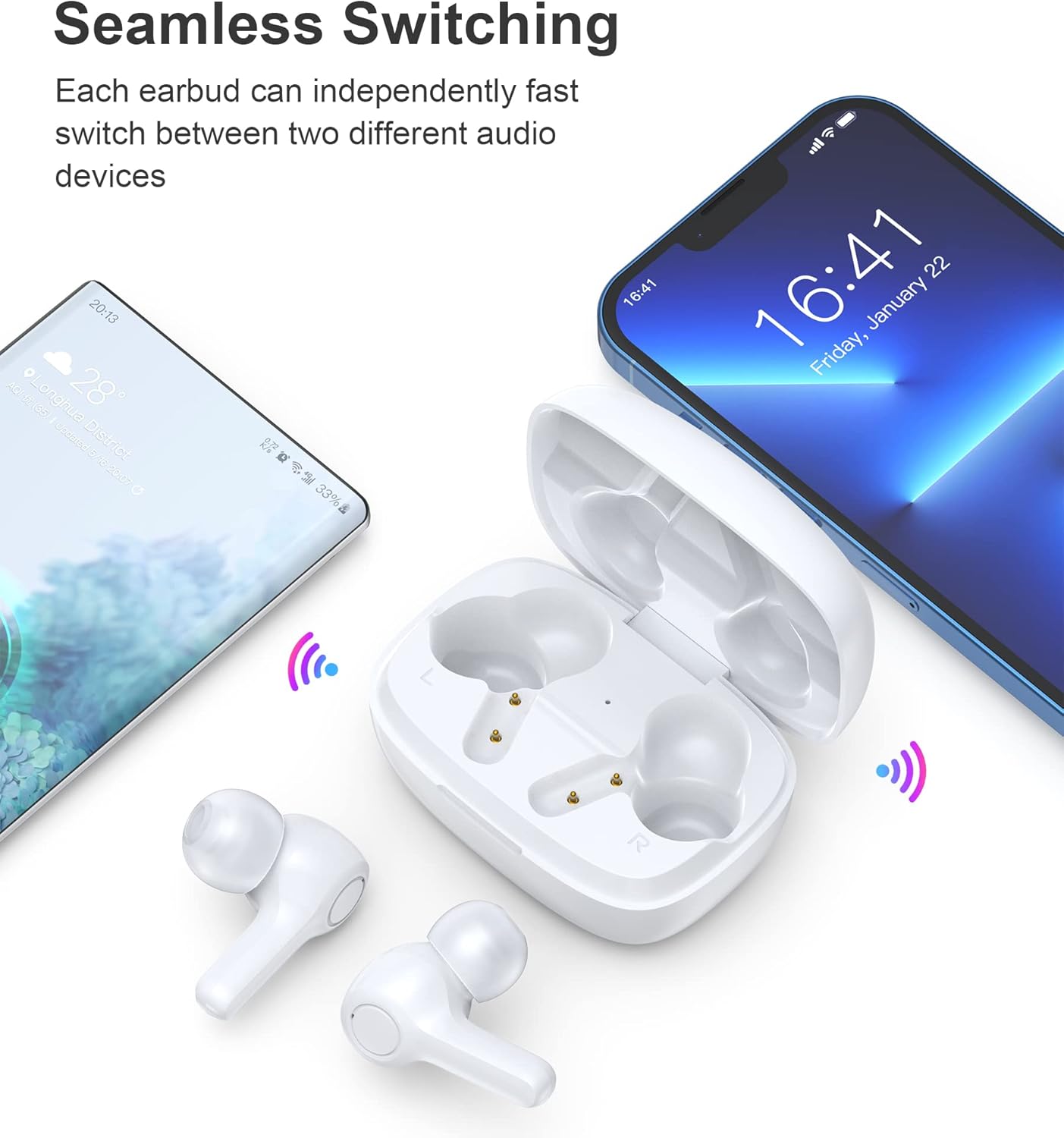
Image: Illustration demonstrating the seamless switching capability between a smartphone and another device.
Note: After initial pairing, the earbuds will automatically connect to the last paired device when taken out of the case, provided Bluetooth is enabled on the device.
5. Operating Instructions
5.1 Power On/Off
- Power On: Open the charging case, and the earbuds will automatically power on.
- Power Off: Place the earbuds back into the charging case and close the lid. They will automatically power off and begin charging.
5.2 Touch Controls
The earbuds feature sensitive touch controls for easy operation.
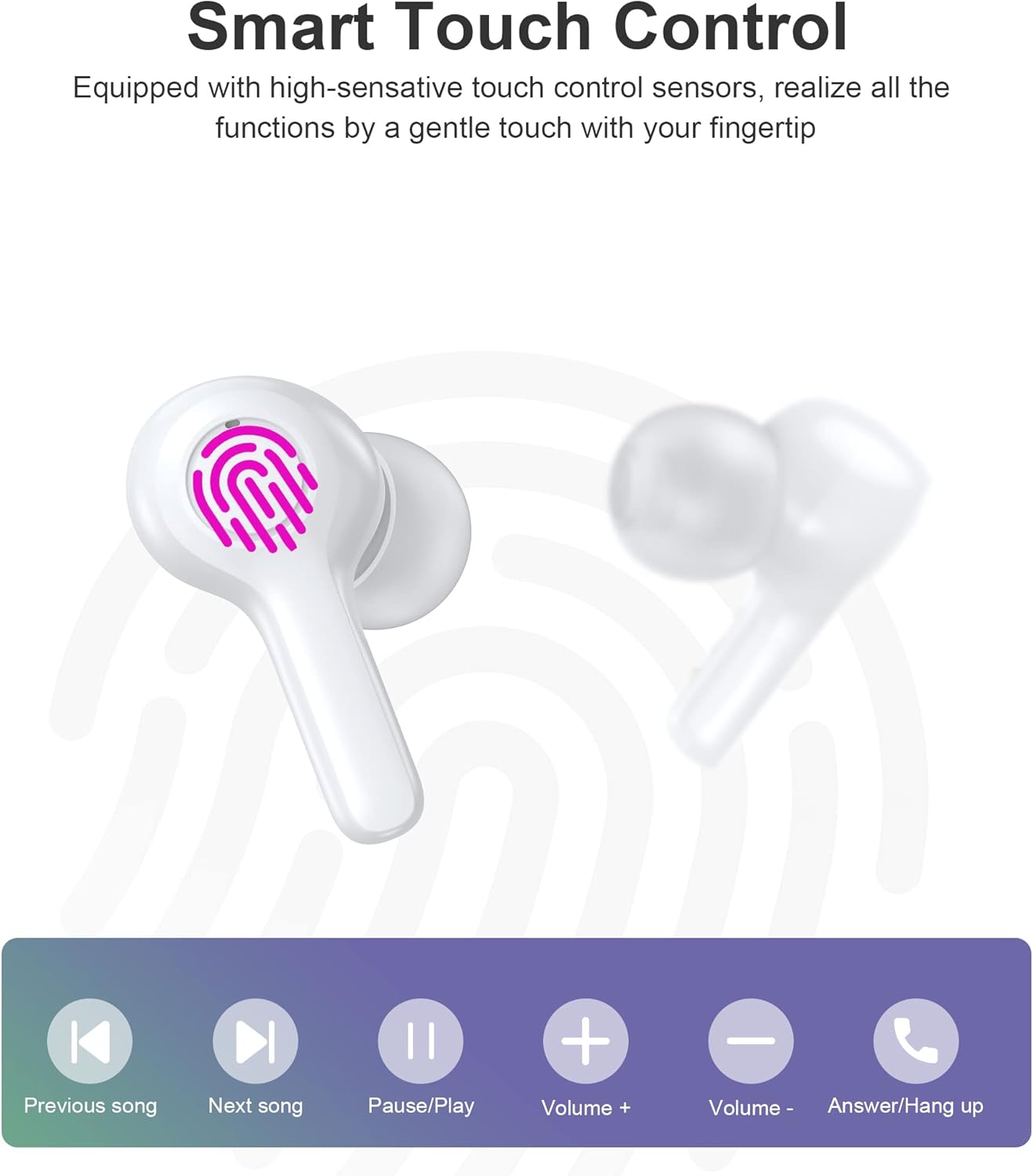
Image: Diagram illustrating the various touch control functions on the earbuds, including playback, volume, and call management.
| Action | Left Earbud | Right Earbud |
|---|---|---|
| Play/Pause | Single Tap | Single Tap |
| Next Song | Double Tap | |
| Previous Song | Double Tap | |
| Volume Up | Triple Tap | |
| Volume Down | Triple Tap | |
| Answer/End Call | Single Tap | Single Tap |
| Reject Call | Long Press (2s) | Long Press (2s) |
| Activate Voice Assistant | Long Press (2s) | Long Press (2s) |
Note: Specific touch control functions may vary slightly depending on your connected device and its operating system.
6. Maintenance
6.1 Cleaning
The earbuds are IPX8 waterproof, making them resistant to sweat and water. They can be easily cleaned.
- Wipe the earbuds and charging case with a soft, dry, lint-free cloth.
- For stubborn dirt, slightly dampen the cloth with water. Do not use harsh chemicals or abrasive materials.
- Ensure the charging contacts on both the earbuds and the case are clean and dry to prevent charging issues.

Image: Visual representation of the earbuds' IPX8 waterproof protection, showing them submerged in water.
6.2 Storage
- When not in use, store the earbuds in their charging case to protect them and keep them charged.
- Store the product in a cool, dry place, away from extreme temperatures and direct sunlight.
7. Troubleshooting
If you encounter any issues, please refer to the following common solutions:
- Earbuds not pairing: Ensure both earbuds are out of the case and in pairing mode. Turn off and on your device's Bluetooth. Try forgetting the device in your Bluetooth settings and re-pairing.
- Only one earbud working: Place both earbuds back into the charging case, close the lid, wait a few seconds, then take them out again. This often re-syncs them.
- No sound: Check the volume level on your device and the earbuds. Ensure the earbuds are properly connected to your device.
- Charging issues: Clean the charging contacts on both earbuds and the case. Try a different USB cable and power source.
- Poor call quality: Ensure the microphones are not obstructed. Move closer to your device. The smart noise reduction technology helps provide clear calls, but extreme noisy environments may still affect quality.

Image: Visual representation of the noise reduction technology, showing sound waves being processed for clearer audio.
If the problem persists, please contact customer support.
8. Specifications
| Feature | Detail |
|---|---|
| Model | BH-T06 |
| Bluetooth Version | 5.2 |
| Waterproof Rating | IPX8 (Waterproof to 1 meter for 30 minutes) |
| Earbud Battery Capacity | 40mAh (each earbud) |
| Charging Case Battery Capacity | 300mAh |
| Playback Time | ~5+ hours (earbuds) |
| Standby Time (with case) | ~120 hours |
| Speaker Size | 8mm |
| Microphones | 4 (for clear calls) |
| Connectivity Technology | Wireless (Bluetooth) |
| Noise Control | Automatic Noise Reduction |
9. Safety Information
- Do not disassemble or modify the product.
- Keep away from extreme temperatures, direct sunlight, and open flames.
- Avoid dropping or subjecting the product to strong impacts.
- Keep out of reach of children and pets.
- Do not use the earbuds at excessively high volumes for prolonged periods to prevent hearing damage.
10. Warranty and Support
Choetech products come with a standard warranty. Please refer to the warranty card included in your package or visit the official Choetech website for detailed warranty terms and conditions. For technical support, troubleshooting assistance, or any inquiries, please contact Choetech customer service through their official channels.


